
Last updated on
Nov 9, 2026

WA EMS 10313 2011 free printable template
pdfFiller is not affiliated with any government organization

Fill out
Complete the form online in a simple drag-and-drop editor.

eSign
Add your legally binding signature or send the form for signing.

Share
Share the form via a link, letting anyone fill it out from any device.

Export
Download, print, email, or move the form to your cloud storage.
Why pdfFiller is the best tool for your documents and forms


End-to-end document management
From editing and signing to collaboration and tracking, pdfFiller has everything you need to get your documents done quickly and efficiently.
Accessible from anywhere
pdfFiller is fully cloud-based. This means you can edit, sign, and share documents from anywhere using your computer, smartphone, or tablet.
Secure and compliant
pdfFiller lets you securely manage documents following global laws like ESIGN, CCPA, and GDPR. It's also HIPAA and SOC 2 compliant.
What is WA EMS 10313
The Washington State Unemployment Job-Search Log is a document used by individuals claiming unemployment benefits to record their weekly job-search activities.
pdfFiller scores top ratings on review platforms




Fast and easy
Love it
Love this app
Great!!!
It really easy to use, very intuitive and the tools you have with the paid suscription are awesome!
its great
it was great!!!!!!!
Great service
AWESOME
AWESOME and so helpful
Who needs WA EMS 10313?
Explore how professionals across industries use pdfFiller.

WA EMS 10313 is needed by:
-
Unemployed individuals in Washington State
-
Job seekers applying for unemployment benefits
-
Career counselors assisting with job searches
-
State unemployment office reviewers
-
Employment program administrators
Comprehensive Guide to WA EMS 10313
What is the Washington State Unemployment Job-Search Log?
The Washington State Unemployment Job-Search Log is a crucial document for individuals seeking unemployment benefits. This form serves the purpose of documenting job-search activities, which is essential to validate a claim for benefits. Accurate record-keeping is important as state officials may review these logs to ensure compliance with unemployment claims.
This log requires users to report their job search efforts, demonstrating their proactive approach to securing employment. Failure to maintain this log could potentially affect the status of unemployment benefits.
Purpose and Benefits of Using the Washington State Unemployment Job-Search Log
The primary function of the Washington State Unemployment Job-Search Log is to document job search activities, reinforcing the necessity of tracking outreach to employers. Maintaining an organized log can directly support the continuation of unemployment benefits.
Users can reap numerous benefits from utilizing this structured log, including:
-
Clear documentation of job applications and employer contacts, which is crucial for unemployment benefit eligibility.
-
A systematic approach to job searching, allowing for better organization and follow-up on employment opportunities.
Key Features of the Washington State Unemployment Job-Search Log
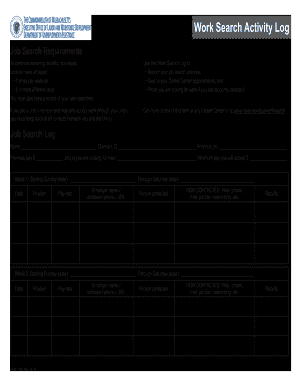
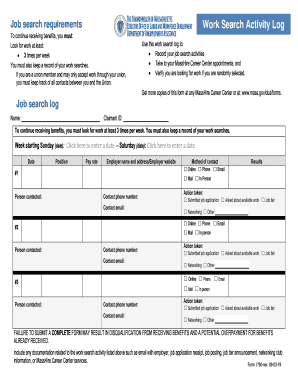
This log is designed with various fields to enhance usability. It includes spaces for essential details such as employer contact information, job types applied for, and the methods of contact. Additionally, the form features required checkboxes for different application types: résumé submissions, interviews, and inquiries.
For user convenience, the log is available in a fillable format through pdfFiller, simplifying the process of creating and maintaining accurate records.
Who Needs to Use the Washington State Unemployment Job-Search Log?
This log is intended for individuals who qualify for unemployment benefits in Washington State. It is primarily designed for job-seekers actively pursuing employment opportunities. These individuals must fulfill accountability requirements to ensure their eligibility for benefits.
The target audience includes:
-
Full-time or part-time workers who have lost their jobs
-
Recent graduates entering the workforce
-
Individuals in transitional phases of employment seeking new opportunities
How to Fill Out the Washington State Unemployment Job-Search Log Online (Step-by-Step)
Completing the Washington State Unemployment Job-Search Log online is straightforward if users follow these steps:
-
Access the log via pdfFiller's web platform.
-
Fill in personal details, including name and Social Security Number (SSN).
-
Record each employer's contact information in the designated fields.
-
Select the type of job application submitted by using the checkboxes.
-
Review the information for accuracy before saving or submitting the log.
By ensuring precise data entry, users can effectively track their job search activities.
Submission Methods for the Washington State Unemployment Job-Search Log
Users have multiple options for submitting the Washington State Unemployment Job-Search Log. Accepted methods include online submissions or mailing the completed log to state agencies. It is essential to follow the appropriate submission guidelines to ensure that the forms are submitted securely.
Keeping track of potential submission deadlines is crucial to avoid consequences associated with late filings. Users should confirm the submission method and guidelines specific to their local unemployment office.
Common Errors and How to Avoid Them
When filling out the Washington State Unemployment Job-Search Log, users may encounter common errors that can affect their unemployment claims. Identifying typical mistakes is important for ensuring accurate submissions. Common pitfalls include:
-
Incomplete employer contact details
-
Incorrect types of applications checked on the form
To mitigate these mistakes, users should review their entries carefully and confirm the accuracy of all information before finalizing their logs. In case of errors post-submission, users should familiarize themselves with the amendment process to correct any inaccuracies swiftly.
How pdfFiller Can Help with the Washington State Unemployment Job-Search Log
pdfFiller significantly streamlines the process of completing the Washington State Unemployment Job-Search Log. With features enabling users to edit, eSign, and share documents efficiently, pdfFiller offers a user-friendly experience for those managing their employment records.
The platform ensures security, with compliance to standards such as HIPAA and GDPR, providing peace of mind when handling sensitive information related to job searches. Utilizing pdfFiller can enhance the efficiency of filling out and submitting the Unemployment Job-Search Log.
Sample or Example of a Completed Washington State Unemployment Job-Search Log
To assist users in accurately completing their logs, an example of a filled-out Washington State Unemployment Job-Search Log can be beneficial. Such a sample can clarify each required field and demonstrate the proper way to document job-search activities.
This visual reference reinforces the importance of accuracy and completeness, ensuring that users understand how to effectively fulfill their reporting obligations.
User Experience: Navigating the Washington State Job-Search Log with pdfFiller
The user experience when navigating the Washington State Job-Search Log with pdfFiller is designed to be straightforward and intuitive. Users report a seamless interface that facilitates the filling out and submission process.
Feedback highlights the benefits of using pdfFiller for unemployment job search documentation, reiterating how it transforms a potentially tedious process into an efficient, secure task. Users are encouraged to explore pdfFiller to enhance their documentation experience.
How to fill out the WA EMS 10313
-
1.Begin by accessing pdfFiller and searching for 'Washington State Unemployment Job-Search Log' in the template library.
-
2.Click on the form to open it in the pdfFiller editor.
-
3.Familiarize yourself with the layout, ensuring all sections are visible, and expand any collapsed areas as needed.
-
4.Before filling out the form, gather essential information such as your name, identification number or Social Security Number, and details of your job-search activities.
-
5.Start by entering your name and ID or SSN in the designated fields at the top of the form.
-
6.Proceed to the section where you will log your employer contacts; enter the name of the employer in the provided field.
-
7.Record the type of work applied for, ensuring that you accurately describe the position and include any relevant job details.
-
8.Indicate the method of contact (e.g., application, interview, or inquiry) by ticking the appropriate checkbox for each entry.
-
9.Continue to document each week’s job-search activities, making sure to record at least three employer contacts or approved activities as required.
-
10.Regularly review your entries for accuracy, ensuring all required fields are filled correctly.
-
11.Once you complete the form, double-check it against your gathered information to prevent errors.
-
12.To finalize your record, click on the 'Save' option to keep an electronic copy, or use the 'Download' button to save it to your device.
-
13.If required, follow the site’s submission instructions to submit the completed form electronically to your state unemployment office.

Who is required to complete the Washington State Unemployment Job-Search Log?
Individuals receiving unemployment benefits in Washington State must complete this log to record their job-search activities, verifying compliance with state requirements.
What information do I need to fill out the job-search log?
You will need to provide your name, ID or Social Security Number, and details for each employer contact including the name, type of work applied for, and the contact method.
How many employer contacts must I log each week?
You are required to record a combined total of three employer contacts or approved job-search activities each week in the log.
Where do I submit the completed job-search log?
Once completed, you should submit the job-search log to your state unemployment office according to their specified submission methods, which may include electronic submission or physical mailing.
What are common mistakes to avoid when filling out the form?
Common mistakes include incomplete fields, failing to provide all required employer contacts, and not accurately recording the method of contact. Ensure all information is correct and complete.
Can I edit the job-search log after saving it on pdfFiller?
Yes, pdfFiller allows you to edit your saved job-search log. Simply reopen the document from your account and make necessary adjustments before final submission.
Is there a deadline for submitting the job-search log?
It is crucial to check with your unemployment office for specific deadlines regarding the submission of the job-search log, as they may vary based on individual circumstances.
WA EMS 10313 Form Versions
Related Content
Related Forms
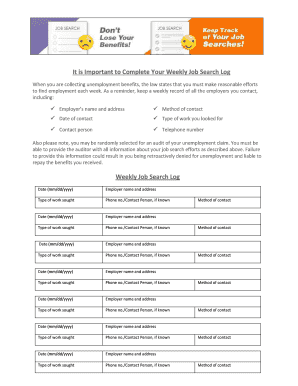
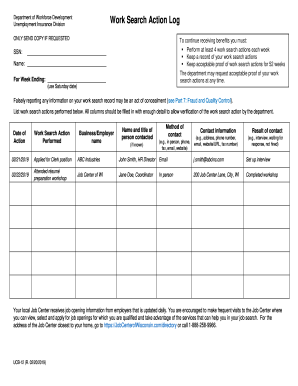
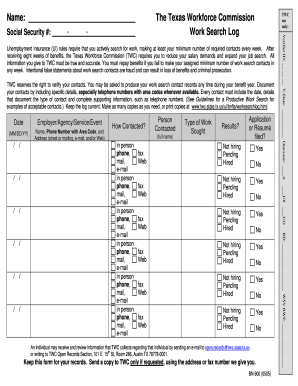
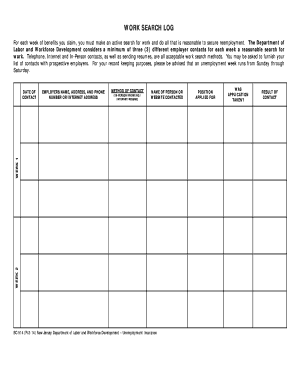
Related Catalogs
Get the latest insights from our blog


If you believe that this page should be taken down, please follow our DMCA take down process
here
.
This form may include fields for payment information. Data entered in these fields is not covered by PCI DSS compliance.