
Last updated on
Oct 31, 2026

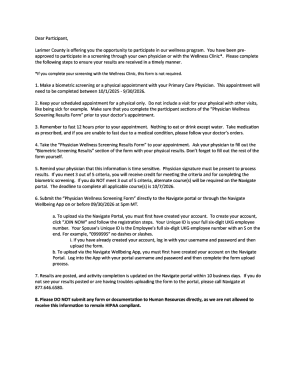
RedBrick Health Annual Physical Screening Form Instructions 2011 free printable template
pdfFiller is not affiliated with any government organization

Fill out
Complete the form online in a simple drag-and-drop editor.

eSign
Add your legally binding signature or send the form for signing.

Share
Share the form via a link, letting anyone fill it out from any device.

Export
Download, print, email, or move the form to your cloud storage.
Why pdfFiller is the best tool for your documents and forms


End-to-end document management
From editing and signing to collaboration and tracking, pdfFiller has everything you need to get your documents done quickly and efficiently.
Accessible from anywhere
pdfFiller is fully cloud-based. This means you can edit, sign, and share documents from anywhere using your computer, smartphone, or tablet.
Secure and compliant
pdfFiller lets you securely manage documents following global laws like ESIGN, CCPA, and GDPR. It's also HIPAA and SOC 2 compliant.
What is RedBrick Health Annual Physical Screening Form Instructions
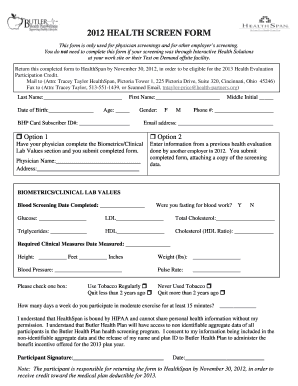
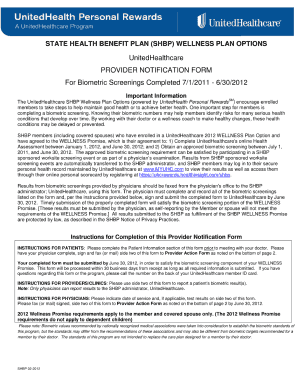
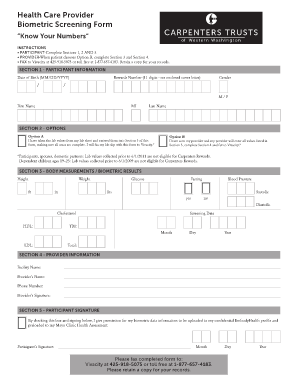
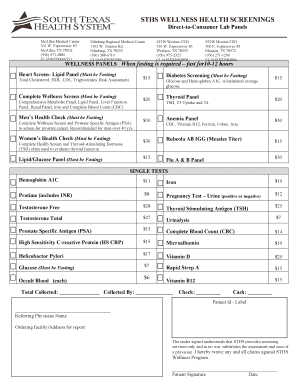
The RedBrick Health Annual Physical Screening Form is a document used by individuals seeking to complete an annual health screening through RedBrick Health.
pdfFiller scores top ratings on review platforms




Who needs RedBrick Health Annual Physical Screening Form Instructions?
Explore how professionals across industries use pdfFiller.

RedBrick Health Annual Physical Screening Form Instructions is needed by:
-
Employees required to submit health screenings for their workplace wellness programs
-
Individuals enrolling in health insurance plans that necessitate annual screenings
-
Health and wellness coordinators managing health assessments
-
Individuals tracking their health metrics for personal health management
-
Primary care providers requesting structured documentation of patient screenings
Comprehensive Guide to RedBrick Health Annual Physical Screening Form Instructions
What is the RedBrick Health Annual Physical Screening Form?
The RedBrick Health Annual Physical Screening Form serves as a vital tool in health assessments, enabling healthcare providers to collect essential medical history and health data from employees. This form plays a crucial role in various health initiatives and can significantly impact the benefits employees receive. By accurately completing the form, individuals contribute not only to their health evaluations but also to the betterment of overall workplace health strategies.
Benefits of Completing the RedBrick Health Annual Physical Screening Form
Completing the RedBrick Health Annual Physical Screening Form offers numerous health benefits, such as early detection of potential health issues and greater awareness of personal health metrics. For organizations, obtaining these forms can enhance employee health strategies by identifying trends and areas needing improvement. This proactive approach fosters a healthier workforce, ultimately benefiting both employees and employers alike.
Key Features of the RedBrick Health Annual Physical Screening Form
The RedBrick Health Annual Physical Screening Form encompasses several key elements designed for user convenience. This includes sections that detail personal information, medical history, and health goals, ensuring comprehensive health evaluations. With the support of pdfFiller, users can easily navigate the form’s user-friendly features that allow for seamless editing and filling of necessary details.
Eligibility and Who Should Complete the RedBrick Health Annual Physical Screening Form
The eligibility to complete the RedBrick Health Annual Physical Screening Form primarily consists of employees enrolled in specific health plans designated by their organizations. It is essential for individuals to verify any age, health, or company-specific requirements before submitting their information. This ensures that the form is applicable to their unique circumstances, facilitating accurate health assessments.
How to Fill Out the RedBrick Health Annual Physical Screening Form Online (Step-by-Step)
Filling out the RedBrick Health Annual Physical Screening Form online using pdfFiller is straightforward. Follow these steps to ensure a smooth process:
-
Access the form through the pdfFiller platform.
-
Begin by entering your personal information, including name and date of birth.
-
Complete the medical history section by providing details about prior health conditions and medications.
-
Review all entries for accuracy before submitting.
-
Submit the form online through the designated submission option.
Gather necessary information beforehand to streamline the process and reduce errors.
Common Errors to Avoid When Completing the RedBrick Health Annual Physical Screening Form
When filling out the RedBrick Health Annual Physical Screening Form, users frequently encounter common errors. To avoid pitfalls, consider these best practices:
-
Double-check personal and medical information for accuracy.
-
Ensure all required fields are completed to prevent submission delays.
-
Review the form for clarity and legibility before submission.
These practices will help ensure the accuracy and completeness of your form submissions.
How to Submit the RedBrick Health Annual Physical Screening Form
Submitting the RedBrick Health Annual Physical Screening Form can be done through various methods. Users may choose to submit their forms online or opt for physical drop-off at designated locations. It is crucial to pay attention to submission deadlines and any specific considerations required by their organization to ensure timely processing of the form.
What Happens After Submitting the RedBrick Health Annual Physical Screening Form?
Upon submitting the RedBrick Health Annual Physical Screening Form, individuals can expect a series of next steps. Processing times may vary, but users should be informed of expected response times following their submission. Additionally, tracking submission status and following up with their organization can provide clarity and peace of mind regarding their health assessment outcomes.
Security of Your Information When Using the RedBrick Health Annual Physical Screening Form
When utilizing the RedBrick Health Annual Physical Screening Form, users can rest assured about the security of their information. pdfFiller implements robust security measures, including 256-bit encryption and adherence to HIPAA compliance. This commitment to data protection ensures that sensitive information is handled securely throughout the online submission process.
Utilizing pdfFiller for Your RedBrick Health Annual Physical Screening Form Needs
To maximize efficiency in managing the RedBrick Health Annual Physical Screening Form, leverage the capabilities of pdfFiller. Users can utilize this platform for editing, filling, and effectively managing their forms. Additionally, pdfFiller offers a range of resources and support to assist users throughout the form completion process.
How to fill out the RedBrick Health Annual Physical Screening Form Instructions
-
1.To access the RedBrick Health Annual Physical Screening Form on pdfFiller, go to the pdfFiller website and use the search bar to find the form by its name.
-
2.Once you find the form, click on the form link to open it in the pdfFiller editor.
-
3.Before you start filling out the form, gather any necessary information such as personal identification details and health history that might be needed.
-
4.Begin by clicking on each field in the form and inputting your personal information as requested. Use the tools provided to easily navigate between fields.
-
5.Utilize pdfFiller's features to add any additional comments or notes where applicable.
-
6.As you complete the form, review each section to ensure that all information is accurate and complete to avoid mistakes.
-
7.When you have finished filling in all required fields, check the entire form again for any errors, and make adjustments as necessary.
-
8.Once you are satisfied with the completed form, you can choose to save it to your device or download it as a PDF file directly from pdfFiller.
-
9.If you need to submit the form to RedBrick Health, follow their specific submission guidelines. Alternatively, you can also print the form directly from pdfFiller if needed.

Who is eligible to fill out the RedBrick Health Annual Physical Screening Form?
Anyone participating in the RedBrick Health program or required by their employer to complete an annual health screening is eligible to fill out the form.
What information do I need before completing the screening form?
You will need personal identification details, medical history, and any other relevant health information before starting to fill out the RedBrick Health Annual Physical Screening Form.
How do I submit the completed screening form?
After completing the form on pdfFiller, you can submit it by following RedBrick Health's specific submission guidelines or by downloading and printing the form for manual submission.
Are there any common mistakes I should avoid while filling out the form?
Ensure that all required fields are filled out completely and accurately, as missing or incorrect information can delay processing of your screening.
What is the processing time for my form after submission?
Processing times may vary, but typically you can expect to receive confirmation of your screening results within a few weeks after submission.
What happens if I miss the annual screening deadline?
If you miss the deadline for submitting your RedBrick Health Annual Physical Screening Form, it’s crucial to contact your health program administrator for guidance on late submissions.
Do I need to notarize the RedBrick Health Annual Physical Screening Form?
No, notarization is not required for the RedBrick Health Annual Physical Screening Form; you simply need to fill it out and submit it according to the guidelines.
RedBrick Health Annual Physical Screening Form Instructions Form Versions
Related Forms


Get the latest insights from our blog


If you believe that this page should be taken down, please follow our DMCA take down process
here
.
This form may include fields for payment information. Data entered in these fields is not covered by PCI DSS compliance.