
Last updated on
Nov 6, 2026
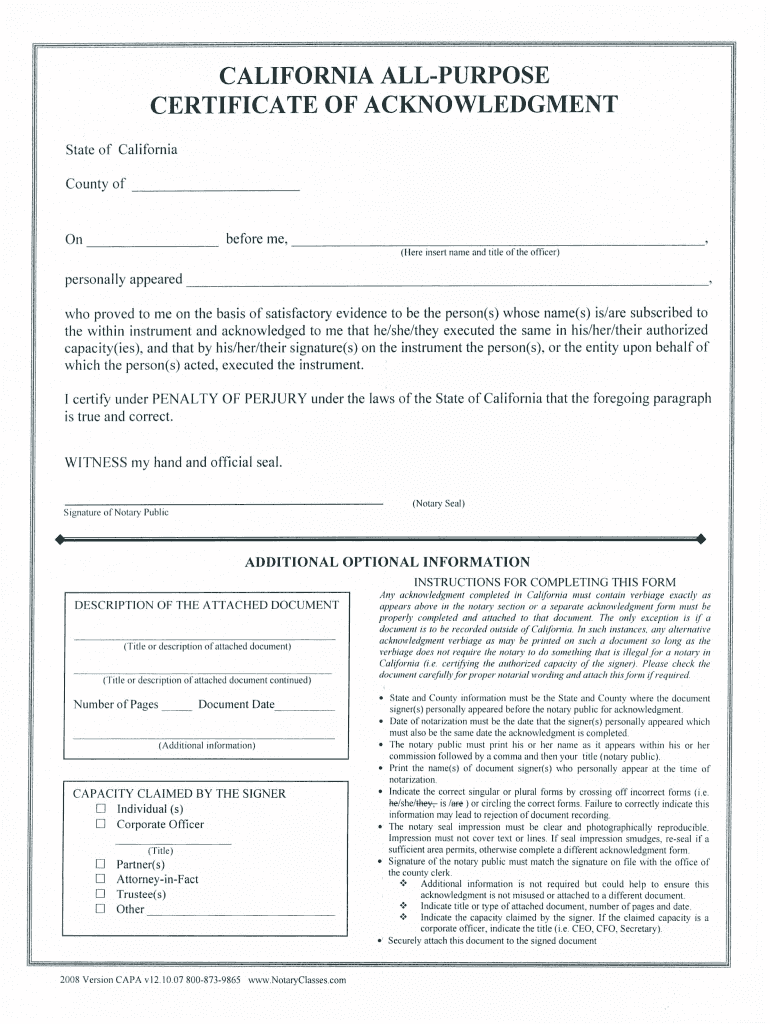
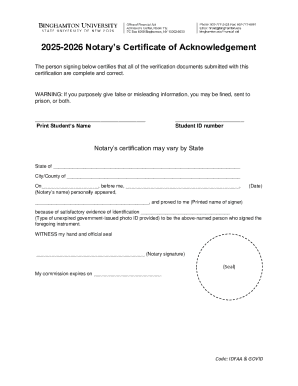
CA All-Purpose Certificate of Acknowledgment 2007 free printable template
pdfFiller is not affiliated with any government organization

Fill out
Complete the form online in a simple drag-and-drop editor.

eSign
Add your legally binding signature or send the form for signing.

Share
Share the form via a link, letting anyone fill it out from any device.

Export
Download, print, email, or move the form to your cloud storage.
Why pdfFiller is the best tool for your documents and forms


End-to-end document management
From editing and signing to collaboration and tracking, pdfFiller has everything you need to get your documents done quickly and efficiently.
Accessible from anywhere
pdfFiller is fully cloud-based. This means you can edit, sign, and share documents from anywhere using your computer, smartphone, or tablet.
Secure and compliant
pdfFiller lets you securely manage documents following global laws like ESIGN, CCPA, and GDPR. It's also HIPAA and SOC 2 compliant.
What is CA All-Purpose Certificate of Acknowledgment
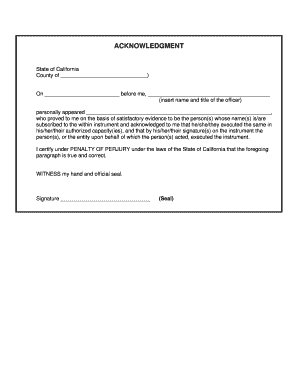
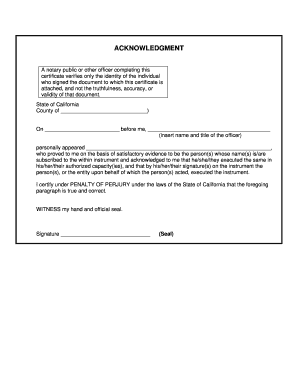
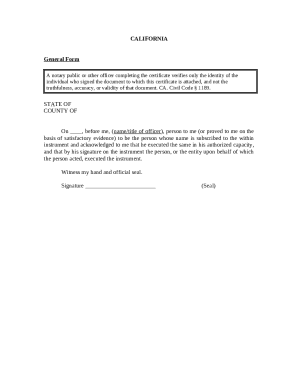
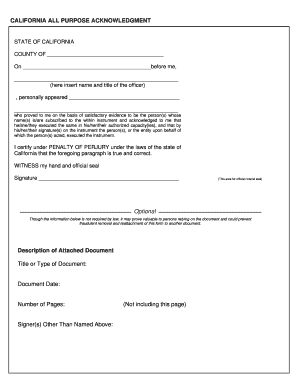
The California Certificate of Acknowledgment is a legal document used by notaries public to verify the identity of signers and certify their acknowledgment of document execution.
pdfFiller scores top ratings on review platforms




Versatile tool for my business. Easy to use.
What do you like best?
LO FACIL QUE ES EDITAR LOS DOCUMENTOS PARA PODER TRABAJAR MEJOR Y PODER SOLUCIONAR LOS PROBLEMAS MAS RAPIDO
What do you dislike?
NO ME DISGUSTA NADA AL CONTRATRIO ES MUY FACIL DE USAR Y LA EXPERIANCIA ES SUPER BUENA
Recommendations to others considering the product:
LLEVO 2 AÑOS USANDO ESTA APLICACION Y ES LA MEJOR QUE HE ENCONTRADO PARA PODER EDITAR MIS DOCUMENTOS POR LO QUE LA RECOMIENDO AMPLIAMENTE POR TODO LO FACIL QUE ES USARLA TRABAJAR CON ELLA LOS DOCUMENTOS QUESAN SUPER BIEN Y SIN PROBLEMAS AL GUARDAR LOS DOCUMENTOS Y CUANDO NO ENCUENTRO ALGUINO SE GUARDAN AUTOMATICAMENTE
What problems are you solving with the product? What benefits have you realized?
RESULVO TODOS LOS PROBELMAS CON MIS DOCUMENTOS AL NO TENER PROBLEMA EN EDITAR
What do you like best?
The ability to send a link via email or text to allow a client to sign a document makes things a breeze! I also like having an "encrypted" folder that's password protected for my access only.
What do you dislike?
Nothing really that I currently dislike about the online software.
Recommendations to others considering the product:
If you're looking for a very affordable alternative to DocuSign or any other "Send to Sign" type of software, this one takes the cake!
What problems are you solving with the product? What benefits have you realized?
I have access to Law documents vs. having to google something for a layout where I can save it & populate the information I need from my data.
Easy to use. I can upload any document and fill it in, looks so much nicer.
Overall, pretty positive. I like the functionality.
I find it easier to use than most programs.
Who needs CA All-Purpose Certificate of Acknowledgment?
Explore how professionals across industries use pdfFiller.

CA All-Purpose Certificate of Acknowledgment is needed by:
-
Notary Publics in California
-
Individuals requiring notarization services
-
Legal professionals handling transaction documentation
-
Businesses executing contracts
-
Homeowners signing property documents
-
Anyone involved in legal proceedings in California
Comprehensive Guide to CA All-Purpose Certificate of Acknowledgment
What is the California Certificate of Acknowledgment
The California Certificate of Acknowledgment is a crucial legal document that certifies a notary public has confirmed the identity of the signer. This acknowledgment form California is essential in various legal matters and plays a vital role in ensuring the validity of documents in the state. To be compliant, this form must meet specific legal requirements in California.
Its significance lies in the fact that it validates the execution of documents by establishing that the signer willingly acknowledged their act before a notary public.
Purpose and Benefits of the California Certificate of Acknowledgment
This notary acknowledgment template serves to verify signatures and the identities of the individuals involved. By having a notarized form, parties are provided with a layer of legal protection, minimizing the risk of disputes regarding signatures or intent.
-
Ensures authenticity of signatures.
-
Provides legal security in transactions.
-
Facilitates acceptance of documents by courts and other institutions.
Key Features of the California Certificate of Acknowledgment
The California Certificate of Acknowledgment includes essential fields such as the signer's name, the date of acknowledgment, and the notary's signature. Clear instructions are provided to guide users on completing the form accurately, ensuring all details are correctly filled out to maintain its integrity. This California legal document notarization reinforces the reliability of the contents within.
Who Needs the California Certificate of Acknowledgment
Both Notary Public and Signer roles require the California Certificate of Acknowledgment during various legal processes. This document is particularly necessary in scenarios like real estate transactions, legal filings, and any other situations where verification of identity is essential.
-
Notary Public: Must certify the signer’s identity.
-
Signer: Needs to acknowledge their signature.
How to Fill Out the California Certificate of Acknowledgment Online
To complete the acknowledgment form California digitally, follow this step-by-step guide using pdfFiller:
-
Access the California Certificate of Acknowledgment form on pdfFiller.
-
Fill in the required fields: name, date, and signature.
-
Review all the entered information for accuracy.
-
Save and submit the completed form as needed.
Common Errors and How to Avoid Them When Using the California Certificate of Acknowledgment
Some frequent mistakes occur during the filling out of the form. It’s important to pay careful attention to the details to prevent issues:
-
Incorrectly entering the signer’s name.
-
Neglecting to input the date of execution.
-
Failing to secure the notary’s signature.
Double-checking your entries can help ensure correctness before submission.
Submission Methods and Delivery for the California Certificate of Acknowledgment
Once the California Certificate of Acknowledgment is completed, there are various submission methods available:
-
Online submission through platforms like pdfFiller.
-
Mailing the completed form to the intended recipient.
-
In-person delivery to relevant authorities or organizations.
Be aware of any necessary supporting documents that may be required during the submission process.
What Happens After You Submit the California Certificate of Acknowledgment
After submission, expect processing times that may vary depending on the receiving entity. Follow-ups may be necessary if additional information is required. It's crucial to maintain proper record-keeping for your submissions to track confirmations and ensure all documents are properly handled post-submission.
Security and Compliance for the California Certificate of Acknowledgment
Security is a priority when dealing with the California Certificate of Acknowledgment. pdfFiller ensures the protection of user data and document security through robust protocols including 256-bit encryption. Compliance with HIPAA and GDPR regulations further enhances trust during the handling of sensitive documents.
Easily Create Your California Certificate of Acknowledgment with pdfFiller
Utilizing pdfFiller’s features allows for a user-friendly experience in filling, eSigning, and managing the California Certificate of Acknowledgment. Enjoy the convenience of cloud access, strong security measures, and a smooth process allowing for effortless document management.
How to fill out the CA All-Purpose Certificate of Acknowledgment
-
1.To access the California Certificate of Acknowledgment on pdfFiller, visit the pdfFiller website and use the search function to find the form by entering its name.
-
2.Once you find the form, click on it to open the PDF in pdfFiller's editing interface.
-
3.Before completing the form, gather the necessary information including your name, the date, and your signature, along with any additional required details.
-
4.Navigate through the form's fields, where you will see highlighted sections indicating where to input your information.
-
5.Fill in your name in the designated field, ensuring correct spelling and capitalization.
-
6.Enter the date of signing in the specified format; make sure to verify accuracy.
-
7.For the notary section, leave the fields for the notary’s signature and seal empty for completion by a notary public.
-
8.Review the form carefully, checking all filled details for any possible errors or omissions before finalizing it.
-
9.Once you're satisfied with the completed form, save your changes on pdfFiller to ensure all data is retained.
-
10.You can download the filled form as a PDF or submit it directly through pdfFiller, following on-screen prompts for submission options.

Who is eligible to use the California Certificate of Acknowledgment?
The California Certificate of Acknowledgment can be used by individuals requiring notarization, notary publics providing services, and legal professionals involved in document execution in California.
What supporting documents are needed to complete this form?
Typically, no specific supporting documents are required for completing the California Certificate of Acknowledgment. However, it is helpful to have identification available to verify the signer's identity.
How can I submit the completed form?
After completing the California Certificate of Acknowledgment, you can submit it electronically via pdfFiller, or print and deliver it physically to the necessary parties, as required.
Are there any common mistakes to avoid when filling out this form?
Common mistakes include incorrect name spelling, improper date formats, and assuming the notary section can be filled by the signer rather than the notary public.
What is the turnaround time for processing notarizations?
The processing time for notarizations depends on the notary public's availability. Usually, descriptions and acknowledgments can be completed immediately unless other obligations arise.
Can I use this form for documents outside California?
No, the California Certificate of Acknowledgment is specific to California and designed for use within the state for documents requiring notarization.
What should I do if I make a mistake on the form?
If you make a mistake on the California Certificate of Acknowledgment, simply edit the fields correctly within pdfFiller or print a new copy and fill it out again.
CA All-Purpose Certificate of Acknowledgment Form Versions
Related Content
Related Forms

Get the latest insights from our blog


If you believe that this page should be taken down, please follow our DMCA take down process
here
.
This form may include fields for payment information. Data entered in these fields is not covered by PCI DSS compliance.