
Last updated on
Nov 6, 2026
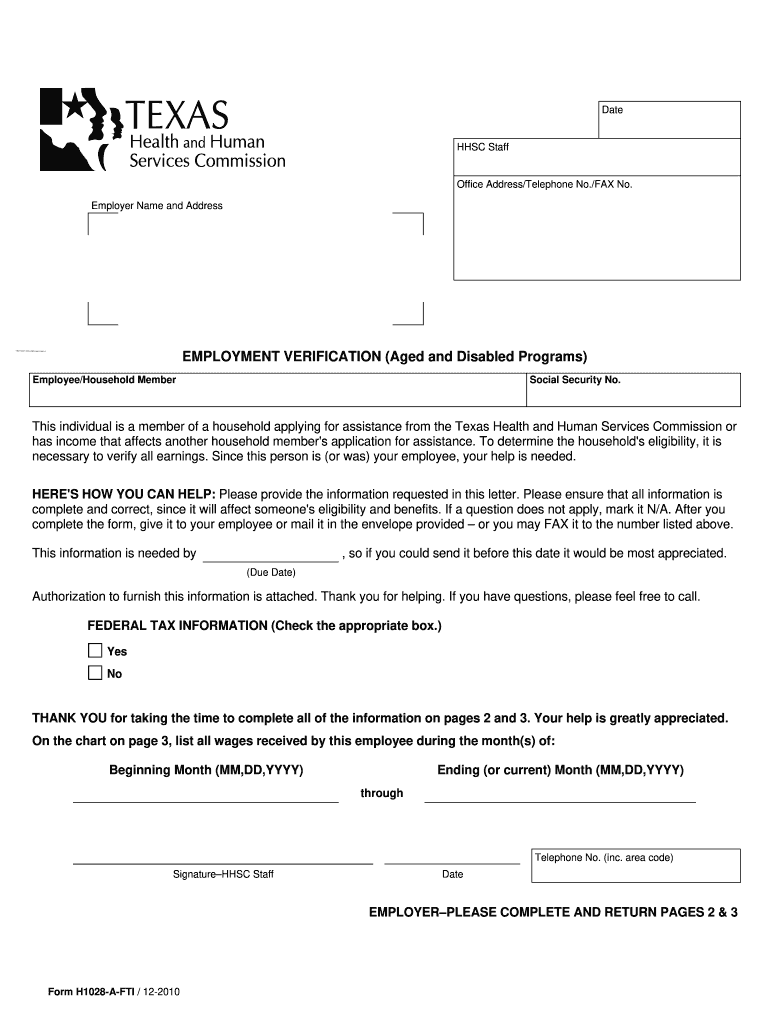
TX H1028-A-FTI 2010 free printable template
pdfFiller is not affiliated with any government organization

Fill out
Complete the form online in a simple drag-and-drop editor.

eSign
Add your legally binding signature or send the form for signing.

Share
Share the form via a link, letting anyone fill it out from any device.

Export
Download, print, email, or move the form to your cloud storage.
Why pdfFiller is the best tool for your documents and forms


End-to-end document management
From editing and signing to collaboration and tracking, pdfFiller has everything you need to get your documents done quickly and efficiently.
Accessible from anywhere
pdfFiller is fully cloud-based. This means you can edit, sign, and share documents from anywhere using your computer, smartphone, or tablet.
Secure and compliant
pdfFiller lets you securely manage documents following global laws like ESIGN, CCPA, and GDPR. It's also HIPAA and SOC 2 compliant.
What is TX H1028-A-FTI
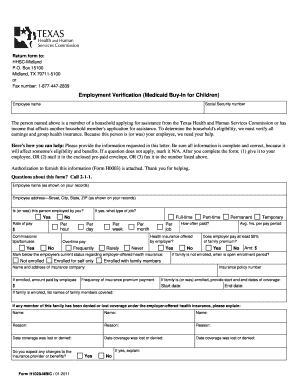
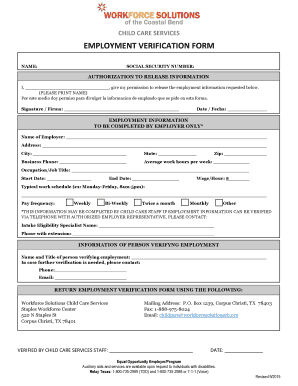
The Texas Employment Verification Form is a government document used by Texas Health and Human Services to verify employment and income for assistance applicants.
pdfFiller scores top ratings on review platforms




I am using pdffiller for the first time. I works great for me, because I use different computers all the time. I can get on to the website and finish the job.
Took me awhile to learn how to use pdfFiller. But now, works great for all the document forms that require filling in and signed.
Who needs TX H1028-A-FTI?
Explore how professionals across industries use pdfFiller.

TX H1028-A-FTI is needed by:
-
Employers verifying employee income for Texas assistance programs
-
Individuals applying for Texas health and social services
-
HHSC staff requiring employee income verification
-
Social service agencies assisting with benefit applications
-
Legal professionals preparing documentation for clients
Comprehensive Guide to TX H1028-A-FTI
What is the Texas Employment Verification Form?
The Texas Employment Verification Form, known as H1028-A-FTI, is a crucial document used by the Texas Health and Human Services Commission (HHSC). Its primary purpose is to verify employment and income information for individuals applying for various assistance programs. This form plays a significant role in the benefit application process, ensuring that applicants meet eligibility requirements based on their employment status and income levels.
The Texas HHSC utilizes this form as part of its mission to provide effective support to applicants, confirming the accuracy of employment details submitted during the application process.
Purpose and Benefits of the Texas Employment Verification Form
This form is essential for maintaining the integrity of the Texas aged and disabled programs. Accurate employment verification directly impacts the determination of an applicant's eligibility for benefits. By requiring the Texas Employment Verification Form, the HHSC ensures that only qualified individuals receive assistance.
Employers also benefit from this process; providing precise employment information helps streamline the application process for their employees, ultimately facilitating timely access to required services.
Who Needs the Texas Employment Verification Form?
The Texas Employment Verification Form is primarily required for individuals seeking assistance from Texas state programs. Applicants for these programs must submit this form to verify their employment status and income information.
Employers play a vital role in this process by completing the form accurately, while HHSC staff oversee the verification to ensure compliance with state requirements.
How to Fill Out the Texas Employment Verification Form Online
To fill out the Texas Employment Verification Form electronically, users can access a digital platform designed for this purpose. Begin by visiting the appropriate online portal, where the form is available.
-
Pay attention to key fields, including employee wages, employment status, and available benefits.
-
Follow the provided instructions to navigate the form effectively.
-
Ensure to save the completed document before submission.
Field-by-Field Instructions for Completing the Texas Employment Verification Form
A thorough understanding of the Texas Employment Verification Form's sections is crucial for accurate completion. Key parts include employee information and employer details, each requiring specific inputs.
-
Common mistakes involve incomplete fields or incorrect data entry; avoid these pitfalls.
-
Ensure that all required supporting documents and materials are attached as necessary.
How to Sign or Notarize the Texas Employment Verification Form
When completing the Texas Employment Verification Form, understanding the signature requirements is essential. Employers and HHSC staff must sign the form as part of the verification process.
Digital signatures are permissible, and users can eSign the document using platforms like pdfFiller. Notarization may be required in specific situations; users should verify if their circumstances necessitate this step.
Submission Methods for the Texas Employment Verification Form
Completed Texas Employment Verification Forms can be submitted through various channels. Applicants have the option to submit their forms online, via mail, or in person at designated locations.
-
Be mindful of deadlines and important submission dates to ensure timely processing.
-
Late submission may result in delays or denial of assistance, highlighting the importance of adhering to these timelines.
Tracking Your Submission and What to Expect Next
After submitting the Texas Employment Verification Form, applicants should be prepared to track their application status. This process is typically straightforward, allowing individuals to check on their submissions using designated channels.
-
Be aware of processing times as outlined by the HHSC.
-
Understand common reasons for application rejections and take proactive measures to address them if necessary.
Security and Compliance When Using the Texas Employment Verification Form
Security is a top priority when handling the Texas Employment Verification Form. pdfFiller employs robust security measures, including 256-bit encryption, ensuring compliance with HIPAA and GDPR regulations.
Protecting sensitive employee information is critical, and users should follow best practices to maintain privacy during the form submission process.
Enhance Your Experience with pdfFiller
Congratulations on taking steps to complete the Texas Employment Verification Form using pdfFiller. This platform simplifies the process, providing a user-friendly interface for form filling and document management.
In addition to filling out this specific form, pdfFiller offers various features such as eSigning, editing, and document sharing, enhancing your overall document management experience.
How to fill out the TX H1028-A-FTI
-
1.Access the Texas Employment Verification Form on pdfFiller by visiting their website and using the search function to find 'Texas Employment Verification Form'.
-
2.Open the form using pdfFiller's interface, where you will see editable fields throughout the document.
-
3.Before starting, gather necessary information, including the employee's name, employment status, wages, and benefits details, to efficiently complete the form.
-
4.Begin completing the required fields. Click on each field to enter the corresponding information. Use the tool tips for guidance on what details are needed.
-
5.Utilize checkboxes where applicable to indicate the employee's status or benefits as instructed on the form.
-
6.Once completed, review the entire form to ensure all required fields are filled in accurately, and there are no errors.
-
7.Finalize your form by clicking the 'Finish' button on pdfFiller, which will prompt you to save your changes.
-
8.Choose the option to download the completed form or submit directly through pdfFiller based on the submission method required for your situation.

Who is eligible to use the Texas Employment Verification Form?
Eligibility for using the Texas Employment Verification Form typically includes employers verifying employment and income for individuals applying for Texas assistance programs.
What is the deadline for submitting the Texas Employment Verification Form?
Deadlines for submission of the form vary based on the specific assistance program being applied for. It's crucial to check the Texas Health and Human Services website for specific due dates.
How can I submit the Texas Employment Verification Form?
You can submit the completed Texas Employment Verification Form either online through pdfFiller or by printing it out and sending it to the appropriate Texas HHSC office.
What supporting documents are needed to accompany the form?
Generally, proof of employment such as pay stubs or contracts may be requested alongside the Texas Employment Verification Form to substantiate the details provided.
What are common mistakes to avoid when completing this form?
Common mistakes include leaving blank fields, failing to sign the form, or not providing accurate employee income information, which can delay processing.
How long does it take to process the Texas Employment Verification Form?
Processing times can vary, but typically you should expect to wait a few weeks after submission for the Texas Health and Human Services to review the form and respond.
Is notarization required for the Texas Employment Verification Form?
No, notarization is not required for the Texas Employment Verification Form as per the current guidelines provided by the Texas Health and Human Services.
TX H1028-A-FTI Form Versions
Related Content
Related Forms


Related Catalogs
Get the latest insights from our blog


If you believe that this page should be taken down, please follow our DMCA take down process
here
.
This form may include fields for payment information. Data entered in these fields is not covered by PCI DSS compliance.