
Last updated on
Nov 9, 2026

WI WB-13 2000 free printable template
pdfFiller is not affiliated with any government organization

Fill out
Complete the form online in a simple drag-and-drop editor.

eSign
Add your legally binding signature or send the form for signing.

Share
Share the form via a link, letting anyone fill it out from any device.

Export
Download, print, email, or move the form to your cloud storage.
Why pdfFiller is the best tool for your documents and forms


End-to-end document management
From editing and signing to collaboration and tracking, pdfFiller has everything you need to get your documents done quickly and efficiently.
Accessible from anywhere
pdfFiller is fully cloud-based. This means you can edit, sign, and share documents from anywhere using your computer, smartphone, or tablet.
Secure and compliant
pdfFiller lets you securely manage documents following global laws like ESIGN, CCPA, and GDPR. It's also HIPAA and SOC 2 compliant.
What is WI WB-13
The WI WB-13 is a tax form used by employers in Wisconsin to report and remit wage and employment information to the state.
pdfFiller scores top ratings on review platforms




VERY GOOD AND AM GLAD
excellent service!
Over the top excellent customer service
First and foremost i want to express the excellent customer service i received from Daniel yesterday evening to the wee hours of this morning. i couldn't figure out how to correct or update a form and my computer literacy was no where to be found. I ask Daniel to please have patience with me and he went above and beyond my expectations. Daniel not only spent hours on trying to help me figure out the issue he also walked me through how to send him a screenshot of the issue! Not once did i ever feel rushed or uncomfortable especially when i wasn't able to follow his instructions. He not only walked me through fixing the form; he also helped me fill in some fields i was unable to do. The most awesome experience was he stayed on the line with me the entire time!!! This is the kind of customer service that is such a rare commodity and i was blessed enough to be on the receiving end with Daniel. He is absolutely an asset to this company and greatly appreciated.Warmest Regards;Rhonda Wright
Satistified
thanks.............................................................................................................
Best thing ever invented!!!!!!!!!
it was easy to apply
Who needs WI WB-13?
Explore how professionals across industries use pdfFiller.

WI WB-13 is needed by:
-
Wisconsin employers who hire employees
-
Payroll administrators managing state tax submissions
-
Accountants preparing state tax returns
-
Business owners monitoring payroll compliance
-
HR personnel handling employee records
Comprehensive Guide to WI WB-13
What is the WI WB-13 Form?
The WI WB-13 form is a key document utilized in the context of Wisconsin state regulations. It serves to facilitate various reporting requirements for individuals and businesses within the state. This form is essential for ensuring compliance with state laws and regulations.
Purpose and Benefits of the WI WB-13 Form
The primary purpose of the WI WB-13 form is to assist filers in adhering to regulatory requirements while potentially unlocking various benefits. Filing this form can lead to tax advantages and help maintain compliance with state regulations. By using the WI WB-13, filers can ensure that they are meeting their legal obligations efficiently.
Who Needs to File the WI WB-13 Form?
Eligibility to file the WI WB-13 form typically includes a range of individuals and businesses. Key groups that need to complete this form are:
-
Small business owners seeking tax benefits.
-
Self-employed individuals wishing to remain compliant.
-
Entities operating within Wisconsin.
Understanding whether you qualify to file this form is critical for accurate reporting.
How to Fill Out the WI WB-13 Form Online
Filling out the WI WB-13 form online can be accomplished easily using pdfFiller. The process involves the following steps:
-
Access the form on pdfFiller's platform.
-
Fill in personal and business information as required.
-
Review each section for accuracy.
-
Submit the form electronically once completed.
This streamlined process helps ensure timely and accurate submission.
Common Mistakes When Completing the WI WB-13 Form
Filers often encounter several common mistakes that can hinder their submission efforts. To avoid issues, consider the following checklist:
-
Ensure all required fields are completed.
-
Double-check calculations, particularly for tax-related entries.
-
Review any attached documents for completeness.
Taking these precautions can improve the chances of a successful submission.
Submission Methods for the WI WB-13 Form
There are several methods available for submitting the completed WI WB-13 form:
-
Online submission via platforms like pdfFiller.
-
Mail to the designated state office.
-
In-person delivery at local government offices.
Be aware of submission deadlines to avoid penalties.
Consequences of Not Filing or Late Filing the WI WB-13 Form
Failing to file the WI WB-13 form on time can result in significant consequences, including:
-
Imposition of late fees.
-
Potential audits by state authorities.
-
Loss of eligibility for certain tax benefits.
Being aware of these repercussions reinforces the importance of timely filing.
How pdfFiller Can Simplify Your WI WB-13 Process
pdfFiller offers numerous features that assist users in managing the WI WB-13 form effectively. Key capabilities include:
-
eSigning options for quick approvals.
-
Secure document storage to protect sensitive information.
-
Easy sharing options for collaboration.
Utilizing pdfFiller enhances the overall filing experience.
Security and Compliance When Completing the WI WB-13 Form
When handling the WI WB-13 form, ensuring document security is vital. pdfFiller employs:
-
256-bit encryption to protect your data.
-
Compliance with HIPAA and GDPR standards.
-
Trust-building features to give users peace of mind.
These security measures help safeguard sensitive information during the filling process.
Get Started with Your WI WB-13 Form Today!
Using pdfFiller to complete your WI WB-13 form is both easy and secure. Take the next step in ensuring your compliance and benefit today.
How to fill out the WI WB-13
-
1.To access the WI WB-13 form on pdfFiller, navigate to the website and search for the form using its name in the search bar.
-
2.Once you locate the form, click on it to open it in the pdfFiller editor.
-
3.Before you start filling out the form, gather all necessary employee wage and tax information, such as Social Security numbers and wage amounts detailed in your payroll records.
-
4.Once you have the information, begin filling in the required fields by clicking on each section. Use the toolbar to add text, select options, or input numbers.
-
5.Make sure to double-check each field as you complete it to ensure accuracy, preventing any delays in processing your form.
-
6.After completing all fields, review the entire form for any errors or missing information. You can use the ‘review’ feature on pdfFiller to help with this task.
-
7.When you're satisfied with the accuracy of your form, save your work using the save option in the toolbar.
-
8.You can then download a copy of the completed form to your device, or choose to submit it electronically through pdfFiller's submission options, depending on preferred methods.

Who is required to file the WI WB-13?
Wisconsin employers with employees must file the WI WB-13 form to report and remit state income tax withholdings and payroll taxes.
Are there deadlines for submitting the WI WB-13?
It's essential to submit the WI WB-13 by the end of the month following the pay period to avoid penalties and ensure timely processing.
What methods can I use to submit the WI WB-13?
You can submit the WI WB-13 electronically via pdfFiller, or you can print it out and mail it to the appropriate state office for processing.
What supporting documents are required when filing the WI WB-13?
Typically, you should have your employees' payroll records, tax withholding details, and previous forms that might be relevant to ensure accurate reporting.
What are common mistakes to avoid on the WI WB-13?
Common mistakes include incorrect employee information, mismatched wage amounts, and missed signature requirements. Always double-check before submission.
How long does it take to process the WI WB-13 after submission?
Processing times can vary, but typically, it takes a few weeks for the state to process the WI WB-13, depending on the submission method.
Is notarization required for the WI WB-13?
No, notarization is not required for filing the WI WB-13, but it is essential to ensure all information is accurately reported.
WI WB-13 Form Versions
Related Content
Related Forms

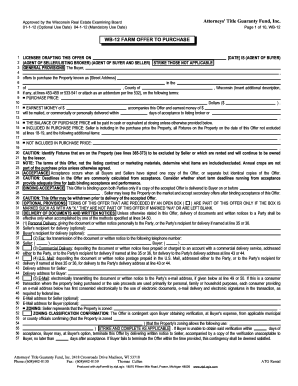


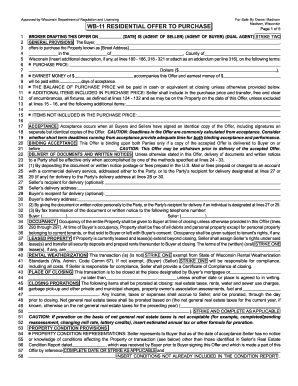
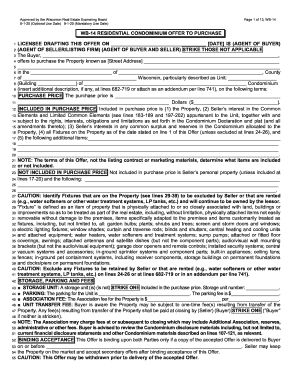

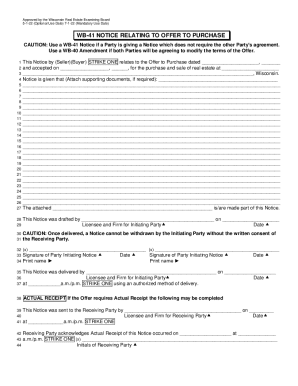
Get the latest insights from our blog


If you believe that this page should be taken down, please follow our DMCA take down process
here
.
This form may include fields for payment information. Data entered in these fields is not covered by PCI DSS compliance.