
Last updated on
Oct 2, 2026

NAVCOMPT 2275 1981-2026 free printable template
We are not affiliated with any brand or entity on this form

Fill out
Complete the form online in a simple drag-and-drop editor.

eSign
Add your legally binding signature or send the form for signing.

Share
Share the form via a link, letting anyone fill it out from any device.

Export
Download, print, email, or move the form to your cloud storage.
Why pdfFiller is the best tool for your documents and forms


End-to-end document management
From editing and signing to collaboration and tracking, pdfFiller has everything you need to get your documents done quickly and efficiently.
Accessible from anywhere
pdfFiller is fully cloud-based. This means you can edit, sign, and share documents from anywhere using your computer, smartphone, or tablet.
Secure and compliant
pdfFiller lets you securely manage documents following global laws like ESIGN, CCPA, and GDPR. It's also HIPAA and SOC 2 compliant.
What is NAVCOMPT 2275
The Order for Work and Services NAVCOMPT Form 2275 is a US Department of Defense document used by officials to request work and services on a reimbursable basis.
pdfFiller scores top ratings on review platforms




Who needs NAVCOMPT 2275?
Explore how professionals across industries use pdfFiller.

NAVCOMPT 2275 is needed by:
-
Department of Defense personnel requiring service requests
-
Authorizing officials overseeing work orders
-
Accepting officials managing procurement processes
-
Administrative staff handling procurement documentation
-
Contractors providing services to the military
-
Budget officers tracking funds and service completion
Comprehensive Guide to NAVCOMPT 2275
What is the Order for Work and Services NAVCOMPT Form 2275?
The NAVCOMPT Form 2275 is a form utilized by the US Department of Defense to request work and services on a reimbursable basis. Its primary function is to ensure proper documentation and authorization for services rendered, thereby facilitating funding and accountability within DoD operations.
This form has evolved significantly since its inception, reflecting the changing needs and protocols of military procurement. Originally intended for internal use, it now serves as a vital tool for a variety of projects requiring reimbursement for work performed.
When filling out the form, users must provide detailed information about the requested services, as well as necessary accounting data, to ensure compliance with DoD regulations.
Purpose and Benefits of the Order for Work and Services NAVCOMPT Form 2275
The NAVCOMPT Form 2275 offers numerous benefits for military and governmental services. Its systematic approach ensures that all necessary information is captured accurately, promoting timely processing and funding.
Accurate completion of this form is crucial for maintaining the integrity of financial operations within the military. It establishes a clear record of authorization for services rendered, reducing the potential for misunderstandings or delays.
-
Streamlines the reimbursement process for services ordered
-
Facilitates accurate accounting and financial reporting
-
Ensures compliance with DoD protocols and regulations
Key Features of the NAVCOMPT Form 2275
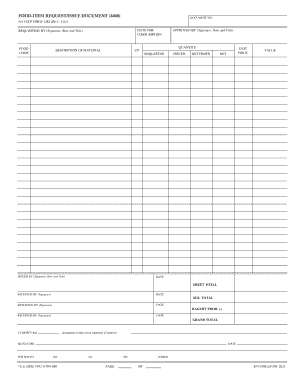
The NAVCOMPT Form 2275 contains several key sections designed to capture essential information. Important elements include fillable fields, checkboxes, and certification sections, which highlight specific requirements for completing the documentation.
Both authorizing and accepting officials must sign the form, reinforcing accountability and oversight within the military procurement process. Additionally, the reverse side of the form provides critical conditions and instructions that guide users on proper usage.
-
Fillable fields for detailed service descriptions
-
Signature requirements for both officials
-
Detailed instructions outlined on the reverse side
Who Needs the Order for Work and Services NAVCOMPT Form 2275?
This form is essential for various roles within the Department of Defense, particularly military procurement officers who facilitate the acquisition of services and supplies. Eligibility for using this form includes personnel directly involved in financial operations and project management.
Service requests that necessitate the use of Form 2275 typically involve reimbursable work orders, ensuring that all financial aspects are documented for accounting purposes.
-
Military procurement officers
-
Project managers overseeing expenses
-
Financial officers within DoD departments
How to Fill Out the Order for Work and Services NAVCOMPT Form 2275 Online (Step-by-Step)
To fill out the NAVCOMPT Form 2275 efficiently using pdfFiller, follow these detailed steps:
-
Access the form through pdfFiller and select the appropriate version.
-
Fill in the required fields with accurate information, ensuring all details are correctly stated.
-
Review the information for completeness, particularly the certification of funds.
-
Obtain the necessary signatures from the authorizing and accepting officials.
-
Save and submit the completed form as per your departmental guidelines.
Common mistakes to avoid include incomplete fields or incorrect signatures, which can lead to delays in processing.
Submission Methods for the Order for Work and Services NAVCOMPT Form 2275
Submitting the NAVCOMPT Form 2275 can be done through several methods, depending on departmental requirements. Users have the option to submit digitally or in paper format.
-
Digital submission through authorized DoD channels
-
Paper submission to specific departments
-
Follow departmental guidelines for submission methods
Choosing the appropriate submission method is essential for ensuring that the form is processed efficiently and in a timely manner.
What Happens After You Submit the NAVCOMPT Form 2275?
After submission, the NAVCOMPT Form 2275 enters a review process where it is tracked for updates. Users can generally expect a confirmation alert indicating receipt of the form.
The typical processing time can vary, so it is advised to follow up on the status of the submission as needed. Monitoring the review process helps ensure that all necessary actions are completed promptly.
Why Use pdfFiller for Your NAVCOMPT Form 2275?
pdfFiller offers robust capabilities to simplify the filling process for the NAVCOMPT Form 2275. Its user-friendly interface allows for easy editing and secure document management.
Security features, including 256-bit encryption and compliance with HIPAA and GDPR, protect sensitive information during form handling. User testimonials highlight the efficiency gained by employing pdfFiller for document management.
Security and Compliance When Using the NAVCOMPT Form 2275
When utilizing pdfFiller for the NAVCOMPT Form 2275, various security measures are in place to protect user data. These include encryption and adherence to stringent data privacy standards, ensuring compliance with military and governmental regulations.
Secure document management is critical in a military context, highlighting the importance of maintaining confidentiality and integrity during form submission and processing.
Finalize Your NAVCOMPT Form 2275 with pdfFiller
To complete the NAVCOMPT Form 2275 efficiently, pdfFiller offers intuitive tools that facilitate quick form filling and editing. Users can take advantage of features such as eSigning and secure sharing to streamline their submission process.
Beginning with filling out the form online is straightforward, providing a user-friendly experience from start to finish.
How to fill out the NAVCOMPT 2275
-
1.Begin by accessing pdfFiller and search for 'Order for Work and Services NAVCOMPT Form 2275'. Click to open the form.
-
2.Familiarize yourself with the form layout. Identify fillable fields, checkboxes, and signature areas.
-
3.Before filling out the form, gather all necessary information such as detailed accounting data, work descriptions, and relevant signatures.
-
4.Fill in the required fields with accurate information. For example, provide a precise description of the requested work or services.
-
5.Utilize pdfFiller's tools to check off boxes as necessary and ensure clarity in descriptions.
-
6.Review the filled-out details to ensure no sections are left incomplete. Pay attention to dates and fund citation accuracy.
-
7.Once the form is completed, utilize pdfFiller's review feature to double-check for any errors or omissions.
-
8.To save your progress, click the 'Save' button. If you wish to download a copy, select the 'Download' option from the menu.
-
9.When ready to submit, you can either send the completed form through email via pdfFiller or download it and submit via physical mail as instructed.

Who is eligible to use the NAVCOMPT Form 2275?
Eligibility includes Department of Defense personnel, authorizing officials, and accepting officials involved in the procurement process for requesting work and services on a reimbursable basis.
What is the deadline for submitting the NAVCOMPT Form 2275?
Deadlines may vary based on internal processes. It is advised to consult your department’s guidelines to ensure the form is submitted timely to avoid delays in service provision.
How can I submit the completed NAVCOMPT Form 2275?
You can submit the form through pdfFiller by emailing it directly from the platform or by downloading it and submitting in person or via mail according to your department's guidelines.
What supporting documents do I need when using the NAVCOMPT Form 2275?
Typically, you will need accounting data relevant to the funds being requested, descriptions of the work or services required, and signatures from both the authorizing and accepting officials.
What are common mistakes to avoid when filling out the NAVCOMPT Form 2275?
Common mistakes include leaving fields incomplete, providing inaccurate descriptions of services, and missing required signatures from authorizing and accepting officials.
How long does processing take after submitting the NAVCOMPT Form 2275?
Processing times can vary significantly depending on the department's workload. It is recommended to follow up regularly after submission to ensure timely processing.
Are there fees associated with submitting the NAVCOMPT Form 2275?
Generally, there are no fees specifically associated with submitting the NAVCOMPT Form 2275, but it is advisable to check with your department for any potential administrative costs.
Related Content
Related Forms




Get the latest insights from our blog


If you believe that this page should be taken down, please follow our DMCA take down process
here
.
This form may include fields for payment information. Data entered in these fields is not covered by PCI DSS compliance.