
Last updated on
Oct 2, 2026

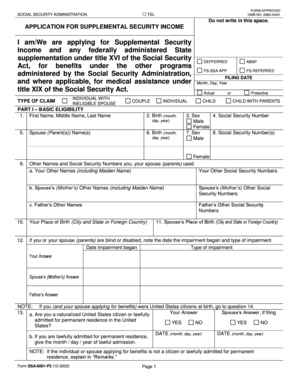
VPDCA Supplemental Security Income (SSI) 2001-2026 free printable template
pdfFiller is not affiliated with any government organization

Fill out
Complete the form online in a simple drag-and-drop editor.

eSign
Add your legally binding signature or send the form for signing.

Share
Share the form via a link, letting anyone fill it out from any device.

Export
Download, print, email, or move the form to your cloud storage.
Why pdfFiller is the best tool for your documents and forms


End-to-end document management
From editing and signing to collaboration and tracking, pdfFiller has everything you need to get your documents done quickly and efficiently.
Accessible from anywhere
pdfFiller is fully cloud-based. This means you can edit, sign, and share documents from anywhere using your computer, smartphone, or tablet.
Secure and compliant
pdfFiller lets you securely manage documents following global laws like ESIGN, CCPA, and GDPR. It's also HIPAA and SOC 2 compliant.
What is VPDCA Supplemental Security Income (SSI)
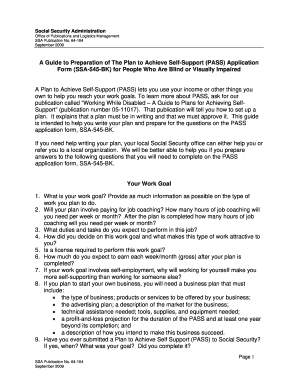
The Supplemental Security Income (SSI) Guide is a comprehensive document used by individuals seeking information about the SSI program, which provides financial assistance to the elderly, blind, or disabled with limited income.
pdfFiller scores top ratings on review platforms




Who needs VPDCA Supplemental Security Income (SSI)?
Explore how professionals across industries use pdfFiller.

VPDCA Supplemental Security Income (SSI) is needed by:
-
Individuals aged 65 and older seeking SSI benefits
-
Blind or disabled persons needing financial assistance
-
Caregivers of children with disabilities considering SSI
-
Social workers assisting clients with SSI applications
-
Financial aid counselors guiding individuals through disability benefits
Comprehensive Guide to VPDCA Supplemental Security Income (SSI)
What is the Supplemental Security Income (SSI) Guide?
The Supplemental Security Income (SSI) Guide provides an in-depth explanation of the SSI program, designed to assist individuals with limited income. This program primarily benefits those aged 65 and older, as well as individuals who are blind or have disabilities. The SSI Guide serves as a comprehensive resource for understanding the benefits offered under the SSI program, ensuring that users can easily access relevant information and support.
Purpose and Benefits of the Supplemental Security Income (SSI) Guide
The SSI Guide aims to enhance understanding of the various SSI benefits, including monthly financial support for eligible individuals. By utilizing this guide, potential recipients can effectively navigate the application process, making it easier to understand their rights and available resources. Knowledge of the SSI program can empower users to seek the disability benefits they need, supporting their overall well-being.
Eligibility Criteria for the Supplemental Security Income (SSI) Program
To qualify for SSI benefits, applicants must meet several key requirements. These include being at least 65 years old, having a qualifying disability status, and adhering to specified income limits. Additionally, there are special considerations for children and other specific groups, who may also be eligible for benefits under the SSI program.
How to Apply for Supplemental Security Income (SSI)
The application process for SSI involves several essential steps. Follow this step-by-step outline to ensure a successful submission:
-
Gather necessary documents, including identification and income information.
-
Complete the SSI application form accurately.
-
Submit the application through the appropriate method, such as online or mail.
Before applying, use a pre-filing checklist to collect all required documents and information to streamline the process.
Common Errors and How to Avoid Them When Applying for SSI
During the SSI application process, applicants often make common errors that can lead to rejection. It is crucial to review the application thoroughly before submitting it. Key mistakes to avoid include:
-
Inaccurate personal information.
-
Missing signatures or documentation.
By double-checking your application and addressing these issues, you can minimize the risk of delays or denials.
Security and Privacy When Handling Your Supplemental Security Income (SSI) Application
When managing your SSI application, security and privacy are paramount. pdfFiller employs 256-bit encryption and complies with rigorous privacy regulations such as HIPAA and GDPR, ensuring that user data and sensitive documents are securely handled throughout the process.
Accessing and Downloading the Supplemental Security Income (SSI) Guide
To access the SSI Guide online, visit pdfFiller and follow these steps:
-
Navigate to the SSI Guide section on the website.
-
Choose the option to download the guide as a PDF.
After downloading, you can save and print the guide for offline reference whenever needed.
What Happens After You Submit Your Supplemental Security Income (SSI) Application?
Once you submit your SSI application, it enters a review process conducted by the Social Security Administration. Applicants can track their application status through designated channels, allowing them to stay informed about potential outcomes and necessary next steps regarding their applications.
How pdfFiller Can Assist You with Your Supplemental Security Income (SSI) Guide
pdfFiller offers a range of capabilities designed to assist users in filling out, eSigning, and managing the SSI Guide. By utilizing this platform, you can enjoy a seamless application experience and efficient document management, easing the process of applying for SSI benefits.
Get Started with Your Supplemental Security Income (SSI) Guide Today
Utilize pdfFiller to complete your forms and access various helpful resources related to the SSI. The platform is user-friendly and incorporates security features to help you manage your sensitive documents effectively.
How to fill out the VPDCA Supplemental Security Income (SSI)
-
1.To begin, navigate to the pdfFiller website and search for the Supplemental Security Income (SSI) Guide document in the available forms section.
-
2.Once the document is located, click on it to open the guide in the pdfFiller editor for viewing and use.
-
3.Before you start completing any tasks, gather all necessary information regarding SSI, including eligibility criteria, income limits, and required documentation.
-
4.As you read through the guide, use the pdfFiller tools to highlight, annotate, or take notes on important sections that apply to your situation.
-
5.After reviewing the content, ensure to save your annotations for future reference or as a basis of your SSI application preparation.
-
6.Once you have fully utilized the guide and built your understanding of the process, consider downloading any completed notes or documents.
-
7.To complete your process on pdfFiller, use the download option to save your documents and review them before submitting according to the application procedure outlined in the guide.

What are the eligibility requirements for SSI benefits?
To qualify for SSI benefits, you must be age 65 or older, blind, or disabled with limited financial resources. Specific income and asset limits apply, so check the latest SSA guidelines for detailed criteria.
Is there a deadline for applying for SSI benefits?
There isn't a specific deadline for applying for SSI benefits; however, it's advisable to apply as soon as you meet eligibility criteria to prevent delays in receiving financial support.
How do I submit my SSI application?
You can submit your SSI application online through the Social Security Administration's website, by phone, or in person at your local SSA office. Utilizing the SSI Guide can help you understand the process better.
What documents do I need to apply for SSI?
You will need to provide various documents, including proof of age, income statements, medical records for disability claims, and information about any family members living in your household.
What common mistakes should I avoid when applying for SSI?
Common mistakes include submitting incomplete information, failing to provide adequate proof of disability, and missing the submission deadlines for renewals or appeals. Ensure all documents are prepared and double-checked before submitting.
How long does it take to process an SSI application?
The processing time for an SSI application can vary, generally taking three to five months. Factors affecting processing time include the complexity of your case and workload at the local SSA office.
Are there fees associated with the SSI application process?
There are no fees for submitting an SSI application. However, if you choose to receive assistance from a third party or pay for documents, there may be associated costs.
Related Content
Related Forms





Related Catalogs
Get the latest insights from our blog


If you believe that this page should be taken down, please follow our DMCA take down process
here
.
This form may include fields for payment information. Data entered in these fields is not covered by PCI DSS compliance.