
Last updated on
Nov 9, 2026

OR 735-6883 2012 free printable template
pdfFiller is not affiliated with any government organization

Fill out
Complete the form online in a simple drag-and-drop editor.

eSign
Add your legally binding signature or send the form for signing.

Share
Share the form via a link, letting anyone fill it out from any device.

Export
Download, print, email, or move the form to your cloud storage.
Why pdfFiller is the best tool for your documents and forms


End-to-end document management
From editing and signing to collaboration and tracking, pdfFiller has everything you need to get your documents done quickly and efficiently.
Accessible from anywhere
pdfFiller is fully cloud-based. This means you can edit, sign, and share documents from anywhere using your computer, smartphone, or tablet.
Secure and compliant
pdfFiller lets you securely manage documents following global laws like ESIGN, CCPA, and GDPR. It's also HIPAA and SOC 2 compliant.
What is OR 735-6883
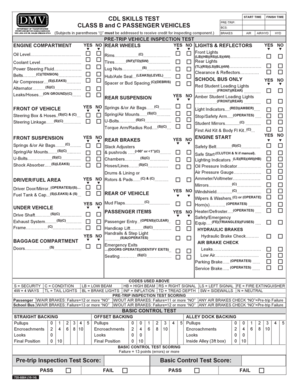
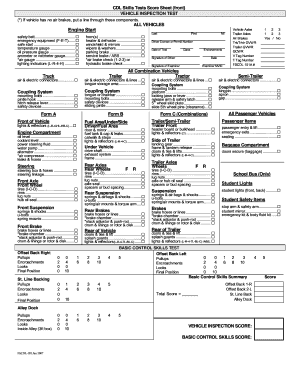
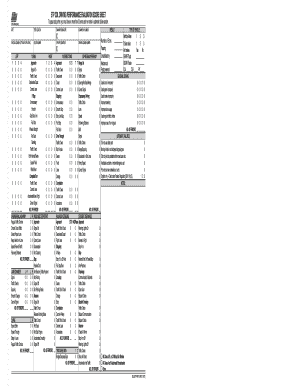
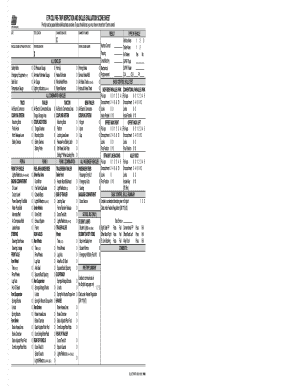
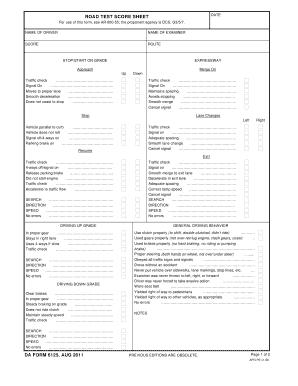
The CDL Road Test Score Sheet is a form used by examiners to evaluate and record a driver's performance during a Commercial Driver's License road test.
pdfFiller scores top ratings on review platforms




GREAT SOFTWARE, SOME SCANNING PROBLEMS, BUT VERY USER FRIENDLY
It is a great program ! Has been really useful for school!
Who needs OR 735-6883?
Explore how professionals across industries use pdfFiller.

OR 735-6883 is needed by:
-
Commercial driver license examiners
-
Driving schools and training programs
-
Individuals applying for a commercial driver's license
-
Employers in the transportation industry
-
State licensing authorities
Comprehensive Guide to OR 735-6883
What is the CDL Road Test Score Sheet?
The CDL Road Test Score Sheet is a critical document used in the Commercial Driver's License (CDL) testing process. This form serves to evaluate a driver's performance during the road test, providing a structured method for examiners to assess key driving competencies. It is an official document that is essential for ensuring adherence to safety standards in commercial driving.
Through the CDL road test score sheet, examiners categorize various driving maneuvers and behaviors, allowing for a comprehensive evaluation of the applicant's skills as they relate to the commercial driver license test.
Purpose and Benefits of the CDL Road Test Score Sheet
The CDL road test score sheet plays a vital role in assessing driver competency, benefiting both examiners and applicants. This form helps maintain transparency in the testing process, fostering trust between the parties involved. It also contributes to upholding safety standards by ensuring that drivers possess the skills necessary for safe commercial vehicle operation.
By effectively reflecting the skill level required for a professional driver license application, it helps candidates understand expectations and prepare adequately for their assessments.
Key Features of the CDL Road Test Score Sheet
The CDL Road Test Score Sheet is structured with various sections and fillable fields designed to facilitate the scoring process. Key fields include 'State', 'Number', and 'Exp. Date', which must be filled out to ensure proper documentation.
Additionally, the score sheet outlines specific criteria for scoring different driving maneuvers and behaviors, as well as sections dedicated to traffic checks and overall evaluations, contributing to the comprehensive assessment of a driver's abilities.
Who Needs the CDL Road Test Score Sheet?
This form is required for various stakeholders within the CDL testing community. New commercial drivers must complete this form as part of their testing requirements. Driving instructors and examiners also play crucial roles, utilizing the score sheet to document evaluations and ensure official compliance.
Understanding who needs to fill out the commercial vehicle driving test form is essential to ensure that all parties meet necessary standards during the evaluation process.
How to Fill Out the CDL Road Test Score Sheet Online (Step-by-Step)
Filling out the CDL Road Test Score Sheet online is straightforward. Follow these step-by-step instructions to efficiently complete the form:
-
Access the score sheet through an online platform.
-
Fill in the required fields, ensuring all information is accurate.
-
Utilize pdfFiller’s features for a smooth filling experience.
-
Check your scores and comments for completeness before submitting.
Prioritize accuracy in your scoring and findings to avoid potential complications during the evaluation process.
Submitting the CDL Road Test Score Sheet: What You Need to Know
Once you’ve completed the CDL Road Test Score Sheet, it must be submitted correctly. There are several submission methods available, including online and in-person options. To ensure successful submission, follow these recommended practices:
-
Double-check that all fields are filled out correctly.
-
Be aware of submission deadlines to avoid delays.
-
Consider tracking your submission status to confirm receipt.
Security and Compliance for the CDL Road Test Score Sheet
When handling the CDL Road Test Score Sheet, data protection is paramount. pdfFiller employs robust security measures, including 256-bit encryption, to safeguard user information during the form-filling process.
Compliance with regulations such as HIPAA and GDPR is vital when managing sensitive information, reassuring users about the safety of their documents and data protection practices.
What Happens After You Submit the CDL Road Test Score Sheet?
Following submission of the CDL Road Test Score Sheet, applicants may experience various outcomes. The submitted forms undergo review and validation processes, which are essential for ensuring accuracy and compliance with testing standards.
Be aware of common rejection reasons and familiarize yourself with steps to address them, as this can streamline the renewal or resubmission process if needed.
Experience the Benefits of Using pdfFiller for Your CDL Road Test Score Sheet
pdfFiller offers a range of features that simplify the process of filling out and managing forms, including the CDL Road Test Score Sheet. Users benefit from a user-friendly interface that makes form completion straightforward and efficient.
Easily accessible from any browser, pdfFiller ensures security, compliance, and convenience, making it an ideal choice for handling the CDL road test score sheet and related paperwork.
How to fill out the OR 735-6883
-
1.Access pdfFiller and search for the 'CDL Road Test Score Sheet' in the form library or enter the form's title in the search box.
-
2.Once opened, familiarize yourself with the fields available, like 'State', 'Number', and 'Exp. Date'.
-
3.Before starting, gather all necessary information including the applicant's details and the criteria for evaluation.
-
4.Begin filling in the form by clicking into the fields using pdfFiller's interactive interface, making sure to enter accurate data.
-
5.Score each driving maneuver as required, ensuring to follow the evaluation criteria provided within the form.
-
6.Review the completed sections to verify accuracy and completeness and make any necessary adjustments.
-
7.Once finalized, choose the option to save your completed form, download it as a PDF, or submit it electronically through pdfFiller's features.

Who is eligible to fill out the CDL Road Test Score Sheet?
The CDL Road Test Score Sheet can be filled out by any certified examiner who conducts the road test for commercial driver's license candidates.
What is the process for submitting the CDL Road Test Score Sheet?
After completing the form, it can be submitted directly through pdfFiller or printed and mailed to the appropriate state licensing authority based on their submission procedures.
Are there any documents required when using the CDL Road Test Score Sheet?
Typically, you may need the applicant's identification, prior driving records, and any criteria required for evaluation. Check with your local authority for specifics.
How long does it take to process the submitted CDL Road Test Score Sheet?
Processing times may vary by state. Generally, it takes a few weeks for your submission to be reviewed and the results to be processed.
What common mistakes should be avoided when completing the score sheet?
Ensure all fields are filled out completely and accurately. Avoid leaving blank sections and double-check scores for each maneuver.
Is there a fee associated with using the CDL Road Test Score Sheet?
There is typically no fee for filling out the score sheet itself, but be aware there may be fees related to obtaining a commercial driver's license.
Can the CDL Road Test Score Sheet be modified after it has been completed?
While pdfFiller allows for edits until you finalize and save the document, any modifications after submission may require a new score sheet to be filled out.
OR 735-6883 Form Versions
Related Forms




Related Catalogs
Get the latest insights from our blog



If you believe that this page should be taken down, please follow our DMCA take down process
here
.
This form may include fields for payment information. Data entered in these fields is not covered by PCI DSS compliance.