
Last updated on
Oct 19, 2026

Zarca Interactive Employee Satisfaction Survey 2008-2026 free printable template
pdfFiller is not affiliated with any government organization

Fill out
Complete the form online in a simple drag-and-drop editor.

eSign
Add your legally binding signature or send the form for signing.

Share
Share the form via a link, letting anyone fill it out from any device.

Export
Download, print, email, or move the form to your cloud storage.
Why pdfFiller is the best tool for your documents and forms


End-to-end document management
From editing and signing to collaboration and tracking, pdfFiller has everything you need to get your documents done quickly and efficiently.
Accessible from anywhere
pdfFiller is fully cloud-based. This means you can edit, sign, and share documents from anywhere using your computer, smartphone, or tablet.
Secure and compliant
pdfFiller lets you securely manage documents following global laws like ESIGN, CCPA, and GDPR. It's also HIPAA and SOC 2 compliant.
What is Zarca Interactive Employee Satisfaction Survey
The Employee Satisfaction Survey is a performance review form used by organizations to gauge employee satisfaction and identify areas for workplace improvement.
pdfFiller scores top ratings on review platforms




Who needs Zarca Interactive Employee Satisfaction Survey?
Explore how professionals across industries use pdfFiller.

Zarca Interactive Employee Satisfaction Survey is needed by:
-
HR managers seeking employee feedback.
-
Team leaders aiming to improve workplace satisfaction.
-
Executives interested in employee engagement levels.
-
Employees wanting to express their job satisfaction.
-
Companies assessing organizational culture.
-
Departments evaluating supervisor effectiveness.
Comprehensive Guide to Zarca Interactive Employee Satisfaction Survey
What is the Employee Satisfaction Survey?
The Employee Satisfaction Survey serves as a crucial tool in evaluating employee experiences within the workplace. It focuses on key areas such as job descriptions, interpersonal relationships, opportunities for advancement, and overall satisfaction. By gathering this information, the survey plays a vital role in workplace improvement, allowing organizations to tailor their strategies to better meet employees’ needs.
Purpose and Benefits of the Employee Satisfaction Survey
This survey is designed to identify factors that significantly affect job satisfaction among employees. The insights gained from the survey can lead to benefits such as enhanced employee morale and increased productivity. Moreover, the results guide company policies and departmental improvements, ultimately fostering a more engaged workforce.
Key Features of the Employee Satisfaction Survey
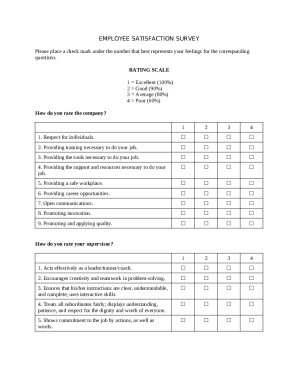
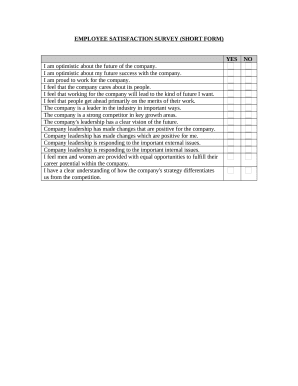
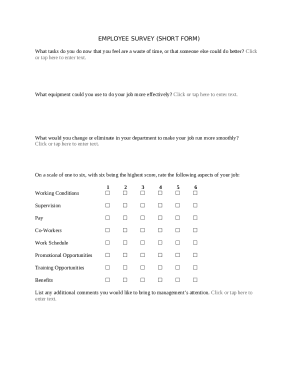
The structure of the Employee Satisfaction Survey includes multiple components, featuring checkboxes and input fields for user responses. Specific sections address the company's mission, department performance, and supervisor evaluations, facilitating comprehensive feedback. Accessing and completing the survey is made easy through digital platforms like pdfFiller, ensuring that employees can participate conveniently.
Who Can Use the Employee Satisfaction Survey?
The primary audience for this survey includes employees looking to assess their job satisfaction levels. Additionally, HR teams, management, and leadership can benefit from the insights it provides. Various departments within the organization can apply the findings to enhance their effectiveness and workplace culture.
How to Fill Out the Employee Satisfaction Survey Online
Filling out the Employee Satisfaction Survey online is straightforward. Follow these steps:
-
Access the survey through pdfFiller.
-
Complete the required input fields, ensuring clarity in your responses.
-
Review your answers for accuracy before submission.
Pay special attention to any fields that require more detailed input to maximize the effectiveness of your feedback.
Review and Validation Checklist for the Employee Satisfaction Survey
To ensure your survey is completed accurately, follow this checklist:
-
Verify that all sections of the survey are filled out.
-
Avoid common mistakes, particularly on specific questions.
-
Review your responses to ensure they reflect your true sentiments.
Security and Privacy when Completing the Employee Satisfaction Survey
pdfFiller is committed to protecting data security and privacy during the completion of the Employee Satisfaction Survey. The platform complies with regulations like GDPR and HIPAA. Furthermore, it employs a 256-bit encryption protocol to safeguard sensitive information, ensuring that all submissions are kept secure.
Submitting the Employee Satisfaction Survey
Your submission process includes several steps. After completing the survey:
-
Choose your preferred digital submission method.
-
Track your submissions to confirm they have been received.
Be mindful of potential delays or errors in submission that could impact how your feedback is processed.
What Happens After You Submit the Employee Satisfaction Survey?
Upon submission, the collected data undergoes a thorough analysis. Follow-up actions are taken based on the results, which are shared with both participants and the organization. Transparency is vital in addressing any issues raised through the survey, ensuring employees feel heard and valued.
Maximize Your Experience with pdfFiller
Utilizing pdfFiller's features can enhance your form completion experience. The platform allows users to easily edit and fill forms online, eliminating the need for downloads. Its user-friendly interface streamlines document management, making the process efficient and straightforward.
How to fill out the Zarca Interactive Employee Satisfaction Survey
-
1.To access the Employee Satisfaction Survey, visit pdfFiller's website and log in to your account. If you do not have an account, sign up for free.
-
2.Once logged in, use the search bar to find the Employee Satisfaction Survey form by entering its name.
-
3.Click on the form to open it in the pdfFiller editor. Explore the interface to familiarize yourself with the layout.
-
4.Gather necessary information before you begin filling out the form. This includes details about your job role, experiences within the company, and relationships with supervisors.
-
5.Start filling out the survey by selecting the multiple-choice options that best represent your feelings. Utilize the checkbox options provided, moving from 'Extremely Dissatisfied' to 'Extremely Satisfied'.
-
6.In the blank fields, provide comments or additional feedback where necessary to elaborate on your selections. Be as honest and detailed as possible.
-
7.After filling out all fields, review your responses. Ensure that all sections are completed, and your comments are clear and concise.
-
8.Once satisfied with your input, finalize the form by clicking the 'Save' button. Choose to save it to your pdfFiller account or directly to your device.
-
9.If you wish to submit the survey, look for the 'Submit' option or download it in the desired format and send it to the designated department in your company.

Who can fill out the Employee Satisfaction Survey?
All employees are encouraged to fill out the Employee Satisfaction Survey, as it is designed to gather their feedback regarding job satisfaction and workplace conditions.
Is there a deadline for submitting the Employee Satisfaction Survey?
Deadlines for submitting the survey may vary by organization. Check with your HR department for any specific submission timelines to ensure your feedback is considered.
How do I submit the completed Employee Satisfaction Survey?
After completing the survey on pdfFiller, you can submit it by clicking the 'Submit' button, or you may download it and email it to your HR department, as specified by your organization.
What kind of information should I gather before filling out the survey?
Before filling out the survey, collect relevant information regarding your job role, the relationships you have with your supervisors, and any observations about advancement opportunities or company policies.
Can I edit my responses after submitting the survey?
Typically, once submitted, forms cannot be edited. If you realize a mistake after submission, contact your HR department to see if amendments can be made.
What happens to my feedback after I submit the survey?
After submission, your feedback will be reviewed anonymously by HR or management, who will use the information to improve workplace policies and address employee concerns.
What common mistakes should I avoid when completing the survey?
Avoid rushing through the survey. Carefully read each question and provide thoughtful responses. Ensure you don’t skip sections and double-check for any typos before submitting.




Related Catalogs
Get the latest insights from our blog


If you believe that this page should be taken down, please follow our DMCA take down process
here
.
This form may include fields for payment information. Data entered in these fields is not covered by PCI DSS compliance.