
Last updated on
Oct 31, 2026

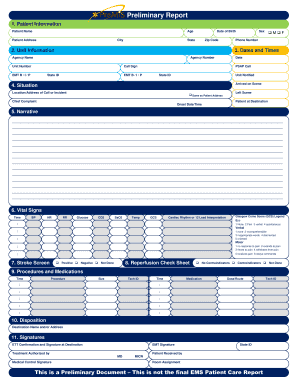
OK OKEMSIS Prehospital Care Report 2008 free printable template
pdfFiller is not affiliated with any government organization

Fill out
Complete the form online in a simple drag-and-drop editor.

eSign
Add your legally binding signature or send the form for signing.

Share
Share the form via a link, letting anyone fill it out from any device.

Export
Download, print, email, or move the form to your cloud storage.
Why pdfFiller is the best tool for your documents and forms


End-to-end document management
From editing and signing to collaboration and tracking, pdfFiller has everything you need to get your documents done quickly and efficiently.
Accessible from anywhere
pdfFiller is fully cloud-based. This means you can edit, sign, and share documents from anywhere using your computer, smartphone, or tablet.
Secure and compliant
pdfFiller lets you securely manage documents following global laws like ESIGN, CCPA, and GDPR. It's also HIPAA and SOC 2 compliant.
What is OK OKEMSIS Prehospital Care Report
The Prehospital Care Report is a patient consent form used by emergency medical services (EMS) in Oklahoma to document patient care during transport.
pdfFiller scores top ratings on review platforms




I love PDFfiller. It is so easy to use. Everyone should be using it to fill out forms.
Easy to use and effective! Highly recommend.
The program very intelligently interprets PDF images, creating fields in just the right spot for us to type our responses in, while avoiding the print-write-scan-save cycle.
Needed this in a pinch and it worked so well I subscribed.
i love this platform it is user friendly. Ideal for editing, signing and amending pdf docs. This service has been so useful and i would definitely recommend it
Excellent for filling forms for credetialing and licensing as a physician
Who needs OK OKEMSIS Prehospital Care Report?
Explore how professionals across industries use pdfFiller.

OK OKEMSIS Prehospital Care Report is needed by:
-
Patients receiving emergency medical services
-
Guardians of the patient needing consent
-
Witnesses for patient consent documentation
-
Emergency medical personnel conducting the transport
-
Healthcare providers involved in post-transport care
-
Legal representatives for patient consent issues
Comprehensive Guide to OK OKEMSIS Prehospital Care Report
What is the Prehospital Care Report?
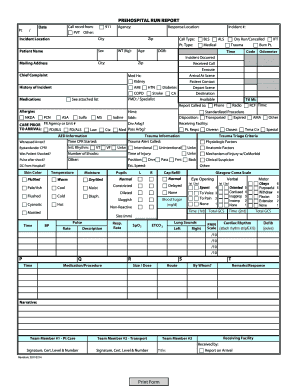
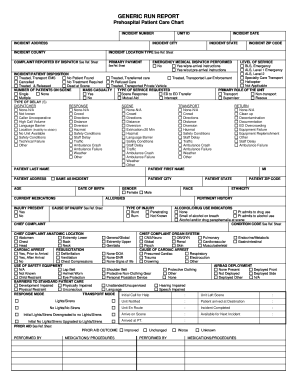
The Prehospital Care Report serves as a vital documentation tool used by emergency medical services (EMS) in Oklahoma. It encompasses several key components, including incident details, patient information, and a thorough medical history. This report plays a critical role in emergency medical situations, allowing for effective communication and continuity of care.
Typically, this form captures essential information that helps healthcare providers deliver prompt and accurate treatment, ensuring that all pertinent data is readily available for ongoing patient care.
Purpose and Benefits of the Prehospital Care Report
The primary purpose of the Prehospital Care Report is to guarantee comprehensive documentation of patient care during transportation. By utilizing this form, EMS personnel can provide a clear medical history, which is pivotal for ongoing treatment in emergency settings.
-
Acts as a legal document, certifying patient consent for treatment.
-
Facilitates communication among healthcare providers regarding patient needs.
-
Enhances the quality of care through detailed records of interventions.
Key Features of the Prehospital Care Report
This report is designed with specific elements to ensure accurate documentation. It includes multiple fillable fields covering essential patient and incident information, such as medical history and vital signs. Key sections of the form require signatures from both the patient or guardian and a witness, ensuring that all parties acknowledge the content of the report.
-
Detailed fields for incident specifics and patient data.
-
Sections that address medical history and treatments provided.
-
Proper signature areas for patient authorization and witness acknowledgment.
Who Needs the Prehospital Care Report?
The Prehospital Care Report is crucial for various users, primarily EMS personnel and patients or guardians. Those filling out the report typically include first responders during ambulance transport or urgent emergency interventions, where precise documentation is essential.
This document also serves as a necessary tool in legal and healthcare provider considerations, ensuring that all aspects of patient care are recorded and acknowledged.
How to Fill Out the Prehospital Care Report Online
Completing the Prehospital Care Report online can be easily accomplished using pdfFiller. Here’s a step-by-step guide on how to access and fill out the form:
-
Log in to pdfFiller and search for the Prehospital Care Report template.
-
Fill in the required fields, such as patient information and incident details.
-
Review each section for accuracy, paying special attention to medical history fields.
Familiarizing yourself with common mistakes, such as missing signatures or incomplete fields, can further streamline the process.
How to Sign the Prehospital Care Report
Signing the Prehospital Care Report is an essential step in the documentation process. The signing can be executed in various manners, including digital signatures and traditional wet signatures. Ensuring that both the patient or guardian and a witness provide their signatures is critical for the validity of the report.
For those using pdfFiller, eSigning options are integrated seamlessly, simplifying the completion process.
Submission Methods and Additional Steps
Once the Prehospital Care Report is completed, there are multiple submission methods available. EMS personnel can opt for electronic submission or print the report for physical delivery depending on the situation and requirements.
-
Choose to save the completed form for future reference.
-
Ensure that a copy of the submitted report is retained in records.
Security and Compliance for the Prehospital Care Report
Handling sensitive patient information requires strict adherence to security practices. PdfFiller implements robust security measures, including encryption and HIPAA compliance, to safeguard data during the submission process.
Understanding the legal implications associated with mismanagement of medical forms underscores the importance of diligent data protection.
Real-Life Example of a Completed Prehospital Care Report
To assist users in filling out the Prehospital Care Report, a practical illustration of a completed form can provide clarity. This example showcases filled fields, including signature areas, while offering a walkthrough of each section's purpose and importance.
-
Visually aids users in understanding the requirements of the form.
-
Serves as a reference point for ensuring all necessary information is included during completion.
Start Filling Out Your Prehospital Care Report Today
Utilizing pdfFiller not only simplifies the process of filling out and eSigning forms, but also enhances the security of sensitive information. With pdfFiller, users can confidently start their form-filling journey knowing they have access to a secure platform dedicated to managing healthcare documentation efficiently.
How to fill out the OK OKEMSIS Prehospital Care Report
-
1.To begin, access pdfFiller and search for 'Prehospital Care Report' in the template library.
-
2.Once you locate the form, click on it to open in the pdfFiller editor.
-
3.Before you fill out the form, gather all necessary information such as patient details, incident specifics, and medical history.
-
4.Navigate through the form using the toolbar, completing each fillable field with accurate information.
-
5.Make sure to fill out the sections for patient information, medical history, vital signs, and treatments as fully as possible.
-
6.Locate the 'Patient Authorization & Release' section and digitally sign using pdfFiller's signature feature.
-
7.Next, have a witness sign in the designated area, ensuring that their signature is also captured.
-
8.Review the completed form for any missing information or errors before finalizing it.
-
9.Once satisfied, save the document by clicking on the save button in the upper right corner, or download it directly to your device.
-
10.If necessary, submit the completed form via email or through your needed channels directly from pdfFiller.

Who is eligible to use the Prehospital Care Report?
The Prehospital Care Report is designed for patients receiving emergency medical services in Oklahoma, their guardians, and witnesses to the consent process.
Is there a deadline for submitting the Prehospital Care Report?
Submission deadlines may vary based on specific EMS protocols. It is advisable to submit the form as soon as possible after transport to ensure accurate documentation.
How can I submit the completed Prehospital Care Report?
You can submit the completed form electronically via email or print and submit a physical copy to the relevant medical facility or EMS agency involved.
Are there any supporting documents needed with the Prehospital Care Report?
Typically, no additional supporting documents are required. However, having the patient's medical history and insurance information could be beneficial.
What common mistakes should I avoid when filling out the form?
Ensure all fields are filled out completely and accurately. Avoid missing signatures from both the patient/guardian and the witness, as these are crucial for consent.
How long does it take to process the Prehospital Care Report?
Processing times can vary based on the EMS agency's procedures, but it is generally immediate after submission for documentation purposes.
What should I do if I encounter issues while filling out the form?
If you face difficulties, consult pdfFiller's help resources or reach out to your EMS provider for guidance on completing the Prehospital Care Report.
OK OKEMSIS Prehospital Care Report Form Versions
Related Content
Related Forms




Related Catalogs
Get the latest insights from our blog


If you believe that this page should be taken down, please follow our DMCA take down process
here
.
This form may include fields for payment information. Data entered in these fields is not covered by PCI DSS compliance.