
Last updated on
Oct 2, 2026

Get the free Certificate of Birth
We are not affiliated with any brand or entity on this form

Fill out
Complete the form online in a simple drag-and-drop editor.

eSign
Add your legally binding signature or send the form for signing.

Share
Share the form via a link, letting anyone fill it out from any device.

Export
Download, print, email, or move the form to your cloud storage.
Why pdfFiller is the best tool for your documents and forms


End-to-end document management
From editing and signing to collaboration and tracking, pdfFiller has everything you need to get your documents done quickly and efficiently.
Accessible from anywhere
pdfFiller is fully cloud-based. This means you can edit, sign, and share documents from anywhere using your computer, smartphone, or tablet.
Secure and compliant
pdfFiller lets you securely manage documents following global laws like ESIGN, CCPA, and GDPR. It's also HIPAA and SOC 2 compliant.
What is Birth Certificate
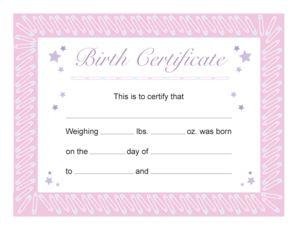
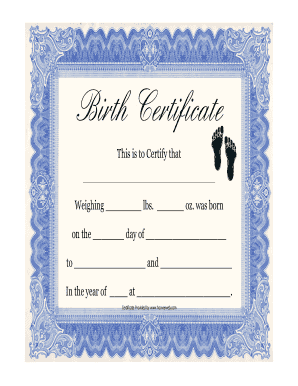
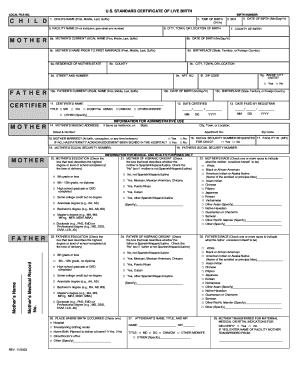
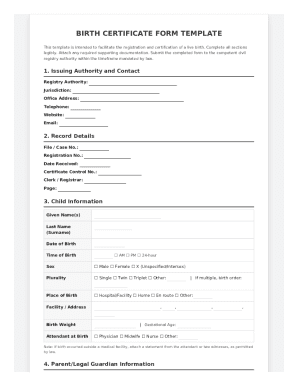
The Certificate of Birth is an official document used to record the birth of a child, capturing essential details required for identity verification and legal purposes.
pdfFiller scores top ratings on review platforms




Who needs Birth Certificate?
Explore how professionals across industries use pdfFiller.

Birth Certificate is needed by:
-
Parents of newborns wanting to establish a legal record of their child's birth
-
Hospitals requiring documentation for newborns
-
Government agencies needing verification of birth
-
Schools asking for proof of identity for enrollment
-
Genealogists researching family history
Comprehensive Guide to Birth Certificate
Understanding the Certificate of Birth
A Certificate of Birth is a vital legal document that officially records the birth of a child, ensuring that essential details such as the child’s name, weight, date of birth, parents' names, and place of birth are documented. This certificate plays a crucial role in establishing identity and citizenship, serving as an essential foundation for numerous legal and personal purposes.
Obtaining an official birth record is imperative, as it aids parents in fulfilling legal obligations and offers necessary documentation for government services.
Why You Need a Certificate of Birth
The necessity of a Certificate of Birth stems from its widespread legal applications, including enrollment in educational institutions, securing passports, and other travel-related documentation. Parents also need this document to ensure eligibility for vital government services, such as healthcare and social security.
This certificate is not only essential for legal transactions but also invaluable for family records and genealogy, helping future generations trace their heritage.
Who Requires a Certificate of Birth?
New parents and guardians are the primary individuals who require a Certificate of Birth for their children. There are critical instances where this document becomes mandatory, such as when enrolling in schools or applying for passports. Specific familial situations, including adoption and surrogacy, may also present unique requirements, necessitating a clear understanding of the necessary documentation.
Completing Your Certificate of Birth Form Online
To fill out your Certificate of Birth form using pdfFiller, follow this step-by-step guide:
-
Access the online form on pdfFiller’s platform.
-
Input each required detail, including the child's name, date of birth, and parents’ information.
-
Review your entries for accuracy to ensure all information is recorded correctly.
Accuracy is crucial; discrepancies in data can lead to processing delays or complications with official records.
Filing Guidelines for Your Certificate of Birth
When it comes to submitting your Certificate of Birth form, you have multiple methods available:
-
Online submission through authorized platforms.
-
In-person filing at designated local offices.
-
Mailing the completed form to the appropriate authority.
Be sure to include any necessary supporting documents and check for any associated fees. Additionally, be mindful of submission deadlines that may vary by state.
Tracking Your Certificate of Birth Application
After submitting your application, it is vital to know what to expect. Processing times can vary, so staying informed about your application's status is important. You can check the status through the issuing authority's website or contact their customer service.
Common reasons for application delays or rejections include incomplete forms or missing documents, and understanding how to rectify these issues can expedite your request.
What to Do After Receiving Your Certificate of Birth
Once you've received your Certificate of Birth, it is crucial to safeguard the physical document to prevent loss or damage. Consider acquiring additional certified copies if needed for various legal processes or family records.
For proper storage, keep the certificate in a secure location, such as a safe or a fireproof file, to ensure its preservation for years to come.
Your Privacy and Security with pdfFiller
Using pdfFiller to fill out your Certificate of Birth form comes with robust security measures. The platform employs 256-bit encryption, ensuring compliance with regulations such as HIPAA and GDPR, protecting your sensitive information throughout the form-filling process.
This cloud-based platform enhances convenience and efficiency, allowing you to manage your documents securely and comfortably.
Engage with pdfFiller's Features
Explore the diverse features offered by pdfFiller that enhance your document experience. In addition to filling forms, you can edit text, annotate, and eSign documents efficiently. These capabilities provide significant advantages over traditional methods, streamlining your workflow and improving your overall experience.
Utilizing pdfFiller not only simplifies form completion but also supports your needs with user-friendly and accessible tools.
How to fill out the Birth Certificate
-
1.Access pdfFiller and log in to your account, or sign up for a new account if you don't have one.
-
2.Search for 'Certificate of Birth' in the pdfFiller search bar to locate the fillable form.
-
3.Once you open the document, use the zoom feature for better visibility as you begin filling out the form.
-
4.Start by entering the child's name in the specified field. Ensure the spelling is correct for future reference.
-
5.Next, input the child's weight and date of birth. Have this information ready, as it is typically provided by the hospital.
-
6.Fill in the parents' names in the designated sections, as this information is crucial for the certificate.
-
7.Carefully review all entries for accuracy, as mistakes can lead to delays in processing.
-
8.If applicable, check additional boxes that may pertain to the context of the certificate.
-
9.Once you've completed the fields, use the 'Preview' function to view the filled form.
-
10.Save your work periodically to avoid any data loss. pdfFiller allows you to save your document directly to your account.
-
11.When finished, download the completed certificate as a PDF or submit it according to your needs directly through pdfFiller.

Who is eligible to apply for a Certificate of Birth?
Typically, the parents or legal guardians of the newborn are eligible to apply for a Certificate of Birth. Hospitals may also provide these to parents upon the child's birth.
Are there any deadlines for submitting the Certificate of Birth?
While there is no strict deadline for submitting a Certificate of Birth, it’s recommended to file it as soon as possible after the birth to avoid potential legal issues.
What information is required to complete the Certificate of Birth?
You'll need the child's name, weight, date of birth, parents' names, and place of birth. This information should be collected prior to filling out the form.
How do I submit the Certificate of Birth once completed?
Once you complete the Certificate of Birth on pdfFiller, you can either download it for your records or submit it to the appropriate government office directly, based on your location.
What are common mistakes to avoid when completing this form?
Ensure all names are spelled correctly and that you double-check the date of birth and weight. Missing information or inaccuracies can delay processing.
How long does it take to receive the Certificate of Birth after submission?
Processing times can vary by state, but generally, you should expect to receive the Certificate of Birth within a few weeks after submission.
Is notarization required for the Certificate of Birth?
No, notarization is not required for the completion or submission of the Certificate of Birth in most cases.



Related Catalogs
Get the latest insights from our blog



If you believe that this page should be taken down, please follow our DMCA take down process
here
.
This form may include fields for payment information. Data entered in these fields is not covered by PCI DSS compliance.