Form preview

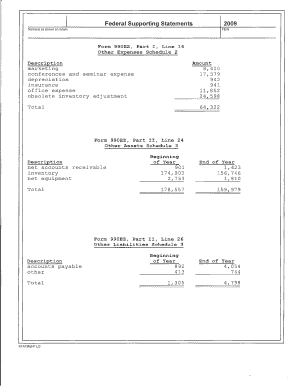
IRS 990 or 990-EZ - Schedule L 2015 free printable template


Get Form
pdfFiller is not affiliated with IRS
Screenshot
Screenshot
Screenshot

Get, Create, Make, and Sign IRS 990 or 990-EZ - Schedule L

Edit your IRS 990 or 990-EZ - Schedule L online
Type text, complete fillable fields, insert images, highlight or blackout data for discretion, add comments, and more.
Screenshot
Add your legally-binding signature
Draw or type your signature, upload a signature image, or capture it with your digital camera.
Screenshot
Share your form instantly
Email, fax, or share your IRS 990 or 990-EZ - Schedule L via URL. You can also download, print, or export forms to your preferred cloud storage service.
Screenshot

Instructions and Help about IRS 990 or 990-EZ - Schedule

How to edit IRS 990 or 990-EZ - Schedule

To edit the IRS 990 or 990-EZ - Schedule, you can use pdfFiller’s easy-to-use interface, which allows for quick text changes and updates. Simply upload the document to the platform, make the desired modifications, and save your changes. This ensures you have the most current and accurate information before submission.

How to fill out IRS 990 or 990-EZ - Schedule

Filling out the IRS 990 or 990-EZ - Schedule involves several steps to ensure compliance with tax requirements. First, gather all necessary financial documents, including income statements and expense reports. Next, follow these steps:
01
Obtain the latest version of the IRS 990 or 990-EZ - Schedule from the IRS website or your tax advisor.
02
Review all sections of the form to understand what information is needed.
03
Input your organization’s financial data accurately in the specified fields.
04
Double-check all entries for accuracy before submission.
05
Consider consulting a tax professional if you are unsure about any part of the form.

About IRS 990 or 990-EZ - Schedule 2015 previous version

What is IRS 990 or 990-EZ - Schedule?

The IRS 990 or 990-EZ - Schedule is a tax form required for certain tax-exempt organizations to report their financial information to the IRS. This form provides detailed data on income, expenses, and activities of non-profit entities, enabling the IRS to assess compliance with tax-exempt status.

Who needs the form?

The IRS 990 or 990-EZ - Schedule is required for tax-exempt organizations, including charities, educational institutions, and religious groups, whose gross receipts exceed a certain threshold. Many smaller organizations must file a simplified version known as the Form 990-N if their gross receipts are below the limit.

Components of the form

The IRS 990 or 990-EZ - Schedule consists of several parts, including a summary of an organization's mission, programs, and finances. Key components include income statements, balance sheets, and sections detailing governance practices and compensation for key employees. These elements provide a comprehensive overview of the financial health and activities of the organization.

What information do you need when you file the form?

To file the IRS 990 or 990-EZ - Schedule, you will need several key pieces of information, including your organization’s legal name, employer identification number (EIN), financial statements, and descriptions of its programs and activities. Accurate and complete information is crucial to fulfill IRS requirements and maintain tax-exempt status.

What is the purpose of this form?

The purpose of the IRS 990 or 990-EZ - Schedule is to maintain transparency and accountability for organizations that operate as non-profits. By requiring these organizations to report financial information, the IRS can verify how funds are used and ensure that tax-exempt status is appropriately granted.

When am I exempt from filling out this form?

Organizations may be exempt from filling out the IRS 990 or 990-EZ - Schedule if their annual gross receipts are under $200,000 and total assets are under $500,000. Additionally, certain religious organizations and government entities may also have exemptions under specific regulations.

What are the penalties for not issuing the form?

Failing to file the IRS 990 or 990-EZ - Schedule can lead to significant penalties. Organizations may incur fines of $20 per day, with a maximum penalty cap depending on their size. Continued non-compliance can result in the loss of tax-exempt status, which can severely hinder an organization’s ability to operate effectively.

Is the form accompanied by other forms?

Yes, the IRS 990 or 990-EZ - Schedule is often submitted alongside other forms, such as Form 990-T if applicable, which addresses unrelated business income. Organizations may also need to include certain schedules related to their specific activities or financial situations, making it essential to review all requirements before submission.

Where do I send the form?

The completed IRS 990 or 990-EZ - Schedule must be sent to the IRS, to the address specified in the instructions for the specific form year. Ensure you are sending it to the correct location based on your organization's geographic area and filing method, whether by mail or electronically.

FAQ about IRS 990 or 990-EZ - Schedule L

If you discover errors on your filed 2015 form 990 or, you will need to file an amended return. Use the appropriate form to correct the mistakes and ensure that the IRS receives it. It's essential to specify the changes made and provide a reason for the correction.

To verify the status of your filed 2015 form 990 or, you can check the IRS online system or contact their helpline. Keep your confirmation number or submission details handy for quicker assistance when tracking your filing.

Common errors when completing the 2015 form 990 or include incorrect numerical entries, missing signatures, and failing to report all required items. It’s advisable to double-check all entries and ensure that all parts of the form are complete before submission.

Yes, some e-filing services may charge fees for submitting the 2015 form 990 or electronically. It's important to review the fee structure of the provider you choose and be aware that there might be additional costs if your submission is rejected and needs resubmission.


See what our users say
Trust Seal
Trust Seal
Trust Seal
Trust Seal
Trust Seal
Trust Seal
Trust Seal
Trust Seal
Rate free form
4.2
satisfied
72 votes

How to Fill Out Small Business Tax Forms Online with pdfFiller

Struggling with your Schedule C or not sure how to file business taxes as a sole proprietor, LLC, or self-employed professional? This step-by-step pdfFiller tutorial walks you through completing IRS Schedule C quickly and accurately — no printing, no scanning, no stress. Whether you're handling small business tax deductions, tracking self-employed taxes, or preparing your full business tax return, pdfFiller makes it simple right in your browser.

If you believe that this page should be taken down, please follow our DMCA take down process here .
This form may include fields for payment information. Data entered in these fields is not covered by PCI DSS compliance.