
Last updated on
Oct 19, 2026

USPS PS 3117 2014-2026 free printable template
We are not affiliated with any brand or entity on this form

Fill out
Complete the form online in a simple drag-and-drop editor.

eSign
Add your legally binding signature or send the form for signing.

Share
Share the form via a link, letting anyone fill it out from any device.

Export
Download, print, email, or move the form to your cloud storage.
Why pdfFiller is the best tool for your documents and forms


End-to-end document management
From editing and signing to collaboration and tracking, pdfFiller has everything you need to get your documents done quickly and efficiently.
Accessible from anywhere
pdfFiller is fully cloud-based. This means you can edit, sign, and share documents from anywhere using your computer, smartphone, or tablet.
Secure and compliant
pdfFiller lets you securely manage documents following global laws like ESIGN, CCPA, and GDPR. It's also HIPAA and SOC 2 compliant.
What is USPS PS 3117
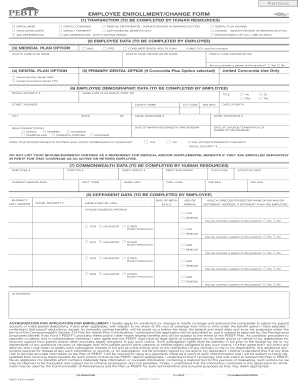
The USPS Non-Career Employee Health Benefits Plan Form is a health insurance application used by non-career employees of the United States Postal Service (USPS) to enroll in or change their health benefits coverage.
pdfFiller scores top ratings on review platforms




Who needs USPS PS 3117?
Explore how professionals across industries use pdfFiller.

USPS PS 3117 is needed by:
-
Non-career employees of USPS looking to enroll in health benefits
-
Dependents of USPS non-career employees requiring insurance coverage
-
USPS employees needing to change existing health benefits
-
USPS staff seeking to cancel or waive their health benefits enrollment
-
USPS HR personnel managing employee benefits
Comprehensive Guide to USPS PS 3117
What is the USPS Non-Career Employee Health Benefits Plan Form?
The USPS Non-Career Employee Health Benefits Plan Form serves as a crucial document for non-career employees at the United States Postal Service (USPS). This form enables non-career employees to enroll in, modify, or cancel their health insurance plans. Specifically designed for these employees, it facilitates the process of accessing various health benefits.
Completion of this form is essential for employees wishing to navigate their health insurance options, ensuring they have the necessary coverage as per their needs.
Purpose and Benefits of the USPS Non-Career Employee Health Benefits Plan Form
The primary purpose of the USPS Non-Career Employee Health Benefits Plan Form is to streamline the enrollment process for health benefits. By using this form, employees gain immediate access to a range of health resources and plans tailored to their unique circumstances.
Timely completion of this form is crucial, as it directly affects the employee's eligibility for available health benefits and ensures they remain covered during critical life events and Open Season.
Who Needs the USPS Non-Career Employee Health Benefits Plan Form?
The target audience for the USPS Non-Career Employee Health Benefits Plan Form includes non-career employees at USPS. Eligibility for health benefits is determined by specific criteria, including job classification and employment status.
Employees may need to utilize this form during Open Season or after lifecycle events like marriage, childbirth, or changes in employment status, all of which necessitate adjustments to their health plan choices.
How to Fill Out the USPS Non-Career Employee Health Benefits Plan Form Online (Step-by-Step)
Filling out the USPS Non-Career Employee Health Benefits Plan Form online can be accomplished in a few straightforward steps:
-
Access the form via the PostalEASE system.
-
Enter your personal information, including 'Your Name' and 'Employee Identification Number (EIN)'.
-
Select your enrollment options from the provided choices.
-
Review all entered information for accuracy before submission.
Utilizing PostalEASE simplifies the process, allowing for quick and efficient form completion.
Common Errors and How to Avoid Them
When completing the USPS Non-Career Employee Health Benefits Plan Form, employees often make several common mistakes. These can include misspelling personal information or neglecting to check required boxes.
To ensure successful submission, double-check the following:
-
Personal information for accuracy.
-
That all required fields are filled out correctly.
-
Comprehensive review of the enrollment options selected.
Accuracy is particularly important in personal fields, as errors can lead to delays or rejection of the application.
Submission Methods and Where to Send Your USPS Non-Career Employee Health Benefits Plan Form
After completing the USPS Non-Career Employee Health Benefits Plan Form, employees have several options for submission. They can submit the form online through PostalEASE or choose to communicate their enrollment over the telephone.
It's essential to track submission statuses, ensuring the form has been received and is being processed appropriately.
What Happens After You Submit the USPS Non-Career Employee Health Benefits Plan Form?
Following the submission of the USPS Non-Career Employee Health Benefits Plan Form, employees can expect a processing timeline that will vary based on the volume of applications received. Checking the status of your application is advisable to remain informed about its progress.
Should an application encounter potential rejection, understanding and resolving common rejection reasons can assist in timely rectification before additional delays occur.
Security and Compliance When Handling Your Health Benefits Information
Privacy and data protection are paramount when handling sensitive health benefits information. Employees can rest assured that pdfFiller employs robust security measures to safeguard documents online.
The platform complies with essential regulations, including HIPAA and GDPR, ensuring that the handling of personal health information meets the highest security standards.
How pdfFiller Can Simplify Your USPS Non-Career Employee Health Benefits Plan Form Process
pdfFiller offers a suite of tools designed to simplify the process of completing the USPS Non-Career Employee Health Benefits Plan Form. Users can easily edit, sign, and securely submit their forms, which streamlines the often complex process of health benefits enrollment.
Moreover, pdfFiller provides customer support to address any questions during the form completion process, offering peace of mind for employees navigating their health benefits.
Get Started with Your USPS Non-Career Employee Health Benefits Plan Form Today
Employees are encouraged to take action by beginning the completion of their USPS Non-Career Employee Health Benefits Plan Form using pdfFiller. Utilizing this platform enhances the submission experience, making it straightforward and efficient.
With access to tutorials and support readily available, users can confidently navigate the process of securing their health benefits.
How to fill out the USPS PS 3117
-
1.Access pdfFiller and log in with your credentials or create an account if you don’t have one.
-
2.In the search bar, type 'USPS Non-Career Employee Health Benefits Plan Form' to locate the form.
-
3.Once the form appears, click on it to open the interactive PDF editor.
-
4.Review the required fillable fields, which include 'Your Name', 'Employee Identification Number (EIN)', and eligibility options.
-
5.Gather necessary information before you start, such as personal details, dependent information, and any existing insurance plans.
-
6.Carefully enter your name in the designated field, making sure to include your last name, first name, and middle initial if applicable.
-
7.Fill in your Employee Identification Number (EIN) accurately in the corresponding field.
-
8.Select the appropriate option for health benefits enrollment — whether it’s for new enrollment, changing your current enrollment, or canceling coverage.
-
9.Utilize the 'Complete the worksheet' instructions which guide you in filling out dependent and insurance info if relevant.
-
10.Once all fields are filled, review the information for accuracy and completeness ensuring that all boxes are checked appropriately.
-
11.To finalize your form, click the 'Save' button to store your progress. Ensure the information is saved to avoid losing any entered data.
-
12.You can also download the completed form in your desired format by clicking on the 'Download' button.
-
13.If you are ready to submit, follow the instructions for submitting through the PostalEASE system — either online or via telephone.

Who is eligible to use the USPS Non-Career Employee Health Benefits Plan Form?
This form is intended for non-career employees of the United States Postal Service (USPS) who wish to enroll in, change, or cancel their health benefits coverage.
How can I submit the USPS Non-Career Employee Health Benefits Plan Form?
Completed forms can be submitted through the PostalEASE system either online or via telephone. Follow the system's instructions to ensure successful submission.
Are there specific deadlines for submitting the health benefits plan form?
While the metadata does not specify deadlines, it is advisable to check the USPS guidelines for open enrollment periods and deadlines for benefits changes.
What supporting documents are needed to complete the form?
You may need personal identification, dependent information, and insurance details to accurately complete the form. Ensure you have all relevant information ready before starting.
What common mistakes should I avoid when filling out the form?
Be careful to enter all information accurately, especially names and numbers. Avoid leaving any required fields blank, and double-check checkbox selections.
How long does it take for the form to be processed after submission?
Processing times can vary; please refer to USPS guidelines or contact HR for specific processing timeframes for health benefits enrollment.
What happens if I need to make changes after submitting the form?
If you need to make changes after submission, you will likely need to contact USPS HR or use the PostalEASE system to manage your existing enrollment.
Related Forms




Get the latest insights from our blog


If you believe that this page should be taken down, please follow our DMCA take down process
here
.
This form may include fields for payment information. Data entered in these fields is not covered by PCI DSS compliance.