
Last updated on
Oct 2, 2026

Get the free Child Care Menu Planning Worksheet
We are not affiliated with any brand or entity on this form

Fill out
Complete the form online in a simple drag-and-drop editor.

eSign
Add your legally binding signature or send the form for signing.

Share
Share the form via a link, letting anyone fill it out from any device.

Export
Download, print, email, or move the form to your cloud storage.
Why pdfFiller is the best tool for your documents and forms


End-to-end document management
From editing and signing to collaboration and tracking, pdfFiller has everything you need to get your documents done quickly and efficiently.
Accessible from anywhere
pdfFiller is fully cloud-based. This means you can edit, sign, and share documents from anywhere using your computer, smartphone, or tablet.
Secure and compliant
pdfFiller lets you securely manage documents following global laws like ESIGN, CCPA, and GDPR. It's also HIPAA and SOC 2 compliant.
What is Child Care Menu
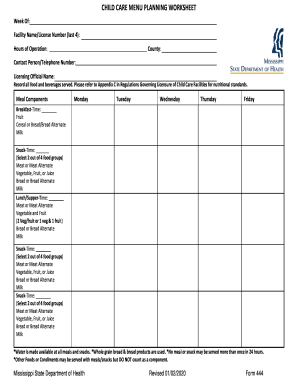
The Child Care Menu Planning Worksheet is a form used by child care facilities to plan and document meal menus for children.
pdfFiller scores top ratings on review platforms




Who needs Child Care Menu?
Explore how professionals across industries use pdfFiller.

Child Care Menu is needed by:
-
Child care facility managers
-
Nutritionists focusing on child nutrition
-
Child care providers and educators
-
School food service coordinators
-
Parents seeking meal planning resources for care settings
Comprehensive Guide to Child Care Menu
What is the Child Care Menu Planning Worksheet?
The Child Care Menu Planning Worksheet is a vital document used by child care facilities to outline meal plans for children. It serves as a formal method for documenting meals, ensuring that nutritional guidelines are met for different age groups. This form includes specific references to the 'Meal Pattern for Children', which helps in determining appropriate serving sizes.
The worksheet is applicable to various age brackets, accommodating the unique developmental needs of each group. By utilizing this form, facilities can maintain organized meal documentation that supports their adherence to nutritional standards.
Purpose and Benefits of Using the Child Care Menu Planning Worksheet
Using the Child Care Menu Planning Worksheet provides numerous advantages for child care providers. Effective meal planning is crucial for both nutrition and compliance with established guidelines. The worksheet simplifies the process of documenting and planning menus, thereby enhancing organizational efficiency.
Another significant benefit is the maintenance of organized records of meals served, which are essential during audits and inspections. This structured approach helps foster a healthier dining experience while ensuring compliance with regulatory requirements.
Key Features of the Child Care Menu Planning Worksheet
-
Sections tailored for different age groups, allowing for diverse menu planning.
-
Space allotted for detailed daily menus, ensuring clarity in meal offerings.
-
Instructions for documenting specific food components and meal sizes.
-
Fields designated for identifying the child care facility and the maintenance of the menu.
Who Needs the Child Care Menu Planning Worksheet?
This worksheet is essential for child care professionals, including administrators and caregivers, who are involved in meal planning and execution. Specific roles within child care facilities benefit from this structured documentation, which helps streamline their responsibilities.
Additionally, compliance with regulations may necessitate that child care providers maintain accurate meal planning records. The worksheet serves as a useful tool for ensuring that these standards are upheld effectively.
How to Fill Out the Child Care Menu Planning Worksheet Online
-
Access the worksheet on pdfFiller's platform.
-
Complete each section, ensuring the correct information is filled based on age group and corresponding meal patterns.
-
Review your entries for accuracy and completeness.
-
Avoid common mistakes, such as entering incorrect serving sizes or neglecting to include all meal components.
Digital Signing and Digital Document Security
Digital signing of the Child Care Menu Planning Worksheet enhances convenience while ensuring the integrity of the document. pdfFiller provides a secure method for implementing digital signatures, offering an efficient alternative to traditional wet signatures.
The platform incorporates robust security measures, including encryption, to safeguard sensitive data. Understanding these security protocols is crucial to maintaining the privacy of information and complying with relevant documentation laws.
How to Save, Download, and Print the Child Care Menu Planning Worksheet
After completing the worksheet, it is essential to manage your document effectively. Users can save their finished worksheets directly to their browsers using pdfFiller. The platform also facilitates seamless downloading and printing options for those who require physical records.
Retaining a copy of the completed worksheet is vital for facility records, ensuring that meal documentation can be referenced when necessary.
Next Steps After Completing the Child Care Menu Planning Worksheet
Once the form is filled out, it is important to maintain accurate records as per the guidelines outlined. Any reporting requirements must be addressed promptly, ensuring compliance with regulations.
Users should stay informed about submission processes and identify the appropriate channels for sending the completed worksheet.
Security and Compliance for Child Care Facilities
Ensuring security when handling child care documentation is paramount. This section discusses the importance of data protection practices and privacy concerns associated with maintaining meal planning records.
Child care facilities must comply with various laws and regulations concerning nutrition documentation, emphasizing the need for diligent record-keeping practices.
Optimizing the Menu Planning Process with pdfFiller
Utilizing pdfFiller can significantly enhance the experience of filling out the Child Care Menu Planning Worksheet. The platform offers additional features that aid in form management, including editing capabilities and eSigning options.
With a user-friendly interface and accessible customer support, pdfFiller presents an excellent solution for child care providers looking to streamline their menu planning processes.
How to fill out the Child Care Menu
-
1.Access the pdfFiller platform and log in to your account. If you do not have an account, create one to start using the document.
-
2.Use the search bar on the pdfFiller homepage to find the 'Child Care Menu Planning Worksheet.' Once located, click on the form to open it.
-
3.Review the form sections that need to be completed. Ensure you have all necessary information on hand, such as the name of the child care facility and the specific age groups for menu planning.
-
4.Start filling out the blank fields by clicking on them. For 'Name of Child Care Facility,' simply type in your facility’s name. Select the relevant age group(s) from the provided options.
-
5.Move to the menu sections for each day of the week. You must fill in the specific food components for each meal. Refer to the 'Meal Pattern for Children' guideline for correct serving sizes.
-
6.After completing all sections, take a moment to review your entries for any missing information or errors. This ensures that your menu complies with nutritional guidelines.
-
7.Once you are satisfied with the completed form, save it using the 'Save' option. You can also download the form in pdf or other available formats for records.
-
8.If required, you can submit the form directly from pdfFiller by selecting the submit option. Check that any necessary attachments are included before sending.

Who is eligible to use the Child Care Menu Planning Worksheet?
This form is primarily meant for licensed child care facilities in the US that are required to plan and document meal menus for children.
What should I do if I make a mistake while filling out the form?
If you make a mistake, use the pdfFiller interface to edit the incorrect field. You can also use the clear or delete options to correct errors.
How do I submit the completed form?
Once completed, you can submit the Child Care Menu Planning Worksheet directly through pdfFiller by using the submission tools provided. Ensure all necessary fields are filled.
Are there any supporting documents required with this form?
Generally, no additional supporting documents are required for the Child Care Menu Planning Worksheet, but you should follow local guidelines for any specific requirements.
What common mistakes should I avoid when completing the form?
Avoid leaving required fields empty, incorrectly selecting age groups, or failing to reference the 'Meal Pattern for Children' for accurate serving sizes.
How long does it take to process the completed form?
Processing times can vary. However, upon submission, it typically takes a few business days for review, depending on the requirements of the facility or governing body.
Is the form required to be notarized?
No, the Child Care Menu Planning Worksheet does not require notarizing, but facilities should maintain the document on file for compliance purposes.
Related Forms



Related Catalogs
Get the latest insights from our blog


If you believe that this page should be taken down, please follow our DMCA take down process
here
.
This form may include fields for payment information. Data entered in these fields is not covered by PCI DSS compliance.