
Last updated on
Nov 9, 2026
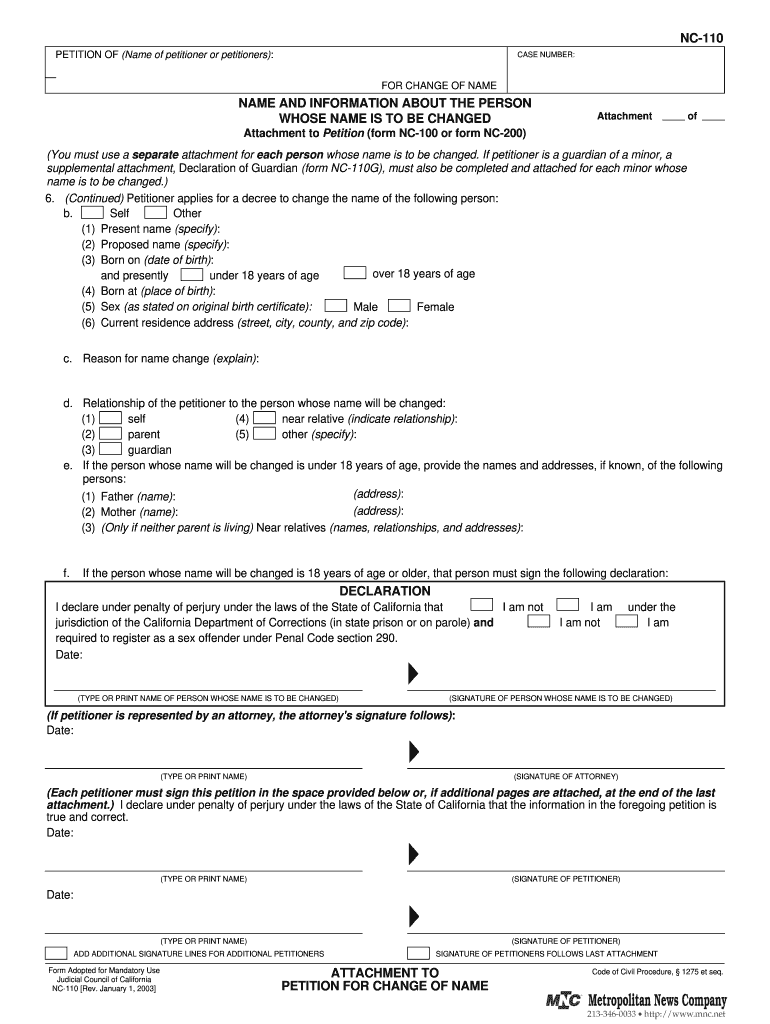
CA NC-110 2003 free printable template
pdfFiller is not affiliated with any government organization

Fill out
Complete the form online in a simple drag-and-drop editor.

eSign
Add your legally binding signature or send the form for signing.

Share
Share the form via a link, letting anyone fill it out from any device.

Export
Download, print, email, or move the form to your cloud storage.
Why pdfFiller is the best tool for your documents and forms


End-to-end document management
From editing and signing to collaboration and tracking, pdfFiller has everything you need to get your documents done quickly and efficiently.
Accessible from anywhere
pdfFiller is fully cloud-based. This means you can edit, sign, and share documents from anywhere using your computer, smartphone, or tablet.
Secure and compliant
pdfFiller lets you securely manage documents following global laws like ESIGN, CCPA, and GDPR. It's also HIPAA and SOC 2 compliant.
What is CA NC-110
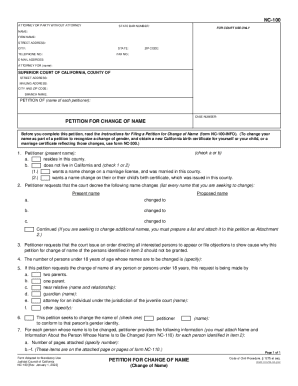
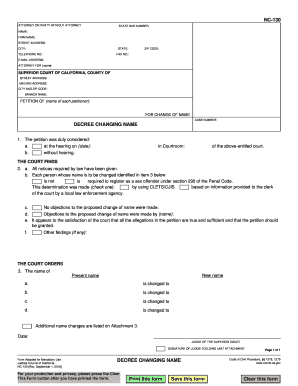
The California Name Change Petition is a legal document used by individuals or guardians to petition for a name change in California.
pdfFiller scores top ratings on review platforms




Who needs CA NC-110?
Explore how professionals across industries use pdfFiller.

CA NC-110 is needed by:
-
Individuals seeking to change their legal name in California
-
Guardians requesting name changes for minors
-
Attorneys assisting clients with name change petitions
-
Residents of California looking to update their identification documents
-
People requiring a name change for personal, professional, or marital reasons
Comprehensive Guide to CA NC-110
What is the California Name Change Petition?
The California Name Change Petition, officially known as the NC-110 form, is a critical legal document for individuals seeking to change their names in California. This form is essential as it initiates the judicial process for a legal name change, enabling individuals to formalize their new identity. Utilizing platforms like pdfFiller streamlines this process, allowing for efficient completion and submission of the name change form.
Purpose and Benefits of the California Name Change Petition
The NC-110 form serves several important purposes, helping individuals navigate legal name changes due to various life events. Common reasons for seeking a name change include marriage, divorce, and personal preference. By properly filing a petition for change of name, individuals can enjoy legal recognition of their new identity, which is crucial for personal and legal documentation. pdfFiller further simplifies this task, making it easier to complete the necessary forms without hassle.
Who Needs the California Name Change Petition?
The parties involved in the California Name Change Petition include the petitioner, the individual whose name is changed, and, if applicable, an attorney. Each party must provide required signatures to validate the form. Specific scenarios exist, such as minor name changes which often require parental consent, while adult name changes follow a different process.
Eligibility Criteria for the California Name Change Petition
Eligibility to file the NC-110 form under California law is defined by residency requirements and age considerations. Petitioners must typically be residents of California. Additionally, the law outlines procedures for minors seeking a name change, which may involve guardianship considerations. Understanding these eligibility criteria is key to a successful name change petition.
How to Fill Out the California Name Change Petition (Step-by-Step)
Completing the NC-110 form involves several straightforward steps. Follow these instructions for accurate completion:
-
Enter the current name and proposed new name in the designated fields.
-
Provide personal details including date of birth and place of birth.
-
Add the current residence address of the individual requesting the change.
-
Indicate the reason for the name change in the provided space.
-
Review all entries to ensure accuracy before signing.
Make sure to seek assistance with any sections that may seem unclear, ensuring all required fields are filled out completely.
Common Errors and How to Avoid Them When Filing the Petition
Many individuals encounter pitfalls when filling out the NC-110 form. Common mistakes include:
-
Omitting required fields, such as the full name or reason for the change.
-
Failing to provide signatures from all necessary parties.
-
Inaccurately filling out personal information, which can lead to processing delays.
To help avoid these issues, use an error-checking checklist before submission to verify that all information is accurate and complete.
How to Submit the California Name Change Petition
Submitting the NC-110 form can be done through various methods:
-
In-person delivery to the local court.
-
Online submission through authorized court websites.
-
Mailing the completed form along with any required fees.
When submitting, be aware of any associated fees, payment methods, and typical processing times. Checking for submission deadlines is also crucial to avoid delays.
What Happens After You Submit the Name Change Petition?
After filing the name change petition, there is typically a waiting period before a court hearing is scheduled. During this time, the petitioner retains the right to use their proposed new name. If the petition is rejected, there are specific steps the petitioner can take to address the reasons for rejection, including re-filing with corrections.
Security and Compliance When Filling Out the California Name Change Petition
Addressing concerns about document security is essential. pdfFiller implements robust security measures to protect users' sensitive information, including:
-
256-bit encryption for data protection.
-
Compliance with HIPAA and GDPR regulations.
-
Secure document management practices.
These measures help ensure that legal documents are handled with the utmost confidentiality and security throughout the completion process.
Experience the Benefits of Using pdfFiller for Your California Name Change Petition
Using pdfFiller significantly enhances the experience of completing legal forms. This platform allows for easy editing, eSigning, and sharing of completed documents, making the process smoother. Users can also take comfort in knowing their documents are secure during the entire form-filling journey.
How to fill out the CA NC-110
-
1.To access the California Name Change Petition on pdfFiller, go to the pdfFiller website and use the search bar to find 'NC-110 form.' Click on the correct form link to open it.
-
2.Once the form is open, familiarize yourself with the interface by checking the toolbar where you will find options like text boxes, checkboxes, and signature tools.
-
3.Before you start filling out the form, gather necessary information such as the current name, proposed name, date of birth, and reason for the name change.
-
4.Begin filling out the required fields, ensuring to input the current name and the proposed name. Use the 'Name' text box to specify your full current name as it appears on documents.
-
5.Next, enter the date of birth and place of birth in the respective fields, ensuring accuracy. Also, check the box indicating the residency status in California.
-
6.Continue by providing the complete current address in the relevant section, as this will be used for future correspondence regarding your petition.
-
7.After completing the form, review each field carefully to check for any errors or omissions. It's essential to ensure all fields are properly filled.
-
8.Once you have reviewed the form, navigate to the signature fields. Ensure both the petitioner and the person whose name is changing have signed the document electronically.
-
9.After signing, use the 'Save' option in pdfFiller to save your work. You can also download the filled form in PDF format to your computer or submit it directly through the platform.
-
10.If submitting through pdfFiller, follow the prompts to finalize your submission. Ensure you keep a copy for your records before submitting.

Who is eligible to file the California Name Change Petition?
Any resident of California can file the California Name Change Petition. This includes adults seeking to change their own names or parents/legal guardians applying on behalf of minors.
What supporting documents are required with the petition?
Typically, you will need to provide identification documents such as a birth certificate or driver's license. Additional documentation may be required based on your specific circumstances.
Are there any fees associated with submitting the name change petition?
Yes, there are filing fees associated with the California Name Change Petition, which vary by county. Check with your local court for the exact amount and payment methods.
How long does it take for a name change petition to be processed?
The processing time for a name change petition can vary, but it typically takes several weeks. It's advisable to check with local court timelines for more accurate estimates.
Can I change my name for any reason?
Yes, you can petition for a name change for various reasons, including personal preference, marriage, or divorce. However, it must not be for fraudulent purposes or to evade legal issues.
What are common mistakes to avoid when filling out the petition?
Common mistakes include incomplete sections, incorrect personal information, and forgetting to sign the form. Always double-check each field before submitting.
Is notarization required for the California Name Change Petition?
No, notarization is not required for this form. However, the signatures of the petitioner and the person whose name is changing must be included.
CA NC-110 Form Versions
Related Content
Related Forms


Related Catalogs
Get the latest insights from our blog


If you believe that this page should be taken down, please follow our DMCA take down process
here
.
This form may include fields for payment information. Data entered in these fields is not covered by PCI DSS compliance.