
Last updated on
Nov 12, 2026

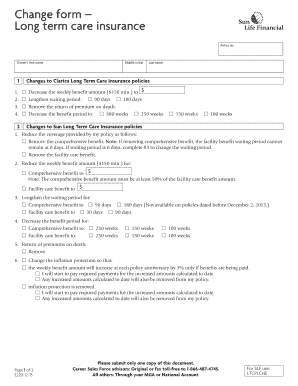
Canada Long-Term Care Facility Claim Form 2006 free printable template
We are not affiliated with any brand or entity on this form

Fill out
Complete the form online in a simple drag-and-drop editor.

eSign
Add your legally binding signature or send the form for signing.

Share
Share the form via a link, letting anyone fill it out from any device.

Export
Download, print, email, or move the form to your cloud storage.
Why pdfFiller is the best tool for your documents and forms


End-to-end document management
From editing and signing to collaboration and tracking, pdfFiller has everything you need to get your documents done quickly and efficiently.
Accessible from anywhere
pdfFiller is fully cloud-based. This means you can edit, sign, and share documents from anywhere using your computer, smartphone, or tablet.
Secure and compliant
pdfFiller lets you securely manage documents following global laws like ESIGN, CCPA, and GDPR. It's also HIPAA and SOC 2 compliant.
What is Canada Long-Term Care Facility Claim Form
The Long-Term Care Facility Claim Form is a medical billing document used by long-term care facilities in Canada to bill for services provided to patients.
pdfFiller scores top ratings on review platforms




Who needs Canada Long-Term Care Facility Claim Form?
Explore how professionals across industries use pdfFiller.

Canada Long-Term Care Facility Claim Form is needed by:
-
Long-term care facility officials
-
Healthcare providers in Canada
-
Billing administrators at care facilities
-
Healthcare insurance companies
-
Medical claims processors
-
Patients or guardians of patients in care
Comprehensive Guide to Canada Long-Term Care Facility Claim Form
What is the Long-Term Care Facility Claim Form?
The Long-Term Care Facility Claim Form is a critical document utilized by healthcare providers in Canada for billing services rendered to patients in long-term care facilities. This form serves the purpose of ensuring compliance and facilitating accurate reimbursement from healthcare insurance. It is important for these facilities to use this form effectively to maintain cash flow and service delivery standards. Notably, the form has not been updated since its revision in 2006, indicating a potential need for modernization.
Healthcare providers rely on the long-term care facility claim form to streamline the billing process and ensure timely payments for services. Understanding its significance can aid facilities in navigating the complexities of medical billing in the ever-evolving landscape of healthcare.
Purpose and Benefits of the Long-Term Care Facility Claim Form
The Long-Term Care Facility Claim Form is essential for both healthcare facilities and patients, providing numerous benefits that expedite the billing process. By standardizing information submission, the form simplifies administrative tasks, making it easier for facilities to process bills accurately and receive payments promptly.
Using this Canada medical billing form helps healthcare providers enhance patient care by minimizing delays in reimbursement, thus allowing for uninterrupted service delivery. Consequently, timely payments improve the overall efficiency of long-term care operations, illustrating the form's critical role within the healthcare system.
Who Needs the Long-Term Care Facility Claim Form?
Various stakeholders are required to utilize the Long-Term Care Facility Claim Form throughout the healthcare system. Primarily, Long-Term Care Facility Officials are responsible for accurately completing this form, ensuring compliance with billing standards. Awareness of the form's significance is also crucial for patients and their families, especially when navigating insurance claims or inquiring about billing practices.
Facility staff must understand the intricacies of this claim form to enhance compliance and promote efficient operations within their care settings, ensuring that every necessary piece of information is submitted correctly.
Required Information for the Long-Term Care Facility Claim Form
Completing the Long-Term Care Facility Claim Form necessitates gathering specific information and documents before submission. Key details required include:
-
Facility identification information
-
Patient details, including name and identification number
-
Relevant billing period for the services rendered
It's important to create a checklist of necessary documents before filling out the form, as accuracy in these fields significantly affects the success of submissions. The completeness of this information ensures a smoother billing process for healthcare providers.
How to Fill Out the Long-Term Care Facility Claim Form Online
For a seamless experience, completing the Long-Term Care Facility Claim Form can be done effectively using online tools like pdfFiller. A step-by-step guide includes:
-
Access the form and familiarize yourself with its layout.
-
Fill in the required information in the designated fields.
-
Cross-check all entries for accuracy to avoid submission errors.
-
Utilize fillable fields to streamline the input process.
-
Review the completed form before submission to ensure compliance.
Attention to detail during this online filling process is crucial, as it reduces the chance of needing to resubmit the form later.
Signature and Submission Requirements for the Long-Term Care Facility Claim Form
The process of signing the Long-Term Care Facility Claim Form requires attention to detail regarding submission methods. Facility Officials must provide their signatures, which can be either digital or wet signatures, depending on the chosen submission method. Accepted submission options include:
-
Online submission through secure platforms
-
Mailing the completed form to the appropriate address
Understanding these signature requirements is vital for compliance, as any discrepancies may hinder timely processing of the claim.
Consequences of Not Filing or Late Filing the Long-Term Care Facility Claim Form
Failing to file the Long-Term Care Facility Claim Form on time can result in significant financial consequences for facilities. These repercussions may include cash flow disruptions and potential impacts on patient care, adversely affecting service quality. The importance of adhering to deadlines cannot be overstated, as timely submissions are essential to maintaining the integrity of operations within long-term care contexts.
Tracking and Confirmation After Submission of the Long-Term Care Facility Claim Form
After submitting the Long-Term Care Facility Claim Form, it is crucial to confirm that the submission was received successfully. Steps for tracking include:
-
Checking for acknowledgment receipt from the submission platform
-
Monitoring claim processing times and updates
Addressing any issues promptly or verifying the status of submitted claims ensures timely resolutions, contributing to overall operational efficiency.
Security and Compliance When Handling the Long-Term Care Facility Claim Form
Managing the Long-Term Care Facility Claim Form necessitates stringent security measures to protect sensitive patient information. Utilizing advanced features like 256-bit encryption ensures compliance with HIPAA and GDPR regulations, safeguarding data against unauthorized access. For healthcare providers, maintaining document security is paramount, and tools like pdfFiller facilitate safe document handling throughout the submission process.
Streamline Your Long-Term Care Facility Billing with pdfFiller
pdfFiller offers powerful features that significantly enhance the process of filling and signing the Long-Term Care Facility Claim Form. The platform allows healthcare providers to conveniently access and edit necessary forms online, promoting efficiency and accuracy. The benefits of using pdfFiller extend beyond convenience, offering enhanced security and user-friendly functionalities designed to streamline billing operations for long-term care facilities.
How to fill out the Canada Long-Term Care Facility Claim Form
-
1.To get started, visit pdfFiller's website and use the search function to locate the Long-Term Care Facility Claim Form.
-
2.Once you've found the form, click to open it in the editing interface where you can fill in the necessary fields.
-
3.Before filling out the form, collect all relevant information such as the patient's details, services rendered, and billing periods to ensure accurate completion.
-
4.Using the pdfFiller interface, carefully fill in each required field, such as patient details, details of the long-term care facility, and the services provided.
-
5.Be sure to mark any checkboxes and fill in dates as indicated within the form to ensure you meet all submission requirements.
-
6.After filling out the form, thoroughly review all entered information for accuracy, double-checking all names, dates, and billing information.
-
7.Once you are satisfied with your entries and have ensured that an authorized facility official has signed the document, save your work.
-
8.You can either download the filled-out form to your device or follow the instructions on pdfFiller to submit it directly if your insurance provider accepts electronic submissions.

Who is eligible to use the Long-Term Care Facility Claim Form?
Eligibility typically includes licensed long-term care facilities in Canada that provide healthcare services to patients requiring long-term assistance. The form must be signed by a facility official.
What information is required to fill out the form?
You need to gather details about the facility, patient information, services provided, and the billing period before completing the Long-Term Care Facility Claim Form.
How do I submit the Long-Term Care Facility Claim Form?
Once completed, the form can be submitted physically to the relevant healthcare insurance provider or potentially uploaded to their system via pdfFiller, depending on their submission guidelines.
Are there any deadlines for submitting this form?
Specific submission deadlines may vary by insurance provider, so it's important to check with the healthcare insurance policy for the particular timeline regarding claims submission.
What common mistakes should I avoid when completing the form?
Be careful to fill in all required fields accurately, double-check the patient and facility details, and ensure the form is signed by an authorized facility official to avoid processing delays.
How can I access the Long-Term Care Facility Claim Form on pdfFiller?
You can navigate to pdfFiller's website, search for the Long-Term Care Facility Claim Form in their document library, and access it directly for completion.
What should I do after completing the form?
After completing the Long-Term Care Facility Claim Form, review it for accuracy, save your work, and use the pdfFiller options to either download it for submission or submit it electronically if supported.
Canada Long-Term Care Facility Claim Form Form Versions
Related Content
Related Forms





Get the latest insights from our blog


If you believe that this page should be taken down, please follow our DMCA take down process
here
.
This form may include fields for payment information. Data entered in these fields is not covered by PCI DSS compliance.