
Last updated on
Nov 9, 2026

NZ PAS310 2012 free printable template
We are not affiliated with any brand or entity on this form

Fill out
Complete the form online in a simple drag-and-drop editor.

eSign
Add your legally binding signature or send the form for signing.

Share
Share the form via a link, letting anyone fill it out from any device.

Export
Download, print, email, or move the form to your cloud storage.
Why pdfFiller is the best tool for your documents and forms


End-to-end document management
From editing and signing to collaboration and tracking, pdfFiller has everything you need to get your documents done quickly and efficiently.
Accessible from anywhere
pdfFiller is fully cloud-based. This means you can edit, sign, and share documents from anywhere using your computer, smartphone, or tablet.
Secure and compliant
pdfFiller lets you securely manage documents following global laws like ESIGN, CCPA, and GDPR. It's also HIPAA and SOC 2 compliant.
What is NZ PAS310
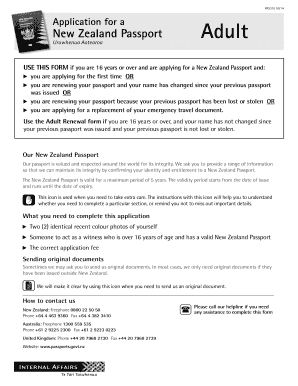
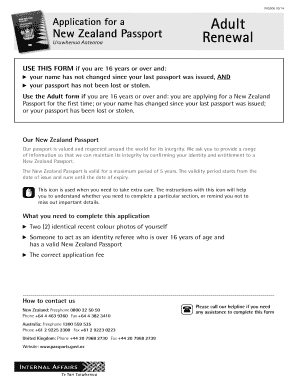
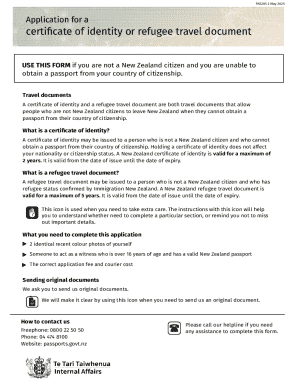
The New Zealand Passport Application Form is a government document used by individuals aged 16 and over to apply for, renew, or replace a passport.
pdfFiller scores top ratings on review platforms




Who needs NZ PAS310?
Explore how professionals across industries use pdfFiller.

NZ PAS310 is needed by:
-
Individuals applying for a new passport in New Zealand
-
Citizens renewing an existing New Zealand passport
-
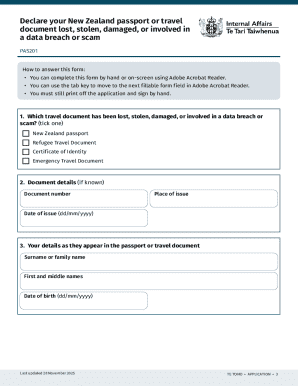
Persons replacing a lost or stolen passport
-
Witnesses verifying the applicant's identity
-
Travel agencies assisting clients with passport applications
-
Legal representatives helping clients with the application process
-
New Zealand citizens wanting to ensure compliance with passport requirements
Comprehensive Guide to NZ PAS310
What is the New Zealand Passport Application Form?
The New Zealand Passport Application Form serves as an essential document for individuals aged 16 and over seeking to obtain a passport. This form is crucial whether you are applying for a new passport, renewing an existing one, or replacing a lost or stolen passport. Completing this form accurately is vital for successful processing and ensures compliance with New Zealand's passport regulations.
This form is specifically designated for a variety of application scenarios, making it a critical component of international travel and identification verification. The application process is streamlined through the use of this form, enhancing the overall applicant experience.
Purpose and Benefits of the New Zealand Passport Application Form
The primary purpose of the New Zealand Passport Application Form is to facilitate access to international travel documents. By completing this form, applicants can expect several benefits, including the ability to travel abroad and the provision of valid identification.
Utilizing the passport application template simplifies the overall process of acquiring a passport in New Zealand. It serves to ensure that your application is checked thoroughly, thus minimizing the chances of errors and delays.
Eligibility Criteria for the New Zealand Passport Application Form
The New Zealand Passport Application Form is intended for applicants aged 16 and older. Individuals must fulfill specific requirements to be eligible to complete this form. Among these requirements are proof of New Zealand citizenship and necessary identification.
It is important to understand these eligibility criteria before starting the application process to avoid any setbacks. Ensure that you have the required documentation ready when filling out the NZ passport requirements.
How to Fill Out the New Zealand Passport Application Form Online (Step-by-Step)
Completing the New Zealand Passport Application Form online involves several straightforward steps:
-
Visit the official website to access the NZ passport application PDF.
-
Provide your personal information as requested in the form fields.
-
Upload your identification documents as required.
-
Review all entered data for accuracy before proceeding.
-
eSign the document where indicated.
-
Submit your application through the preferred submission method.
To ensure your application is filled out correctly, double-check details like spellings and document uploads. Avoid common mistakes by referring to the passport application guide frequently.
Required Documents and Supporting Materials
When submitting the New Zealand Passport Application Form, applicants need to prepare a set of required documents. These include:
-
Proof of identity, such as a birth certificate or driver’s license.
-
Recent passport-sized photographs adhering to the official guidelines.
-
Any previous passports if applicable.
-
Proof of New Zealand citizenship, which could be a citizenship certificate.
Ensure that all supporting materials are current and meet the specific requirements to avoid delays in processing your application.
Review and Validation Checklist for the New Zealand Passport Application Form
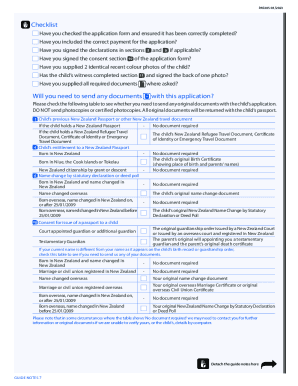
Before submitting the New Zealand Passport Application Form, use the following checklist to ensure everything is in order:
-
Verify that all personal information is filled in completely and accurately.
-
Check that the signature is present where required.
-
Confirm that identification details match those in your supporting documents.
-
Inspect your photographs for adherence to the specific requirements.
-
Make sure you have included all necessary documentation in your submission.
Reviewing these elements can significantly reduce the likelihood of common errors and help ensure a smooth application process.
Submission Methods and Delivery for the New Zealand Passport Application Form
Applicants can submit the completed New Zealand Passport Application Form through various methods:
-
By postal service, ensuring you use the correct address provided in the application guidelines.
-
Online through the designated submission portal if available.
-
In person at designated passport offices throughout New Zealand.
Check for specific submission deadlines and processing times to ensure your application is handled promptly and efficiently.
Fees, Deadlines, and Processing Time for the New Zealand Passport Application Form
When applying for a passport, be aware of the applicable fees depending on whether you are applying for a new passport, renewal, or replacement. The costs vary by application type and processing speed chosen by the applicant.
It is also crucial to know the deadlines for submission to ensure your application is processed in a timely manner. Typical processing times may vary, so consult the official guidelines for the most accurate information related to your application timeline.
Track Your New Zealand Passport Application Status
After submitting your application, you can track its status through the official online tracking system. This allows you to stay informed about your application’s progress and expected completion date.
In case of delays or issues with your application, refer to the guidelines for troubleshooting steps. It is advisable to keep records of your application details to facilitate inquiries.
Securely Completing Your New Zealand Passport Application Form with pdfFiller
pdfFiller offers a robust solution for filling out the New Zealand Passport Application Form with ease and security. This platform allows users to create and complete forms effortlessly without the need for downloads.
Among its numerous features, pdfFiller provides 256-bit encryption for document security, ensuring that sensitive information is handled with the utmost care. Its user-friendly interface simplifies the form completion process, making it accessible for all users.
How to fill out the NZ PAS310
-
1.To access the New Zealand Passport Application Form on pdfFiller, visit the pdfFiller website and search for the form using the name or keywords related to it.
-
2.Once you find the form, click to open it in the pdfFiller interface where you can begin editing.
-
3.Before filling out the form, ensure you have all necessary information ready, including your personal details and proof of New Zealand citizenship.
-
4.Start by filling out your full name in the designated field, ensuring it matches the name you want to appear on your passport.
-
5.Proceed to provide your date of birth, contact information, and address, paying careful attention to accuracy.
-
6.If applicable, indicate if this application is for a renewal or replacement within the appropriate sections of the form.
-
7.Use the available checkboxes to confirm your eligibility and whether you require a witness.
-
8.Make sure to fill in the witness's information if required, ensuring they are present to verify your identity per the form's instructions.
-
9.To navigate between fields, click on each section, filling in all required areas marked with an asterisk.
-
10.Once all fields are completed, review the document carefully for any errors or omissions.
-
11.After ensuring all details are accurate, save your progress to avoid data loss during the filling process.
-
12.To submit the application, follow the prompts to either download a copy or save it directly to your account for later submission.
-
13.Remember to print the completed form if required, ensuring you sign where necessary with a black or blue ballpoint pen.

Who is eligible to use the New Zealand Passport Application Form?
Individuals aged 16 and over who need to apply for a new passport, renew an existing one, or replace a lost or stolen passport are eligible to use this form.
What documents do I need to complete the application?
You'll need personal details, proof of New Zealand citizenship, and a witness who can verify your identity. Ensure you gather these documents before starting the application.
How can I submit my completed application?
You can submit your completed application by downloading the form from pdfFiller and following the submission guidelines provided by the New Zealand passport office.
What common mistakes should I avoid when filling out the form?
Common mistakes include incomplete fields, inaccurate personal information, and failing to have a witness sign where required. Double-check all entries before submission.
What is the processing time for passport applications in New Zealand?
Processing times can vary based on demand but typically range from 5 to 10 working days for regular applications. Check the official passport office website for the most current estimates.
Is there a fee associated with the passport application?
Yes, there is a fee for applying for a passport in New Zealand. The amount varies depending on whether you are applying for a new passport, renewal, or replacement.
Can I track the status of my passport application?
Yes, you can track your application status through the New Zealand passport office's official online portal after submitting your application.
NZ PAS310 Form Versions
Related Content
Related Forms



Get the latest insights from our blog


If you believe that this page should be taken down, please follow our DMCA take down process
here
.
This form may include fields for payment information. Data entered in these fields is not covered by PCI DSS compliance.