

Get the free Florida Elderly Assessment Form 701B
We are not affiliated with any brand or entity on this form

Fill out
Complete the form online in a simple drag-and-drop editor.

eSign
Add your legally binding signature or send the form for signing.

Share
Share the form via a link, letting anyone fill it out from any device.

Export
Download, print, email, or move the form to your cloud storage.
Why pdfFiller is the best tool for your documents and forms


End-to-end document management
From editing and signing to collaboration and tracking, pdfFiller has everything you need to get your documents done quickly and efficiently.
Accessible from anywhere
pdfFiller is fully cloud-based. This means you can edit, sign, and share documents from anywhere using your computer, smartphone, or tablet.
Secure and compliant
pdfFiller lets you securely manage documents following global laws like ESIGN, CCPA, and GDPR. It's also HIPAA and SOC 2 compliant.
What is Florida Elderly Care Form
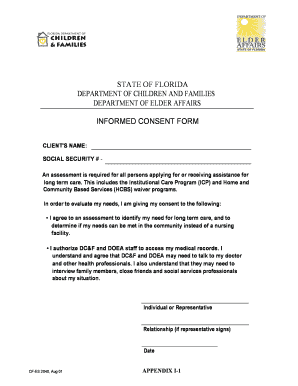
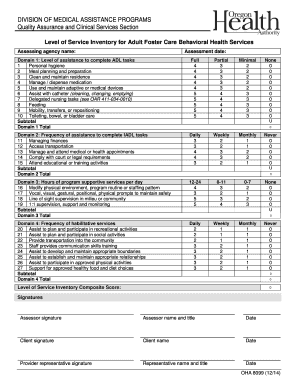
The Florida Elderly Assessment Form 701B is a medical history form used by assessors to evaluate the health and eligibility needs of elderly individuals for services under the OAA and CARES programs.
pdfFiller scores top ratings on review platforms




Who needs Florida Elderly Care Form?
Explore how professionals across industries use pdfFiller.

Florida Elderly Care Form is needed by:
-
Assessor tasked with evaluating elderly health and service needs
-
Elderly individuals applying for healthcare services
-
Caregivers responsible for assisting elderly clients
-
Healthcare providers needing comprehensive patient assessments
-
Social workers aiding elderly clients in service eligibility
How to fill out the Florida Elderly Care Form
-
1.Access the Florida Elderly Assessment Form 701B on pdfFiller by entering the URL in your preferred browser and using the search bar available to locate the form.
-
2.Once you've found the form, click on it to open in the pdfFiller interface, which will allow you to fill out the document electronically.
-
3.Before initiating the form completion, gather necessary demographic information such as name, date of birth, current medication details, and health status of the individual being assessed.
-
4.Navigate through the form by clicking on the blank fields. Enter the information directly; use 'Yes' or 'No' checkboxes for questions pertaining to health status.
-
5.Take your time to fill in all required fields accurately, ensuring you do not skip any questions that relate to the elderly person’s health and functionality.
-
6.Once you have completed the form, review all entered information carefully to confirm accuracy and completeness.
-
7.After finalizing the review, save your changes. Choose the option to download or submit the form through pdfFiller, ensuring it is sent to the appropriate department.

Who is eligible to complete the Florida Elderly Assessment Form 701B?
The form is primarily intended for elderly individuals seeking assessment for services under the Older Americans Act and CARES programs. Assessors responsible for evaluating these individuals also need to complete the form.
What is the deadline for submitting the Florida Elderly Assessment Form 701B?
While the specific deadline may vary by county or service provider, it's best to submit the assessment as soon as possible to avoid delays in service eligibility determination.
How should the form be submitted once completed?
After completing the Florida Elderly Assessment Form 701B, it can be submitted directly through pdfFiller. Alternatively, you can download it and send it via mail or email to the appropriate department.
What documents are required to complete the assessment?
You will need demographic information, details on current medications, and health status reports. Additional documents may include identification or prior health assessment forms, depending on specific case requirements.
What common mistakes should be avoided when filling out the form?
Ensure all fields are filled in completely, avoid leaving blank responses unless instructed, and double-check for spelling errors in personal information. It's also key to accurately check the appropriate boxes for health status.
What are the processing times for the completed assessment?
Processing times can vary, but assessments typically take a few days to a couple of weeks depending on the volume received and the specific agency handling the evaluation.
Can someone assist in filling out the Florida Elderly Assessment Form 701B?
Yes, caregivers, family members, or legal representatives can assist elderly individuals in completing the form to ensure all necessary information is accurately represented.
Related Content
Related Forms



Get the latest insights from our blog


If you believe that this page should be taken down, please follow our DMCA take down process
here
.
This form may include fields for payment information. Data entered in these fields is not covered by PCI DSS compliance.