
Last updated on
Nov 7, 2026

ACPE Application for Clinical Pastoral Education 2007 free printable template
We are not affiliated with any brand or entity on this form

Fill out
Complete the form online in a simple drag-and-drop editor.

eSign
Add your legally binding signature or send the form for signing.

Share
Share the form via a link, letting anyone fill it out from any device.

Export
Download, print, email, or move the form to your cloud storage.
Why pdfFiller is the best tool for your documents and forms


End-to-end document management
From editing and signing to collaboration and tracking, pdfFiller has everything you need to get your documents done quickly and efficiently.
Accessible from anywhere
pdfFiller is fully cloud-based. This means you can edit, sign, and share documents from anywhere using your computer, smartphone, or tablet.
Secure and compliant
pdfFiller lets you securely manage documents following global laws like ESIGN, CCPA, and GDPR. It's also HIPAA and SOC 2 compliant.
What is ACPE Application for Clinical Pastoral Education
The ACPE Clinical Pastoral Education Application is a form used by individuals to apply for Clinical Pastoral Education (CPE) programs, facilitating their journey into spiritual care education.
pdfFiller scores top ratings on review platforms




Who needs ACPE Application for Clinical Pastoral Education?
Explore how professionals across industries use pdfFiller.

ACPE Application for Clinical Pastoral Education is needed by:
-
Individuals seeking admission to Clinical Pastoral Education programs
-
Students pursuing a career in spiritual care or chaplaincy
-
Religious organizations looking to train pastoral care providers
-
Academic institutions offering CPE programs
-
Professionals in healthcare seeking to enhance their pastoral qualifications
Comprehensive Guide to ACPE Application for Clinical Pastoral Education
What is the ACPE Clinical Pastoral Education Application?
The ACPE Clinical Pastoral Education Application is a critical document for individuals seeking to enroll in Clinical Pastoral Education (CPE) programs. CPE is a professional education that focuses on spiritual care, typically offered in healthcare settings, institutions, and spiritual organizations. The ACPE application plays a significant role in the admission process, serving as the first point of evaluation for prospective students.
This application is generally pursued by individuals involved in healthcare, ministry, or those seeking to deepen their relational care skills through a structured education program. Understanding its importance can significantly improve applicants’ chances for acceptance into preferred CPE programs.
Purpose and Benefits of the ACPE Application for CPE Programs
The ACPE application is essential for anyone aiming to join CPE programs. It provides a structured way to assess the qualifications of applicants, helping admission committees gauge the fit for the program. By completing this form, candidates can articulate their personal growth experiences and professional development goals.
Benefits of this comprehensive application include opportunities for accreditation, enhanced personal insights, and valuable feedback through the required admissions interview. Engaging deeply with this process can facilitate a more meaningful educational journey.
Key Features of the ACPE Clinical Pastoral Education Application
The application is designed with user-friendly elements to assist applicants in providing all necessary information. Key features of the ACPE Clinical Pastoral Education Application include:
-
Fields for personal information, educational background, and previous CPE experience.
-
Clear instructions throughout the form to guide users in completing it effectively.
-
Sections for references and life descriptions, which provide additional context for applicants' experiences.
These elements work together to facilitate a smooth application process, ensuring that each applicant can present their best self.
Who Needs the ACPE Application for Clinical Pastoral Education?
The ACPE application is designed for a specific audience. Eligibility criteria generally include a background in education or relevant experience in spiritual care. Common professions pursuing CPE include:
-
Healthcare providers such as chaplains.
-
Ministers or clergy focused on expanding their pastoral care skills.
-
Students or graduates from theological seminary programs.
Understanding who should apply helps streamline the admissions process, highlighting the diverse backgrounds of individuals ready to engage in CPE.
How to Fill Out the ACPE Clinical Pastoral Education Application Online
Completing the ACPE application online can be straightforward with a clear process to follow. Here’s a step-by-step guide:
-
Gather necessary personal information, including contact details and educational background.
-
Review instructions carefully to understand the information required for each field.
-
Complete each section, including references and personal descriptions, ensuring accuracy.
-
Double-check all entries for completeness and correctness before submission.
Taking the time to carefully fill out the form can greatly enhance the application's effectiveness.
Submission Methods and Important Deadlines for the ACPE Application
Applicants have options for submitting their ACPE applications. The common methods include online submissions and mailing physical copies. It's crucial to adhere to submission deadlines to avoid complications:
-
Online submissions are typically processed faster and offer confirmation of receipt.
-
Check specific program deadlines to ensure timely submission.
-
Late submissions may result in delayed processing or ineligibility for the upcoming session.
Being aware of how and when to submit can significantly impact an applicant’s overall experience.
Fees and Payment Options for the ACPE Application
Understanding the financial obligations associated with the ACPE application is essential. Applicants may encounter various fees, including:
-
Application fees for processing the CPE application.
-
Additional costs associated with interviews or materials required for the program.
Exploring payment methods facilitates smoother transactions, and applicants should inquire about potential fee waivers if applicable.
Security and Compliance for the ACPE Application Submission
Security is paramount when submitting sensitive information with the ACPE application. pdfFiller employs several measures to ensure privacy and data protection, including:
-
256-bit encryption to protect personal information during submission.
-
Compliance with HIPAA and GDPR standards to govern the handling of sensitive documents.
Ensuring that your data is secure fosters peace of mind while navigating the application process.
What Happens After You Submit the ACPE Application?
After the ACPE application is submitted, several steps follow. Applicants should be prepared to:
-
Track their application status through the designated portal or contacts provided by the institution.
-
Anticipate an admissions interview where further qualifications and motivations will be explored.
Understanding these steps can help manage expectations and readiness for the next phases of the admission process.
Complete Your ACPE Application with pdfFiller
Using pdfFiller to complete your ACPE application offers a highly efficient experience. Users can benefit from its strong features that include:
-
The ability to fill out, sign, and manage the application securely.
-
Ease of use from any browser, eliminating the need for downloads or complicated installations.
Leveraging pdfFiller ensures a smooth and organized application process, making it easier to focus on your goals.
How to fill out the ACPE Application for Clinical Pastoral Education
-
1.Access the ACPE Clinical Pastoral Education Application by visiting pdfFiller and searching for the form by name.
-
2.Once opened, review the instructions on the first page to familiarize yourself with the form's requirements.
-
3.Gather all necessary information beforehand, including personal details, educational background, and previous CPE experiences.
-
4.Navigate through the form by clicking on each blank field. You can type directly into the text boxes.
-
5.For checkboxes, simply click on the box to mark your choice. Ensure you select all applicable options.
-
6.Fill in the details about your life, religious development, work history, and goals as stipulated in the relevant sections.
-
7.If required, upload any supporting documents as instructed by the form.
-
8.Once all sections are completed, carefully review the entire form for any errors or omissions.
-
9.Finalize your form by clicking the 'Save' option to ensure your input is not lost.
-
10.Download the completed form to your device, ensuring you have a backup copy.
-
11.Submit your application directly to the chosen center or cluster through the submission options available on pdfFiller.

What are the eligibility requirements for this application?
Eligibility typically includes possessing a high school diploma or equivalent and a commitment to entering a Clinical Pastoral Education program. Specific programs may have additional requirements related to religious or educational backgrounds.
What is the application deadline?
Deadlines for the ACPE application can vary by institution. It is recommended to check the specific CPE program's website or contact their admissions office for precise dates.
How do I submit the completed application?
After completing the form on pdfFiller, you can submit your application directly by sending it to the designated center or cluster via email or postal service as per the instructions provided in the form.
What supporting documents do I need to include with my application?
Typically, you will need to submit references, a personal statement, and any transcripts or proof of prior educational experiences related to pastoral care.
What are some common mistakes to avoid when filling out this application?
Common mistakes include leaving fields incomplete, not following the instructions for your personal statement, and not reviewing your application for spelling or grammatical errors before submission.
How long does it take to process the application?
Processing times can vary. Generally, applicants should expect to wait a few weeks for feedback once their application has been submitted. Check with your specific center for their timeline.
Are there any fees associated with this application?
Yes, the application typically includes an application fee, which varies by program. Details about fees should be confirmed directly with the CPE program you are applying to.
ACPE Application for Clinical Pastoral Education Form Versions
Related Content
Related Forms

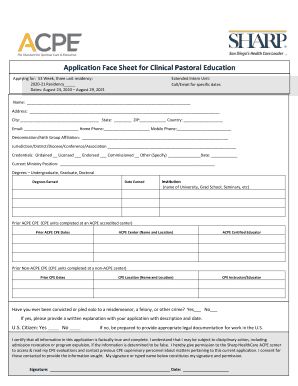

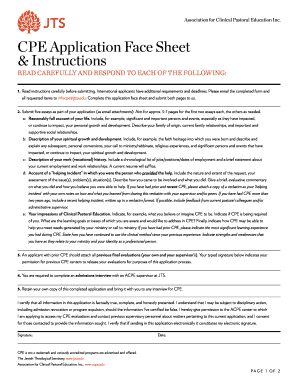



Get the latest insights from our blog


If you believe that this page should be taken down, please follow our DMCA take down process
here
.
This form may include fields for payment information. Data entered in these fields is not covered by PCI DSS compliance.