

Get the free Inter/Intra-Agency Agreement (IAA) Form
We are not affiliated with any brand or entity on this form

Fill out
Complete the form online in a simple drag-and-drop editor.

eSign
Add your legally binding signature or send the form for signing.

Share
Share the form via a link, letting anyone fill it out from any device.

Export
Download, print, email, or move the form to your cloud storage.
Why pdfFiller is the best tool for your documents and forms


End-to-end document management
From editing and signing to collaboration and tracking, pdfFiller has everything you need to get your documents done quickly and efficiently.
Accessible from anywhere
pdfFiller is fully cloud-based. This means you can edit, sign, and share documents from anywhere using your computer, smartphone, or tablet.
Secure and compliant
pdfFiller lets you securely manage documents following global laws like ESIGN, CCPA, and GDPR. It's also HIPAA and SOC 2 compliant.
What is IAA Form
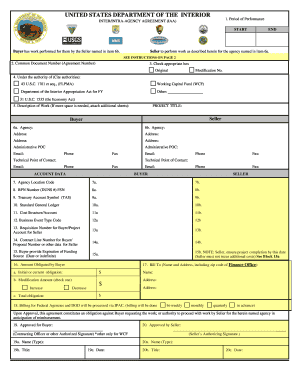
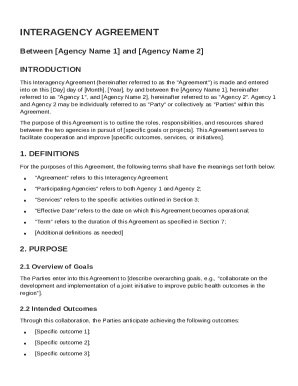
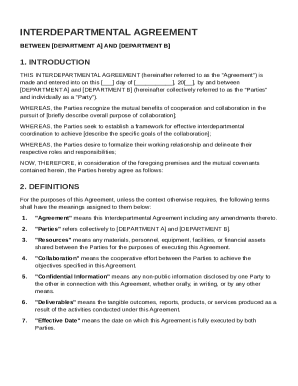
The Inter/Intra-Agency Agreement (IAA) Form is a governmental document used by U.S. agencies to establish formal agreements for project work between agencies.
pdfFiller scores top ratings on review platforms




Who needs IAA Form?
Explore how professionals across industries use pdfFiller.

IAA Form is needed by:
-
Contracting Officers managing inter-agency projects.
-
Federal agency personnel coordinating collaborative efforts.
-
Departments seeking interagency work agreements.
-
Agencies requiring formal agreement documentation.
-
Government officials involved in budget and funding allocations.
How to fill out the IAA Form
-
1.Access the Inter/Intra-Agency Agreement form by visiting pdfFiller's website and searching for the form name in the search bar.
-
2.Once you locate the form, click on the link to open the document in the pdfFiller interface.
-
3.Review the fields provided in the form, which include project details, funding information, and necessary signatures from the Buyer and Seller.
-
4.Before filling out the form, gather all essential information, including the project title, description of work, financial data, and performance dates.
-
5.Use pdfFiller's easy-to-navigate interface to fill in the blank fields and checkboxes as required.
-
6.Make sure to enter the start and end dates for the period of performance and provide a detailed description of the work being requested.
-
7.Once you have completed each section of the form, take a moment to review all entered information to ensure accuracy.
-
8.You can also utilize the 'Review' feature in pdfFiller to check for any missing fields or potential errors.
-
9.When satisfied with the completed form, save it within your pdfFiller account, or download it directly to your device.
-
10.To submit the form, choose the appropriate submission method provided by your agency or relevant department.

Who is eligible to use the Inter/Intra-Agency Agreement (IAA) Form?
Any U.S. government agency requiring formal documentation for work performed by another agency can use the Inter/Intra-Agency Agreement Form.
What information is required to fill out the form?
You will need to provide details such as project title, description of work, funding information, and the start and end dates for the project.
How do I submit the completed IAA Form?
After filling the form on pdfFiller, save and download it, then follow your agency's procedures for submitting the document, which could include email or internal workflows.
Are there any deadlines for submitting the IAA Form?
Deadlines for submitting the Inter/Intra-Agency Agreement form can vary depending on the project timeline; check with your agency's guidelines for specific deadlines.
What are common mistakes to avoid when filling out the IAA Form?
Common mistakes include missing required signatures, incomplete fields, incorrect dates, and failing to provide a project description; double-check all entries before submission.
What is the processing time for an IAA submission?
Processing times for the Inter/Intra-Agency Agreement may vary based on the agency's workload and review processes; plan accordingly to avoid delays.
Do I need to notarize the IAA Form?
No, notarization is not required for the Inter/Intra-Agency Agreement Form; however, ensure all necessary signatures are present before submission.
Related Content
Related Forms




Get the latest insights from our blog


If you believe that this page should be taken down, please follow our DMCA take down process
here
.
This form may include fields for payment information. Data entered in these fields is not covered by PCI DSS compliance.