
Last updated on
Nov 10, 2026
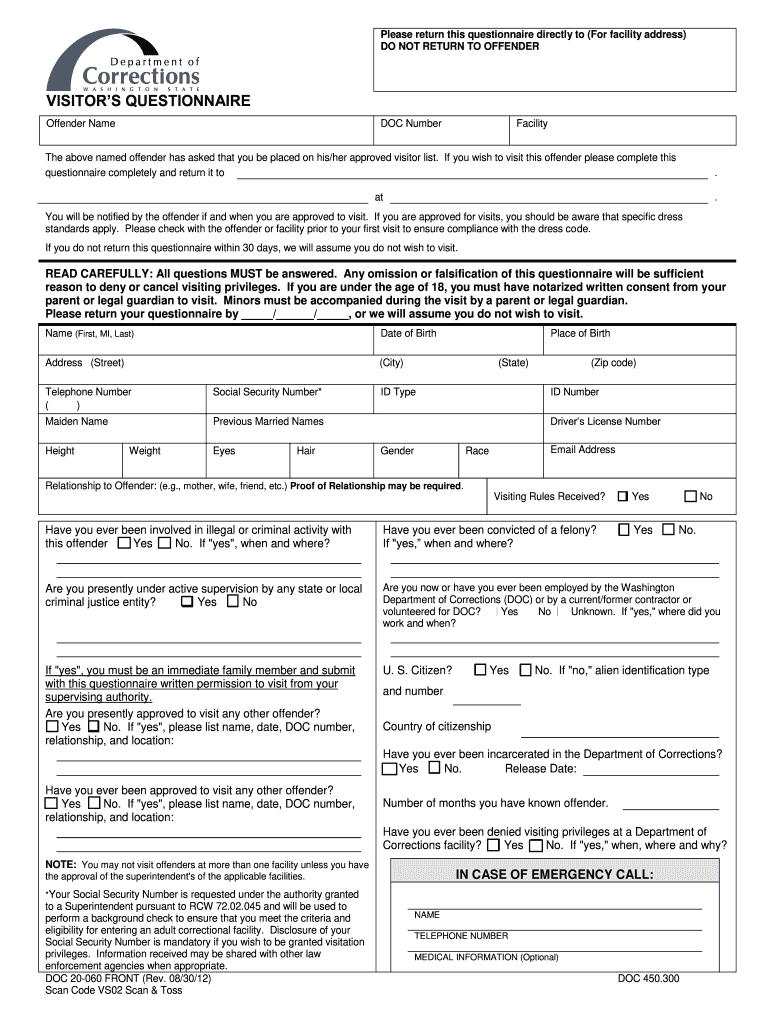
WA DOC 20-60 2012 free printable template
pdfFiller is not affiliated with any government organization

Fill out
Complete the form online in a simple drag-and-drop editor.

eSign
Add your legally binding signature or send the form for signing.

Share
Share the form via a link, letting anyone fill it out from any device.

Export
Download, print, email, or move the form to your cloud storage.
Why pdfFiller is the best tool for your documents and forms


End-to-end document management
From editing and signing to collaboration and tracking, pdfFiller has everything you need to get your documents done quickly and efficiently.
Accessible from anywhere
pdfFiller is fully cloud-based. This means you can edit, sign, and share documents from anywhere using your computer, smartphone, or tablet.
Secure and compliant
pdfFiller lets you securely manage documents following global laws like ESIGN, CCPA, and GDPR. It's also HIPAA and SOC 2 compliant.
What is WA DOC 20-60
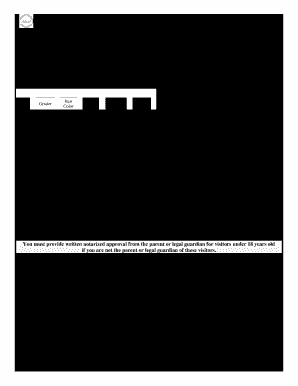
The Visitor’s Questionnaire is a legal document used by visitors to gain approval for visiting offenders in correctional facilities in Washington State.
pdfFiller scores top ratings on review platforms




Who needs WA DOC 20-60?
Explore how professionals across industries use pdfFiller.

WA DOC 20-60 is needed by:
-
Individuals wishing to visit offenders
-
Parents or legal guardians of minor visitors
-
Correctional facility staff managing visitation
-
Legal representatives assisting with visitation processes
-
Researchers studying visitor approval processes
Comprehensive Guide to WA DOC 20-60
What is the Visitor’s Questionnaire?
The Visitor’s Questionnaire is a legal form used in Washington State to approve individuals wishing to visit offenders in correctional facilities. This document serves as a critical part of the visitation approval process, ensuring that only eligible visitors are granted access. Its significance lies in the protection of prison safety and the enforcement of visitation rights, establishing a secure environment for both inmates and visitors.
This questionnaire requires the submission of vital information through a visitor questionnaire template, making it essential for anyone looking to fill out a washington state visitor form or a prison visitation application.
Purpose and Benefits of the Visitor’s Questionnaire
The Visitor’s Questionnaire is crucial for maintaining security and safety within correctional facilities. It initiates a background check process aimed at verifying the suitability of potential visitors. Approval for visitation not only fosters family connections but also supports the rehabilitation of offenders.
Filling out the offender visitor approval form and the accompanying background check form allows relatives and friends to maintain their relationships with those incarcerated, which can be an essential part of the healing process.
Who Needs to Complete the Visitor’s Questionnaire?
Individuals intending to visit an inmate, including family members and friends, must complete the Visitor’s Questionnaire. Specifically, a parent or legal guardian must sign the form for minors wishing to visit. Ensuring that all necessary parties fulfill their signing obligations is vital for the approval process.
The consent of a parent or legal guardian can typically be found on forms like the washington doc form 20-060, emphasizing the importance of adhering to these guidelines.
Key Features of the Visitor’s Questionnaire
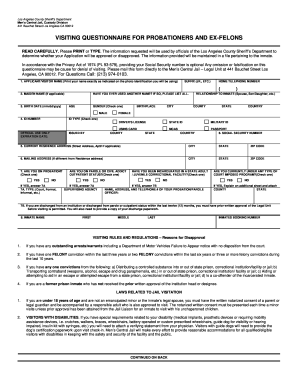
The Visitor’s Questionnaire contains several key components that users must complete accurately. This includes providing personal information such as the visitor's name, date of birth, address, and social security number. Each form also has various checkboxes and instructional content to guide users through the completion process effectively.
-
Name (First, MI, Last)
-
Date of Birth
-
Address
-
Telephone Number
-
Social Security Number
-
Signature
Many users may also require a notarized consent form or legal guardian consent form to ensure compliance with the submission guidelines.
How to Fill Out the Visitor’s Questionnaire Online
To complete the Visitor's Questionnaire online, follow these step-by-step instructions:
-
Access the form using pdfFiller.
-
Fill in the required fields, ensuring accuracy for each section.
-
Use the editing tools provided to review your entries.
-
Confirm and e-sign the document if required.
-
Save a copy for your records before submission.
Effective completion of the questionnaire can enhance the submission process, making it essential for all users to understand how to fill out the Visitor’s Questionnaire correctly.
Submission Methods for the Visitor’s Questionnaire
Once you have filled out the Visitor’s Questionnaire, it is imperative to know how to submit it. The completed form can be submitted through multiple methods:
-
Online submission via pdfFiller
-
Mailing the printed form to the appropriate correctional facility
-
Delivering the form in person at the facility
Users should be aware of any fees associated with processing and submitting the questionnaire to avoid unexpected costs.
What Happens After You Submit the Visitor’s Questionnaire?
Upon submission of the Visitor’s Questionnaire, the approval process begins. Generally, applicants can expect notifications regarding their application status within a typical timeframe. Users should take steps to track their application status and remain aware of any possible delays or additional information requests.
Understanding common rejection reasons and solutions can also aid in countering potential issues that may arise during this stage of the process.
Security and Compliance for the Visitor’s Questionnaire
Data security measures play a crucial role in handling the Visitor’s Questionnaire. pdfFiller employs 256-bit encryption and adheres to various compliance standards, including HIPAA and GDPR, ensuring that any sensitive user information remains secure throughout the form-filling process.
Privacy protection is of utmost importance, making it vital for all users to understand how their personal data will be managed and secured while using this platform.
Common Errors and How to Avoid Them When Submitting the Visitor’s Questionnaire
When filling out the Visitor’s Questionnaire, users may encounter frequent mistakes that can hinder the approval process. Common errors include:
-
Missing required fields
-
Incorrectly formatted personal information
-
Failure to provide necessary signatures
To avoid these pitfalls, a review and validation checklist should be utilized to ensure all sections are completed accurately before submission.
Encouragement to Use pdfFiller for Your Visitor’s Questionnaire Needs
Utilizing pdfFiller simplifies the process of completing the Visitor’s Questionnaire. The platform is user-friendly, offering various features such as e-signatures and online submission options. These benefits make it easier for users to edit and fill out forms efficiently.
Start your Visitor’s Questionnaire journey today and discover the ease of pdfFiller for handling your document needs.
How to fill out the WA DOC 20-60
-
1.Begin by accessing pdfFiller and searching for the 'Visitor’s Questionnaire' form. Use the search bar or browse through the legal forms category.
-
2.Once you've located the form, click on it to open the fillable PDF editor. Familiarize yourself with the interface for easy navigation.
-
3.Before you start filling out the form, gather all necessary personal information. This includes your name, date of birth, address, telephone number, and social security number.
-
4.Fill in the required fields, starting with your personal information. Use the text box provided for each section and check boxes where applicable.
-
5.If you are completing the form on behalf of a minor, ensure to fill in the legal guardian's details where required. You will need appropriate signatures.
-
6.After entering all the necessary information, take a moment to review each section carefully. Look for any inaccuracies or missing information before finalizing.
-
7.Once you are satisfied with your entries, save your progress. Utilize the save option in pdfFiller to ensure no information is lost.
-
8.You can download the completed form to your device for your records or any required submissions. Select the download option from the toolbar.
-
9.To submit your form, follow the specific submission instructions provided by the correctional facility or other involved parties. Ensure you adhere to any deadlines.

Who is eligible to complete the Visitor's Questionnaire?
The Visitor’s Questionnaire can be filled out by individuals wishing to visit offenders. Parents or legal guardians of minors must also complete this form for their children to visit.
What is the deadline for submitting the completed form?
The completed form must be returned within 30 days for consideration of visitation approval. It’s essential to submit it on time to avoid delays.
How do I submit the Visitor’s Questionnaire?
You can submit the completed form according to the instructions provided by the correctional facility. Typically, this involves mailing, delivering in person, or possibly an online submission.
What supporting documents are required with the form?
Generally, you may need to provide identification and any relevant background check documents. Ensure to review the specific requirements from the facility.
What common mistakes should I avoid when filling out the form?
Common mistakes include omitting required fields, providing inaccurate information, and failing to gather all necessary signatures. Always double-check your responses before submitting.
How long does it take to process the Visitor's Questionnaire?
Processing times can vary, but typically it may take a few weeks. It’s advised to submit the form as early as possible to avoid any issues with visitation scheduling.
Is notarization required for the Visitor's Questionnaire?
Yes, notarization is required for the Visitor's Questionnaire to validate the information provided, particularly the signatures from guardians or visitors.
WA DOC 20-60 Form Versions
Related Content
Related Forms





Related Catalogs
Get the latest insights from our blog


If you believe that this page should be taken down, please follow our DMCA take down process
here
.
This form may include fields for payment information. Data entered in these fields is not covered by PCI DSS compliance.