
Last updated on
Oct 2, 2026

Get the free C42 Microlight Owner's Manual
We are not affiliated with any brand or entity on this form

Fill out
Complete the form online in a simple drag-and-drop editor.

eSign
Add your legally binding signature or send the form for signing.

Share
Share the form via a link, letting anyone fill it out from any device.

Export
Download, print, email, or move the form to your cloud storage.
Why pdfFiller is the best tool for your documents and forms


End-to-end document management
From editing and signing to collaboration and tracking, pdfFiller has everything you need to get your documents done quickly and efficiently.
Accessible from anywhere
pdfFiller is fully cloud-based. This means you can edit, sign, and share documents from anywhere using your computer, smartphone, or tablet.
Secure and compliant
pdfFiller lets you securely manage documents following global laws like ESIGN, CCPA, and GDPR. It's also HIPAA and SOC 2 compliant.
What is Aircraft Checklist
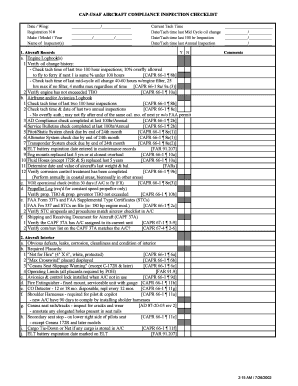
The C42 Microlight Owner's Manual is a flight operation and maintenance document used by aircraft owners and pilots to understand the requirements and limitations of the IKARUS C42 FB microlight aircraft.
pdfFiller scores top ratings on review platforms




Who needs Aircraft Checklist?
Explore how professionals across industries use pdfFiller.

Aircraft Checklist is needed by:
-
Microlight Aircraft Owners
-
Pilots Operating C42 Aircraft
-
Maintenance Technicians for Microlights
-
Aerosport Ltd Customers
-
Flying Schools with C42 Aircraft
-
Aviation Regulatory Authorities
Comprehensive Guide to Aircraft Checklist
What is the C42 Microlight Owner's Manual?
The C42 Microlight Owner's Manual is a crucial document in aviation that serves as a comprehensive resource for aircraft owners and pilots. This manual details the specifications of the C42 microlight aircraft, ensuring that users are well-informed about operational and maintenance standards necessary for safety. It is an essential tool both for understanding the aircraft's limitations and for practicing safe flying.
This manual outlines how the aircraft should be operated and maintained, becoming indispensable for pilots and owners alike. By adhering to the guidance provided, users can enhance their flying experience while ensuring compliance with aviation safety regulations.
Purpose and Benefits of the C42 Microlight Owner's Manual
The C42 Microlight Owner's Manual plays a pivotal role in assisting aircraft owners in various critical ways. It provides detailed flight, operational, and maintenance guidelines that help ensure that all activities are performed safely and efficiently.
-
It aids in maintaining compliance with legal and safety regulations.
-
The manual serves as a troubleshooting guide for common issues, promoting performance optimization.
-
By offering comprehensive information, it enhances user confidence during flight operations.
Key Features of the C42 Microlight Owner's Manual
This manual includes several essential sections that users can expect to find. Key features include comprehensive coverage of airframe limitations, various operational procedures, and essential checklists to facilitate safe flying practices.
-
Fillable fields that allow users to personalize the manual with details such as aircraft registration and serial number.
-
Step-by-step instructions that guide users on mandatory reporting of any operational issues to Aerosport Ltd.
Who Needs the C42 Microlight Owner's Manual?
The C42 Microlight Owner's Manual is specifically tailored for multiple stakeholders within the aviation community. Its target audience includes microlight aircraft owners, private pilots, and individuals operating flight schools.
-
Individuals involved in the maintenance and inspection of the aircraft will also find it essential.
-
Flight instructors using the C42 model in their teaching will rely heavily on this manual.
How to Fill Out the C42 Microlight Owner's Manual Online (Step-by-Step)
Completing the C42 Microlight Owner's Manual online is streamlined through pdfFiller's user-friendly features. Users can follow these step-by-step instructions to ensure accurate completion of the required information.
-
Begin by opening the manual in pdfFiller.
-
Utilize editing tools to fill out necessary fields accurately.
-
Pay close attention to each section, ensuring no entries are left incomplete.
Common Errors and How to Avoid Them
Users may encounter several common errors while filling out the C42 Microlight Owner's Manual. Awareness of these issues can assist in avoiding mistakes that could lead to complications.
-
Frequent errors include missing fields or entering incorrect information.
-
Before submission, double-check all entries for accuracy.
-
Clarity in the manual's usage is vital for successful completion.
How to Sign and Submit the C42 Microlight Owner's Manual
Understanding the signing and submission process is essential for users of the C42 Microlight Owner's Manual. The manual offers clear instructions for both digital signatures and submission processes.
-
Users can utilize various digital signature options available through pdfFiller.
-
Important instructions outline how to submit the completed manual to relevant aviation authorities.
-
Submission deadlines and specific requirements are also clearly indicated, ensuring compliance.
Security and Compliance in Handling the C42 Microlight Owner's Manual
Security is a top priority when handling the C42 Microlight Owner's Manual. pdfFiller provides several layers of protection to keep user data safe during the completion process.
-
The platform employs 256-bit encryption and adheres to rigorous compliance standards such as SOC 2 Type II, HIPAA, and GDPR.
-
Users are assured of personal data protection, especially when managing sensitive aviation documents.
What Happens After You Submit the C42 Microlight Owner's Manual?
Once the C42 Microlight Owner's Manual has been submitted, users should know what to expect next in the process. Understanding these post-submission details can help manage expectations effectively.
-
Users will receive an overview of processing times, as well as instructions on how to check the status of their submission.
-
Potential issues or rejections can be addressed promptly following the provided guidelines.
-
It is also recommended to maintain proper records for future reference concerning the manual.
Enhance Your Experience with pdfFiller for the C42 Microlight Owner's Manual
Utilizing pdfFiller for managing the C42 Microlight Owner's Manual offers multiple advantages. Users are encouraged to take full advantage of the platform's features designed to enhance form management.
-
The platform’s ease of use allows for simple form completion, making it accessible for all users.
-
pdfFiller showcases additional functionalities like eSigning and secure document storage.
-
Users can effortlessly create, edit, and share their documents in a secure environment.
How to fill out the Aircraft Checklist
-
1.To access the C42 Microlight Owner's Manual, visit pdfFiller and log in to your account or create a new one if needed.
-
2.Use the search feature to find the C42 Microlight Owner's Manual by entering its title in the search bar.
-
3.Once located, click on the document to open it in the pdfFiller editor interface.
-
4.Before filling out the form, have key information ready such as your aircraft registration number and serial number.
-
5.Navigate through the form by clicking on each fillable field, starting with 'This Manual belongs to aircraft reg'. Enter the corresponding aircraft registration number.
-
6.Proceed to the next field marked with 'Serial No.:'. Input the serial number of your microlight aircraft.
-
7.Read through the instructions within the manual to ensure compliance with all specified operational and maintenance guidelines.
-
8.Once all required fields are completed, review the information entered for accuracy, ensuring there are no mistakes or missing data.
-
9.Check the checklist provided in the manual to confirm that all relevant sections are filled out correctly.
-
10.After finalizing your entries, save the document by clicking on the save button in the pdfFiller toolbar.
-
11.You can also download the completed manual to your device by selecting the download option.
-
12.If you need to share or submit the form, utilize the emailing or direct submission features available in pdfFiller.

Who needs the C42 Microlight Owner's Manual?
Owners of IKARUS C42 FB microlight aircraft, pilots flying these aircraft, and maintenance technicians require the C42 Microlight Owner's Manual to ensure they understand operation, care, and regulatory compliance.
How can I fill out the C42 Owner's Manual?
You can fill out the C42 Owner's Manual on pdfFiller by accessing the document, completing the necessary fields, reviewing for accuracy, and saving or submitting your completed manual through the platform.
Is the C42 Microlight Owner's Manual required for legal use?
Yes, the C42 Microlight Owner's Manual must be maintained with the aircraft to comply with regulations and ensure safe operation as stated by Aerosport Ltd.
What documents do I need to complete the C42 Owner's Manual?
Before filling out the C42 Owner's Manual, gather the aircraft’s registration and its serial number along with any operational history or maintenance records you may need for reference.
Are there any fees for submitting the C42 Microlight Owner's Manual?
There are typically no submission fees for the C42 Microlight Owner's Manual itself, but costs may be incurred for printing or processing depending on where you submit it.
How long does it take to process the C42 Owner's Manual?
Processing is generally immediate upon completion; however, ensure that the manual is reviewed and all necessary information is correct to avoid delays.
What common mistakes should I avoid when completing the manual?
Common mistakes include leaving fields blank, entering incorrect registration or serial numbers, and not following the specified instructions in the manual, which can cause operational issues.
Related Content
Related Forms





Get the latest insights from our blog


If you believe that this page should be taken down, please follow our DMCA take down process
here
.
This form may include fields for payment information. Data entered in these fields is not covered by PCI DSS compliance.