
Last updated on
Oct 31, 2026

Twenty Mile Insurance Contractor Application 2009-2026 free printable template
pdfFiller is not affiliated with any government organization

Fill out
Complete the form online in a simple drag-and-drop editor.

eSign
Add your legally binding signature or send the form for signing.

Share
Share the form via a link, letting anyone fill it out from any device.

Export
Download, print, email, or move the form to your cloud storage.
Why pdfFiller is the best tool for your documents and forms


End-to-end document management
From editing and signing to collaboration and tracking, pdfFiller has everything you need to get your documents done quickly and efficiently.
Accessible from anywhere
pdfFiller is fully cloud-based. This means you can edit, sign, and share documents from anywhere using your computer, smartphone, or tablet.
Secure and compliant
pdfFiller lets you securely manage documents following global laws like ESIGN, CCPA, and GDPR. It's also HIPAA and SOC 2 compliant.
What is Twenty Mile Insurance Contractor Application
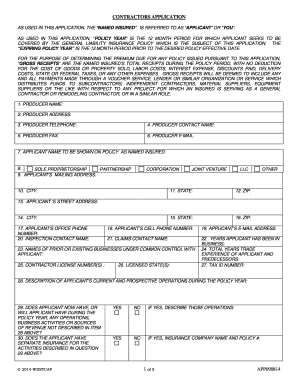
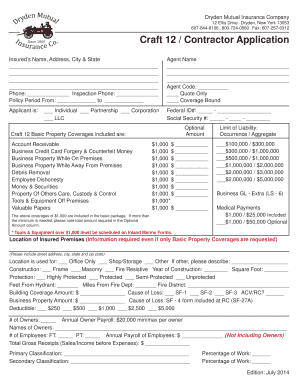
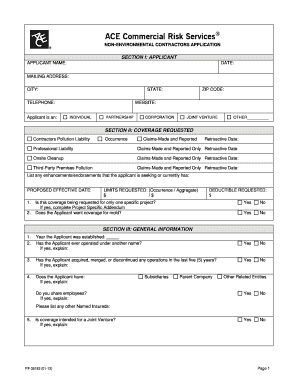
The Insurance Contractor Application is a business document used by contractors to apply for insurance coverage.
pdfFiller scores top ratings on review platforms




Who needs Twenty Mile Insurance Contractor Application?
Explore how professionals across industries use pdfFiller.

Twenty Mile Insurance Contractor Application is needed by:
-
Independent contractors seeking insurance coverage
-
Construction businesses requiring liability insurance
-
Firms applying for a contractor's license
-
Producers assisting clients with insurance forms
-
Business owners in need of comprehensive insurance applications
Comprehensive Guide to Twenty Mile Insurance Contractor Application
What is the Insurance Contractor Application?
The Insurance Contractor Application is a vital document used by contractors seeking to secure insurance coverage. This application details essential information about the contractor's operations, including loss runs and the contractor's license, which are critical for policy assessment. Both the applicant and producer must provide their signatures to validate the submission.
-
The primary purpose of this application is to facilitate the contractor's access to necessary insurance coverage.
-
Key information needed includes loss runs, proof of experience, and details related to the contractor's license.
-
Signing requirements mandate both the applicant and producer to affirm the contents of the application.
Purpose and Benefits of the Insurance Contractor Application
Completing the Insurance Contractor Application is essential for contractors as it streamlines the process of obtaining necessary insurance coverage. By submitting this form, contractors gain several advantages that can enhance their business stability.
-
This application serves as a pathway for contractors to secure crucial insurance protections tailored to their business needs.
-
The benefits include risk mitigation, which can significantly decrease potential financial losses.
-
Utilizing this application simplifies the insurance process, reducing time and effort spent on paperwork.
Key Features of the Insurance Contractor Application
The Insurance Contractor Application comprises several important features designed to aid applicants in providing accurate information effectively. Understanding these features ensures a smoother application experience.
-
Sections within the form include insurance profile details and requested coverage specifics.
-
Notable fields require careful attention, such as the owner's resume and a comprehensive work history.
-
Instructions are clearly provided to guide applicants through the completion process accurately.
Who Needs the Insurance Contractor Application?
Various stakeholders benefit from the Insurance Contractor Application, making it crucial for several contractor types. Certain scenarios necessitate the use of this form to secure coverage effectively.
-
This application is beneficial for general contractors, subcontractors, and other specialized contractors seeking insurance.
-
Contractors should submit this application when starting new projects or during policy renewals.
-
Eligibility criteria include having the necessary experience and certifications documented in the application.
How to Fill Out the Insurance Contractor Application Online (Step-by-Step)
Filling out the Insurance Contractor Application online involves a few straightforward steps, especially using pdfFiller’s platform for ease of use. Following these steps ensures a dry run on the completion process before submitting.
-
Log into pdfFiller and access the Insurance Contractor Application form.
-
Complete the required fields, ensuring all pertinent information is entered, such as loss runs and license details.
-
Utilize the digital tools provided for editing, signing, and annotating as necessary.
-
Review the completed application for accuracy before submission.
Required Documents and Supporting Materials
To successfully complete the Insurance Contractor Application, several mandatory documents must accompany the submission. These documents are crucial for the insurance assessment process.
-
Loss runs—five years of currently valued and legible records are essential.
-
A copy of the contractor's license, which validates the applicant's eligibility.
-
A resume of the owner is required for startups or businesses with less than two years of history.
Submitting the Insurance Contractor Application
After completing the Insurance Contractor Application, submitting the document correctly is essential for processing. Various submission methods and guidelines exist to facilitate this step.
-
The application can be submitted online, via mail, or in person, depending on local requirements.
-
Fees may apply, with potential waivers available for certain applicants.
-
Tracking the application’s status is possible through various provided methods, ensuring transparency.
How to Check Your Application Status and Common Issues
After submission, keeping track of the application status is crucial, along with being aware of common issues that may arise. Understanding how to address these factors can improve the application process.
-
Applicants can verify the status of their submission through designated tracking services.
-
Common rejection reasons include incomplete information or missing documentation.
-
Maintaining copies of the application and supporting documents is advisable for future reference.
Ensuring Security and Compliance with the Insurance Contractor Application
In the application process, protecting sensitive information is paramount. Users must be aware of security measures in place to ensure data privacy and compliance.
-
pdfFiller employs advanced security features, including 256-bit encryption for document protection.
-
Data privacy measures align with both HIPAA and GDPR regulations, safeguarding user information.
-
Understanding industry compliance requirements is essential for contractors to avoid legal pitfalls.
Utilizing pdfFiller for Your Insurance Contractor Application Needs
Leveraging the services provided by pdfFiller can significantly benefit contractors during the application process. Utilizing these tools can enhance both security and convenience.
-
pdfFiller offers features that simplify form completion, including fillable forms and eSigning capabilities.
-
Using pdfFiller results in enhanced security and improved document management throughout the process.
-
Completing the application digitally offers convenience, saving time and reducing paperwork hassles.
How to fill out the Twenty Mile Insurance Contractor Application
-
1.To begin, access pdfFiller and search for 'Insurance Contractor Application' in the template library.
-
2.Once you locate the form, click on it to open in the pdfFiller editor.
-
3.Before starting, gather necessary documentation such as financial information, loss runs, and the owner's resume.
-
4.Use the toolbar to fill in the blank fields, ensuring you enter correct business details and insurance coverage requested.
-
5.Take advantage of the dropdown menus and checkboxes available within the form for completion.
-
6.As you complete each section of the form, review the entered information for accuracy and completeness.
-
7.When you have filled in all required fields, read through the instructions provided to ensure that you include any necessary supporting documents.
-
8.Once finalized, save your changes and download the completed form to your device or utilize pdfFiller’s submission options to send it directly to the relevant parties.

What are the eligibility requirements to use the Insurance Contractor Application?
To use the Insurance Contractor Application, you must be an active contractor or business owner in need of insurance. Additionally, it is typically required that you maintain an appropriate contractor’s license applicable to your region.
Are there any specific deadlines associated with submitting this form?
While specific deadlines may vary by insurance provider or state regulations, it’s best to submit the Insurance Contractor Application as soon as you gather required documents to avoid delays in coverage.
How can I submit the Insurance Contractor Application once completed?
You can submit the completed Insurance Contractor Application via pdfFiller’s submission tool, or download and email or physically deliver the form to your insurance provider based on their submission requirements.
What supporting documents are required with the Insurance Contractor Application?
Typically, you will need to attach loss runs from the past five years, a resume for the owner if the business is a startup or has less than two years of history, a list of major work completed in the last three years, and a copy of the contractor's license.
What common mistakes should I avoid when completing the form?
Common mistakes include omitting required documents, misplacing signature requirements, misspelling business names, or providing incomplete financial details, which can delay processing or invalidate your application.
How long does it take to process the Insurance Contractor Application?
Processing times can vary, but once submitted, it typically takes 7-14 business days for the insurance company to review the application, provided all documentation is submitted correctly.
Is notarization required for the Insurance Contractor Application?
No, notarization is not required for the Insurance Contractor Application. However, it’s essential that all required signatures are present for acceptance.
Related Content
Related Forms





Related Catalogs
Get the latest insights from our blog



If you believe that this page should be taken down, please follow our DMCA take down process
here
.
This form may include fields for payment information. Data entered in these fields is not covered by PCI DSS compliance.