
Last updated on
Nov 6, 2026

Get the free Auto Accident Report Form
We are not affiliated with any brand or entity on this form

Fill out
Complete the form online in a simple drag-and-drop editor.

eSign
Add your legally binding signature or send the form for signing.

Share
Share the form via a link, letting anyone fill it out from any device.

Export
Download, print, email, or move the form to your cloud storage.
Why pdfFiller is the best tool for your documents and forms


End-to-end document management
From editing and signing to collaboration and tracking, pdfFiller has everything you need to get your documents done quickly and efficiently.
Accessible from anywhere
pdfFiller is fully cloud-based. This means you can edit, sign, and share documents from anywhere using your computer, smartphone, or tablet.
Secure and compliant
pdfFiller lets you securely manage documents following global laws like ESIGN, CCPA, and GDPR. It's also HIPAA and SOC 2 compliant.
What is Accident Report Form
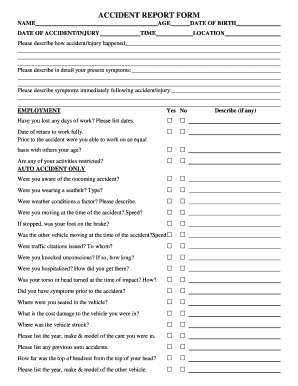
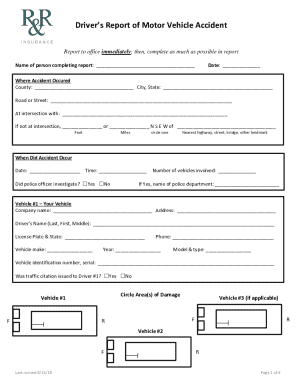
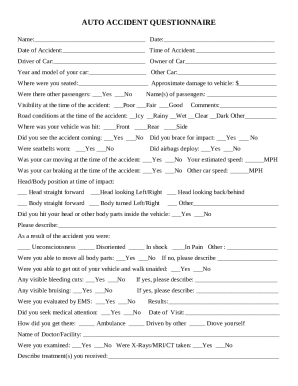
The Auto Accident Report Form is a document used by drivers to document details of a vehicle accident for insurance claim processing.
pdfFiller scores top ratings on review platforms




In my opinion the form filler is one of the best products that I have seen. So, THANK YOU PDFfiller.
What do you like best?
I really like that PDFfiller is a very user friendly and employs a lot of the same standard editing tools commonly found in simple office software like Microsoft Word. It's a great step up from the standard Acrobat Reader and also has an easier learning curve than some of the more advanced Adobe PDF products. Being able to sign documents electronically is another strong feature.
What do you dislike?
When I edit a document that has more than one page, I am unable to perform a copy and paste across multiple pages, which is a bit annoying when trying to standardize items across one document. Saving documents is also very easy. We can save the document to any one of my computer folders or a cloud storage account.
Recommendations to others considering the product:
I think that PDFfiller is a very effective and easy-to-use PDF editor and converter. For the price and functionality, it's definitely worth checking out, in my opinion.
What problems are you solving with the product? What benefits have you realized?
Since we often deal with many types of text documents, especially Word documents, PDFfiller has really helped to enable conversions of Word documents to PDF, which are more ideal for certain things like printing. We can also convert PDF files to Word, which greatly reduces our need to perform time-consuming typing. In general, PDFfiller has been a great tool for working with PDF files with its intuitive interface and clear functionality.
Who needs Accident Report Form?
Explore how professionals across industries use pdfFiller.

Accident Report Form is needed by:
-
Drivers involved in vehicle accidents
-
Insurance companies for claims processing
-
Vehicle rental agencies for damage reports
-
Legal professionals handling accident cases
-
Fleet managers for accident documentation
-
Witnesses to provide statements
Comprehensive Guide to Accident Report Form
What is the Auto Accident Report Form?
The Auto Accident Report Form serves a crucial role in documenting details of vehicle accidents, providing essential information required for stakeholders involved in the incident. This form collects vital information such as driver and vehicle details, accident specifics, and damage assessments. It is instrumental in processing insurance claims, ensuring that all relevant details are recorded accurately for evaluation by insurance companies.
By utilizing this insurance claim form, drivers can facilitate a smoother claims process, making it easier for their insurers to assess the situation and determine liability.
Purpose and Benefits of Using the Auto Accident Report Form
This form is crucial in documenting important accident details, including the time, location, and circumstances surrounding the incident. Accurate accident documentation aids in streamlining the insurance claims process, enhancing efficiency for both claimants and insurers.
Moreover, thorough documentation can provide indispensable legal protection in potential disputes by establishing a clear record of the accident. This vehicle damage report not only supports current claims but may also serve as a reference for future needs.
Key Features of the Auto Accident Report Form
The Auto Accident Report Form includes essential fields designed to capture critical information. Users will find spaces dedicated to driver information, policy details, and accident specifics. The form is designed to be user-friendly, allowing for easy completion whether filled out digitally or on paper.
Additionally, it is fillable and can be submitted electronically. Users benefit from the ability to eSign the document and securely save it directly within the pdfFiller platform, ensuring convenience and security.
Who Should Complete the Auto Accident Report Form?
The primary audience for this form includes drivers involved in accidents who are responsible for reporting the incident accurately. Completing the form properly is vital for both parties, as accurate reporting can significantly impact the outcome of insurance claims.
Other stakeholders, such as insurance representatives and legal advisors, may also refer to this document when assessing the situation. Therefore, ensuring precise completion is essential for all parties involved.
How to Fill Out the Auto Accident Report Form Online (Step-by-Step)
To fill out the Auto Accident Report Form online using pdfFiller, follow these simple steps:
-
Access pdfFiller and locate the Auto Accident Report Form.
-
Begin filling in personal details, including driver and vehicle information.
-
Provide specifics about the accident, such as time and location.
-
Complete all required fields accurately to prevent errors.
-
eSign the document securely through the platform.
-
Save and submit the completed form to your insurance company.
This online process allows users to manage the form from any device, enhancing accessibility.
Common Errors and How to Avoid Them
When completing the Auto Accident Report Form, various common errors can occur. Frequent mistakes include missing signatures, incomplete fields, and inaccuracies in reported details. Such errors can lead to complications in the insurance claim process, potentially delaying approvals.
To avoid mistakes, carefully review the completed form for accuracy, ensuring that all sections are filled out and required signatures are provided. Paying attention to details helps ensure a smooth submission process.
Submitting the Auto Accident Report Form: What You Need to Know
After completing the Auto Accident Report Form, there are several submission options available. Users can submit the form online directly through pdfFiller or print it for physical submission. It is crucial to understand the deadlines for filing the report to avoid any penalties associated with late submissions.
Tracking the status of the submission afterward is also critical and often advisable to ensure that the insurance company has processed the claim correctly.
Security and Privacy When Using the Auto Accident Report Form
When handling sensitive information through the Auto Accident Report Form, considerations around data security and privacy are paramount. pdfFiller emphasizes compliance with regulations such as HIPAA and GDPR, assuring users that their data remains secure during the process.
Utilizing 256-bit encryption and adhering to SOC 2 Type II guidelines safeguards personal information, providing peace of mind to users when submitting their forms.
How pdfFiller Enhances Your Experience with the Auto Accident Report Form
pdfFiller enhances the experience of completing the Auto Accident Report Form through its unique features. Users benefit from robust capabilities such as text editing, eSigning, secure online storage, and ease of form completion. This cloud-based solution enables hassle-free management of documents, making it a trusted choice among users.
With over 100 million users, pdfFiller has established itself as a reliable document management platform, facilitating user needs in a practical manner.
Get Started with the Auto Accident Report Form Today
Users can create, fill out, and submit their Auto Accident Report Forms easily with pdfFiller. The platform offers user-friendly features designed to assist in the completion process, reinforcing its commitment to simplicity and security. Engage with pdfFiller today to streamline your document needs effectively.
How to fill out the Accident Report Form
-
1.To access the Auto Accident Report Form on pdfFiller, visit the pdfFiller website and search for the form in the template library.
-
2.Once you've found the form, click on it to open the fillable document in the pdfFiller interface.
-
3.Before you begin filling out the form, gather necessary information such as your driver's license, insurance policy details, and accident specifics to ensure accurate completion.
-
4.Navigate through the fields using your mouse or keyboard. Click on each field to enter the required information, such as your name, address, and details of the accident.
-
5.Be sure to fill out all relevant sections, including vehicle descriptions, damage assessments, and witness statements, by entering text or checking applicable boxes.
-
6.It’s important to review your entries for accuracy. Check for typos and confirm that all necessary fields have been completed.
-
7.Once you are satisfied with the information provided, you can finalize the form by clicking on the save option to store it or the download option to export it as a PDF.
-
8.If needed, submit the completed form via email or through your insurance company's online portal according to their submission procedures.

Who is eligible to fill out the Auto Accident Report Form?
The Auto Accident Report Form should be filled out by the driver involved in the accident. It may also be completed by representatives of the insurance company or witnesses who have relevant information.
What information do I need before filling out the form?
Before starting the form, gather your driver's license, insurance policy information, details about the accident such as location and time, and contact information for any witnesses.
How do I submit the completed form?
After filling out the Auto Accident Report Form, you can submit it to your insurance company via email, through their online platform, or by mailing a hard copy, based on their preferred submission methods.
Are there any deadlines for submitting this form?
It is advisable to submit the Auto Accident Report Form as soon as possible after the incident to comply with insurance claim timelines. Check with your insurance provider for specific deadlines.
What supporting documents are needed with this form?
Along with the Auto Accident Report Form, you may need to include copies of your insurance policy, photographs of the damage, medical reports (if applicable), and any witness statements.
What are common mistakes to avoid when completing the form?
Common mistakes include leaving fields blank, providing inaccurate information, and failing to gather witness statements or relevant documentation. Double-check all entries for clarity and accuracy.
How long does it take for the claim to be processed after submission?
Processing times can vary, but most insurance companies typically take a few days to several weeks to process claims and respond. Contact your insurer for more specific timelines.
Related Content
Related Forms



Related Catalogs
Get the latest insights from our blog



If you believe that this page should be taken down, please follow our DMCA take down process
here
.
This form may include fields for payment information. Data entered in these fields is not covered by PCI DSS compliance.