
Last updated on
Nov 9, 2026

IRS 8826 1993 free printable template
pdfFiller is not affiliated with IRS

Fill out
Complete the form online in a simple drag-and-drop editor.

eSign
Add your legally binding signature or send the form for signing.

Share
Share the form via a link, letting anyone fill it out from any device.

Export
Download, print, email, or move the form to your cloud storage.
Why pdfFiller is the best tool for your documents and forms


End-to-end document management
From editing and signing to collaboration and tracking, pdfFiller has everything you need to get your documents done quickly and efficiently.
Accessible from anywhere
pdfFiller is fully cloud-based. This means you can edit, sign, and share documents from anywhere using your computer, smartphone, or tablet.
Secure and compliant
pdfFiller lets you securely manage documents following global laws like ESIGN, CCPA, and GDPR. It's also HIPAA and SOC 2 compliant.
What is IRS 8826
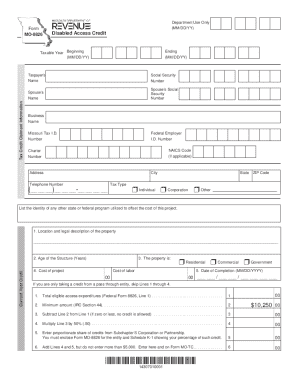
The IRS Form 8826 Disabled Access Credit is a tax document used by eligible small businesses to claim a credit for expenditures that improve access for individuals with disabilities.
pdfFiller scores top ratings on review platforms




Who needs IRS 8826?
Explore how professionals across industries use pdfFiller.

IRS 8826 is needed by:
-
Small business owners seeking tax credits for disability access improvements
-
Accountants and tax professionals advising clients on claimable tax credits
-
Non-profits operating in the U.S. that serve disabled communities and require tax credits
-
Business compliance officers ensuring adherence to the Americans with Disabilities Act
-
Financial advisors offering guidance on maximizing business deductions
Comprehensive Guide to IRS 8826
What is IRS Form 8826 Disabled Access Credit?
IRS Form 8826 is designed for small businesses to claim the disabled access credit, a tax benefit enabling businesses to invest in making their facilities accessible. This form plays a significant role in helping eligible businesses receive financial assistance for disability-related improvements. The disabled access credit, outlined under Section 44 of the Internal Revenue Code, encourages compliance with the Americans with Disabilities Act of 1990, promoting inclusivity and accessibility in the workplace.
By utilizing IRS Form 8826, small businesses can ensure they are effectively taking advantage of the financial support available to them while reinforcing their commitment to accessibility.
Benefits of Using IRS Form 8826 Disabled Access Credit
Utilizing IRS Form 8826 offers several advantages for small businesses seeking to enhance their accessibility capabilities. Firstly, businesses can receive financial support to make necessary facility modifications that align with accessibility standards.
Secondly, potential tax savings can be significant, helping small businesses allocate resources to other essential areas. Furthermore, completing the disabled access credit application encourages compliance with accessibility regulations and promotes a more inclusive environment.
-
Financial support for enhancing accessibility
-
Significant tax savings for eligible businesses
-
Encouragement of compliance with the Americans with Disabilities Act
Who Needs IRS Form 8826 Disabled Access Credit?
Eligibility for IRS Form 8826 generally extends to small businesses that have incurred expenses to comply with accessibility standards. To qualify for the credit, businesses must meet specific criteria established by the IRS, primarily determined by the number of employees and annual gross receipts.
Eligible expenditures can include modifications to buildings and facilities, purchasing accessible equipment, and any related expenses that improve access to services or activities for individuals with disabilities. Recognizing eligibility criteria is crucial for maximizing the potential benefits of the disabled access credit.
Eligibility Criteria for IRS Form 8826 Disabled Access Credit
The legal definition of a small business for claiming the disabled access credit centers around the number of employees, which typically should not exceed 30, along with specific revenue thresholds. Eligible businesses must also demonstrate valid accessibility-related expenses that genuinely contribute to disability access enhancements.
Critical documentation supporting these claims must be maintained, ensuring that businesses can substantiate their credits should any reviews or audits occur. Examples of qualifying expenditures include costs associated with installing ramps, modifying restrooms, and purchasing assistive equipment.
-
Number of employees not exceeding 30
-
Annual gross receipts falling under specific limits
-
Maintain documentation of expenses related to accessibility improvements
How to Fill Out IRS Form 8826 Disabled Access Credit Online
Completing IRS Form 8826 online involves several straightforward steps to ensure precision. Begin by entering the required fields, which include 'Name(s) as shown on return' and 'Identifying number'. Ensure that all entries are accurate to avoid complications during processing.
Next, calculate the credit based on documented eligible expenditures. A common step is to enter the lesser of certain lines from the form, such as multiplying specific amounts by 50%. Utilizing an online platform can simplify this process, enabling easily calculated totals.
-
Provide necessary identification details
-
Calculate credit using eligible expenditures
-
Verify all entries before submission
Submission and Filing Requirements for IRS Form 8826
Submitting IRS Form 8826 involves understanding various methods, such as electronic versus paper filing. Businesses can file electronically, which is often the quickest method, or send a paper form via mail if preferred. Specific deadlines are associated with submission, and failing to meet these deadlines can incur penalties.
Tracking the status of your submission is important for peace of mind. Ensure you receive confirmation of receipt to confirm that the form has been successfully submitted.
-
Options for submission: electronic or paper filing
-
Awareness of deadlines to avoid penalties
-
Methods for tracking submission status
Common Errors and How to Avoid Them
While filling out IRS Form 8826, users may encounter frequent errors, including incorrect calculations and incomplete fields. Recognizing these common pitfalls is essential for a successful application. Best practices involve thoroughly reviewing each entry and cross-referencing calculations to ensure accuracy before final submission.
In addition, resources are available to assist users in identifying and rectifying potential mistakes, making the process smoother and more efficient.
-
Check for calculation errors
-
Ensure all fields are completed
-
Utilize resources for additional assistance
Security and Compliance When Submitting IRS Form 8826
Submitting IRS Form 8826 involves sensitive data, making security measures a top priority. Platforms like pdfFiller utilize advanced security features such as 256-bit encryption to protect user information. Additionally, these platforms adhere to compliance standards including HIPAA and GDPR, ensuring that data protection is robust and trustworthy.
Handling personal and business information with care is crucial during the form submission process, and utilizing trusted document management platforms enhances this security.
-
256-bit encryption for data protection
-
Compliance with HIPAA and GDPR
-
Importance of secure information handling
Utilizing pdfFiller for Your IRS Form 8826 Needs
pdfFiller provides an efficient solution for filling and submitting IRS Form 8826. With user-friendly features such as e-signatures, cloud storage, and customizable templates, users can streamline their form completion process.
The platform also offers an intuitive interface that saves time, helping to simplify the complexities often associated with tax form submissions. Leveraging these capabilities ensures a smooth and effective experience in managing IRS Form 8826 needs.
-
Easy filling and submission process
-
Features like e-signature and cloud storage
-
User-friendly interface for efficient management
How to Fill Out Small Business Tax Forms Online with pdfFiller
Struggling with your Schedule C or not sure how to file business taxes as a sole proprietor, LLC, or self-employed professional? This step-by-step pdfFiller tutorial walks you through completing IRS Schedule C quickly and accurately — no printing, no scanning, no stress. Whether you're handling small business tax deductions, tracking self-employed taxes, or preparing your full business tax return, pdfFiller makes it simple right in your browser.

How to fill out the IRS 8826
-
1.To start, navigate to pdfFiller and search for IRS Form 8826.
-
2.Open the form by clicking on its link to access the editable PDF.
-
3.Review the fields, and gather necessary information such as your business name and identifying number before beginning to fill out the form.
-
4.Start by entering the name(s) as shown on the return in the designated field.
-
5.Complete the identifying number field, ensuring all digits are correct to avoid processing delays.
-
6.Enter eligible access expenditures in the specific sections provided, referencing your supported documentation for accuracy.
-
7.Follow the instructions outlined in the form, such as entering the smaller of two calculated values in the correct fields.
-
8.Use pdfFiller's checkbox feature to indicate compliance with relevant guidelines.
-
9.After filling in all relevant fields, thoroughly review each entry to ensure accuracy and completeness.
-
10.Once satisfied, utilize pdfFiller's save option to keep a copy of your completed form.
-
11.Consider downloading the PDF for your records and for final submission to the IRS.
-
12.Submit your form electronically or by mail as per the IRS guidelines, ensuring it is sent to the appropriate address.

Who is eligible to use IRS Form 8826?
Eligible users of IRS Form 8826 include small businesses that incur expenses for making their facilities accessible to individuals with disabilities. Compliance with the Americans with Disabilities Act is essential for qualification.
What is the deadline for submitting Form 8826?
Form 8826 should be submitted with your tax return. Ensure it is filed by the tax return deadline, typically April 15th of the following year, to avoid penalties and ensure eligibility for the credit.
How can I submit IRS Form 8826?
You can submit IRS Form 8826 electronically through e-filing, or print and mail it to the IRS address specified in the instructions. Make sure to retain a copy for your records.
What supporting documents do I need when submitting the form?
When submitting IRS Form 8826, you may need to attach receipts, records of expenditures, and documentation proving your business's compliance with accessibility guidelines.
What mistakes should I avoid when completing Form 8826?
Common mistakes include incorrect identification numbers, failure to declare all eligible expenses, and neglecting to follow the form's instructions carefully. Double-check all entries before submission.
How long does it take to process Form 8826?
Typically, processing times for IRS Form 8826 can vary but generally take 6 to 8 weeks. Be patient, and check the IRS website for updates on your submission status.
Can I amend Form 8826 after submission?
Yes, if you need to make changes to your Form 8826 after submission, you can file an amended tax return. Ensure you follow the IRS guidelines for amendments.
IRS 8826 Form Versions
Related Content
Related Forms



Get the latest insights from our blog


If you believe that this page should be taken down, please follow our DMCA take down process
here
.
This form may include fields for payment information. Data entered in these fields is not covered by PCI DSS compliance.