
Last updated on
Oct 2, 2026

Get the free Small Business Balance Sheet Template
We are not affiliated with any brand or entity on this form

Fill out
Complete the form online in a simple drag-and-drop editor.

eSign
Add your legally binding signature or send the form for signing.

Share
Share the form via a link, letting anyone fill it out from any device.

Export
Download, print, email, or move the form to your cloud storage.
Why pdfFiller is the best tool for your documents and forms


End-to-end document management
From editing and signing to collaboration and tracking, pdfFiller has everything you need to get your documents done quickly and efficiently.
Accessible from anywhere
pdfFiller is fully cloud-based. This means you can edit, sign, and share documents from anywhere using your computer, smartphone, or tablet.
Secure and compliant
pdfFiller lets you securely manage documents following global laws like ESIGN, CCPA, and GDPR. It's also HIPAA and SOC 2 compliant.
What is Balance Sheet Template
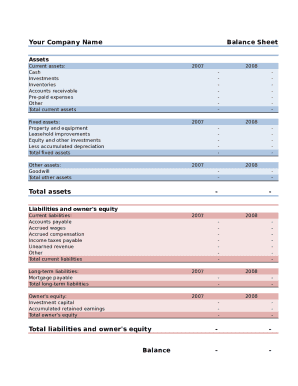
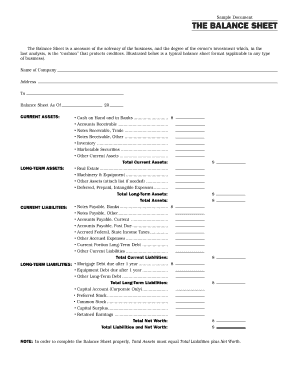
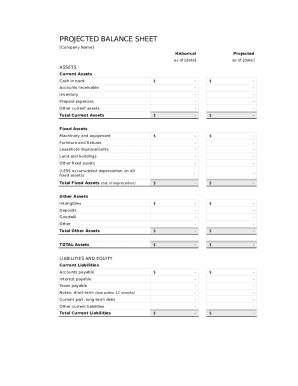
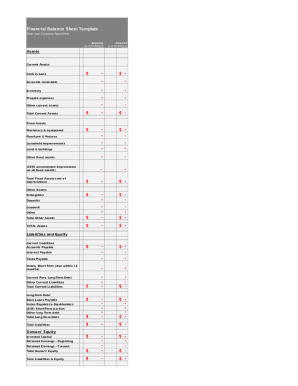
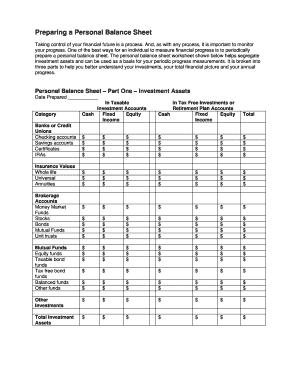
The Small Business Balance Sheet Template is a financial document used by small business owners to track and report their company's assets, liabilities, and owner's equity.
pdfFiller scores top ratings on review platforms




Who needs Balance Sheet Template?
Explore how professionals across industries use pdfFiller.

Balance Sheet Template is needed by:
-
Small business owners monitoring financial health
-
Accountants preparing financial statements
-
Business consultants advising startups
-
Financial analysts assessing business performance
-
Investors evaluating potential investments
-
Bankers analyzing loan applications
Comprehensive Guide to Balance Sheet Template
What is the Small Business Balance Sheet Template?
The Small Business Balance Sheet Template is a financial document specifically designed to help small business owners track and report their company's financial standing. Its primary purpose is to provide a structured overview of assets, liabilities, and owner's equity.
Tracking these key components is essential for maintaining financial health and making informed business decisions. Investors, creditors, and the business owners themselves benefit from having a clear understanding of the company's financial state.
This template is typically used by small business owners, accountants, and financial analysts, ensuring that they have a standardized approach to financial statements.
Purpose and Benefits of the Small Business Balance Sheet Template
A well-prepared balance sheet plays a crucial role in financial reporting and planning. It provides stakeholders with a snapshot of a company's financial health at a specific point in time.
Utilizing a standardized template for small businesses offers numerous advantages, including enhanced accuracy, improved financial organization, and easier comparisons over time. Scenarios such as securing loans or analyzing profitability particularly benefit from having a reliable balance sheet.
Key Features of the Small Business Balance Sheet Template
-
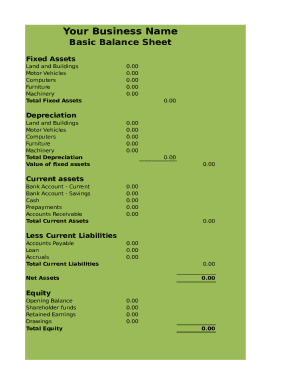
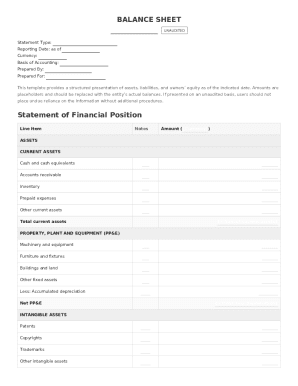
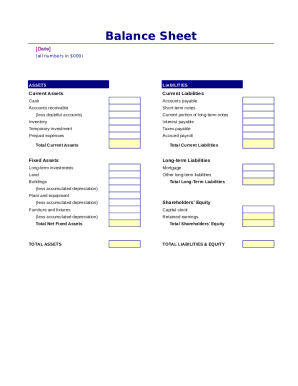
Sections for current assets, fixed assets, liabilities, and owner's equity.
-
Integration of financial ratios for insightful analysis.
-
Fillable fields that enhance user convenience for data entry.
These features make the Small Business Balance Sheet Template a valuable tool for small business accounting, allowing users to create a printable balance sheet with ease.
Who Needs the Small Business Balance Sheet Template?
The target audience for the Small Business Balance Sheet Template includes small business owners, accountants, and financial analysts. Each group can significantly benefit from using this template in various sectors, ensuring effective financial management.
Different industries, from retail to service providers, and varying business sizes can leverage this tool to manage their finances efficiently.
How to Fill Out the Small Business Balance Sheet Template Online
Filling out the Small Business Balance Sheet Template online with pdfFiller is a straightforward process. Follow these steps:
-
Access the template through the pdfFiller platform.
-
Enter your financial data in the designated fields.
-
Make sure to define any financial terms that may need clarification.
-
Gather necessary data from financial documents for accuracy.
Common Errors and How to Avoid Them
While filling out the balance sheet, users may encounter common mistakes such as misreporting figures or omitting sections. To help avoid these errors, consider the following tips:
-
Double-check all numerical entries for accuracy.
-
Review each section to ensure completeness.
Validation before submission is critical to prevent complications during financial reporting.
How to Download and Share the Small Business Balance Sheet Template
Once the balance sheet is filled out, saving and downloading the template is a simple task. Users need to follow these steps to ensure proper sharing:
-
Save your completed template on the pdfFiller platform.
-
Select the sharing options provided for your document.
Additionally, pdfFiller prioritizes security when handling sensitive information, ensuring that your financial data is protected throughout the sharing process.
What Happens After You Submit the Small Business Balance Sheet Template?
Upon submission, businesses should expect systematic processing timelines for feedback. Users have options to track the submission status effectively, allowing for transparency during the approval process.
If an issue arises, the template provides guidelines on what steps to take next, ensuring that users can resolve any discrepancies or necessary revisions promptly.
Security and Compliance with the Small Business Balance Sheet Template
Security is a top priority for pdfFiller, featuring robust data protection measures to safeguard sensitive information. Users can trust that the platform complies with key regulations such as GDPR and HIPAA, ensuring that financial data is handled responsibly.
pdfFiller’s reliability in managing financial documents further enhances user confidence in utilizing the Small Business Balance Sheet Template.
Explore the Benefits of Using pdfFiller for Your Small Business Balance Sheet Template
pdfFiller provides an array of features that make managing your Small Business Balance Sheet Template effortless. Users can easily create, edit, and eSign documents online, enhancing flexibility and efficiency in financial management.
The platform also offers additional resources and support for users, ensuring they make the most out of their balance sheet template.
How to fill out the Balance Sheet Template
-
1.To access the Small Business Balance Sheet Template on pdfFiller, visit the pdfFiller website and use the search bar to find the template by name.
-
2.Once located, click on the template to open it in the editor. Familiarize yourself with the layout and available fields.
-
3.Before starting, gather necessary information about your company’s financials, including details of current assets, fixed assets, current liabilities, long-term liabilities, and owner's equity.
-
4.Begin filling in the fields in the template by entering the appropriate financial data. Use the fillable sections for cash, accounts payable, accounts receivable, and any short-term loans.
-
5.Utilize any prompts or tips provided in the pdfFiller interface to ensure accuracy in completing the financial ratios and other sections.
-
6.After entering all your data, review the entire form carefully. Verify that all figures are accurate and that each required field is filled out appropriately.
-
7.Finally, use the options on pdfFiller to save your filled template. You can download it to your device or choose to submit it directly through pdfFiller, depending on your needs.

Who can use the Small Business Balance Sheet Template?
The Small Business Balance Sheet Template can be used by small business owners, accountants, investors, and anyone needing to analyze a business's financial position.
What information do I need to complete the balance sheet?
You will need information on your company's assets, liabilities, and owner's equity, including cash, accounts payable, accounts receivable, and various loans before you start filling it out.
Is there a deadline for using this template?
There is generally no specific deadline for using the Small Business Balance Sheet Template, although it should be completed before any financial reporting periods are due.
How can I submit the completed balance sheet?
Once the balance sheet is completed on pdfFiller, you can submit it directly through the platform or download it for submission via email or mail.
What are common mistakes to avoid when filling out the balance sheet?
Common mistakes include miscalculating totals, omitting important financial information, and not verifying entries. Ensure all data is accurate and complete.
How long does it take to process the balance sheet after submission?
Processing time can vary, but once submitted, it typically takes a few days for any feedback or review, depending on your financial institution's review process.
Do I need to notarize the balance sheet?
No, notarization is not required for the Small Business Balance Sheet Template; it is primarily an internal financial document.
Related Forms

Related Catalogs
Get the latest insights from our blog


If you believe that this page should be taken down, please follow our DMCA take down process
here
.
This form may include fields for payment information. Data entered in these fields is not covered by PCI DSS compliance.