
Last updated on
Sep 29, 2026

Get the free Minnesota Residential Relative Homestead Application
We are not affiliated with any brand or entity on this form

Fill out
Complete the form online in a simple drag-and-drop editor.

eSign
Add your legally binding signature or send the form for signing.

Share
Share the form via a link, letting anyone fill it out from any device.

Export
Download, print, email, or move the form to your cloud storage.
Why pdfFiller is the best tool for your documents and forms


End-to-end document management
From editing and signing to collaboration and tracking, pdfFiller has everything you need to get your documents done quickly and efficiently.
Accessible from anywhere
pdfFiller is fully cloud-based. This means you can edit, sign, and share documents from anywhere using your computer, smartphone, or tablet.
Secure and compliant
pdfFiller lets you securely manage documents following global laws like ESIGN, CCPA, and GDPR. It's also HIPAA and SOC 2 compliant.
What is MN Homestead Application
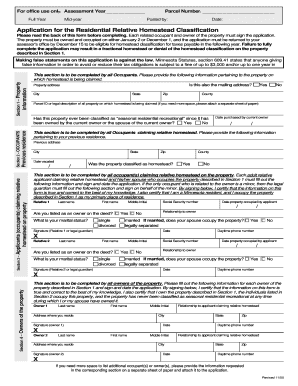
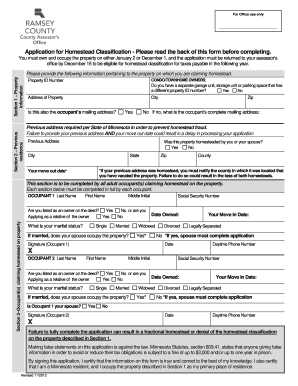
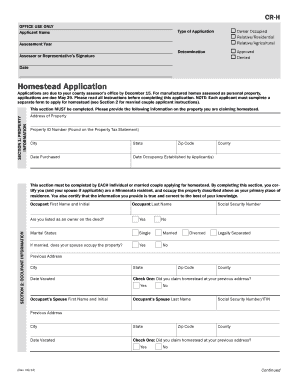
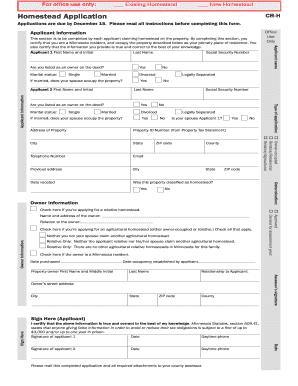
The Minnesota Residential Relative Homestead Application is a real estate form used by property owners and qualifying relatives to apply for homestead classification, which can lead to reduced property taxes.
pdfFiller scores top ratings on review platforms




Who needs MN Homestead Application?
Explore how professionals across industries use pdfFiller.

MN Homestead Application is needed by:
-
Homeowners in Minnesota seeking tax relief
-
Qualifying relatives living with homeowners
-
Real estate agents assisting clients with property taxes
-
Property management professionals handling tax documentation
-
Tax consultants advising on property classifications
Comprehensive Guide to MN Homestead Application
What is the Minnesota Residential Relative Homestead Application?
The Minnesota Residential Relative Homestead Application provides property owners and their qualifying relatives a means to obtain homestead classification. This classification is vital for reducing property taxes, enabling significant financial savings for homeowners. The application primarily targets those who are property owners and their relatives who meet specified qualifications.
Homestead classification not only aids in tax reduction but also validates ownership and residency for relevant tax purposes. By completing this application, eligible parties can ensure they benefit from these advantages.
Purpose and Benefits of the Minnesota Residential Relative Homestead Application
This application serves multiple purposes, chiefly aimed at facilitating property tax savings for those who qualify. Completing the residential relative homestead form allows residents and their relatives to benefit from reductions in property taxes, thereby easing financial burdens. Additionally, it serves to confirm ownership and residency, which are essential for tax classification.
By stating the connection between property owners and their relatives, the application strengthens the case for homestead classification.
Eligibility Criteria for the Minnesota Residential Relative Homestead Application
To qualify for the Minnesota Residential Relative Homestead Application, applicants must meet specific criteria regarding relationships and occupancy. Qualifying relatives must demonstrate a close familial relationship to the property owner, ensuring that only those within the family can benefit from this classification.
Ownership and occupancy must also align with the requirements set forth in the application. Applicants must have occupied the residence for a certain duration, further validating their claim to homestead status.
How to Fill Out the Minnesota Residential Relative Homestead Application Online
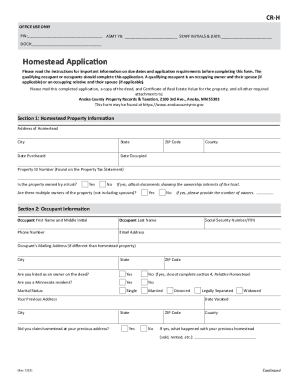
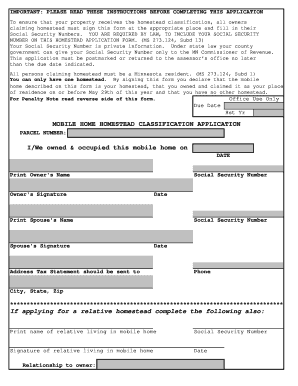
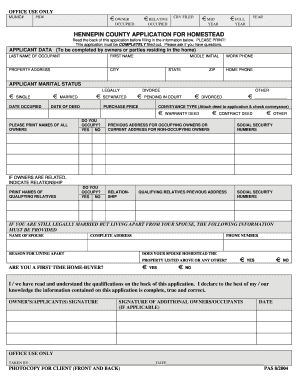
Filling out the Minnesota Residential Relative Homestead Application online involves several key steps. Begin by accessing the online form and entering your property and personal details. These fields include the property's address, parcel ID, and the social security numbers of the owner and relatives who qualify.
It is crucial to ensure that all owners and relatives sign the application to validate it. Each signature confirms the information provided and asserts the relationship to the property.
Review and Validation Checklist for the Application
Before submitting the application, applicants should compile and review necessary documentation. Common documents required include proof of identity, property documents, and evidence of residency.
-
Check that all required fields are filled out completely.
-
Ensure all signatures are provided from relevant parties.
-
Review for any commonly made errors, such as incorrect property addresses.
Submission Methods for the Minnesota Residential Relative Homestead Application
The application can be submitted through various methods, allowing flexibility for applicants. Submission options include online, in-person, or by mail. Geographic locations may dictate the specific office or online portal for application submission.
Applicants should also be aware of submission deadlines to ensure their applications are processed in a timely manner.
What Happens After You Submit the Minnesota Residential Relative Homestead Application?
After submitting the Minnesota Residential Relative Homestead Application, a confirmation process begins. Applicants will receive a notification regarding the status of their applications, which informs them whether their submission was successful or requires further action.
The next steps may involve additional information requests or waiting for local authorities to process the application. Understanding the status can help applicants plan accordingly.
Renewal and Resubmission Process for the Minnesota Residential Relative Homestead Application
Applicants need to be mindful of the annual requirement to renew or resubmit the application. Each year may bring changes that impact the application process, such as alterations in property status or qualifying relationships.
To avoid missing deadlines, stay organized and be aware of submission timelines. Prompt actions can lead to sustained benefits from homestead classification.
Security and Compliance When Completing the Minnesota Residential Relative Homestead Application
Security is paramount when handling sensitive documents like the Minnesota Residential Relative Homestead Application. Personal and financial information must be protected, and pdfFiller implements robust measures to ensure compliance with regulations such as HIPAA and GDPR.
With features such as 256-bit encryption, applicants can confidently fill out their forms online, knowing their data is secure and handled according to legal standards.
Why Choose pdfFiller for Your Minnesota Residential Relative Homestead Application?
Using pdfFiller to complete the Minnesota Residential Relative Homestead Application offers numerous benefits. The platform provides easy editing, signing, and sharing capabilities, making the entire process straightforward and efficient.
With pdfFiller, users can fill out the application online without needing to download any software. This seamless experience, along with positive user testimonials, reinforces pdfFiller's credibility as an ideal solution for document management.
How to fill out the MN Homestead Application
-
1.Access the Minnesota Residential Relative Homestead Application by navigating to pdfFiller's website and searching for the form using the title.
-
2.Once the form is open, utilize the pdfFiller interface to start filling in the required fields. Click on each fillable area to enter the necessary information.
-
3.Before you begin completing the form, gather all pertinent information, including the property address, city, state, zip code, Parcel ID, occupation date, and Social Security numbers of related occupants.
-
4.Carefully enter details in each section, ensuring that all required fields marked with an asterisk are filled in accurately. Use checkboxes where applicable.
-
5.Review the completed form within pdfFiller to double-check for any missing information or errors that need correction.
-
6.Finalize the application by ensuring all relevant parties have provided their signatures in the designated areas.
-
7.To save your work, click the 'Save' button and select your preferred format. You can also download the form for printing or direct submission through pdfFiller's options.

Who is eligible to file the Minnesota Residential Relative Homestead Application?
Eligibility includes property owners and their qualifying relatives who occupy the property as their primary residence. Ensure that all parties needing to sign the application are included.
What is the deadline for submitting the application?
The application must be completed and submitted annually by December 15 to ensure property tax benefits for the following year.
How do I submit the completed form?
You can submit the completed Minnesota Residential Relative Homestead Application either electronically through pdfFiller or by printing and mailing it to the applicable local taxation authority.
What supporting documents are required with this application?
You typically need to provide identification and proof of residency for all related occupants as supporting documents. Refer to local guidelines for specifics.
What are common mistakes to avoid when filling out the application?
Common mistakes include missing signatures, neglecting to fill in required fields, and submitting the application after the December 15 deadline, which could impact your tax classification.
How long does it take to process the application?
Processing times can vary by county but generally take several weeks. Check with local tax authorities for more detailed timelines and potential fees.
Are there any fees associated with submitting this application?
There are typically no fees for submitting the Minnesota Residential Relative Homestead Application, but verify with your local tax office for any exceptions.
Related Content
Related Forms



Get the latest insights from our blog


If you believe that this page should be taken down, please follow our DMCA take down process
here
.
This form may include fields for payment information. Data entered in these fields is not covered by PCI DSS compliance.