
Last updated on
Oct 2, 2026
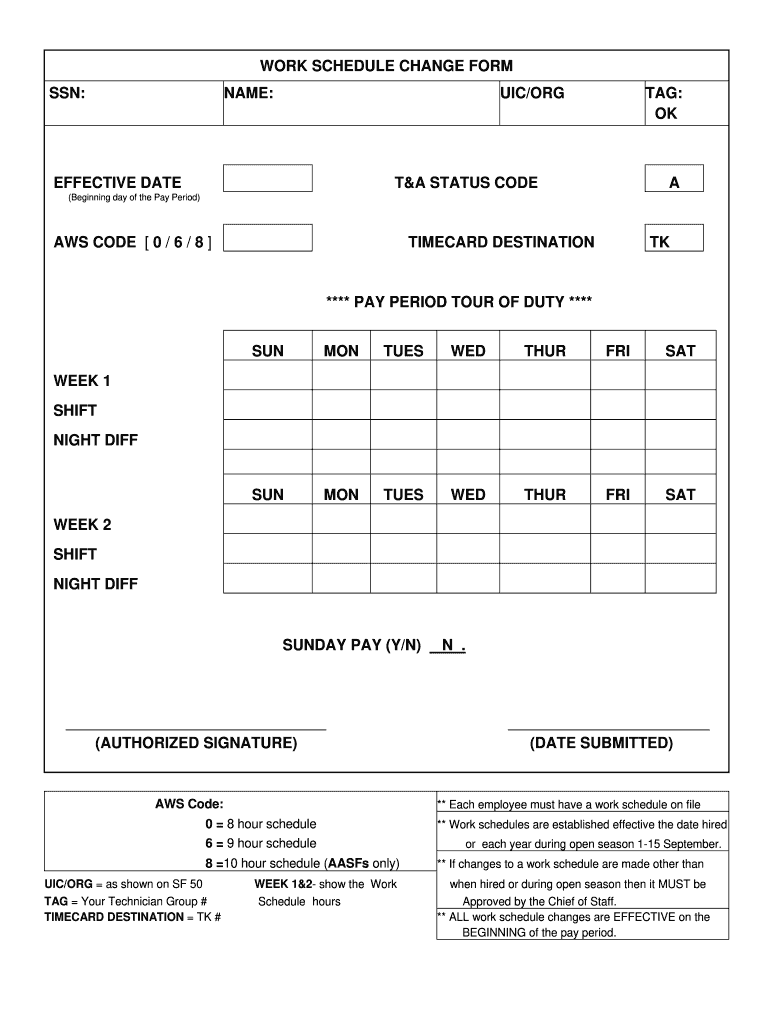
OK Work Schedule Change Form 2005-2026 free printable template
pdfFiller is not affiliated with any government organization

Fill out
Complete the form online in a simple drag-and-drop editor.

eSign
Add your legally binding signature or send the form for signing.

Share
Share the form via a link, letting anyone fill it out from any device.

Export
Download, print, email, or move the form to your cloud storage.
Why pdfFiller is the best tool for your documents and forms


End-to-end document management
From editing and signing to collaboration and tracking, pdfFiller has everything you need to get your documents done quickly and efficiently.
Accessible from anywhere
pdfFiller is fully cloud-based. This means you can edit, sign, and share documents from anywhere using your computer, smartphone, or tablet.
Secure and compliant
pdfFiller lets you securely manage documents following global laws like ESIGN, CCPA, and GDPR. It's also HIPAA and SOC 2 compliant.
What is OK Work Schedule Change Form
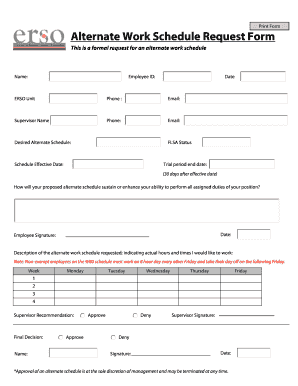
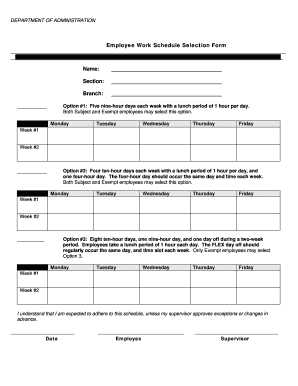
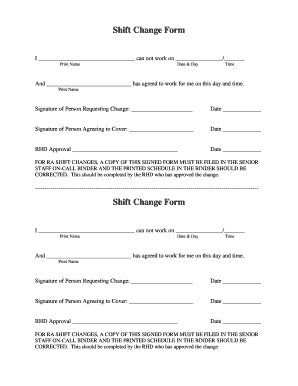
The Work Schedule Change Form is a document used by employees to request modifications to their work schedule.
pdfFiller scores top ratings on review platforms




Who needs OK Work Schedule Change Form?
Explore how professionals across industries use pdfFiller.

OK Work Schedule Change Form is needed by:
-
Employees needing to alter their work hours
-
HR personnel managing employee work schedules
-
Supervisors reviewing work schedule changes
-
Chief of Staff approving schedule adjustments
-
Payroll staff updating timecard information
Comprehensive Guide to OK Work Schedule Change Form
What is the Work Schedule Change Form?
The Work Schedule Change Form is an essential employment tool designed to facilitate formal requests for schedule changes. It is significant as it promotes scheduling flexibility, allowing employees to adjust their working hours based on personal or operational needs. This form aids both employees and management by streamlining the process of requesting and approving changes effectively.
By utilizing this form, employees can ensure their requests are documented and processed systematically, thus fostering a more adaptable work environment.
Purpose and Benefits of the Work Schedule Change Form
Using the Work Schedule Change Form provides several advantages for both employees and management. For employees, it enhances work-life balance by enabling them to request adjustments that better suit their personal commitments.
Moreover, this form supports better employee management and resource planning, as management can track and approve requests with clarity. The formal submission process ensures accountability and provides a structured method for addressing scheduling needs.
Who Needs the Work Schedule Change Form?
The Work Schedule Change Form is utilized by various employees across different positions within an organization. Any employee experiencing a need to adjust their schedule, whether due to personal circumstances or work-related factors, qualifies to use this form.
Additionally, the role of the Chief of Staff is crucial in the approval process, ensuring that all requests are evaluated and authorized in accordance with company policies.
How to Fill Out the Work Schedule Change Form Online
Filling out the Work Schedule Change Form on the pdfFiller platform involves a series of straightforward steps:
-
Gather required information, including SSN, name, UIC/ORG tag, and effective date.
-
Carefully input data in the specified fields, ensuring accuracy.
-
Double-check all entries for correctness before submission.
Each field holds significance, and accurate completion is crucial to avoid delays in processing your request.
Common Errors and How to Avoid Them
While completing the Work Schedule Change Form, several common errors can occur, such as leaving fields incomplete or entering incorrect dates. To ensure accuracy:
-
Review all entries thoroughly before submitting.
-
Pay close attention to required fields to prevent rejections.
By taking these precautions, you can help facilitate a smoother review process for your schedule change request.
Where to Submit the Work Schedule Change Form
Submitting the Work Schedule Change Form can be done through several pathways. Employees can choose to submit directly to HR or via email, depending on company procedures.
It is important to be aware of any associated deadlines to ensure your request is processed promptly. Late submissions can lead to complications in schedule adjustments, so adhering to timelines is essential.
What Happens After You Submit the Work Schedule Change Form?
Once you submit the Work Schedule Change Form, there is a specific post-submission process to be followed. Generally, there is an approval timeline during which management reviews the request, and employees may receive follow-up communications.
Employees have the ability to track their submission status, and in the event of rejection or the need for amendments, there are clear guidelines to follow to make necessary changes.
Security and Compliance for the Work Schedule Change Form
Data security is a paramount concern when submitting sensitive information through the Work Schedule Change Form. pdfFiller employs 256-bit encryption and is compliant with HIPAA and GDPR regulations, ensuring that personal data is handled securely.
Users can have peace of mind knowing that robust security measures are in place to protect their information throughout the submission process.
Benefits of Using pdfFiller for Your Work Schedule Change Form
pdfFiller is an ideal platform for completing the Work Schedule Change Form, offering numerous benefits. It features a user-friendly interface that makes the form-filling process easy and efficient.
Additionally, pdfFiller supports eSigning, document editing, and secure storage, enhancing convenience for users. With a reputation built on serving over 100 million users, pdfFiller is a trusted choice for document management.
Get Started with Your Work Schedule Change Form Today!
Starting with your Work Schedule Change Form is simple and straightforward on the pdfFiller platform. Users are encouraged to create, fill, and submit their forms seamlessly.
The accessible design and available support make it easier for employees to navigate the form-filling process, streamlining submission and improving overall efficiency.
How to fill out the OK Work Schedule Change Form
-
1.To begin, access the Work Schedule Change Form on pdfFiller by searching for the form name in the platform's search bar.
-
2.Once the form is open, familiarize yourself with the fillable fields including SSN, NAME, UIC/ORG TAG, EFFECTIVE DATE, and the signature line.
-
3.Before starting, gather all necessary information such as your Social Security Number, organization tag, and the effective date of the requested changes.
-
4.Use the text boxes to input your information clearly in each designated field. Ensure accuracy to avoid delays.
-
5.If applicable, check the boxes for the AWS CODE and follow any specific instructions for those selections.
-
6.After completing all fields, carefully review the form to ensure that no sections are left blank and that all information is accurate.
-
7.Once you are satisfied with the contents of the form, use the 'Save' feature on pdfFiller to ensure your changes are stored.
-
8.Finally, choose to download the completed form for your records or submit it electronically through pdfFiller according to your organizational policies.

Who is eligible to use the Work Schedule Change Form?
All employees who wish to change their work hours are eligible to complete the Work Schedule Change Form. It's important that the form is filled out correctly and signed by the employee before submission.
Are there any deadlines for submitting the form?
While specific deadlines may vary by department, it is advisable to submit the Work Schedule Change Form as soon as possible, preferably before the start of the next pay period to ensure timely processing.
What is the submission process for this form?
The completed Work Schedule Change Form should be signed by the employee and submitted electronically or printed out to be handed over to the Chief of Staff for approval. Ensure it’s submitted before the deadline for the upcoming pay period.
What supporting documents are needed with the form?
Typically, no additional supporting documents are required with the Work Schedule Change Form. However, it’s wise to confirm with your supervisor if any specific documentation is necessary for your request.
What common mistakes should I avoid when filling out the form?
Common mistakes include leaving required fields blank, inaccuracies in the provided information, or failing to provide a signature. Always double-check your entries before submitting the form.
How long does it take to process the request after submission?
Processing times for the Work Schedule Change Form may vary depending on workload and departmental policies. Generally, you can expect a response within one to two pay cycles after submission.
What if I need to change my request after submission?
If you need to amend your request after submitting the Work Schedule Change Form, contact your supervisor or the HR department immediately. You may need to file a new form for any changes desired.
Related Content
Related Forms




Related Catalogs
Get the latest insights from our blog


If you believe that this page should be taken down, please follow our DMCA take down process
here
.
This form may include fields for payment information. Data entered in these fields is not covered by PCI DSS compliance.