
Last updated on
Oct 31, 2026

Get the free Memo Form
We are not affiliated with any brand or entity on this form

Fill out
Complete the form online in a simple drag-and-drop editor.

eSign
Add your legally binding signature or send the form for signing.

Share
Share the form via a link, letting anyone fill it out from any device.

Export
Download, print, email, or move the form to your cloud storage.
Why pdfFiller is the best tool for your documents and forms


End-to-end document management
From editing and signing to collaboration and tracking, pdfFiller has everything you need to get your documents done quickly and efficiently.
Accessible from anywhere
pdfFiller is fully cloud-based. This means you can edit, sign, and share documents from anywhere using your computer, smartphone, or tablet.
Secure and compliant
pdfFiller lets you securely manage documents following global laws like ESIGN, CCPA, and GDPR. It's also HIPAA and SOC 2 compliant.
What is Memo Form
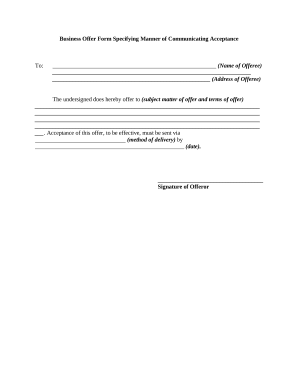
The Memo Form is a business document used by organizations to communicate important information internally or externally.
pdfFiller scores top ratings on review platforms




Who needs Memo Form?
Explore how professionals across industries use pdfFiller.

Memo Form is needed by:
-
Business managers communicating with staff
-
Administrative professionals handling company correspondence
-
Team leaders requesting feedback from team members
-
Human resources for employee communications
-
Marketing teams collaborating with clients
Comprehensive Guide to Memo Form
What is the Memo Form?
The Memo Form is a vital communication tool utilized within organizations to convey information efficiently. This form serves multiple purposes, including providing updates, making requests, and issuing instructions. A notable feature of the Memo Form is that it requires a signature from the sender, ensuring accountability and authenticity in communications.
In a business context, the Memo Form helps streamline communication, making it easier for recipients to understand the message or directive presented.
Purpose and Benefits of Using a Memo Form
Utilizing a Memo Form is essential for effective communication within a business. This form enhances clarity, ensuring that messages are explicitly conveyed to employees or clients.
-
Facilitates clear communication and minimizes misunderstandings.
-
Aids in proper documentation and enhances accountability within the organization.
-
Requires signatures to establish legal standing for the content presented.
The Memo Form provides a structured format that promotes professionalism and can be printed for physical distribution when needed.
Key Features of the Memo Form
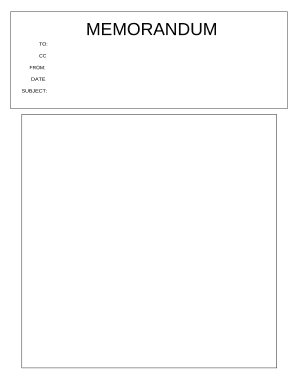
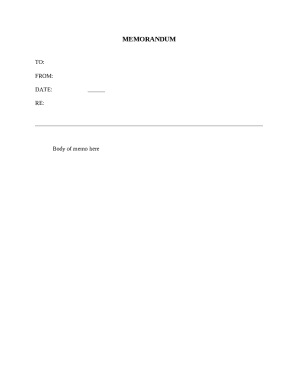
The Memo Form includes several key features designed to enhance usability and ensure that all necessary information is captured. Key fields on the form include:
-
Recipient's name
-
Subject of the memo
-
Date the memo is issued
-
Details for a reply, if applicable
Additionally, users can find checkboxes that allow for different types of responses, as well as clear instructions for filling out the form accurately.
Who Needs the Memo Form?
The Memo Form is primarily used by business professionals, including office managers and team leaders, who require a formal method of communication. Various situations warrant its use, such as:
-
Internal announcements
-
Project status updates
-
Customer communications
This form plays an essential role in maintaining orderly communications both within a company and externally.
How to Fill Out the Memo Form Online (Step-by-Step)
Filling out the Memo Form using pdfFiller is straightforward. Follow these steps to ensure accurate completion:
-
Access the Memo Form via pdfFiller's platform.
-
Fill in the required fields including recipient, subject, and date.
-
Provide any necessary additional information in the reply section.
-
Review your entries for accuracy before submission.
This detailed process guarantees that all necessary details are correctly recorded, minimizing the potential for misunderstandings.
How to Sign the Memo Form and Submit It
Signing the Memo Form involves understanding the signing requirements and submission methods available. Both digital signatures and traditional wet signatures are valid, but it is essential to choose the appropriate method based on company policy.
-
Digital signatures provide convenience and speed.
-
Wet signatures may be necessary for certain legal documents.
After signing, the Memo Form can be submitted through pdfFiller via email or downloaded as a PDF file, ensuring secure and efficient delivery.
Ensuring Security and Compliance with the Memo Form
When handling sensitive documents like the Memo Form, security and compliance are of utmost importance. pdfFiller offers robust security features including:
-
256-bit encryption for data protection
-
Compliance with regulatory standards such as HIPAA and GDPR
Adopting best practices, such as keeping the Memo Form confidential and secure, further protects sensitive information during storage and sharing.
Common Errors When Using the Memo Form and How to Avoid Them
To maximize the effectiveness of the Memo Form, it is crucial to avoid common errors that can arise during its usage. Some frequent mistakes include:
-
Leaving fields incomplete.
-
Submitting without the necessary signatures.
Reviewing the form before final submission can mitigate these issues, and resources available on pdfFiller can assist users in troubleshooting any problems that arise.
Streamlining Your Memo Form Process with pdfFiller
pdfFiller significantly enhances the experience of filling out the Memo Form. Its features that assist in form filling include:
-
Text and image editing options
-
The ability to create fillable forms easily
This platform allows users to manage their documents efficiently in the cloud, promoting seamless access and organization of important files related to the Memo Form.
Get Started with the Memo Form Today
Engaging with pdfFiller to utilize the Memo Form can transform your documentation process. The platform is designed for user-friendly navigation, making it easy to create and manage your Memo Form efficiently.
By leveraging pdfFiller's capabilities, users can enhance their documentation experience, ensuring that all communications are clear, concise, and effective.
How to fill out the Memo Form
-
1.To access the Memo Form on pdfFiller, visit the pdfFiller website and log into your account or create one if you haven't yet.
-
2.Once logged in, use the search bar to find the 'Memo Form.' Click on it to open the document for editing.
-
3.Before filling in the form, gather all necessary information, including the recipient's name and any specific subject, date, and details you need to communicate.
-
4.Start by entering the recipient’s name in the designated field, followed by the subject of your memo. Use a clear and concise subject line for easy reference.
-
5.Next, input the date of the memo, ensuring it reflects the actual date of communication. It’s crucial for record-keeping.
-
6.Fill out the body of the form by providing the relevant information you wish to convey. Be specific about your requests, instructions, or information you want to share.
-
7.If applicable, check any boxes that denote required action or response from the recipient, ensuring clarity in communication.
-
8.Once all the fields are populated, review the document for accuracy. Check for spelling mistakes and confirm all necessary information is included.
-
9.After finalizing the content, scroll to the end of the document and sign the form digitally. Make sure to use a professional signature.
-
10.Finally, save your changes within pdfFiller. You can download the completed Memo Form as a PDF or submit it directly via email through the platform.

Who is eligible to use the Memo Form?
The Memo Form is designed for businesses of all sizes, anyone responsible for internal or external communication can utilize this form.
Is there a deadline for submitting the Memo Form?
There is no specific deadline for the Memo Form unless it pertains to a time-sensitive request. Prompt communication is always encouraged.
What methods can I use to submit the Memo Form?
You can submit the Memo Form via email after saving it from pdfFiller or print it and deliver it physically if needed.
Are there any supporting documents needed with the Memo Form?
Typically, no additional documents are required, but any related attachments may enhance clarity depending on the memo's content.
What common mistakes should I avoid when filling out the Memo Form?
Common mistakes include leaving fields blank, typos in the recipient’s name, or failing to provide clear instructions in the memo body.
How long does it take to process the Memo Form?
Processing times vary based on the recipient's response time rather than the Memo Form itself; immediate action may prompt quicker replies.
Can I edit the Memo Form after saving it?
Yes, you can return to the Memo Form in pdfFiller, edit any fields, and save it again for further use.
Related Content
Related Forms





Get the latest insights from our blog



If you believe that this page should be taken down, please follow our DMCA take down process
here
.
This form may include fields for payment information. Data entered in these fields is not covered by PCI DSS compliance.