
Last updated on
Nov 9, 2026
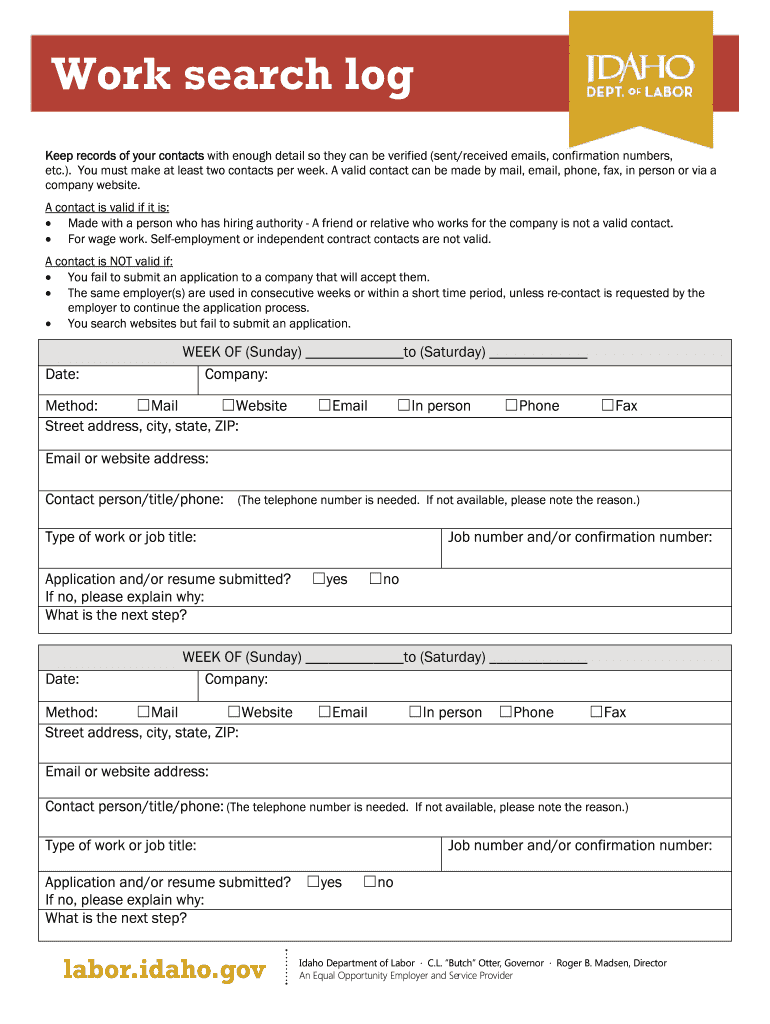
ID Work Search Log 2013-2026 free printable template
pdfFiller is not affiliated with any government organization

Fill out
Complete the form online in a simple drag-and-drop editor.

eSign
Add your legally binding signature or send the form for signing.

Share
Share the form via a link, letting anyone fill it out from any device.

Export
Download, print, email, or move the form to your cloud storage.
Why pdfFiller is the best tool for your documents and forms


End-to-end document management
From editing and signing to collaboration and tracking, pdfFiller has everything you need to get your documents done quickly and efficiently.
Accessible from anywhere
pdfFiller is fully cloud-based. This means you can edit, sign, and share documents from anywhere using your computer, smartphone, or tablet.
Secure and compliant
pdfFiller lets you securely manage documents following global laws like ESIGN, CCPA, and GDPR. It's also HIPAA and SOC 2 compliant.
What is ID Work Search Log
The Idaho Work Search Log is a job search log template used by job seekers in Idaho to systematically record their weekly job search activities.
pdfFiller scores top ratings on review platforms




Who needs ID Work Search Log?
Explore how professionals across industries use pdfFiller.

ID Work Search Log is needed by:
-
Job seekers in Idaho
-
Unemployed individuals seeking work
-
Career counselors assisting clients
-
Employment service providers
-
Human resource professionals
-
Students entering the job market
Comprehensive Guide to ID Work Search Log
What is the Idaho Work Search Log?
The Idaho Work Search Log serves as a structured template for job seekers in Idaho to document their job search activities. By maintaining accurate records within this log, individuals demonstrate their commitment and diligence to potential employers and unemployment offices. The Idaho Work Search Log is essential for tracking efforts and aligns with Idaho employment forms, streamlining the job search process.
Purpose and Benefits of Using the Idaho Work Search Log
Using the Idaho Work Search Log offers several advantages for job seekers. It allows individuals to effectively track their job search endeavors, showcasing their proactive approach when applying for various positions. Additionally, the log is instrumental for those applying for unemployment benefits, helping them substantiate their job-seeking efforts.
-
Provides a clear record of job applications and interviews.
-
Enhances accountability in the job search process.
-
Simplifies the application process for unemployment benefits.
Key Features of the Idaho Work Search Log
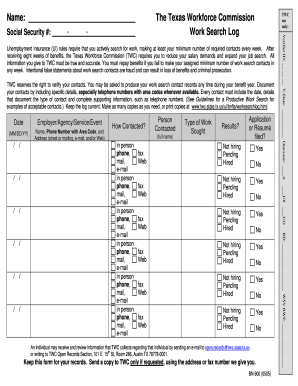
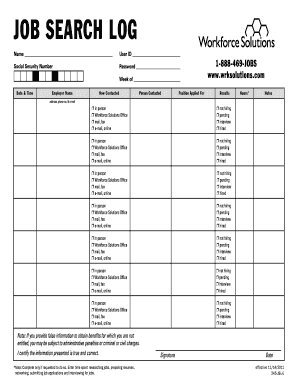
This employment form includes vital features designed to facilitate ease of use. It comprises several required fields, such as the date, company name, contact method, address, and job title. Furthermore, the log contains checkboxes that help users track submitted applications and outline next steps in their job search journey.
-
Date of application submission.
-
Company name where the application was sent.
-
Contact method used.
-
Job title for the position applied for.
Who Needs the Idaho Work Search Log?
The Idaho Work Search Log is designed for job seekers in various circumstances, especially those currently receiving unemployment benefits or actively seeking new employment. This form is crucial for individuals who want to ensure their job search activities are adequately documented and aligned with the requirements of Idaho employment guidelines.
How to Fill Out the Idaho Work Search Log Online
Completing the Idaho Work Search Log online requires certain information beforehand. Job seekers should gather details about their job applications, including company names and contact information. Follow these steps for a thorough and accurate completion of the log:
-
Collect all relevant job search details.
-
Access the online version of the Idaho Work Search Log.
-
Fill in the required fields, ensuring clarity and accuracy.
-
Review the information provided and save the document.
Common Errors to Avoid When Completing the Idaho Work Search Log
To maximize the effectiveness of the Idaho Work Search Log, avoid common mistakes that could undermine your job search efforts. Common pitfalls include leaving fields incomplete and inaccurately recording contact methods. Professionals recommend double-checking all entries before submission to enhance the credibility of the log.
-
Ensuring all fields are fully completed.
-
Verifying the accuracy of contact methods.
How to Save, Print, and Submit the Idaho Work Search Log
Understanding how to manage your Idaho Work Search Log after completion is essential. When ready to submit, follow these steps:
-
Save the completed PDF version of the Work Search Log on your device.
-
Print the document if traditional submission is necessary.
-
Choose your submission method, e.g., online upload or mail.
Tracking Your Submission and What Happens Next
After submitting the Idaho Work Search Log, it’s crucial to stay informed about the status of your submission. Users can expect to receive confirmation regarding their submission, and it's important to maintain communication with potential employers or unemployment offices for follow-up actions.
-
Monitor the submission confirmation process.
-
Be aware of processing timelines for responses.
Security and Compliance with the Idaho Work Search Log
Data security is essential when filling out the Idaho Work Search Log. Individuals can trust that sensitive information will be handled securely, adhering to compliance standards like HIPAA and GDPR. This commitment to security ensures that all personal data remains protected.
Experience Effortless Document Management with pdfFiller
pdfFiller offers a seamless platform for completing the Idaho Work Search Log and managing other documentation needs. With unique features such as easy PDF editing, eSigning, and robust security measures, users can efficiently handle their job search paperwork while ensuring their data remains secure.
How to fill out the ID Work Search Log
-
1.Access the Idaho Work Search Log on pdfFiller by visiting the website and searching for the form by name.
-
2.Open the form by clicking on it, which will launch the pdfFiller interface where you can begin editing.
-
3.Before filling out the form, gather necessary information such as potential employers, their contact details, and job titles you’re applying for.
-
4.Start entering your job search details in the designated fields like date, company name, contact method, address, and job title.
-
5.If the form includes checkboxes, select applicable options such as whether you submitted an application or resume.
-
6.Once you have filled in all the required fields, review the entire form for any errors or omissions to ensure completeness.
-
7.Finalize your work by saving the form using pdfFiller's save options, where you can choose to save it to your device.
-
8.Download the completed form as a PDF or submit it directly through pdfFiller if submission options are provided.

Who is eligible to use the Idaho Work Search Log?
The Idaho Work Search Log is designed for job seekers in Idaho, specifically those who are unemployed and actively searching for work.
What information do I need to fill out the Idaho Work Search Log?
You should gather details such as the date of your job search, names of companies, contact methods, addresses, and job titles before starting to fill out the form.
How do I submit the Idaho Work Search Log once completed?
You can submit the Idaho Work Search Log by downloading it as a PDF after filling it out on pdfFiller, or by utilizing any submission features available on the platform.
Are there any deadlines for using the Idaho Work Search Log?
While the form itself does not have specific deadlines, it's crucial to complete your job search log weekly to meet any local employment program requirements.
What are common mistakes to avoid when filling out the Idaho Work Search Log?
Common mistakes include leaving fields blank, not being detailed enough about contact methods, and failing to double-check for spelling errors in company names and addresses.
How long does it take to process the Idaho Work Search Log?
Processing times for the Idaho Work Search Log depend on the submission method and the office reviewing it if submitted through an employment agency.
Can I edit the Idaho Work Search Log after saving it?
Yes, after saving the Idaho Work Search Log as a PDF, you can reopen it in pdfFiller or another PDF editing tool to make changes before submitting it.
Related Content
Related Forms

Related Catalogs
Get the latest insights from our blog


If you believe that this page should be taken down, please follow our DMCA take down process
here
.
This form may include fields for payment information. Data entered in these fields is not covered by PCI DSS compliance.