
Last updated on
Oct 7, 2026

Springfield College Fitness Assessment Personal Training free printable template
pdfFiller is not affiliated with any government organization

Fill out
Complete the form online in a simple drag-and-drop editor.

eSign
Add your legally binding signature or send the form for signing.

Share
Share the form via a link, letting anyone fill it out from any device.

Export
Download, print, email, or move the form to your cloud storage.
Why pdfFiller is the best tool for your documents and forms


End-to-end document management
From editing and signing to collaboration and tracking, pdfFiller has everything you need to get your documents done quickly and efficiently.
Accessible from anywhere
pdfFiller is fully cloud-based. This means you can edit, sign, and share documents from anywhere using your computer, smartphone, or tablet.
Secure and compliant
pdfFiller lets you securely manage documents following global laws like ESIGN, CCPA, and GDPR. It's also HIPAA and SOC 2 compliant.
What is Springfield College Fitness Assessment Personal Training
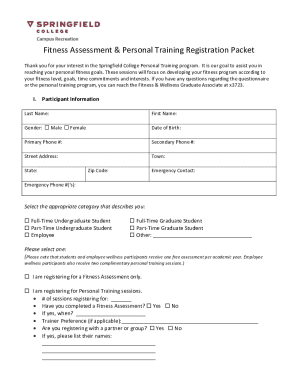
The Springfield College Fitness Assessment Personal Training is a specialized form used by prospective personal training clients to assess their fitness levels and objectives.
pdfFiller scores top ratings on review platforms




Who needs Springfield College Fitness Assessment Personal Training?
Explore how professionals across industries use pdfFiller.

Springfield College Fitness Assessment Personal Training is needed by:
-
Individuals seeking personal training services
-
Fitness enthusiasts wanting to start a training program
-
Students at Springfield College interested in personal training
-
New clients looking to evaluate their fitness goals
-
People recovering from injuries needing personalized fitness assessments
Comprehensive Guide to Springfield College Fitness Assessment Personal Training
What is the Springfield College Fitness Assessment Personal Training?
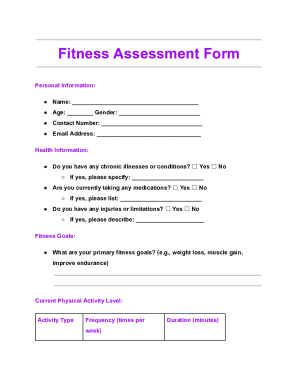
The Springfield College Fitness Assessment Personal Training form is a comprehensive tool designed to evaluate an individual's fitness levels. This form encompasses key fitness measurements and personal data that are crucial for personal trainers and their clients. It emphasizes the importance of evaluating fitness levels to tailor training programs more effectively. Additionally, this assessment is affiliated with Springfield College, enhancing its credibility in the realm of fitness training.
Purpose and Benefits of the Springfield College Fitness Assessment Personal Training
The primary purpose of completing the Springfield College Fitness Assessment is to assess the initial fitness levels of individuals. This assessment directly benefits personal training by helping trainers design more personalized and effective workout routines. Long-term advantages include improved health, better fitness outcomes, and a deeper understanding of personal progress over time. By incorporating this assessment, individuals can significantly enhance their fitness journey.
Key Features of the Springfield College Fitness Assessment Personal Training
The Fitness Assessment Personal Training form includes several notable features that users should be aware of, such as:
-
Comprehensive fitness measurements that cover various health metrics.
-
Sections for personal data to tailor the assessment to individual needs.
-
Unique aspects that distinguish it from other assessments, such as fitness categories.
These features ensure that the assessment is thorough and enables effective tracking of fitness progress.
Who Needs the Springfield College Fitness Assessment Personal Training?
The target audience for the Springfield College Fitness Assessment includes personal trainers, fitness enthusiasts, students, athletes, and community members. Each of these groups can substantially benefit from the assessment. Potential clients often seek personal training assessments for insights into their fitness levels, which can influence their training decisions and outcomes.
Eligibility Criteria for the Springfield College Fitness Assessment Personal Training
Eligibility for the Springfield College Fitness Assessment requires consideration of several factors:
-
Age and overall health status.
-
Potential certifications required to partake in the assessment.
-
Institutional requirements that may differentiate between college students and community members.
Recommendations or referrals may be needed depending on specific circumstances.
How to Fill Out the Springfield College Fitness Assessment Personal Training Online (Step-by-Step)
To complete the Springfield College Fitness Assessment form online, follow these step-by-step instructions:
-
Access the form through pdfFiller.
-
Fill in your personal data accurately in the designated fields.
-
Provide all required fitness measurements and details as prompted.
-
Review your entries for accuracy.
-
Submit the form once all fields are completed.
Pay particular attention to sections requiring detailed fitness data to ensure the assessment is thorough.
Common Errors and How to Avoid Them
While completing the fitness assessment form, users may encounter common errors, including:
-
Inaccurate personal data entries.
-
Omitting required fields that may confuse submission.
To avoid these pitfalls, it is essential to thoroughly review all entries for accuracy before submission. Double-checking your work can significantly reduce mistakes.
Submitting the Springfield College Fitness Assessment Personal Training
Users have various submission methods available for the Springfield College Fitness Assessment:
-
Online submission via the pdfFiller platform.
-
In-person submissions at designated locations.
After submission, you will receive a confirmation, and processing time will be communicated. It is advisable to inquire about follow-up procedures to track your submission's status.
Security and Privacy for Your Fitness Assessment Personal Training
Your security and privacy during the Springfield College Fitness Assessment process are paramount. pdfFiller implements robust security measures, such as:
-
256-bit encryption to protect your data.
-
Compliance with SOC 2 Type II and HIPAA regulations.
It is crucial to be aware of privacy policies regarding user data to ensure the safety of your sensitive information during form submission.
Enhance Your Fitness Journey with pdfFiller
Utilizing pdfFiller for completing your Springfield College Fitness Assessment form can lead to a seamless experience. The platform allows for easy editing and submission of forms. Additionally, it provides features that support various fitness documentation needs, making the assessment process not only efficient but enjoyable. Start your fitness assessment journey online with the tools available through pdfFiller.
How to fill out the Springfield College Fitness Assessment Personal Training
-
1.To access the Springfield College Fitness Assessment Personal Training form, visit pdfFiller and search for the form by its official name.
-
2.Click on the form title to open it in the pdfFiller interface, where you will see a preview of the document on the screen.
-
3.Before completing the form, gather necessary information regarding your current fitness level and relevant health history to ensure accurate assessment.
-
4.Navigate through the form fields, which will be highlighted for your convenience, and enter your information in the designated areas.
-
5.Utilize pdfFiller's tools to adjust fonts, add text, or checkboxes as necessary, ensuring all fields are completed thoroughly.
-
6.After filling in your details, review the entire form for any errors or missing information to confirm everything is accurate.
-
7.Finalize the form by clicking the save option, which will securely save your progress and allow you to access it later.
-
8.If you wish to submit the form, select the option to download or send it through pdfFiller’s submission methods, ensuring that you comply with any additional requirements.

Who is eligible to fill out the Springfield College Fitness Assessment form?
This form is intended for individuals seeking personal training services, especially those who are students or members affiliated with Springfield College.
Is there a deadline for submitting the fitness assessment form?
While there may not be a strict deadline, it is beneficial to complete the form before starting any personal training program to ensure effective training plans.
How do I submit the completed form?
After completing the Springfield College Fitness Assessment form on pdfFiller, you can submit it through email or download it for personal records, depending on your preference.
What supporting documents do I need when filling out the form?
Typically, no additional documents are required; however, having information about your fitness history and health could be helpful to complete the assessment accurately.
What are common mistakes to avoid when filling out this form?
Ensure all fields are filled out completely and accurately to avoid processing delays. Double-check that your contact information is correct and up to date.
How long does it take to process the completed fitness assessment form?
Processing times may vary, but once submitted, expect feedback from personal training staff within a few days regarding your fitness assessment results.
What if I need to make changes after submitting the form?
If you need to make changes after submission, contact the personal training department promptly to discuss your options for updating your assessment information.
Related Content
Related Forms




Related Catalogs
Get the latest insights from our blog


If you believe that this page should be taken down, please follow our DMCA take down process
here
.
This form may include fields for payment information. Data entered in these fields is not covered by PCI DSS compliance.