IRS W-12 2012 free printable template



Get, Create, Make, and Sign IRS W-12



Instructions and Help about IRS W-12
How to edit IRS W-12
How to fill out IRS W-12
About IRS W-12 2012 previous version
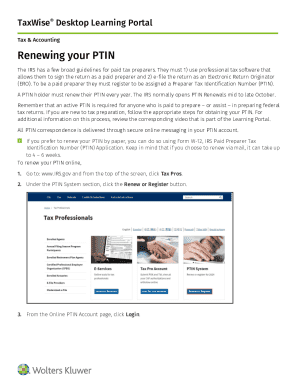
What is IRS W-12?
Who needs the form?
Components of the form
What information do you need when you file the form?
Where do I send the form?
What is the purpose of this form?
When am I exempt from filling out this form?
What are the penalties for not issuing the form?
Is the form accompanied by other forms?
FAQ about IRS W-12
What should I do if I realize I've made a mistake after submitting the 2012 w 12 form?
If you discover an error after submitting the 2012 w 12 form, you can correct it by filing an amended form. Make sure to include any necessary explanations regarding the corrections to ensure clarity with the IRS.
How can I verify that my 2012 w 12 form has been received and is being processed?
To verify the receipt and processing status of your 2012 w 12 form, you can use the online IRS tracking tool. It is advisable to keep your submission confirmation for reference until the processing is complete.
What should I do if my e-filed 2012 w 12 form gets rejected?
If your e-filed 2012 w 12 form is rejected, review the rejection codes provided by the IRS. Most rejections can be resolved by correcting the highlighted issues and resubmitting the form promptly.
Are there any specific legal or operational nuances I should be aware of when filing the 2012 w 12 form?
Yes, when filing the 2012 w 12 form, consider the acceptability of e-signatures based on IRS guidelines and ensure compliance with data privacy regulations. Additionally, maintaining a record retention period is critical for safeguarding your information.
What common errors should I look out for when completing the 2012 w 12 form?
Common errors when completing the 2012 w 12 form include incorrect taxpayer identification numbers and mismatched amounts. To avoid issues, double-check all entries against your documentation before submitting the form.








How to Fill Out Small Business Tax Forms Online with pdfFiller
Struggling with your Schedule C or not sure how to file business taxes as a sole proprietor, LLC, or self-employed professional? This step-by-step pdfFiller tutorial walks you through completing IRS Schedule C quickly and accurately — no printing, no scanning, no stress. Whether you're handling small business tax deductions, tracking self-employed taxes, or preparing your full business tax return, pdfFiller makes it simple right in your browser.