
Last updated on
Sep 20, 2026

Associated Bank Direct Deposit 2012 free printable template
pdfFiller is not affiliated with any government organization

Fill out
Complete the form online in a simple drag-and-drop editor.

eSign
Add your legally binding signature or send the form for signing.

Share
Share the form via a link, letting anyone fill it out from any device.

Export
Download, print, email, or move the form to your cloud storage.
Why pdfFiller is the best tool for your documents and forms


End-to-end document management
From editing and signing to collaboration and tracking, pdfFiller has everything you need to get your documents done quickly and efficiently.
Accessible from anywhere
pdfFiller is fully cloud-based. This means you can edit, sign, and share documents from anywhere using your computer, smartphone, or tablet.
Secure and compliant
pdfFiller lets you securely manage documents following global laws like ESIGN, CCPA, and GDPR. It's also HIPAA and SOC 2 compliant.
What is Associated Bank Direct Deposit
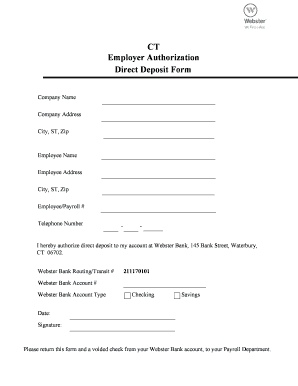
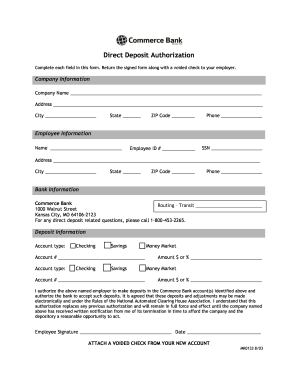
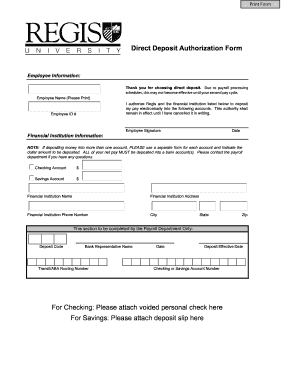
The Direct Deposit Authorization Form is a type of employment document used by employees to authorize their employer to initiate or modify the direct deposit of their payroll.
pdfFiller scores top ratings on review platforms




Who needs Associated Bank Direct Deposit?
Explore how professionals across industries use pdfFiller.

Associated Bank Direct Deposit is needed by:
-
Employees needing direct deposit setup or changes
-
Joint account holders who must authorize deposits
-
Notary publics for notarizing the authorization
-
Payroll administrators for processing payroll deposits
-
Employers implementing direct deposit policies
Comprehensive Guide to Associated Bank Direct Deposit
What is the Direct Deposit Authorization Form?
The Direct Deposit Authorization Form is a critical document utilized by employees to authorize their employers to deposit wages directly into a bank account. This form is essential in payroll processing as it streamlines the payment method, ensuring timely and secure transactions for employees. It is also commonly referred to as the employee direct deposit form, highlighting its primary purpose for payroll management.
Purpose and Benefits of the Direct Deposit Authorization Form
The Direct Deposit Authorization Form serves multiple purposes, allowing employees to set up a convenient and reliable payment method. By using this form, employees benefit from the safety associated with direct deposits, minimizing the risk of lost or stolen checks. Additionally, it simplifies the payroll process for both employees and employers, promoting efficiency in financial operations.
Key Features of the Direct Deposit Authorization Form
This form encompasses several key features that facilitate its effective use:
-
Required information, including employer details and banking information
-
Explicit instructions for filling out the form accurately
-
Importance of obtaining signatures from all involved parties
These elements are necessary to ensure the document’s validity and compliance with employer policies.
Who Needs to Complete the Direct Deposit Authorization Form?
Various stakeholders may need to complete the Direct Deposit Authorization Form. Typically, this includes:
-
Employees starting new employment
-
Joint account holders who require shared access to the funds
-
Notaries ensuring the form is properly validated
This form is essential in situations where employees need to either initiate or modify their direct deposit arrangements.
How to Fill Out the Direct Deposit Authorization Form Online
Filling out the Direct Deposit Authorization Form online can be accomplished with a few simple steps:
-
Access the form through a PDF editor like pdfFiller.
-
Enter all necessary fields, including account numbers and routing information.
-
Review your entries for accuracy and completeness.
-
Provide signatures where required.
To avoid common mistakes, pay attention to key fields, ensuring all entries are correct before submission.
Signing and Notarization Requirements for the Direct Deposit Authorization Form
When it comes to signatures and notarization, understanding the requirements is crucial. Employers may differentiate between wet signatures and digital signatures based on their policies:
-
Wet signatures may be necessary for certain legal requirements.
-
Digital signatures provide a convenient alternative, depending on the employer's acceptance.
-
Notarization is required in specific circumstances to validate the document.
All signatures from involved parties are significant for the form's acceptance and processing.
Where and How to Submit the Direct Deposit Authorization Form
Submitting the Direct Deposit Authorization Form can be done through various methods:
-
Online submission via a designated platform
-
In-person delivery to the HR department
-
Mailing the document to the appropriate office
Be aware of important deadlines and processing times, which can vary by employer, to ensure timely setup of your direct deposit.
What Happens After You Submit the Direct Deposit Authorization Form?
After submitting the form, it is important to understand the following next steps:
-
Confirmation processes may be in place to track the status of your submission.
-
Expect a timeline of four to six weeks for direct deposit implementation following approval.
Familiarizing yourself with common rejection reasons can also help avoid future issues.
Security and Compliance for the Direct Deposit Authorization Process
Data security is paramount when handling the Direct Deposit Authorization Form. Key security measures include:
-
Implementation of encryption to protect sensitive information
-
Adherence to compliance standards such as HIPAA and GDPR
-
Focus on privacy to protect employee data during the sharing process
These practices are essential for maintaining the integrity of submitted information.
Empower Yourself with pdfFiller to Simplify Your Direct Deposit Authorization Process
Utilizing pdfFiller can enhance your experience with the Direct Deposit Authorization Form. This platform offers:
-
User-friendly tools for filling and signing forms efficiently
-
Enhanced security features for document management
-
Accessible solutions for managing authorization processes
Taking advantage of these capabilities can streamline your direct deposit setup and ensure the protection of your information throughout the process.
How to fill out the Associated Bank Direct Deposit
-
1.To begin, visit pdfFiller and search for the Direct Deposit Authorization Form.
-
2.Once the form is open, navigate through the fillable fields, starting with the employer's name and address.
-
3.Gather essential information prior to filling out the form, including your bank's routing number and your account number.
-
4.Carefully fill in fields like 'City', 'State', and 'ZIP code' using the instructions provided.
-
5.Ensure you'll need to provide signatures from both the employee and any joint account holders involved.
-
6.If your employer requires it, have the form notarized by a certified notary public after all signatures are completed.
-
7.Once all fields are filled, double-check the form for any errors or missing information.
-
8.Review the completed form thoroughly, ensuring all information is accurate and complete.
-
9.To finalize, save your work, and download the form as a PDF file.
-
10.You may then submit it to your employer through email or in person according to their submission guidelines.

Who needs to fill out the Direct Deposit Authorization Form?
Employees wishing to set up or change their direct deposit information must fill out this form. Joint account holders may also need to provide their signatures, and notarization is required in some cases.
What is the typical processing time for direct deposit changes?
Once the Direct Deposit Authorization Form is submitted, the first payroll deposit is expected within four to six weeks, depending on the employer's processing policies and bank procedures.
Do I need to provide any additional documents with the form?
Typically, you will need to provide proof of your bank account details, such as a voided check or your bank statement, although specific requirements may vary by employer.
What happens if I make a mistake on the form?
If you make an error, you should correct it as soon as possible. It's best to keep a copy of the original submission and inform your employer immediately to rectify the mistake.
Can I submit the form electronically?
Yes, many employers now accept electronic submissions of the Direct Deposit Authorization Form, especially if you are using a PDF editor like pdfFiller. Confirm with your employer's policy.
What should I do if I don’t receive my first direct deposit?
If the first direct deposit does not appear as expected, contact your employer's payroll department immediately to investigate the issue and ensure your authorization was processed.
Is notarization mandatory for this form?
Notarization of the Direct Deposit Authorization Form is contingent upon your employer's policies. Ensure to check if it's required in your situation.
Associated Bank Direct Deposit Form Versions
Related Forms

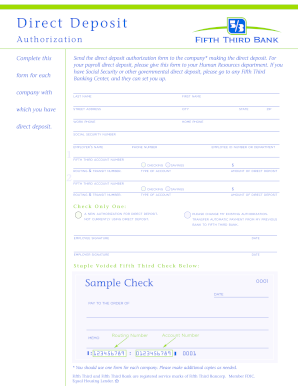
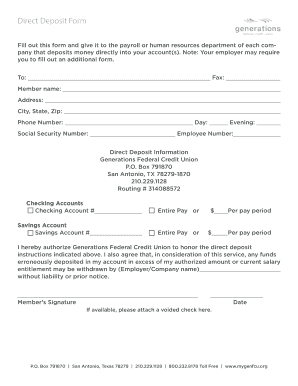

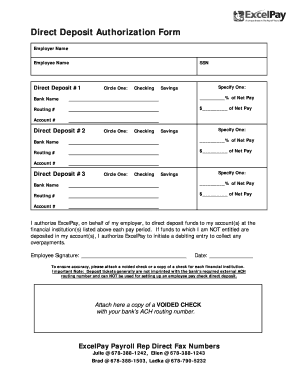

Get the latest insights from our blog


If you believe that this page should be taken down, please follow our DMCA take down process
here
.
This form may include fields for payment information. Data entered in these fields is not covered by PCI DSS compliance.