
Last updated on
Oct 2, 2026

Get the free UMN Vacation/Business Travel/Sick Leave Notification Form
We are not affiliated with any brand or entity on this form

Fill out
Complete the form online in a simple drag-and-drop editor.

eSign
Add your legally binding signature or send the form for signing.

Share
Share the form via a link, letting anyone fill it out from any device.

Export
Download, print, email, or move the form to your cloud storage.
Why pdfFiller is the best tool for your documents and forms


End-to-end document management
From editing and signing to collaboration and tracking, pdfFiller has everything you need to get your documents done quickly and efficiently.
Accessible from anywhere
pdfFiller is fully cloud-based. This means you can edit, sign, and share documents from anywhere using your computer, smartphone, or tablet.
Secure and compliant
pdfFiller lets you securely manage documents following global laws like ESIGN, CCPA, and GDPR. It's also HIPAA and SOC 2 compliant.
What is UMN Leave Notification Form
The UMN Vacation/Business Travel/Sick Leave Notification Form is a document used by academic employees at the University of Minnesota to notify administrative personnel of planned vacation, business travel, or sick leave.
pdfFiller scores top ratings on review platforms




Who needs UMN Leave Notification Form?
Explore how professionals across industries use pdfFiller.

UMN Leave Notification Form is needed by:
-
Academic employees at the University of Minnesota
-
Supervisors responsible for employee management
-
Human Resources personnel within the university
-
Department administrative staff managing employee leaves
-
Employees needing to document vacation or sick leave time
Comprehensive Guide to UMN Leave Notification Form
What is the UMN Vacation/Business Travel/Sick Leave Notification Form?
The UMN Vacation/Business Travel/Sick Leave Notification Form is an essential document used by academic employees at the University of Minnesota to inform supervisors and administrative personnel of scheduled absences. This form encompasses multiple types of notifications, including vacation, business travel, and sick leave, ensuring that proper procedures are followed within the university setting.
All academic employees should be aware of the importance of utilizing this form for documenting their time away, as it directly impacts scheduling and resource management across departments.
Purpose and Benefits of the UMN Vacation/Business Travel/Sick Leave Notification Form
Notifying supervisors and administrative staff through the UMN Vacation/Business Travel/Sick Leave Notification Form is vital for maintaining a smooth workflow. This form facilitates effective scheduling by allowing departments to plan resources appropriately during employee absences.
Utilizing this form helps in ensuring that all academic employee leave is documented, which, in turn, supports compliance with institutional policies and promotes accountability among staff members.
Key Features of the UMN Vacation/Business Travel/Sick Leave Notification Form
The UMN Notification Form consists of several key sections designed to capture pertinent information effectively. Each form includes important fields such as:
-
Name of the employee
-
Employee ID
-
Requested dates of absence
-
Duration and type of leave
-
Signature lines for both employee and supervisor
The requirement for signatures ensures that both the employee and their supervisor acknowledge the leave request, establishing a clear communication line regarding absences.
Who Needs the UMN Vacation/Business Travel/Sick Leave Notification Form?
This form is primarily targeted at academic employees within the University of Minnesota. Each individual in an academic role who plans to take time off for vacation, business travel, or sick leave is required to complete this notification form.
Supervisors play a pivotal role in the approval and oversight of these leave requests, contributing to the effective management of departmental resources and personnel planning.
Information You’ll Need to Gather Before Completing the Form
Before starting to fill out the UMN Notification Form, it’s essential to gather specific details to ensure a smooth application process. Required information includes:
-
Start and end dates of the leave
-
Total duration of absence
-
Destination for business travel, if applicable
-
Plans for managing missed lectures or responsibilities
This preparatory step is crucial for providing all necessary details at once, which can expedite the review process.
How to Fill Out the UMN Vacation/Business Travel/Sick Leave Notification Form Online
Filling out the UMN Notification Form online using pdfFiller is straightforward. Here’s how to proceed:
-
Access the form via the pdfFiller platform.
-
Complete each field accurately, including personal information and details of the leave.
-
Add necessary signatures for both the employee and supervisor.
-
Review all entries to ensure accuracy before submitting.
Each field is clearly labeled to facilitate ease of completion, making the online experience user-friendly and efficient.
How to Submit the UMN Vacation/Business Travel/Sick Leave Notification Form
Once you have filled out the UMN Notification Form, it is essential to submit it correctly. The submission process includes:
-
Using the online portal on pdfFiller for immediate submission
-
Choosing alternative delivery options, such as email or postal service, if necessary
-
Requesting an acknowledgment of receipt from the supervisor
Submitting the form accurately ensures that your leave request is reviewed promptly and properly documented.
Security and Compliance When Filling Out the UMN Notification Form
When using pdfFiller to complete the UMN Notification Form, your information is safeguarded by robust security measures including 256-bit encryption. Compliance with HR standards is ensured, protecting the privacy of personal and sensitive information.
Users can trust that their data remains secure while fulfilling the requirements for academic employee leave documentation.
What Happens After You Submit the UMN Vacation/Business Travel/Sick Leave Notification Form?
After submission, the form will be reviewed by the supervisor. Common outcomes include:
-
Approval of the leave request
-
Request for additional information
-
Denial with a reason provided
Employees can track the status of their submission and are encouraged to follow up if they do not receive feedback within a reasonable timeframe.
Leverage pdfFiller for Your Form Completion Needs
Utilizing pdfFiller for completing the UMN Notification Form brings numerous advantages. Its platform allows users to easily edit, sign, and share documents, streamlining the form-filling process.
By taking advantage of pdfFiller’s features, including secure eSigning and conversion options, users can enhance their overall efficiency while ensuring compliance with university procedures.
How to fill out the UMN Leave Notification Form
-
1.Access the UMN Vacation/Business Travel/Sick Leave Notification Form by navigating to the University of Minnesota’s official forms page and locating the specific form on pdfFiller.
-
2.Once on pdfFiller, open the form by clicking the provided link and utilize the fillable fields on the PDF document.
-
3.Prepare to complete the form by gathering necessary information such as your planned vacation start and end dates, the number of hours or days you plan to take, your travel destination, and any arrangements for covering missed lectures.
-
4.Begin filling in the form by entering your name and Employee ID in the designated fields. Ensure all information is accurate.
-
5.Continue by specifying your leave type, choosing between vacation, business travel, or sick leave. Use the checkboxes provided to mark your choice.
-
6.After entering all details, navigate to the sections requiring your signature and the supervisor’s signature. These areas must be completed to validate your submission.
-
7.Double-check each field to confirm all information is correctly filled out. Look over the entire form for any missed sections before moving to the final steps.
-
8.Once satisfied with your form, save it on pdfFiller to prevent loss of data. You can also download the completed form as a PDF to your device.
-
9.If required, submit the form by following the submission guidelines established by your department or supervisor. This might involve emailing the document or uploading it through a designated portal.

Who is eligible to fill out the UMN Vacation/Business Travel/Sick Leave Notification Form?
Academic employees at the University of Minnesota who plan to take vacation, go on business travel, or report sick leave are eligible to fill out this form.
What information do I need to gather before filling out the form?
Before completing the UMN Notification Form, gather details about your leave, including start and end dates, hours or days off, travel destination, and arrangements for covering missed lectures.
How do I submit the completed form?
The completed form can typically be submitted via email or uploaded through your department's system as per your supervisor's instructions. Always confirm the submission process with your supervisor.
Is this form a leave authorization form?
No, the UMN Vacation/Business Travel/Sick Leave Notification Form is used solely for record-keeping and quality control purposes, not as an authorization to take leave.
What are common mistakes to avoid when filling out the form?
Common mistakes include forgetting to enter required information, not checking the right leave type, and leaving signature fields blank. Ensure all sections are completed and reviewed.
What happens after I submit my form?
Once you submit your form, it will be reviewed by your supervisor or administrative staff for record-keeping. Processing times may vary, so follow up if you don’t receive confirmation.
Are there any fees associated with submitting this form?
Submitting the UMN Vacation/Business Travel/Sick Leave Notification Form does not typically involve any fees. However, check with your department for any specific processes.
Related Content
Related Forms

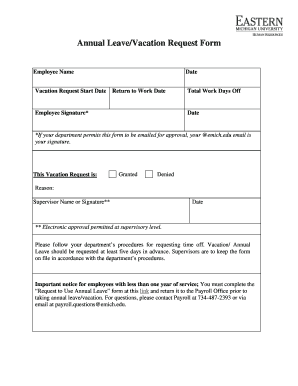


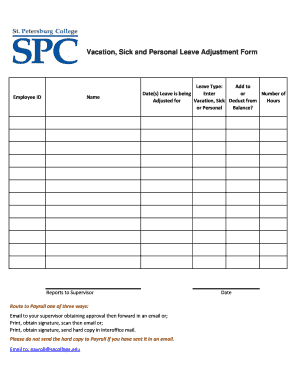


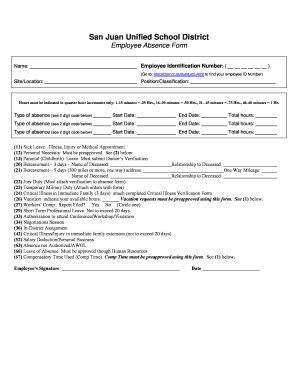


Related Catalogs
Get the latest insights from our blog


If you believe that this page should be taken down, please follow our DMCA take down process
here
.
This form may include fields for payment information. Data entered in these fields is not covered by PCI DSS compliance.