
Last updated on
Nov 6, 2026

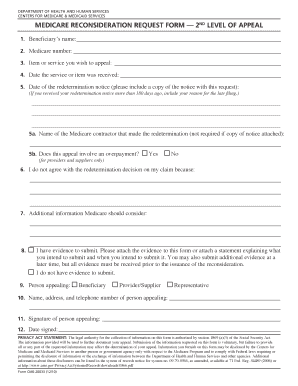
Novitas Solution FP1000 2015 free printable template
pdfFiller is not affiliated with any government organization

Fill out
Complete the form online in a simple drag-and-drop editor.

eSign
Add your legally binding signature or send the form for signing.

Share
Share the form via a link, letting anyone fill it out from any device.

Export
Download, print, email, or move the form to your cloud storage.
Why pdfFiller is the best tool for your documents and forms


End-to-end document management
From editing and signing to collaboration and tracking, pdfFiller has everything you need to get your documents done quickly and efficiently.
Accessible from anywhere
pdfFiller is fully cloud-based. This means you can edit, sign, and share documents from anywhere using your computer, smartphone, or tablet.
Secure and compliant
pdfFiller lets you securely manage documents following global laws like ESIGN, CCPA, and GDPR. It's also HIPAA and SOC 2 compliant.
What is Novitas Solution FP1000
The 19633 Medicare Part A Redetermination Form is a healthcare document used by providers to request a review or correction of a Medicare claim.
pdfFiller scores top ratings on review platforms




Who needs Novitas Solution FP1000?
Explore how professionals across industries use pdfFiller.

Novitas Solution FP1000 is needed by:
-
Healthcare providers handling Medicare claims
-
Billing specialists involved in claim adjustments
-
Medical administrative staff requiring claim corrections
-
Providers seeking to appeal Medicare decisions
-
Healthcare organizations processing Medicare appeals
Comprehensive Guide to Novitas Solution FP1000
What is the 19633 Medicare Part A Redetermination Form?
The 19633 Medicare Part A Redetermination Form serves a significant role in the Medicare claims process. It allows healthcare providers to appeal decisions regarding Medicare claims by submitting a redetermination request. This form is essential for correcting errors and ensuring accurate reimbursements for medical services provided.
By utilizing the 19633 Medicare Part A form, providers can promptly address discrepancies in claims, fostering an efficient healthcare environment. The form includes critical information necessary for the appeal process, making it a vital tool for healthcare practitioners.
Purpose and Benefits of the 19633 Medicare Part A Redetermination Form
The primary purpose of the 19633 Medicare Part A Redetermination Form is to facilitate the correction of clerical errors in Medicare claims. Healthcare providers benefit from using this form as it helps in maintaining revenue flow by rectifying issues that may previously lead to denied claims.
Timely filing of the redetermination request is crucial for maintaining continuous patient care and ensuring that providers receive appropriate compensation for their services. Patients and healthcare providers alike benefit from this effective communication and correction tool.
Key Features of the 19633 Medicare Part A Redetermination Form
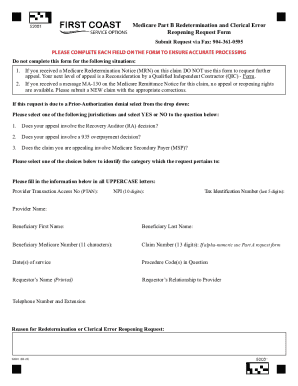
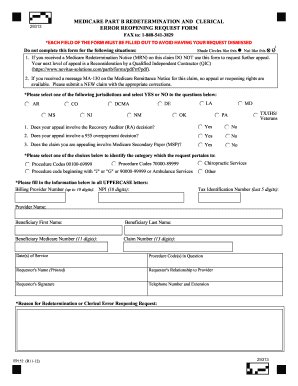
This form is designed to streamline the submission process through various features. It includes fillable fields and checkboxes that allow for a straightforward completion experience. Additionally, the form requires essential information such as the Provider Transaction Access Number (PTAN), National Provider Identifier (NPI), and beneficiary details.
These features are geared towards enhancing the usability of the healthcare provider form, ensuring that all necessary data is captured accurately to expedite the redetermination request process.
Who Needs the 19633 Medicare Part A Redetermination Form?
The 19633 Medicare Part A Redetermination Form is primarily used by healthcare providers who seek to appeal Medicare claim decisions. Professionals such as doctors, hospitals, and other medical facilities can submit this form under specific circumstances.
A redetermination request is valid for providers who have experienced claim denials or wish to correct clerical mistakes affecting reimbursements. Understanding the eligibility criteria helps ensure that only valid requests are submitted.
How to Fill Out the 19633 Medicare Part A Redetermination Form Online
Completing the 19633 Medicare Part A Redetermination Form online involves several steps. First, access the form through a reliable platform. Next, fill in the required fields, including PTAN, NPI, and beneficiary details. Ensure each section is accurately completed to avoid common mistakes that could delay processing.
Taking the time to review the form for completeness and accuracy before submission is crucial, as errors can result in rejection or delays in the review process.
Required Documents for the 19633 Medicare Part A Redetermination
When submitting the 19633 Medicare Part A Redetermination Form, several supporting documents must accompany it. These documents help justify the request and provide necessary context for the appeal.
-
Billing statements related to the denied claim.
-
Patient medical records pertinent to the services rendered.
-
Documentation of prior communications with Medicare regarding the claim.
Creating a pre-filing checklist can assist applicants in gathering all necessary materials to ensure a smooth submission process.
Submitting the 19633 Medicare Part A Redetermination Form
Submitting the 19633 Medicare Part A Redetermination Form can be done through various methods. Providers can file the form online, send it via mail, or utilize other official submission channels as specified by Medicare guidelines.
It is essential to keep track of your submission, including confirming that it has been received. This ensures that the claim is processed efficiently and helps monitor the timeline for eventual reimbursement.
What Happens After You Submit the 19633 Medicare Part A Redetermination Form
Once the 19633 Medicare Part A Redetermination Form is submitted, the processing timeline can vary. Generally, applicants can expect to receive updates regarding the status of their submission within a few weeks.
Healthcare providers should know how to check the application status and be aware of common rejection reasons, which can include missing information or failure to comply with submission guidelines.
Security and Compliance When Filing the 19633 Medicare Part A Redetermination Form
When filing the 19633 Medicare Part A Redetermination Form, it’s vital to address concerns regarding privacy and data protection. Compliance with regulations such as HIPAA and GDPR is crucial in handling sensitive patient information.
Using platforms like pdfFiller to complete and submit the form can enhance security, as it employs robust measures such as 256-bit encryption to protect user data throughout the process.
Get Started with pdfFiller to Complete Your 19633 Medicare Part A Redetermination Form
pdfFiller offers an accessible platform for healthcare providers to efficiently manage the 19633 Medicare Part A Redetermination Form. The user-friendly interface enables easy form filling and editing capabilities.
By utilizing pdfFiller, providers can leverage features such as eSigning, saving, and sharing documents seamlessly, ensuring a stress-free experience when addressing Medicare redetermination requests.
How to fill out the Novitas Solution FP1000
-
1.Access the 19633 Medicare Part A Redetermination Form on pdfFiller by searching its title in the provided search bar.
-
2.Open the form by clicking on it, ensuring you have the necessary permissions to edit.
-
3.Before filling out the form, gather essential information including the provider's PTAN, NPI, and the beneficiary's details.
-
4.Use the pdfFiller interface to click on each field and begin entering the collected data accurately.
-
5.For checkboxes, simply click to select the appropriate options indicated in the form as you proceed.
-
6.Pay close attention to any instructions or additional questions listed to ensure full compliance with the requirements.
-
7.Review all entered information thoroughly to confirm its accuracy and completeness before finalizing the form.
-
8.Utilize the 'Save' function to ensure your progress is not lost during the filling process.
-
9.Once completed, download the form in your preferred format, or submit directly through pdfFiller by clicking the submit button.

Who is eligible to use the 19633 Medicare Part A Redetermination Form?
Healthcare providers, such as physicians or billing departments, who wish to appeal a decision on a Medicare claim are eligible to use this form.
What is the deadline for submitting the Medicare redetermination request?
It's crucial to submit your redetermination request within 120 days from the date of the initial determination by Medicare for timely processing.
How should I submit the completed 19633 form?
You can submit the completed form either online through pdfFiller or by mailing it to the appropriate Medicare administrative contractor. Check guidelines for the correct submission address.
What supporting documents do I need to include with the form?
While the 19633 form itself captures the necessary details, including any additional documentation that justifies your appeal, such as prior claim records, can improve your case.
What are some common mistakes when filling out the form?
Common mistakes include omitting required fields, providing incorrect patient information, or failing to sign the form. Review all sections carefully before submission.
How long does it typically take to process the appeal?
Processing times may vary, but expect about 60 days for Medicare to review and respond to your redetermination request.
What if I face issues while completing the form on pdfFiller?
If you encounter any issues, refer to pdfFiller's help section or customer support for assistance with navigating the form and technical problems.
Novitas Solution FP1000 Form Versions
Related Forms





Get the latest insights from our blog


If you believe that this page should be taken down, please follow our DMCA take down process
here
.
This form may include fields for payment information. Data entered in these fields is not covered by PCI DSS compliance.