
Last updated on
Nov 17, 2026
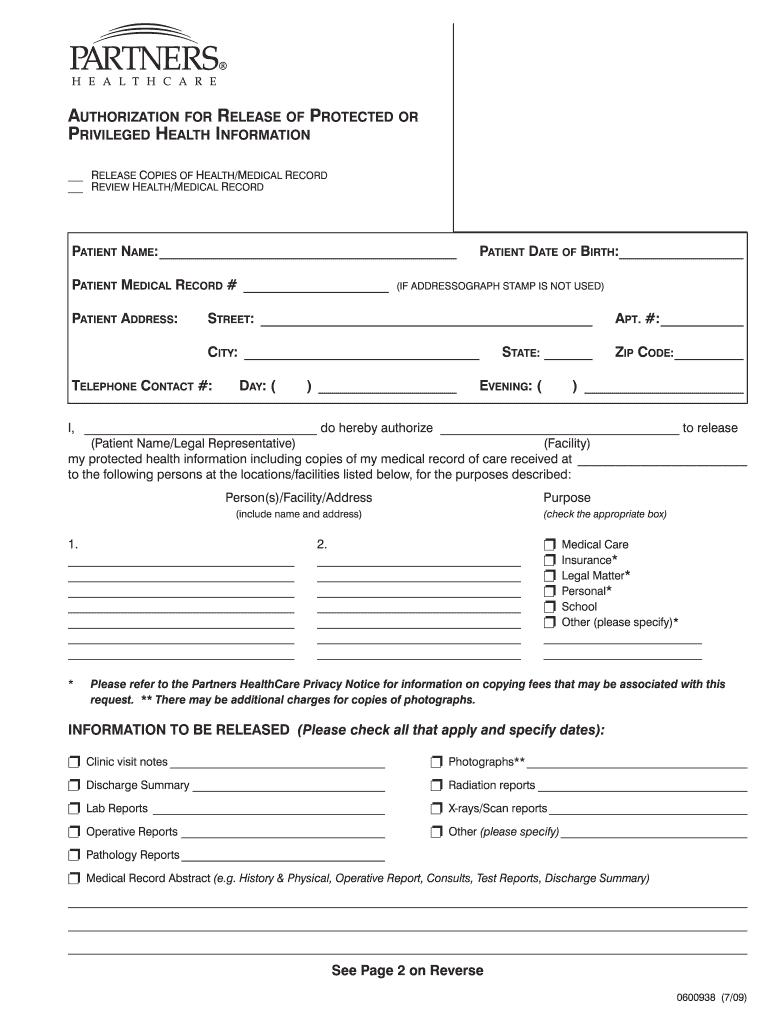
Partners Healthcare 0600938 2009-2026 free printable template
pdfFiller is not affiliated with any government organization

Fill out
Complete the form online in a simple drag-and-drop editor.

eSign
Add your legally binding signature or send the form for signing.

Share
Share the form via a link, letting anyone fill it out from any device.

Export
Download, print, email, or move the form to your cloud storage.
Why pdfFiller is the best tool for your documents and forms


End-to-end document management
From editing and signing to collaboration and tracking, pdfFiller has everything you need to get your documents done quickly and efficiently.
Accessible from anywhere
pdfFiller is fully cloud-based. This means you can edit, sign, and share documents from anywhere using your computer, smartphone, or tablet.
Secure and compliant
pdfFiller lets you securely manage documents following global laws like ESIGN, CCPA, and GDPR. It's also HIPAA and SOC 2 compliant.
What is Partners Healthcare 0600938
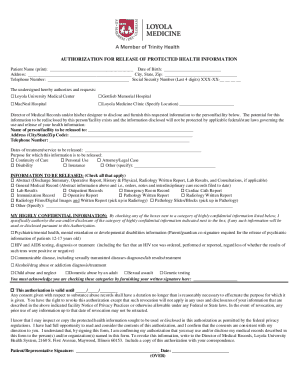
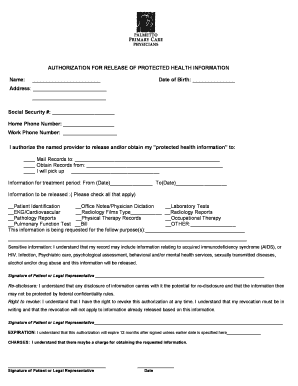
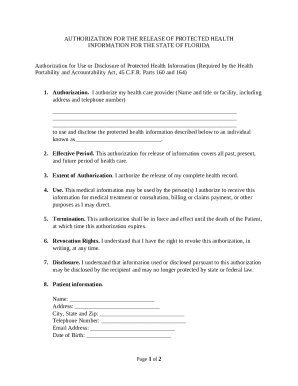
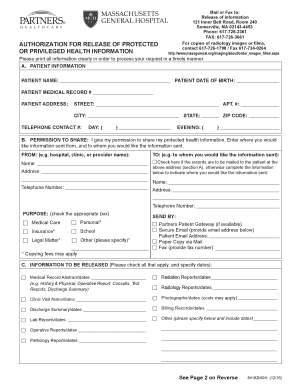
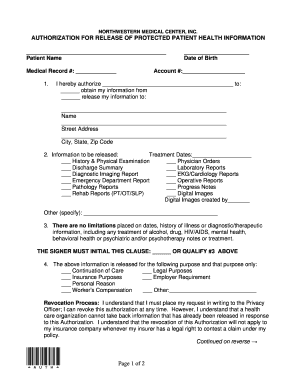
The Authorization for Release of Protected Health Information is a legal document used by patients to grant permission for the release of their medical records.
pdfFiller scores top ratings on review platforms




Who needs Partners Healthcare 0600938?
Explore how professionals across industries use pdfFiller.

Partners Healthcare 0600938 is needed by:
-
Patients needing to share health information for treatment.
-
Legal representatives handling medical-related cases.
-
Healthcare providers requesting patient consent for information sharing.
-
Insurance companies requiring medical records for claims.
-
Attorneys needing access to medical records for legal matters.
Comprehensive Guide to Partners Healthcare 0600938
What is the Authorization for Release of Protected Health Information?
The Authorization for Release of Protected Health Information is a crucial form in healthcare that allows patients to grant permission for the release of their medical records. This form is designed specifically for sharing health information with certain individuals or entities for various purposes, including medical care and legal needs. Obtaining patient consent is vital for the release of medical records, ensuring that patients maintain control over their sensitive data. The form must be signed by the patient or, if necessary, by a legal representative.
Purpose and Benefits of the Authorization for Release of Protected Health Information
This patient authorization form serves multiple important purposes. It facilitates the sharing of health information necessary for coordinating medical care and handling insurance claims. The key benefits for patients include enhanced control over their own health information and strengthened privacy protections. By using a properly completed release of medical information, patients can ensure their health details are shared securely, supporting their ongoing care and treatment needs.
Who Needs the Authorization for Release of Protected Health Information?
Both patients and legal representatives are involved in the authorization process for this healthcare consent form. Various situations necessitate the use of this form, such as when a patient seeks care from a different provider or requires medical information for legal purposes. It’s important to clarify the eligibility criteria for signing the form to ensure compliance with legal requirements.
How to Fill Out the Authorization for Release of Protected Health Information Online (Step-by-Step)
To complete the Authorization for Release of Protected Health Information using pdfFiller, follow these steps:
-
Open pdfFiller and locate the form.
-
Enter your name, date of birth, and medical record number in the required fields.
-
Specify the type of health information you wish to release.
-
Indicate the purpose of the release and identify the recipients of the information.
-
Review all provided information for accuracy.
-
Sign the form either electronically or by printing it out and signing manually.
Using pdfFiller’s online tools creates a simplified experience that ensures compliance and accuracy in completing your health information release.
Common Errors and How to Avoid Them When Filling Out the Form
While filling out the medical records authorization form, be aware of these common errors:
-
Failing to include required signatures.
-
Providing incorrect or incomplete information.
-
Neglecting to specify the purpose of the information release.
To rectify these issues, double-check each section for completeness before submission and validate all entries to ensure compliance with requirements. A thorough review can prevent delays in processing your request.
Submission Methods for the Authorization for Release of Protected Health Information
After filling out the form, it is essential to submit it correctly. Here are the available options for submission:
-
Email the completed form to the designated healthcare provider.
-
Fax the form if electronic submission is not an option.
-
Deliver the form in person at the healthcare facility.
To ensure timely processing, make sure to include any required attachments and follow up on the submission status as needed.
What Happens After You Submit the Authorization for Release of Protected Health Information?
Upon submitting the authorization form, you can expect the following:
-
A confirmation of receipt from the healthcare provider.
-
Processing time which may vary based on the provider’s policies.
-
Information on how to check the status of your request.
If the authorization is rejected, knowing the potential outcomes and having procedures in place to address any issues is critical for a smooth process.
Security and Compliance for Handling Your Health Information
When handling sensitive health data, security measures are paramount. pdfFiller utilizes 256-bit encryption and complies with HIPAA regulations to protect your information. Understanding these privacy considerations is vital when choosing a platform to manage your protected health information form. Utilizing a trusted service like pdfFiller reinforces your data protection while handling essential documents securely.
Start Using pdfFiller to Simplify Your Authorization Process
pdfFiller offers unique features that enhance your experience when completing the Authorization for Release of Protected Health Information. With capabilities for easy editing and eSigning, users can streamline their document management processes. Leverage pdfFiller today to facilitate your form completion and ensure your health information is handled efficiently and securely.
How to fill out the Partners Healthcare 0600938
-
1.Access pdfFiller and search for the 'Authorization for Release of Protected Health Information' form.
-
2.Open the form in the pdfFiller editor to begin filling it out.
-
3.Gather necessary information, including your name, date of birth, medical record number, address, and phone number before starting.
-
4.Begin by entering your personal details in the designated fields; ensure names are spelled correctly.
-
5.Specify the type of health information to be released in the appropriate section.
-
6.Indicate the purpose for the release of your health information, selecting from the provided options.
-
7.List the recipients who will receive your health information, ensuring you have their contact details if necessary.
-
8.Review the form for accuracy, and ensure all fields are completed as per instructions.
-
9.Finalize your form by signing in the designated signature field, either digitally or by printing to sign later.
-
10.Save your completed form to your pdfFiller account or download it as a PDF file.
-
11.If necessary, follow submission guidelines to fax or email the form to the relevant parties.

Who is eligible to fill out this form?
This form can be filled out by patients themselves or their legally authorized representatives. Ensure that the individual completing the form has the authority to do so.
What documents do I need to submit along with this form?
Typically, you may not need to submit additional documents, but personal identification or proof of legal representation (like power of attorney) may be required in some cases.
How do I submit the completed form?
You can submit the completed Authorization for Release of Protected Health Information form via fax, email, or in person, depending on the healthcare provider's submission guidelines.
What common mistakes should I avoid while filling out this form?
Ensure all required fields are completed, spelling is correct, and that you’ve signed the form. Failing to do so can delay the process.
How long does it take for the processing of this form?
Processing times vary by organization. Typically, it can take a few days to a couple of weeks, so plan accordingly based on your needs.
Is notarization required for this form?
Notarization is not typically required for the Authorization for Release of Protected Health Information. However, check with the recipient to be sure.
What if I want to revoke the authorization later?
You can revoke the authorization at any time by submitting a written notice to the entity that received your health information. This action should specify the information and the date it was released.
Related Content
Related Forms

Get the latest insights from our blog


If you believe that this page should be taken down, please follow our DMCA take down process
here
.
This form may include fields for payment information. Data entered in these fields is not covered by PCI DSS compliance.