
Last updated on
Nov 9, 2026

MN IC 140-0163 2009 free printable template
pdfFiller is not affiliated with any government organization

Fill out
Complete the form online in a simple drag-and-drop editor.

eSign
Add your legally binding signature or send the form for signing.

Share
Share the form via a link, letting anyone fill it out from any device.

Export
Download, print, email, or move the form to your cloud storage.
Why pdfFiller is the best tool for your documents and forms


End-to-end document management
From editing and signing to collaboration and tracking, pdfFiller has everything you need to get your documents done quickly and efficiently.
Accessible from anywhere
pdfFiller is fully cloud-based. This means you can edit, sign, and share documents from anywhere using your computer, smartphone, or tablet.
Secure and compliant
pdfFiller lets you securely manage documents following global laws like ESIGN, CCPA, and GDPR. It's also HIPAA and SOC 2 compliant.
What is MN IC 140-0163
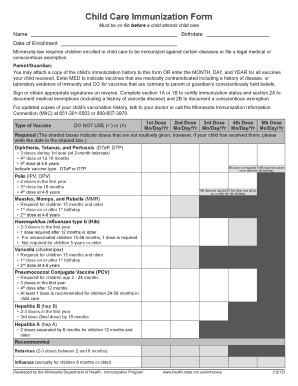
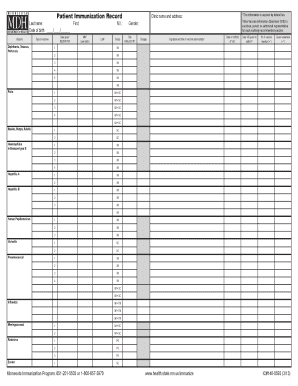
The Child Care Immunization Record is a medical history form used by parents, guardians, and health professionals to document a child's immunization status for child care enrollment.
pdfFiller scores top ratings on review platforms




Who needs MN IC 140-0163?
Explore how professionals across industries use pdfFiller.

MN IC 140-0163 is needed by:
-
Parents or guardians of children attending child care
-
Physicians and public health clinic staff
-
Notary public for document validation
-
Child care facilities requiring vaccination records
-
State regulatory agencies ensuring compliance
Comprehensive Guide to MN IC 140-0163
What is the Child Care Immunization Record?
The Child Care Immunization Record is an essential form used in Minnesota to document children's immunization histories. This documentation plays a key role in ensuring that children meet vaccination requirements for child care attendance. Parents, guardians, and health care providers are responsible for completing this important form to maintain accurate health records and assist in compliance with state regulations.
Understanding the significance of the Child Care Immunization Record is critical for families and child care facilities alike. This form helps track the immunization history, which is vital for the health and safety of children in child care settings.
Purpose and Benefits of the Child Care Immunization Record
The Child Care Immunization Record serves multiple purposes, chiefly ensuring compliance with Minnesota state laws regarding vaccinations. For parents and guardians, having this form complete provides convenience in managing children's health records and facilitates easy communication with child care facilities.
By properly documenting immunization history, child care centers can better ensure children's health and safety, which is a primary benefit of using this form. This streamlined process significantly enhances the enrollment experience for families.
Who Needs the Child Care Immunization Record?
-
Parents or guardians of children enrolled in child care facilities.
-
Physicians and public clinics involved in administering vaccinations.
-
Notary Publics who may need to verify certain signatures on the form.
This form is essential for parents to submit, ensuring that their children fulfil immunization requirements. Health care providers also play a crucial role in completing the necessary sections, and notarization may be required for certain fields, reinforcing the document's validity.
How to Complete the Child Care Immunization Record Online (Step-by-Step)
-
Access the Child Care Immunization Record on the pdfFiller platform.
-
Fill out all required fields, including child's name, date of birth, and immunization records.
-
Double-check the accuracy of entered information before submission.
-
If required, schedule an appointment with a Notary Public for notarization.
-
Submit the completed form either online or as a paper version, depending on your preference.
Utilizing tools like pdfFiller simplifies the process of filling out this important health record, ensuring that all critical information is captured accurately. Following these steps will help you navigate the form successfully.
Notarization Requirements for the Child Care Immunization Record
Some sections of the Child Care Immunization Record require notarization to ensure legal compliance. Notarization serves to validate the authenticity of the signatures and the overall document. Understanding which sections necessitate this step is important for a smooth submission process.
To find a Notary Public in Minnesota, you can search online directories or consult local banks and offices. The notarization process not only confirms your entries but also provides an added layer of security and legal protection for the immunization record.
Common Errors to Avoid When Filling Out the Child Care Immunization Record
-
Leaving fields blank or incomplete.
-
Misspelling names or entering incorrect dates.
-
Failing to obtain required signatures, including notarization if needed.
A thorough review of the Child Care Immunization Record before submission is essential. Double-checking immunization dates and ensuring all necessary signatories are collected can prevent delays in processing and potential issues with child care enrollment.
Submitting the Child Care Immunization Record: Methods and Best Practices
Submitting the completed Child Care Immunization Record can be done using either online or paper methods. To maintain compliance with state requirements, it's important to know the correct submission location based on your chosen method.
After submitting your form, anticipate receiving confirmation of receipt and inquire about the expected processing time to ensure everything is in order. Clear communication with the receiving entity can help alleviate concerns about the submission status.
Security and Compliance when Handling the Child Care Immunization Record
When dealing with sensitive documents like the Child Care Immunization Record, data security is of utmost importance. pdfFiller employs robust security measures, including 256-bit encryption and compliance with HIPAA guidelines, to protect your information.
Maintaining privacy during the completion and submission of health records ensures confidentiality. It's crucial to store immunization documents securely and understand data retention practices to protect children's health information.
Utilizing pdfFiller for Your Child Care Immunization Record Needs
pdfFiller is an excellent resource for managing the Child Care Immunization Record. This platform offers a user-friendly interface for filling, editing, and signing forms. Parents and guardians can save time thanks to quick access to necessary fields and seamless integration with eSigning capabilities.
Many users have reported positive experiences with pdfFiller, highlighting the ease of editing and sharing forms. By leveraging the platform's features, you can efficiently manage your child's immunization documentation.
Visual Examples of a Completed Child Care Immunization Record
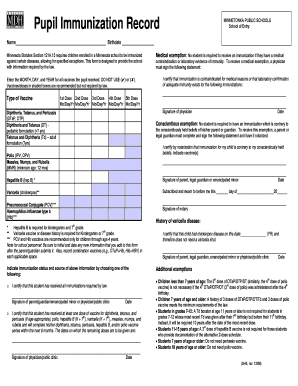
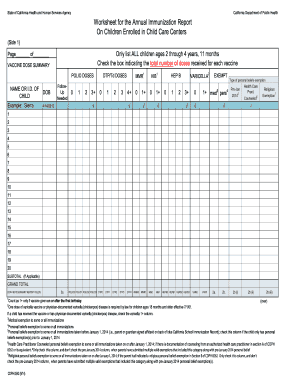
Providing a visual reference, such as a sample filled-out Child Care Immunization Record, can be invaluable for users. This example can highlight correctly completed sections and serve as a guide during the filling process.
Utilizing the visual example helps ensure that your entries are thorough and accurate, helping you to avoid common mistakes and facilitating a smoother submission process.
How to fill out the MN IC 140-0163
-
1.Access the Child Care Immunization Record form on pdfFiller by searching for its name in the search bar.
-
2.Once opened, familiarize yourself with the fillable fields and instructions provided throughout the document.
-
3.Collect the necessary immunization records for your child, including dates and vaccine names, before you begin filling out the form.
-
4.Use pdfFiller’s interface to click on each blank field and enter the required information accurately, ensuring you spell out all names and dates correctly.
-
5.If you are a parent or guardian, fill out your contact information and sign where required. Physicians should enter their credentials as needed.
-
6.If notarization is required, make sure to have the notary sign in the designated area before finalizing the form.
-
7.Once completed, review all the information entered to confirm accuracy, looking for any missing or incorrect details.
-
8.To save your progress or finalize the document, click the save button. You can choose to download the form or submit it directly through pdfFiller.
-
9.Ensure you keep copies of the form for your records, as this document may be required at various points in your child's child care enrollment.

Who needs to fill out the Child Care Immunization Record?
The Child Care Immunization Record needs to be filled out by parents or guardians, healthcare providers like physicians, and may also require notarization from a notary public.
What information is required to complete the form?
You will need details on your child's immunization history, including specific vaccine names and dates administered. Ensure you have this information handy before starting the form.
Is there a deadline for submitting this form?
While there is generally no strict deadline, it should be submitted prior to your child’s enrollment in a child care program as it ensures compliance with state vaccination requirements.
Can I submit this form online?
Yes, you can complete and submit the Child Care Immunization Record online through pdfFiller, making the process more accessible and convenient.
What are common mistakes when filling out this form?
Common mistakes include entering incorrect vaccine dates, failing to obtain required signatures, and forgetting to notarize if necessary. Double-check every field before finalizing.
How long does processing take for this form?
Processing times can vary depending on the institution receiving the form. Generally, it is advisable to allow several days for the verification and processing of the Child Care Immunization Record.
Do I need to provide supporting documents with the form?
Typically, you will need to provide evidence of your child's immunizations, such as medical records or vaccination cards, which may need to be attached or referenced in this form.
MN IC 140-0163 Form Versions
Related Content
Related Forms



Get the latest insights from our blog


If you believe that this page should be taken down, please follow our DMCA take down process
here
.
This form may include fields for payment information. Data entered in these fields is not covered by PCI DSS compliance.