
Last updated on
Nov 9, 2026

IRS 5500-EZ Instructions 2011 free printable template
pdfFiller is not affiliated with IRS

Fill out
Complete the form online in a simple drag-and-drop editor.

eSign
Add your legally binding signature or send the form for signing.

Share
Share the form via a link, letting anyone fill it out from any device.

Export
Download, print, email, or move the form to your cloud storage.
Why pdfFiller is the best tool for your documents and forms


End-to-end document management
From editing and signing to collaboration and tracking, pdfFiller has everything you need to get your documents done quickly and efficiently.
Accessible from anywhere
pdfFiller is fully cloud-based. This means you can edit, sign, and share documents from anywhere using your computer, smartphone, or tablet.
Secure and compliant
pdfFiller lets you securely manage documents following global laws like ESIGN, CCPA, and GDPR. It's also HIPAA and SOC 2 compliant.
What is IRS 5500-EZ Instructions
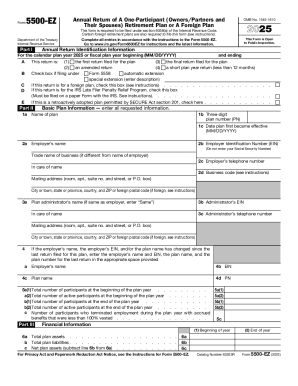
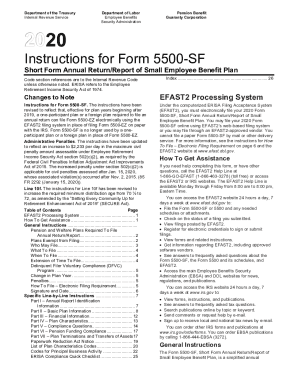
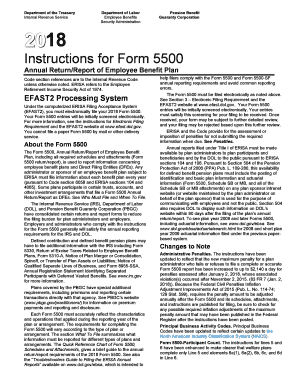
The IRS 5500-EZ Instructions is a guideline document used by plan administrators to accurately complete the IRS Form 5500-EZ, which is required for one-participant retirement plans.
pdfFiller scores top ratings on review platforms




Who needs IRS 5500-EZ Instructions?
Explore how professionals across industries use pdfFiller.

IRS 5500-EZ Instructions is needed by:
-
Retirement plan administrators seeking to file taxes
-
Self-employed individuals with retirement plans
-
Business owners managing one-participant plans
-
Tax professionals assisting clients with retirement plans
-
Financial advisors guiding clients on tax compliance
Comprehensive Guide to IRS 5500-EZ Instructions
What Are the IRS 5500-EZ Instructions?
The IRS 5500-EZ Instructions are essential guidelines for the completion of the IRS 5500-EZ form, which is used for pension plan reporting. These instructions ensure tax compliance, particularly for one-participant retirement plans. Individuals responsible for managing these plans, such as plan administrators and business owners, typically engage with this form.
Purpose and Benefits of the IRS 5500-EZ Instructions
Completing the IRS 5500-EZ form accurately is crucial to avoid penalties from the IRS. The IRS 5500-EZ Instructions clarify the filing process, helping users understand requirements and deadlines. By leveraging these instructions, users can achieve operational clarity and maintain compliance with federal regulations.
Who Needs the IRS 5500-EZ Instructions?
Various entities qualify for using the IRS 5500-EZ Instructions. Primarily, this includes one-participant retirement plans and plan sponsors who do not employ more than one participant. Additionally, certain foreign plans that need to report may also be required to file. Understanding the eligibility criteria is vital for ensuring correct usage of the instructions.
Key Features of the IRS 5500-EZ Instructions
The IRS 5500-EZ Instructions contain several key components that users must comprehend to complete the form effectively. Important sections include general information about the plan, participant details, and compliance checks. Familiarizing oneself with these features helps streamline the filing process and reduces the likelihood of errors.
How to Fill Out the IRS 5500-EZ Instructions Online
To complete the IRS 5500-EZ Instructions online, follow these steps:
-
Access the form through a PDF editing tool like pdfFiller.
-
Gather all necessary information about your pension plan and participants.
-
Input details into the appropriate fields as per the instructions.
-
Review the completed form for accuracy.
-
Submit the form electronically or print for mailing.
Common Errors When Completing the IRS 5500-EZ Instructions
Avoiding common errors is essential for accurate submissions. Frequent mistakes include incorrect figures, missing signatures, and failing to report all participants. To minimize these pitfalls, double-check all entries, ensure all required fields are completed, and adhere to the filing instructions closely.
When and Where to Submit the IRS 5500-EZ Instructions
The submission of the IRS 5500-EZ Instructions has strict deadlines that must be adhered to prevent late filing penalties. Users can submit the form electronically or via mail, depending on their preference. Ensuring timely submission is crucial for maintaining compliance with IRS guidelines.
Fees and Processing Time for IRS 5500-EZ Instructions
When filing the IRS 5500-EZ Instructions, users may encounter certain fees, which can vary based on the method of submission. Typically, e-filing is more cost-effective and faster. Standard processing times for submissions can vary, so it is advisable to file early to manage expectations regarding confirmation and approvals.
Security and Compliance When Using IRS 5500-EZ Instructions
Ensuring security while filling out the IRS 5500-EZ Instructions is paramount. Tools like pdfFiller utilize 256-bit encryption and comply with regulations such as HIPAA and GDPR to protect sensitive information. Understanding compliance requirements is critical for safeguarding user data throughout the filing process.
Experience Seamless Filing with pdfFiller
pdfFiller offers an intuitive platform for easily filling out IRS 5500-EZ Instructions. With features that simplify the filing process, users can enjoy an efficient experience while ensuring their forms are completed accurately. The platform is designed to provide security and support, making it a reliable choice for users needing assistance.
How to Fill Out Small Business Tax Forms Online with pdfFiller
Struggling with your Schedule C or not sure how to file business taxes as a sole proprietor, LLC, or self-employed professional? This step-by-step pdfFiller tutorial walks you through completing IRS Schedule C quickly and accurately — no printing, no scanning, no stress. Whether you're handling small business tax deductions, tracking self-employed taxes, or preparing your full business tax return, pdfFiller makes it simple right in your browser.

How to fill out the IRS 5500-EZ Instructions
-
1.Begin by visiting the pdfFiller website and create an account or log in if you already have one.
-
2.Once logged in, use the search bar to find 'IRS 5500-EZ Instructions.' Select the appropriate document from the search results.
-
3.Open the form in the editing interface where you will see the various fields that need to be completed.
-
4.Before starting, gather all necessary information including employer identification number, plan details, and plan year.
-
5.Navigate each field in the pdfFiller interface. Click on the text fields to input the required details, referencing the instructions provided as needed.
-
6.Ensure to complete all mandatory fields indicated in the form to avoid submission errors.
-
7.Use the toolbar features to add any required attachments or notes relevant to the filing.
-
8.Once all fields are filled, review the completed form carefully. Check for accuracy in all the data entered.
-
9.After reviewing, finalize the form by saving your changes. You can download the completed IRS 5500-EZ Instructions or save it to your pdfFiller account.
-
10.To submit, select the submission method that works for you. You can electronically submit it if PDFFiller offers that option, or print it and submit by mail.

Who needs to file the IRS 5500-EZ?
The IRS 5500-EZ must be filed by plan administrators of one-participant retirement plans, which includes self-employed individuals and business owners who have established such plans.
What is the deadline for filing the IRS 5500-EZ?
The IRS 5500-EZ is due on the last day of the seventh month after the end of the plan year. Extensions may be available, so check the IRS website for specific deadlines.
How can I submit the IRS 5500-EZ after completion?
After completing the form in pdfFiller, you can submit it electronically if the platform allows or download and print the form for mailing to the IRS.
What supporting documents are required for filing?
Typically, no additional documents are required when filing the IRS 5500-EZ, but you may need to retain records related to the plan’s operations and transactions.
What are common mistakes to avoid when completing the form?
Common mistakes include incorrect entries in text fields, missing signatures, and not following the specific instructions for the plan type. Double-checking is recommended.
How long does it take to process the IRS 5500-EZ?
Processing times can vary, but typically the IRS processes the IRS 5500-EZ filings within several weeks. You may check the status through your account if submitted electronically.
Can I amend a submitted IRS 5500-EZ?
Yes, if you discover an error after submission, you should file an amended IRS 5500-EZ. It's important to provide accurate information to avoid penalties.
IRS 5500-EZ Instructions Form Versions
Related Content
Related Forms





Get the latest insights from our blog


If you believe that this page should be taken down, please follow our DMCA take down process
here
.
This form may include fields for payment information. Data entered in these fields is not covered by PCI DSS compliance.