
Last updated on
Nov 9, 2026

CO Westminster Personal Training Acknowledgment of Risk and Release - City of Westminster 2004-2...
pdfFiller is not affiliated with any government organization

Fill out
Complete the form online in a simple drag-and-drop editor.

eSign
Add your legally binding signature or send the form for signing.

Share
Share the form via a link, letting anyone fill it out from any device.

Export
Download, print, email, or move the form to your cloud storage.
Why pdfFiller is the best tool for your documents and forms


End-to-end document management
From editing and signing to collaboration and tracking, pdfFiller has everything you need to get your documents done quickly and efficiently.
Accessible from anywhere
pdfFiller is fully cloud-based. This means you can edit, sign, and share documents from anywhere using your computer, smartphone, or tablet.
Secure and compliant
pdfFiller lets you securely manage documents following global laws like ESIGN, CCPA, and GDPR. It's also HIPAA and SOC 2 compliant.
What is CO Westminster Personal Training Acknowledgment of Risk and Release - City of Westminster
The Personal Training Waiver Form is a legal document used by participants in fitness programs to acknowledge risks and release liability from the City of Westminster.
pdfFiller scores top ratings on review platforms




Who needs CO Westminster Personal Training Acknowledgment of Risk and Release - City of Westminster?
Explore how professionals across industries use pdfFiller.

CO Westminster Personal Training Acknowledgment of Risk and Release - City of Westminster is needed by:
-
Individuals enrolling in personal training programs
-
Fitness trainers and professionals
-
Gyms and fitness centers in Colorado
-
Legal representatives or consultants for gym operations
-
Participants in recreational sports activities
-
Parents or guardians of minors participating in training
Comprehensive Guide to CO Westminster Personal Training Acknowledgment of Risk and Release - City of Westminster
What is the Personal Training Waiver Form?
The Personal Training Waiver Form is an essential document in personal training programs, designed to acknowledge risks involved in fitness activities. This form serves to protect both the participant and the trainer from potential legal ramifications associated with injuries sustained during training sessions. By signing the waiver, participants agree to release the facility or trainer from liability, underscoring its significant legal implications.
Understanding the purpose of this fitness waiver form is crucial for anyone involved in personal training. It sets the stage for clarity and accountability between participants and trainers, ensuring that all parties are aware of the risks involved.
Purpose and Benefits of the Personal Training Waiver Form
The primary purpose of the Personal Training Waiver Form is to safeguard both participants and trainers by clearly outlining responsibilities and liabilities. Participants engaging in personal training must acknowledge that they are taking on certain risks, which helps to minimize disputes in the event of an injury. By using this waiver, trainers can significantly reduce the likelihood of facing legal challenges post-injury.
Additionally, having a written agreement fosters transparency in the relationship between trainers and clients. This clarity can lead to a more positive training experience, knowing that each party's responsibilities are clearly defined.
Key Features of the Personal Training Waiver Form
The Personal Training Waiver Form includes several vital fillable fields that contribute to its effectiveness. These fields typically cover:
-
Participant Name
-
Trainer Name
-
Participant Signature
Moreover, the form contains a checkbox for acknowledging terms and conditions, ensuring that participants consent to the outlined responsibilities. It is also essential for participants to provide a 24-hour notice for cancellations, as specified in the document.
Who Needs the Personal Training Waiver Form?
This waiver is particularly relevant for individuals participating in personal training programs. It is often mandatory in various fitness scenarios, catering to diverse audiences from casual gym-goers to competitive athletes. Trainers and fitness facilities should strongly consider implementing this waiver to protect their operations and ensure participant understanding of inherent risks.
It is also advisable for trainers to maintain proper records of waiver forms to uphold compliance and protect against any potential liability.
How to Fill Out the Personal Training Waiver Form Online (Step-by-Step)
Filling out the Personal Training Waiver Form online is an easy process that can be completed through pdfFiller. Follow these steps for guidance:
-
Access the form via the pdfFiller platform.
-
Enter your name in the designated field.
-
Provide the trainer's name as requested.
-
Sign the form electronically using the eSignature option.
-
Review your entries for accuracy.
-
Submit the completed waiver form via your preferred method.
Be sure to validate all details before submission to avoid any errors.
Digital Signing and Submission of the Personal Training Waiver Form
The Personal Training Waiver Form can be easily eSigned on pdfFiller's platform, ensuring a seamless process for both participants and trainers. Digital signatures are widely accepted and offer a more efficient alternative to wet signatures, aligning with modern document management practices.
Participants can submit the completed waiver form through various methods, including email and online upload to facilitate ease of access and processing.
Security and Compliance for the Personal Training Waiver Form
Security is a top priority when handling the Personal Training Waiver Form. pdfFiller employs robust security measures to protect personal data, including 256-bit encryption. The platform also adheres to HIPAA and GDPR regulations, ensuring compliance with privacy standards.
Secure processing of sensitive documents is crucial, particularly in fitness settings where personal health information may be involved.
What Happens After You Submit the Personal Training Waiver Form?
Once the Personal Training Waiver Form is submitted, participants can expect confirmation and tracking processes to follow. It's essential to understand the timelines for processing the form, as well as what to do if errors or amendments are needed.
Keeping a copy of the submitted waiver can also facilitate communication in case follow-up actions are required.
Sample or Example of a Completed Personal Training Waiver Form
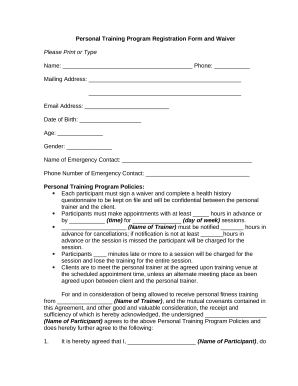
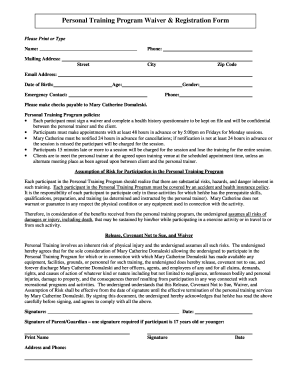
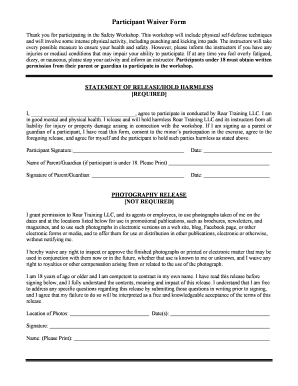
Providing a visual example of a completed Personal Training Waiver Form can help clarify how to properly fill it out. Each section within the completed sample serves a specific purpose and understanding its layout is crucial for accuracy.
Ensuring all information is accurately filled out can prevent complications and contribute to a smoother training experience.
Get Started with the Personal Training Waiver Form today
To get started, utilize pdfFiller's user-friendly platform to fill out the Personal Training Waiver Form. The platform ensures convenience and security, making the process easier for both participants and trainers.
Explore the features offered by pdfFiller related to form management to enhance your personal training experience.
How to fill out the CO Westminster Personal Training Acknowledgment of Risk and Release - City of Westminster
-
1.Access the Personal Training Waiver Form by visiting pdfFiller and searching for the form by name or category.
-
2.Open the form in pdfFiller’s editing interface, where you can see all fillable fields.
-
3.Before starting, gather all necessary information such as your name, the trainer’s name, and any other details required.
-
4.Click on the 'Participant Name' field and type in your full name carefully.
-
5.Move to the 'Trainer Name' field and fill in the name of your personal trainer as indicated.
-
6.Locate the 'Participant Signature' field. Use your mouse or trackpad to sign your name electronically.
-
7.Ensure you read through the terms and conditions section, and make use of the checkbox to acknowledge understanding of these terms.
-
8.Review all the entered information for accuracy to avoid mistakes. It's important that your details are correct.
-
9.Save your filled form by clicking the 'Save' icon; you can also choose to download a copy to your device.
-
10.Finally, submit the form as required by your fitness center, either electronically through pdfFiller or by printing it out.

Who needs to fill out the Personal Training Waiver Form?
Anyone participating in a personal training program, including adults and minors, needs to fill out the Personal Training Waiver Form to acknowledge risks and release liability.
Is there a deadline for submitting the waiver form?
Yes, it is recommended to submit the Personal Training Waiver Form prior to your first training session to ensure your participation is authorized and to avoid any delays.
Can I submit the form electronically?
Yes, you can fill out and submit the Personal Training Waiver Form electronically using pdfFiller, or you can print out the form and submit it in person to your training facility.
What information do I need to complete the form?
You’ll need to provide your name, the name of your trainer, and your signature. Make sure to also read and acknowledge the terms and conditions outlined in the waiver.
What should I do if I make a mistake while filling out the form?
If you make a mistake, you can easily correct it in pdfFiller by editing the field. Make sure all information is accurate before finalizing your submission.
Are there any fees associated with this form?
Typically, there are no fees directly associated with filling out the Personal Training Waiver Form itself, but check with your fitness center for any related costs.
What happens after I submit the waiver form?
Upon submission, the waiver will be processed by your fitness center, allowing you to participate in personal training sessions without liability concerns, provided all conditions are met.
Related Content
Related Forms


Related Catalogs
Get the latest insights from our blog


If you believe that this page should be taken down, please follow our DMCA take down process
here
.
This form may include fields for payment information. Data entered in these fields is not covered by PCI DSS compliance.