
Last updated on
Oct 2, 2026

Get the free Ambulance Billing Authorization Form
We are not affiliated with any brand or entity on this form

Fill out
Complete the form online in a simple drag-and-drop editor.

eSign
Add your legally binding signature or send the form for signing.

Share
Share the form via a link, letting anyone fill it out from any device.

Export
Download, print, email, or move the form to your cloud storage.
Why pdfFiller is the best tool for your documents and forms


End-to-end document management
From editing and signing to collaboration and tracking, pdfFiller has everything you need to get your documents done quickly and efficiently.
Accessible from anywhere
pdfFiller is fully cloud-based. This means you can edit, sign, and share documents from anywhere using your computer, smartphone, or tablet.
Secure and compliant
pdfFiller lets you securely manage documents following global laws like ESIGN, CCPA, and GDPR. It's also HIPAA and SOC 2 compliant.
What is Ambulance Billing Form
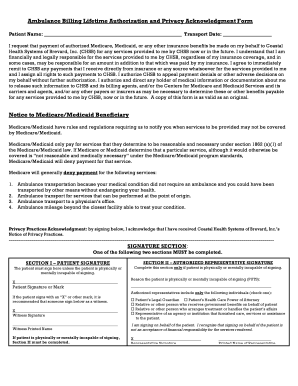
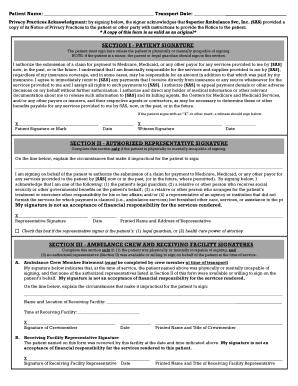
The Ambulance Billing Authorization Form is a medical document used by patients and their representatives to authorize payment for ambulance services provided by Tri-City Ambulance Service.
pdfFiller scores top ratings on review platforms




Who needs Ambulance Billing Form?
Explore how professionals across industries use pdfFiller.

Ambulance Billing Form is needed by:
-
Patients needing ambulance services authorization
-
Authorized representatives of patients for medical billing
-
Ambulance crew members involved in patient transport
-
Healthcare facilities receiving ambulance patients
-
Billing departments processing ambulance service payments
Comprehensive Guide to Ambulance Billing Form
What is the Ambulance Billing Authorization Form?
The Ambulance Billing Authorization Form is a crucial document that facilitates the authorization of payment for ambulance services provided by Tri-City Ambulance Service. This medical billing form plays an essential role in the healthcare billing process, ensuring that services rendered are duly authorized by patients or their representatives. It is necessary for effective billing and reimbursement in healthcare settings.
Purpose and Benefits of the Ambulance Billing Authorization Form
The primary purpose of the Ambulance Billing Authorization Form is to streamline the payment authorization process for ambulance services. By using this form, patients and authorized representatives can quickly facilitate payment, saving valuable time during emergencies. Additionally, its utilization is vital for healthcare providers to secure timely payments and efficiently manage billing operations.
-
Speeds up payment authorization for ambulance services
-
Provides clear documentation for patients and providers
-
Streamlines communication between parties involved
Key Features of the Ambulance Billing Authorization Form
This form contains various essential components designed for ease of use. Key fillable fields include 'Patient Name' and 'Transport Date' along with designated areas for signatures from authorized individuals. The form is equipped with checkboxes and specific instructions that guide users in completing it accurately.
-
Sections for patient and authorized representative signatures
-
Instructions for correct completion to ensure usability
-
Embedded security measures for protecting sensitive information
Who Needs the Ambulance Billing Authorization Form?
The Ambulance Billing Authorization Form is required by various individuals involved in the medical billing process. Patients need to authorize payment, while authorized representatives and ambulance crew members may also utilize the form for verification purposes. The form is critical in situations requiring medical billing for ambulance transport services.
-
Patients needing to authorize their ambulance service billing
-
Authorized representatives acting on behalf of patients
-
Ambulance crew members confirming service details
-
Facility representatives requiring documentation for processing
How to Fill Out the Ambulance Billing Authorization Form Online
Filling out the Ambulance Billing Authorization Form online is a straightforward process. Users should start by entering the patient’s information in the required fields accurately. Make sure to gather all necessary signatures and be aware of common pitfalls that might delay the form's completion.
-
Access the online form and enter necessary patient details.
-
Collect signatures from the patient and authorized representatives.
-
Double-check all filled fields for accuracy before submission.
Submission Methods for the Ambulance Billing Authorization Form
Once completed, users have various options to submit the Ambulance Billing Authorization Form. Electronic submission is available through platforms like pdfFiller, simplifying the process greatly. Alternatively, users can print the form and mail it, ensuring they choose reliable delivery methods for timely processing.
-
Electronic submission via pdfFiller for speed
-
Instructions for printing and mailing the form if necessary
-
Recommended delivery options to ensure swift processing
What Happens After You Submit the Ambulance Billing Authorization Form?
After submitting the Ambulance Billing Authorization Form, users can expect to receive confirmation of their submission, which allows for tracking its progress. Processing timelines may vary, and understanding these can help manage expectations. In case of issues, there are steps to take if the submission is rejected.
-
Confirmation and tracking information upon submission
-
Overview of expected processing timelines
-
Guidance on handling rejected submissions
Security and Compliance for the Ambulance Billing Authorization Form
Security is paramount when handling sensitive information such as that contained in the Ambulance Billing Authorization Form. pdfFiller employs robust security protocols, including encryption and compliance with HIPAA and GDPR standards. Users should be aware of privacy measures while completing and submitting the form.
-
Enforced security measures to protect user data
-
HIPAA and GDPR compliance for healthcare documentation
-
Best practices for maintaining privacy during form submission
Real-World Example of a Completed Ambulance Billing Authorization Form
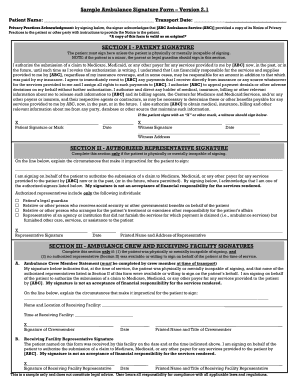
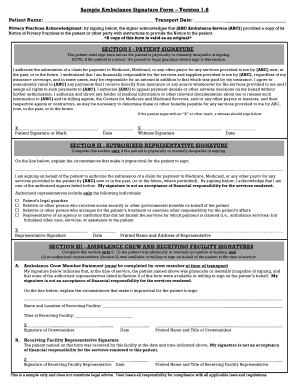
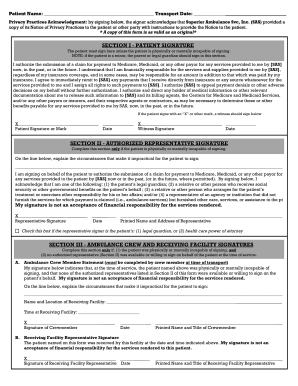
Reviewing a completed Ambulance Billing Authorization Form can greatly enhance understanding for users. A visual representation of a filled-out form, accompanied by a breakdown of each section, is beneficial. Familiarity with a sample helps users ensure accuracy when completing the actual form.
-
Visual representation of a filled form for clarity
-
Step-by-step exploration of each filled section
-
Advantages of using a sample before actual completion
Streamlining Your Ambulance Billing Authorization Process with pdfFiller
Utilizing pdfFiller to complete the Ambulance Billing Authorization Form offers numerous advantages. With its editing tools, users can simplify form filling significantly. The platform allows for secure eSigning and sharing, making the entire process user-friendly and efficient.
-
Benefits of using pdfFiller’s comprehensive editing tools
-
Ease of securely eSigning and sharing documents online
-
Immediate action with a user-friendly platform
How to fill out the Ambulance Billing Form
-
1.To access the Ambulance Billing Authorization Form, go to pdfFiller and log in to your account.
-
2.Use the search bar to find the 'Ambulance Billing Authorization Form' and click on it to open the document.
-
3.Once the form is open, start filling out the required fields such as 'Patient Name' and 'Transport Date'.
-
4.If you're filling on behalf of a patient, ensure you have all necessary information, including identification and insurance details.
-
5.Complete the signature sections for the patient and any authorized representatives involved.
-
6.Look for all checkbox options that pertain to the acknowledgements required, ensuring each is properly marked if applicable.
-
7.As you fill the form, regularly save your progress in pdfFiller to avoid losing any information.
-
8.Once you've completed all fields, review the form thoroughly for accuracy, ensuring required signatures and information are present.
-
9.After verification, save the completed form to your pdfFiller account.
-
10.You can download it to your device or directly submit it through pdfFiller's submission options as needed.

Who is eligible to complete the Ambulance Billing Authorization Form?
The form can be completed by patients requiring ambulance services or their authorized representatives. It ensures that payment for the services provided can be processed efficiently.
Are there deadlines for submitting the Ambulance Billing Authorization Form?
While there are no specific deadlines mentioned in the metadata, it is advisable to submit the form as soon as possible after ambulance services are provided to ensure timely processing of payment.
How can I submit the completed Ambulance Billing Authorization Form?
You can submit the completed form through pdfFiller. After finalizing and saving your document, utilize the submission features available on the platform to send it to the necessary parties.
What supporting documents do I need when submitting the form?
Typically, you may need insurance information, identification, and any documentation that confirms the patient's right to authorize services, if applicable.
What are common mistakes to avoid when filling out this form?
Common errors include missing signatures, incorrect patient information, and failing to check all appropriate boxes related to acknowledgments. Always double-check your entries before submission.
How long does it take to process the Ambulance Billing Authorization Form?
Processing times can vary depending on the billing department and insurance responsiveness. It's best to follow up directly after submission for updates.
Is notarization required for the Ambulance Billing Authorization Form?
According to the form metadata, notarization is not required for this document.
Related Forms





Related Catalogs
Get the latest insights from our blog


If you believe that this page should be taken down, please follow our DMCA take down process
here
.
This form may include fields for payment information. Data entered in these fields is not covered by PCI DSS compliance.