
Last updated on
Oct 31, 2026

CA ABAG Playground Inspection Form Low free printable template
pdfFiller is not affiliated with any government organization

Fill out
Complete the form online in a simple drag-and-drop editor.

eSign
Add your legally binding signature or send the form for signing.

Share
Share the form via a link, letting anyone fill it out from any device.

Export
Download, print, email, or move the form to your cloud storage.
Why pdfFiller is the best tool for your documents and forms


End-to-end document management
From editing and signing to collaboration and tracking, pdfFiller has everything you need to get your documents done quickly and efficiently.
Accessible from anywhere
pdfFiller is fully cloud-based. This means you can edit, sign, and share documents from anywhere using your computer, smartphone, or tablet.
Secure and compliant
pdfFiller lets you securely manage documents following global laws like ESIGN, CCPA, and GDPR. It's also HIPAA and SOC 2 compliant.
What is CA ABAG Playground Inspection Form Low
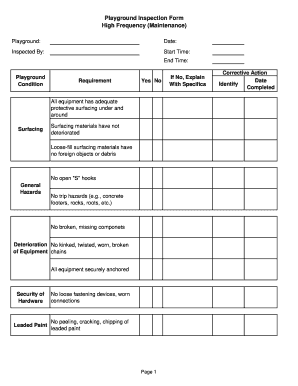
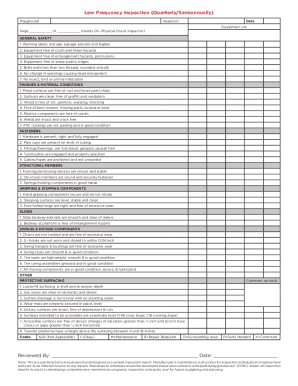
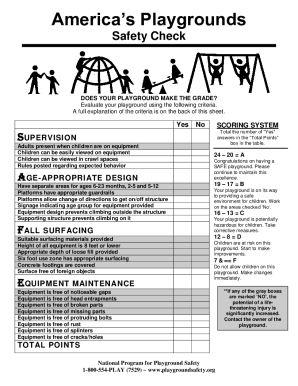
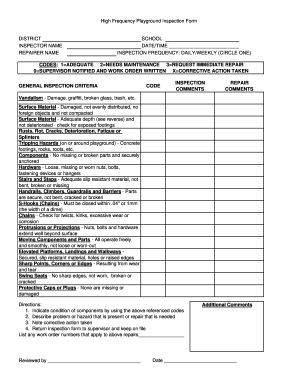
The Playground Inspection Form is an inspection report template used by inspectors to assess the safety and compliance of playgrounds.
pdfFiller scores top ratings on review platforms




Who needs CA ABAG Playground Inspection Form Low?
Explore how professionals across industries use pdfFiller.

CA ABAG Playground Inspection Form Low is needed by:
-
Playground inspectors
-
Safety compliance officers
-
School administrators
-
Local government officials
-
Parks and recreation staff
-
Legal representatives in liability cases
Comprehensive Guide to CA ABAG Playground Inspection Form Low
What is the Playground Inspection Form?
The Playground Inspection Form is a vital tool for assessing playground safety and ensuring compliance. It includes various critical components such as surfacing materials, potential hazards, and the condition of equipment. Assessing playground safety is crucial for protecting children and maintaining adherence to established safety regulations.
This form plays a significant role in tracking safety standards and supporting the ongoing maintenance of playgrounds while serving as important documentation for compliance purposes.
Purpose and Benefits of the Playground Inspection Form
The Playground Inspection Form provides numerous benefits to various stakeholders involved in playground safety. It enhances safety measures for children using these facilities by systematically identifying potential risks and hazards.
Additionally, it offers legal protection in case of incidents, serving as a defense mechanism for organizations and individuals responsible for the playgrounds. Furthermore, this form helps in establishing a systematic approach to resolving issues, ensuring that all necessary safety assessments are made efficiently.
Key Features of the Playground Inspection Form
Several key features define the Playground Inspection Form, making it comprehensive and user-friendly. The form consists of sections for documenting general hazards, maintenance requirements, and signage compliance.
-
The form requires signatures from designated inspectors and reviewers, ensuring accountability.
-
It includes fillable fields for detailed observations and corrective actions, facilitating thorough assessments.
These features allow for a structured approach to playground evaluations, enhancing overall safety and compliance monitoring.
Who Needs the Playground Inspection Form?
The Playground Inspection Form is designed for individuals and organizations responsible for maintaining playground safety. This includes inspectors, park managers, and personnel at schools, municipalities, and childcare centers.
The significance of this form extends to compliance assessment and legal documentation, ensuring that safety protocols are maintained in accordance with regulations.
How to Fill Out the Playground Inspection Form Online (Step-by-Step)
Filling out the Playground Inspection Form online is straightforward with pdfFiller. Here is a step-by-step guide to assist users:
-
Open the Playground Inspection Form in pdfFiller.
-
Complete the 'Inspected by' section, entering the inspector's name and inspection details.
-
Fill in the 'Reviewed by' section to confirm that the inspection has been verified.
-
Detail any observed hazards and maintenance needs in the designated fillable fields.
-
Ensure all necessary fields are filled before submitting the form.
These steps ensure a smooth completion process and promote consistency in filling out the form.
Review and Validation Checklist
Before submitting the Playground Inspection Form, it's essential to perform a thorough review to ensure all details are accurate and complete. Key aspects to check include:
-
Signatures of the inspector and reviewer.
-
The completeness of all required fields.
-
Accuracy of observations and corrective actions documented.
Reviewing these points minimizes common errors and enhances the form's compliance and safety documentation integrity.
Where to Submit the Playground Inspection Form
Once the Playground Inspection Form is completed, it must be submitted to the appropriate authorities. Users should check local guidelines for submission processes, which may include:
-
Submitting to local government authorities responsible for parks.
-
Providing copies to schools and childcare centers for compliance records.
Additional information on whether to submit the form digitally or physically should be verified for efficient processing and adherence to deadlines.
Security and Compliance for the Playground Inspection Form
Security measures are critical when handling the Playground Inspection Form due to the sensitive nature of the information contained within. Using a secure platform for form completion is essential to protect personal and organizational data.
Compliance with relevant regulations such as GDPR and HIPAA is also imperative, emphasizing the importance of safeguarding data against breaches and unauthorized access.
Example of a Completed Playground Inspection Form
Having a reference of a filled Playground Inspection Form can greatly assist users. A visual representation of a completed form includes fields such as 'Playground Name', 'Date', and detailed notes on safety evaluations.
This example demonstrates best practices such as thorough documentation and adherence to established safety criteria, ensuring that all sections are appropriately addressed.
Experience the Benefits of Using pdfFiller for Your Playground Inspection Needs
Using pdfFiller to complete the Playground Inspection Form offers a user-friendly experience with convenient online editing and eSigning capabilities. The platform's security features help ensure that sensitive information is handled safely and securely.
Start leveraging pdfFiller for all your inspection form needs and discover the ease of managing your playground safety assessments effectively.
How to fill out the CA ABAG Playground Inspection Form Low
-
1.Access the Playground Inspection Form on pdfFiller by visiting the website and searching for the form name.
-
2.Open the form to view the template, which consists of blank fields and checkboxes for inspection details.
-
3.Before filling out the form, gather necessary information such as the playground's current condition, any observed hazards, and the names of the inspectors.
-
4.Begin filling in the 'Playground: Date:' field with the current date of inspection.
-
5.Add details in the 'Inspected by: Start Time:' field, specifying who conducted the inspection and the start time.
-
6.Complete additional fields, documenting observations regarding surfacing, equipment deterioration, and security of hardware using the checklist provided.
-
7.Prioritize issues observed during the inspection in the designated section and include corrective actions required to remedy the hazards.
-
8.Make sure to complete the 'Reviewed By:' section with the name and signature of the individual reviewing the inspection.
-
9.Review all filled-out sections for accuracy and completeness before finalizing.
-
10.Once you’re satisfied with the information provided, save your work by selecting the save option on pdfFiller.
-
11.You can also download the form for your records or submit it electronically via the submission features on pdfFiller.

Who needs to sign the Playground Inspection Form?
Both the inspector and the reviewer of the form are required to sign. This ensures transparency and accountability in the inspection process.
Is there a deadline for completing the Playground Inspection Form?
While there are no specific deadlines, it is advisable to complete inspections seasonally or after significant weather events to maintain safety compliance.
How do I submit the Playground Inspection Form?
You can submit the completed form electronically through pdfFiller, or you may print it and deliver it to the relevant local government office or departmental administrator.
What supporting documents are needed for the Playground Inspection Form?
Supporting documents typically include any previous inspection reports, maintenance records, and photographs of any hazards observed on the playground.
What common mistakes should I avoid when filling out this form?
Ensure that all fields are filled out completely and accurately, specifically prioritizing issues and including corrective actions. Missing signatures can invalidate the inspection.
How long does it take to process the Playground Inspection Form?
Processing times can vary based on the submitting authority's timelines, but typically, the review should take 1-2 weeks after submission.
Can I edit the Playground Inspection Form after submission?
Once submitted, you may need to contact the relevant authority to request changes or additional information. Editing is usually not allowed after the form is finalized.
Related Content
Related Forms



Related Catalogs
Get the latest insights from our blog


If you believe that this page should be taken down, please follow our DMCA take down process
here
.
This form may include fields for payment information. Data entered in these fields is not covered by PCI DSS compliance.