
Last updated on
Nov 6, 2026

Get the free Medical Certificate Form 39
We are not affiliated with any brand or entity on this form

Fill out
Complete the form online in a simple drag-and-drop editor.

eSign
Add your legally binding signature or send the form for signing.

Share
Share the form via a link, letting anyone fill it out from any device.

Export
Download, print, email, or move the form to your cloud storage.
Why pdfFiller is the best tool for your documents and forms


End-to-end document management
From editing and signing to collaboration and tracking, pdfFiller has everything you need to get your documents done quickly and efficiently.
Accessible from anywhere
pdfFiller is fully cloud-based. This means you can edit, sign, and share documents from anywhere using your computer, smartphone, or tablet.
Secure and compliant
pdfFiller lets you securely manage documents following global laws like ESIGN, CCPA, and GDPR. It's also HIPAA and SOC 2 compliant.
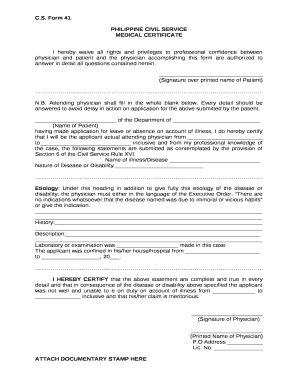
What is Civil Service Medical Certificate
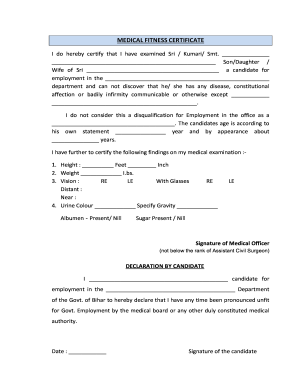
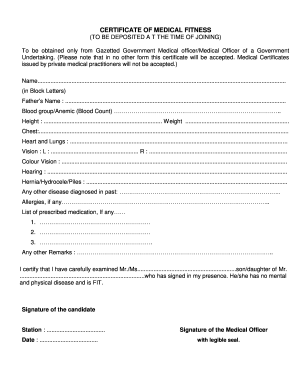
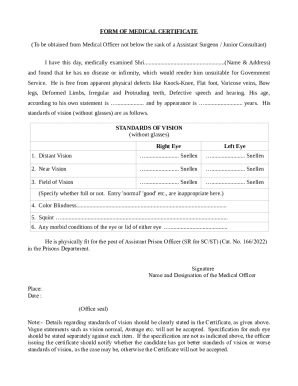
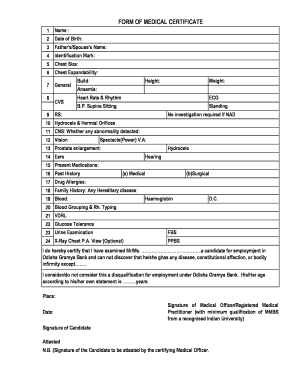
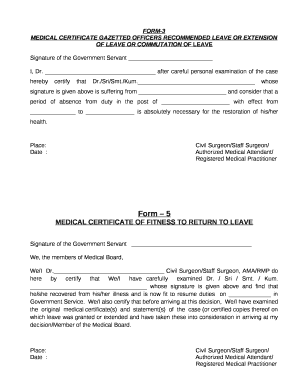
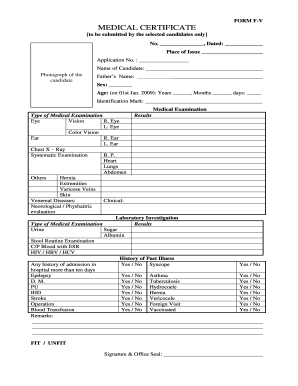
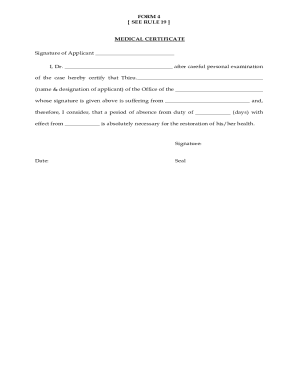
The Medical Certificate Form 39 is a document used by candidates seeking government employment in Orissa to certify their medical fitness.
pdfFiller scores top ratings on review platforms




The whole process has worked out really well. PDFfiller was relatively easy to use. I'd like to attend a session but can't say now when I can do it.
I LOVE IT BECAUSE IT SAVES ME TIME AND I WOULD BE INTERESTED IN LEARNING HOW TO USE ALL ITS FEATURES
Who needs Civil Service Medical Certificate?
Explore how professionals across industries use pdfFiller.

Civil Service Medical Certificate is needed by:
-
Government job candidates in Orissa
-
Surgeons conducting medical examinations
-
Human resource departments for employment verification
-
Legal professionals handling employment matters
-
Administrative offices in government sectors
Comprehensive Guide to Civil Service Medical Certificate
What is Medical Certificate Form 39?
The Medical Certificate Form 39 is a crucial document used for certifying medical fitness for candidates seeking government employment in Orissa, India. This form plays a significant role in ensuring that individuals meet the health standards required for various government positions. It is designed to facilitate a formal verification process where a qualified healthcare professional confirms the candidate’s medical status.
Purpose and Benefits of the Medical Certificate Form 39
This form is essential for candidates applying for government jobs in Orissa as it serves multiple purposes. Firstly, it helps in compliance with regulations set forth by government agencies that require confirmation of medical fitness. Secondly, obtaining a medical fitness certificate can enhance a candidate's acceptance probability in competitive civil service examinations.
Among the benefits, the certificate assures employers that candidates are physically fit for their roles, thereby fostering a safe work environment.
Key Features of the Medical Certificate Form 39
The Medical Certificate Form 39 includes various key components essential for completion. These components consist of:
-
Candidate's personal information section.
-
Surgeon's information section.
-
Declaration statement by the candidate.
-
Signature fields for both the candidate and the surgeon.
Specific fields are designed to capture relevant data regarding the candidate's medical history and overall health status, ensuring that the information collected is comprehensive.
Who Needs the Medical Certificate Form 39?
The target audience for this form primarily includes individuals applying for government roles in Orissa. Various professions, especially those in law enforcement, healthcare, and public service, typically require candidates to submit a Medical Certificate Form 39 as part of their application process. This requirement ensures that individuals are fit for the duties their positions entail.
Steps to Fill Out the Medical Certificate Form 39 Online
Completing the Medical Certificate Form 39 is straightforward, especially when using online tools like pdfFiller. Here are the steps to fill out the form:
-
Access the Medical Certificate Form 39 on pdfFiller.
-
Enter your personal details in the candidate information section.
-
Provide the surgeon’s details as required.
-
Complete the declaration part, confirming the truthfulness of provided information.
-
Review the form for any errors.
-
Sign the document electronically.
-
Submit the completed form through the preferred method mentioned in the guidelines.
Common Errors and How to Avoid Them
While filling out the Medical Certificate Form 39, applicants often encounter several common mistakes. Here are key issues to watch for:
-
Missing signatures from either the candidate or the surgeon.
-
Providing inaccurate personal information.
-
Failing to complete the declaration section.
-
Not reviewing the form before submission.
To avoid these pitfalls, ensure you double-check all entries and follow a review checklist before finalizing the form.
Signing and Submitting the Medical Certificate Form 39
Submitting the Medical Certificate Form 39 requires signatures from both the candidate and the examining surgeon. Once the form is filled out completely, it should be submitted using the preferred method, which may include online submission through pdfFiller or other designated means outlined by the relevant authority.
Next Steps After Submission of the Medical Certificate Form 39
After submitting the Medical Certificate Form 39, candidates can expect certain outcomes. The process typically involves an evaluation period where the application is reviewed. Candidates can track the status of their application through the designated communication channels provided by the authority.
Understanding what to expect can alleviate anxiety and help in planning accordingly.
Security and Compliance with the Medical Certificate Form 39
Handling sensitive information while completing the Medical Certificate Form 39 is of utmost importance. Applicants should be aware of the security measures in place, such as encryption and compliance protocols, that protect personal data during the submission process. pdfFiller adheres to stringent security standards, including SOC 2 Type II and HIPAA compliance, ensuring your personal information remains confidential.
Enhance Your Document Creation Experience with pdfFiller
Using pdfFiller streamlines the process of filling out and managing the Medical Certificate Form 39. With features like eSigning and online editing, candidates can easily navigate the form completion process. Leveraging these capabilities improves the overall experience and efficiency of handling essential documents in a secure environment.
How to fill out the Civil Service Medical Certificate
-
1.To access the Medical Certificate Form 39 on pdfFiller, first visit the pdfFiller website or app. Use the search bar to type 'Medical Certificate Form 39' and select the form from the results.
-
2.Open the form by clicking on it. Review the layout to familiarize yourself with the sections that require input, such as candidate information and medical certification fields.
-
3.Gather all necessary information before starting the form. This includes your full name, age, and medical history. You may also want to have your doctor’s details on hand for the signature.
-
4.Begin filling in the form. Click on each blank field to enter the required information. Use the cursor to navigate through the form seamlessly, and utilize the tools to adjust text size if needed.
-
5.Pay attention to specific areas that require signatures. Ensure that both the candidate and the surgeon sign in the appropriate sections to validate the form.
-
6.Once you have completed the form, take a moment to review all filled fields for accuracy. Double-check the personal and medical details to avoid common errors.
-
7.Finalize your form by clicking the 'Finish' button. You will be prompted to save your changes. Choose your preferred file format for download or submission.
-
8.If you need to submit the form, follow the instructions provided on pdfFiller for electronic submission, or download and print the form for manual submission to relevant authorities.

Who is eligible to use the Medical Certificate Form 39?
Eligibility for the Medical Certificate Form 39 includes candidates applying for government jobs in Orissa, who must obtain a medical fitness certificate from a qualified surgeon.
What documents do I need to complete the Medical Certificate Form 39?
You need to provide personal details such as your name and age, along with information about your medical history. Have your surgeon's contact details ready for signing the form.
Is there a deadline for submitting the Medical Certificate Form 39?
While specific deadlines may vary based on job postings, it’s advisable to complete and submit the Medical Certificate Form 39 as early as possible within the application period to avoid delays.
How can I submit the Medical Certificate Form 39 after filling it out?
Once completed, the Medical Certificate Form 39 can be submitted electronically through pdfFiller or downloaded and printed for manual submission to your respective government office.
What should I do if I make a mistake on the Medical Certificate Form 39?
If you make an error, go back to the field and correct the information. Review the entire form again before submission to ensure all details are accurate.
How long does it take to process the Medical Certificate Form 39?
Processing times for the Medical Certificate Form 39 can vary, usually taking from a few days to a couple of weeks. It's best to check with the receiving office for specific timelines.
Do I need the Medical Certificate Form 39 notarized?
No, the Medical Certificate Form 39 does not require notarization. However, ensure that both the surgeon and candidate provide their signatures as required.


Related Catalogs
Get the latest insights from our blog


If you believe that this page should be taken down, please follow our DMCA take down process
here
.
This form may include fields for payment information. Data entered in these fields is not covered by PCI DSS compliance.