
Last updated on
Oct 31, 2026

Get the free New York State Business Tax Address Change Form
We are not affiliated with any brand or entity on this form

Fill out
Complete the form online in a simple drag-and-drop editor.

eSign
Add your legally binding signature or send the form for signing.

Share
Share the form via a link, letting anyone fill it out from any device.

Export
Download, print, email, or move the form to your cloud storage.
Why pdfFiller is the best tool for your documents and forms


End-to-end document management
From editing and signing to collaboration and tracking, pdfFiller has everything you need to get your documents done quickly and efficiently.
Accessible from anywhere
pdfFiller is fully cloud-based. This means you can edit, sign, and share documents from anywhere using your computer, smartphone, or tablet.
Secure and compliant
pdfFiller lets you securely manage documents following global laws like ESIGN, CCPA, and GDPR. It's also HIPAA and SOC 2 compliant.
What is NY Business Tax Address Change
The New York State Business Tax Address Change Form is a state tax document used by businesses to report changes in their tax account addresses to the NYS Tax Department.
pdfFiller scores top ratings on review platforms




Who needs NY Business Tax Address Change?
Explore how professionals across industries use pdfFiller.

NY Business Tax Address Change is needed by:
-
Business owners in New York State
-
Authorized representatives of businesses
-
Tax professionals assisting businesses
-
Accountants managing business tax affairs
-
Legal professionals advising on tax matters
Comprehensive Guide to NY Business Tax Address Change
What is the New York State Business Tax Address Change Form?
The DTF-96 form serves a crucial role for business owners in New York by allowing them to officially report changes to their business tax account addresses. This form is specifically designed for accurate communication of address updates to the New York State Tax Department, ensuring compliance and smooth operation.
Filling out the DTF-96 form is a legal requirement, necessitating the signature of an authorized representative to validate the submission. This process emphasizes the importance of maintaining current records with the tax department to avoid any potential issues.
Benefits of Submitting the New York State Business Tax Address Change Form
Keeping business tax records updated through the DTF-96 form provides significant advantages for compliance and operational efficiency. Timely updates help businesses maintain accurate tax records, thereby avoiding penalties associated with late submissions.
Additionally, submitting this form enhances communication with the New York Tax Department, ensuring that tax obligations are met without complications. Timeliness can significantly impact business operations and prevent inaccuracies that can lead to further administrative issues.
Who Needs to Fill Out the New York State Business Tax Address Change Form?
Diverse business entities are required to complete the DTF-96 form whenever they experience an address change. This includes corporations, partnerships, and multi-member LLCs, all of which need to report their new address to the NYS Tax Department.
For sole proprietors, filing this form is also necessary when there is a change in address. The necessity for an authorized representative's signature underscores the importance of accountability in the filing process.
How to Fill Out the New York State Business Tax Address Change Form Online
To successfully fill out the DTF-96 form digitally, follow these steps:
-
Access the DTF-96 form using pdfFiller.
-
Complete each section of the form by providing accurate details, including the current and new address.
-
Double-check all inputs for correctness before submission to minimize errors.
Utilizing pdfFiller's platform makes this process easier and less prone to mistakes, a crucial aspect of ensuring the form is processed efficiently.
Submission Methods for the New York State Business Tax Address Change Form
Once the DTF-96 form is completed, you can submit it through various approved methods:
-
Mailing it directly to the New York State Tax Department at the specified address.
-
Submitting electronically, if available through your tax account.
It is advisable to keep a record of your submission for tracking purposes, ensuring there are no complications regarding processing.
Common Errors When Filling Out the New York State Business Tax Address Change Form
When completing the DTF-96 form, users often encounter various common errors that can delay the processing time. Errors may include:
-
Incorrect address formats.
-
Missing required signatures of authorized representatives.
To avoid these pitfalls, double-checking information for accuracy is essential, and having a resource to correct any errors post-submission can aid in maintaining compliance.
What Happens After You Submit the New York State Business Tax Address Change Form?
After your DTF-96 form is submitted, you can typically expect the following:
-
A processing timeline, where the Tax Department reviews your submission.
-
Confirmation of receipt for your records.
To check the status of your submission, you can contact the New York State Tax Department directly, and anticipate any updates or communications as necessary.
How pdfFiller Helps with the New York State Business Tax Address Change Form
Using pdfFiller streamlines the process of filling out the DTF-96 form effectively. With capabilities like eSigning and secure submission options, pdfFiller enhances the overall user experience.
Additionally, pdfFiller allows you to save and edit your forms easily, reducing the risk of errors and saving valuable time during the submission process.
Security and Compliance with the New York State Business Tax Address Change Form
pdfFiller prioritizes the security of your data while you manage sensitive documents like the DTF-96 form. The platform employs advanced security measures, including encryption and compliance with regulations such as HIPAA and GDPR.
Maintaining privacy is critical when dealing with tax documents, and understanding retention practices for submitted forms ensures that users feel secure in their submissions.
Sample Completed New York State Business Tax Address Change Form
To assist users in accurately completing the DTF-96 form, a downloadable sample is available. This sample includes annotations that explain each critical section and how to fill them out correctly. Referring to this sample during your own form-filling process can provide valuable guidance.
How to fill out the NY Business Tax Address Change
-
1.To begin, access the New York State Business Tax Address Change Form on pdfFiller by searching for 'DTF-96' or navigating to the relevant section for state tax documents.
-
2.Once the form opens, familiarize yourself with the layout. Each section has fillable fields and checkboxes; ensure you have all necessary information and documents handy.
-
3.Gather pertinent information before starting the form, including your current business address, new address, and any identification details required by the NYS Tax Department.
-
4.Start filling out the required fields such as your business name, tax identification number, current address, and the new address where you want your communications sent.
-
5.Pay attention to the sections that request specific tax types associated with your business. Carefully select or enter the appropriate details in these fields.
-
6.If your form includes checkboxes related to different tax categories, ensure you review these options and select all that apply.
-
7.Review all the information you've entered for accuracy. Double-check your addresses, tax types, and ensure that the required signature line is ready for your authorized representative's signature.
-
8.Once you have completed and reviewed the form, you can save your progress on pdfFiller. Click the 'Save' button to update your document.
-
9.Finally, choose whether to download the finished form or submit it directly through pdfFiller. Follow the prompts for the submission option if you choose to file electronically.

What are the eligibility requirements for using this form?
To use the New York State Business Tax Address Change Form, you must be an authorized representative or a business owner responsible for the tax affairs of a business registered in New York State.
Is there a deadline for submitting this form?
While there may not be a strict deadline, it is recommended to submit the form as soon as you change your business address to ensure all tax correspondence is sent to the correct location, preventing delays or miscommunication.
How can I submit the completed form?
After completing the form on pdfFiller, you can either save it and print it to send by mail to the NYS Tax Department, or submit it electronically if the platform offers that feature.
What supporting documents are needed with this form?
Typically, supporting documents are not required with the DTF-96 form; however, it is advisable to keep records of your previous business address and relevant tax identification details readily available while filing.
What are some common mistakes to avoid when filling out this form?
Common mistakes include forgetting to sign the form, miswriting the new address, or neglecting to check the correct tax types. Ensure all fields are completed accurately.
How long does it take to process this form once submitted?
Processing times can vary, but typically it takes a few weeks for the NYS Tax Department to update your address once they receive the completed form.
What if I need to change my address again shortly after submitting?
If you need to change your address again, you will need to submit another DTF-96 form. Always ensure the latest form is accurate and submitted promptly.
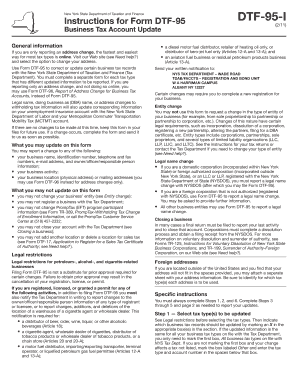
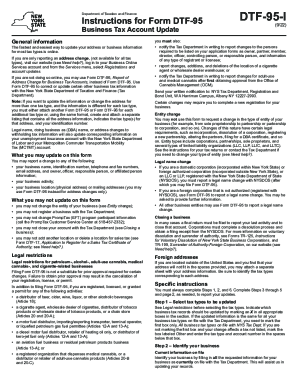
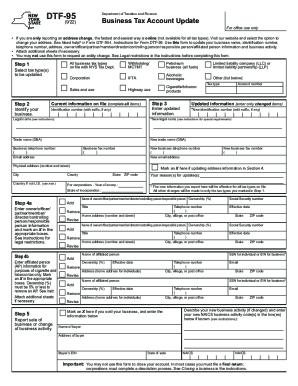
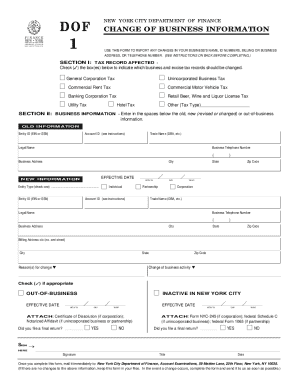
Related Forms



Get the latest insights from our blog


If you believe that this page should be taken down, please follow our DMCA take down process
here
.
This form may include fields for payment information. Data entered in these fields is not covered by PCI DSS compliance.