
Last updated on
Nov 9, 2026

CA Avalon Communities Application for Residency 2011-2026 free printable template
pdfFiller is not affiliated with any government organization

Fill out
Complete the form online in a simple drag-and-drop editor.

eSign
Add your legally binding signature or send the form for signing.

Share
Share the form via a link, letting anyone fill it out from any device.

Export
Download, print, email, or move the form to your cloud storage.
Why pdfFiller is the best tool for your documents and forms


End-to-end document management
From editing and signing to collaboration and tracking, pdfFiller has everything you need to get your documents done quickly and efficiently.
Accessible from anywhere
pdfFiller is fully cloud-based. This means you can edit, sign, and share documents from anywhere using your computer, smartphone, or tablet.
Secure and compliant
pdfFiller lets you securely manage documents following global laws like ESIGN, CCPA, and GDPR. It's also HIPAA and SOC 2 compliant.
What is CA Avalon Communities Application for Residency
The California Application for Residency is a residential lease document used by individuals applying to rent an apartment in California.
pdfFiller scores top ratings on review platforms




Who needs CA Avalon Communities Application for Residency?
Explore how professionals across industries use pdfFiller.

CA Avalon Communities Application for Residency is needed by:
-
Individuals seeking rental apartments in California
-
Landlords and property managers in California
-
Real estate agents assisting clients with rentals
-
Roommates applying together for a rental
-
Tenants renewing their rental applications
Comprehensive Guide to CA Avalon Communities Application for Residency
What is the California Application for Residency?
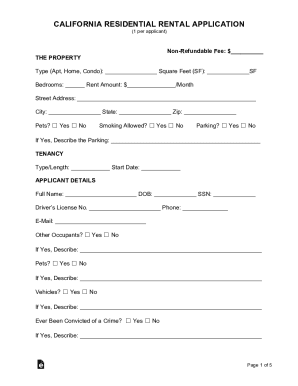
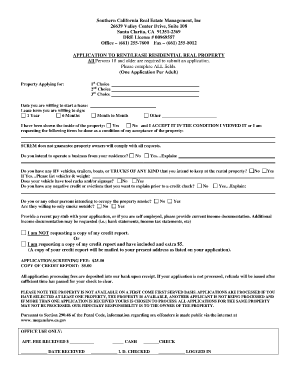
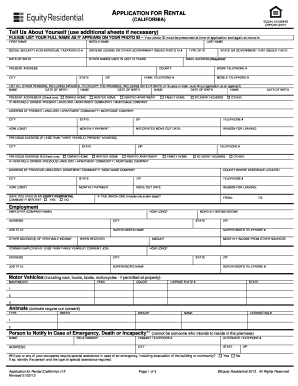
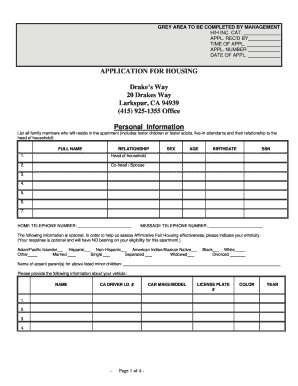
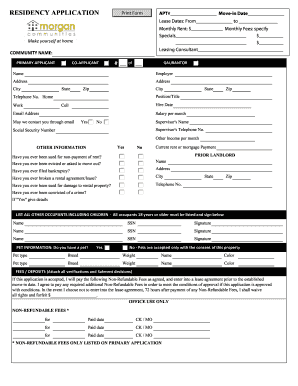
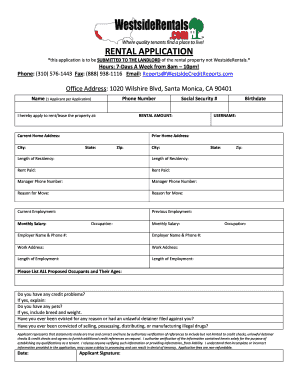
The California Application for Residency is a vital document used by tenants seeking to rent a property in California. This form requires essential personal information, including the applicant's name, date of birth, employment details, and emergency contacts. Understanding the significance of this application is crucial as it plays a key role in the rental approval process.
The information provided in the form assists property management in making informed decisions regarding tenant qualifications, while also establishing the terms related to deposits and rental agreements.
Purpose and Benefits of the California Application for Residency
This form serves multiple purposes crucial for both tenants and property management. For applicants, it facilitates a smooth and efficient rental process, helping them secure their desired homes. Conversely, management benefits from a streamlined tenant screening process that enhances operational efficiency.
Furthermore, the California Application for Residency aids in clarifying crucial terms regarding rental agreements and security deposits, fostering a transparent relationship between tenants and landlords.
Key Features of the California Application for Residency
The application form comprises several critical sections designed for comprehensive information collection. Key features include:
-
Detailed sections for personal information, employment status, and emergency contacts.
-
Checkboxes and fields for seamless completion of pet and vehicle details.
-
Eviction history and signature requirements, ensuring authenticity from both applicants and management.
These features contribute to a user-friendly experience while adhering to jurisdictional requirements.
Who Needs the California Application for Residency?
The California Application for Residency targets various stakeholders in the rental process. Primarily, it is necessary for potential tenants looking to rent residential properties. Additionally, property management companies and landlords utilize this form to assess tenant viability efficiently.
Awareness of jurisdiction-specific requirements is essential, ensuring compliance with local laws during the rental process.
When to Submit the California Application for Residency
Timely submission of the California Application for Residency is crucial for applicants aiming to secure rental properties. Best practices include aligning application submissions with property viewings to enhance competitiveness in the rental market.
It is vital to understand the potential consequences of late submissions, as delays may hinder the chances of securing desired rental opportunities.
How to Fill Out the California Application for Residency Online
Filling out the California Application for Residency online can simplify the rental process. To complete the form digitally, follow these steps:
-
Access the application form on the pdfFiller platform.
-
Provide your personal details, including employment and emergency contact information.
-
Complete sections for pets and vehicle information.
-
Review the completed form for accuracy before submission.
Using an online platform allows for easier corrections and ensures that all details are validated prior to submitting the application.
How to Sign the California Application for Residency
The signing process is an essential step in the California Application for Residency. Applicants have the option of using digital signatures or traditional wet signatures, both of which affirm the validity of the application.
Utilizing pdfFiller for eSigning offers a secure and efficient method, ensuring that signature requirements are met seamlessly.
Security and Compliance for the California Application for Residency
Users can be assured of the safety of their information when handling the California Application for Residency. pdfFiller employs robust security measures, including 256-bit encryption and compliance with regulations such as GDPR and HIPAA.
Protecting personal information is paramount, and understanding the platform's security protocols instills confidence in users when submitting sensitive data.
What Happens After You Submit the California Application for Residency?
Once the California Application for Residency is submitted, applicants can expect varying processing times. Common outcomes include acceptance, rejection, or a request for additional information from property management.
It's advisable for applicants to follow up on their application status regularly and prepare for potential rejections by identifying alternative rental options.
Unlock the Power of pdfFiller for Your California Application for Residency
Leveraging pdfFiller for your California Application for Residency enhances the overall experience. Users benefit from the platform's ease of use, enabling them to edit, eSign, and share their applications securely.
Success stories and testimonials highlight the practical advantages and reliability of pdfFiller, encouraging more applicants to utilize the platform for their form completion needs.
How to fill out the CA Avalon Communities Application for Residency
-
1.To access the California Application for Residency on pdfFiller, navigate to the pdfFiller website and use the search bar to find the form by name.
-
2.Once you locate the form, click on it to begin editing. Ensure you have your personal details handy, including identification and previous rental history.
-
3.With the form open, start by filling out your personal information, such as your first and last name, date of birth, and contact information in the designated fields.
-
4.Next, enter your employment details. Provide accurate information about your current employer, position, and salary. This information is crucial for the landlord's assessment.
-
5.If applicable, fill out vehicle and pet information. Indicate whether you have any pets and list your vehicle details, ensuring maximum transparency.
-
6.Don’t forget to disclose your eviction history in that section, as this might affect your rental application. Being honest will help build trust.
-
7.After entering all required information, review each section thoroughly to ensure accuracy and completeness. Double-check for any missing fields or incorrect entries.
-
8.Once you’ve reviewed the form, locate and add your signature in the designated signing area. Ensure both you and the management representatives sign the form.
-
9.Finally, save your completed application. You can download a copy for your records, submit it directly through pdfFiller, or email it to the property management office as instructed.

Who can apply using the California Application for Residency?
Anyone looking to rent an apartment in California can use the California Application for Residency, including individuals, families, and roommates applying together.
What information do I need to fill out the form?
You'll need personal details like your name, contact information, employment details, eviction history, and information about any pets or vehicles you own.
Do I have to notarize the California Application for Residency?
No, notarization is not required for the California Application for Residency; however, both the applicant and management must sign the document.
How can I submit the completed application?
You can submit the completed application directly through pdfFiller, download it and send it via email to the property management, or print it out for in-person submission.
Are there any fees associated with this application process?
Fees may vary by property management; typically, there may be an application fee charged to cover background checks. Check with your leasing office for specific details.
What should I do if I make a mistake on the form?
If you make a mistake, you can easily edit the fields in pdfFiller before saving the final version. Ensure all information is accurate before submission to avoid delays.
How long does it take to process the application?
Processing times can vary depending on the property management company. Typically, it can take a few days to a week, so it's recommended to apply as soon as possible.
CA Avalon Communities Application for Residency Form Versions
Related Content
Related Forms



Get the latest insights from our blog


If you believe that this page should be taken down, please follow our DMCA take down process
here
.
This form may include fields for payment information. Data entered in these fields is not covered by PCI DSS compliance.