
Last updated on
Nov 6, 2026
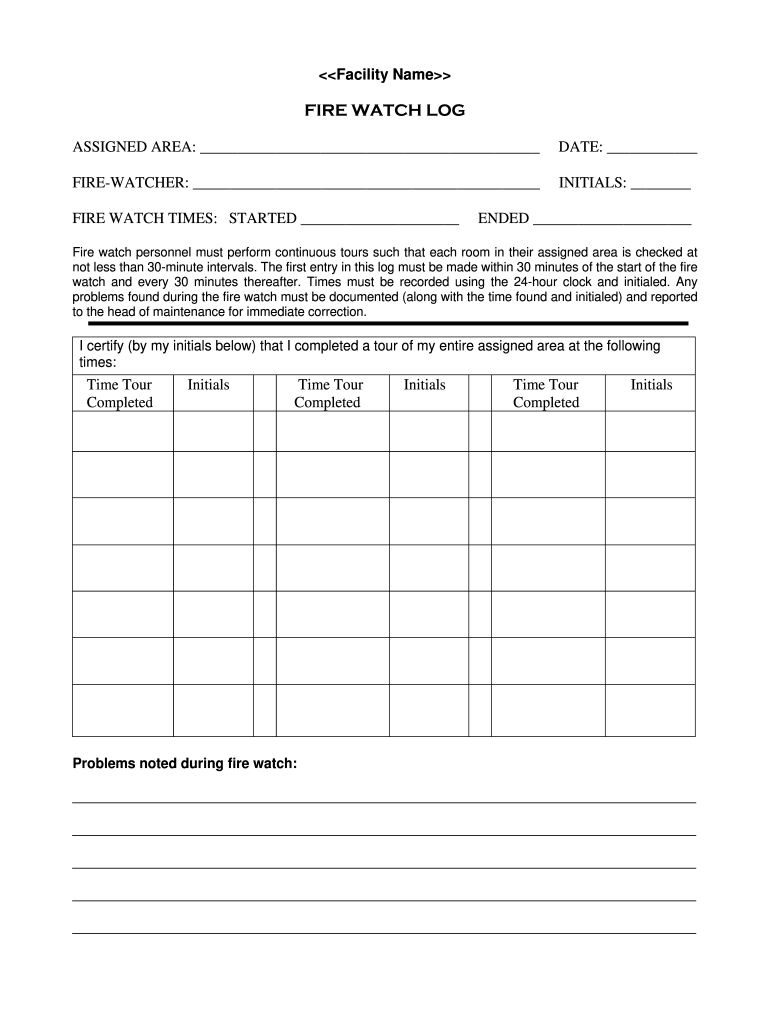
KY KAHCF Fire Watch Log 2011-2026 free printable template
pdfFiller is not affiliated with any government organization

Fill out
Complete the form online in a simple drag-and-drop editor.

eSign
Add your legally binding signature or send the form for signing.

Share
Share the form via a link, letting anyone fill it out from any device.

Export
Download, print, email, or move the form to your cloud storage.
Why pdfFiller is the best tool for your documents and forms


End-to-end document management
From editing and signing to collaboration and tracking, pdfFiller has everything you need to get your documents done quickly and efficiently.
Accessible from anywhere
pdfFiller is fully cloud-based. This means you can edit, sign, and share documents from anywhere using your computer, smartphone, or tablet.
Secure and compliant
pdfFiller lets you securely manage documents following global laws like ESIGN, CCPA, and GDPR. It's also HIPAA and SOC 2 compliant.
What is KY KAHCF Fire Watch Log
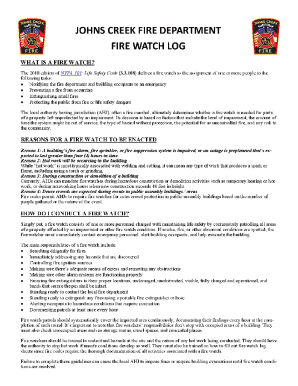
The Fire Watch Log is a healthcare facility document used by fire-watchers to record fire watch activities and issues encountered during their shifts.
pdfFiller scores top ratings on review platforms




New to PDFfiller so still learning. Working great so far...
Very simple to use and saves a ton of time.
Who needs KY KAHCF Fire Watch Log?
Explore how professionals across industries use pdfFiller.

KY KAHCF Fire Watch Log is needed by:
-
Healthcare administrators managing safety protocols
-
Nurses and caregivers in healthcare facilities
-
Fire safety officers conducting compliance checks
-
Emergency response teams in hospitals
-
Facility managers overseeing building safety inspections
Comprehensive Guide to KY KAHCF Fire Watch Log
What is the Fire Watch Log?
The Fire Watch Log is a critical document in healthcare settings, specifically designed to record fire watch activities, ensuring safety and compliance. In healthcare facilities, this log serves as a vital record of actions taken to monitor and mitigate fire hazards, providing essential documentation for regulatory adherence. For example, the Any Town Nursing Home utilizes this log to maintain fire safety standards and adhere to local regulations.
Recording fire watch activities improves safety protocols and creates a culture of preparedness among staff. It is essential that all incidents and observations are documented accurately to comply with safety regulations and protect patients and staff alike.
Purpose and Benefits of the Fire Watch Log
The Fire Watch Log offers numerous practical advantages for healthcare environments. One of its primary purposes is to ensure that safety protocols are consistently followed, helping to prevent fire-related incidents. By using this log, facilities are better equipped to identify and address fire hazards promptly, which is crucial in protecting lives.
Moreover, the log provides documentation that supports compliance with regulatory requirements, thereby safeguarding the facility against potential penalties. Utilizing tools like a nursing home fire watch form enhances the organization’s ability to maintain a secure environment for both patients and healthcare providers.
Key Features of the Fire Watch Log
Understanding the essential components of the Fire Watch Log is vital for effective use. This log requires documentation to be completed every 30 minutes, ensuring timely updates on fire safety monitoring. Further, it covers crucial areas, such as the second and third floors, and includes a certification of completed tours to attest to thorough checks.
-
Timestamps for each entry
-
Documentation of issues encountered
-
Staff signatures for accountability
Common fields in the log help maintain clarity and completeness, making it easier for regulatory bodies to review compliance with safety practices.
Who Needs the Fire Watch Log?
Effective fire safety management in healthcare facilities requires the involvement of various personnel. Fire watchers play a pivotal role in nursing homes and healthcare settings, tasked with monitoring for hazards and ensuring immediate reporting of incidents. It is equally crucial for other staff involved in fire safety protocols to familiarize themselves with this document.
The Fire Watch Log is essential for regulatory compliance, making it a key component for quality assurance teams. Understanding the roles and responsibilities associated with this log can significantly enhance overall safety in healthcare facilities.
How to Fill Out the Fire Watch Log Online (Step-by-Step)
Filling out the Fire Watch Log digitally is straightforward when following a few essential steps. First, access the online form via a secure platform. Then, proceed to fill in the required fields accurately.
-
Enter the date and time of the watch.
-
Document any issues or observations made during the watch.
-
Collect signatures from responsible personnel to verify each entry.
-
Review for accuracy before finalizing the log.
Emphasizing the importance of accuracy and timely entries ensures that the log serves its intended safety and compliance purposes.
Common Errors and How to Avoid Them
While filling out the Fire Watch Log, it’s important to be aware of common errors that could compromise its effectiveness. Frequent mistakes include missing signatures and incorrect timestamps, which can lead to compliance complications.
-
Double-check entries before submission.
-
Ensure all required fields are filled completely.
-
Review the log for accuracy after each shift.
Taking the time to avoid these common pitfalls enhances the reliability of the log and aids in maintaining safety standards.
Security and Compliance for the Fire Watch Log
Security is paramount when handling the Fire Watch Log, especially given the sensitive nature of the information recorded. Compliance with regulations such as HIPAA and GDPR is critical, as this log may contain personal data of patients and staff.
Utilizing secure document management practices ensures that logs are protected from unauthorized access. pdfFiller employs 256-bit encryption to safeguard sensitive data, making it a reliable option for healthcare facilities.
How to Download, Save, and Print the Fire Watch Log
After completing the Fire Watch Log, users can easily manage the document. First, download the log in PDF format to ensure it is saved securely. Next, users should follow proper protocols for saving and printing the log to protect its integrity.
-
Use secure methods to share the log within the healthcare facility.
-
Store copies in a secure location for future reference.
Handling the log properly is essential for maintaining an organized documentation process and ensuring easy access for compliance reviews.
What Happens After You Submit the Fire Watch Log
Upon submission of the Fire Watch Log, several follow-up processes are essential to ensure ongoing compliance and safety. Retaining a copy of the log is crucial for monitoring and verifying that safety checks were conducted as required.
Facilities should be prepared for compliance checks by regulatory bodies and maintain records for potential audits. Additionally, if any corrections or amendments are needed, having the log readily available simplifies this process.
Experience Convenient Document Management with pdfFiller
pdfFiller offers an efficient solution for managing the Fire Watch Log with its user-friendly interface and cloud-based capabilities. Key features include tools that facilitate filling out, editing, and sharing the log with ease.
Using pdfFiller ensures that document management is not only efficient but also secure, giving healthcare providers peace of mind when handling sensitive information.
How to fill out the KY KAHCF Fire Watch Log
-
1.To begin, access pdfFiller on your web browser and log in or create an account if you don't have one.
-
2.Once logged in, use the search bar to find the 'Fire Watch Log' template by entering its name.
-
3.Click on the form to open it within the pdfFiller interface, where you can view all available fields for completion.
-
4.Make sure to gather necessary details, such as tour times, observations, and any issues encountered before filling in the form.
-
5.Start entering the required information into the designated fields, carefully noting the times of your tours and recording any problems encountered during the watch.
-
6.Ensure to certify the completed tours by adding your initials or name where indicated on the form.
-
7.Once you have filled in all sections, review the form carefully to ensure all information is accurate and complete.
-
8.After reviewing, save your work, and use the options provided by pdfFiller to download a copy of the completed Fire Watch Log or submit it electronically as required.

Who is required to complete the Fire Watch Log?
The Fire Watch Log is typically completed by designated fire-watchers, which may include nurses, caregivers, or safety officers tasked with monitoring fire safety in healthcare facilities.
How often should the Fire Watch Log be filled out?
The log must be filled out every 30 minutes during the watch, ensuring continuous documentation of any issues or observations made during that time.
What should be done with the completed Fire Watch Log?
After completing the Fire Watch Log, it should be submitted to facility management or stored in a compliance records file, depending on the established procedures at the healthcare facility.
Are there any specific requirements for completing this form?
There are no notarization requirements for the Fire Watch Log; however, entries should be accurate and properly documented to ensure compliance with safety standards.
What information is essential to gather before starting the form?
Before starting the Fire Watch Log, it is crucial to gather details about the times of your tours, observations made, and any issues that occurred during the watch period.
How can I ensure the Fire Watch Log is filled out correctly?
To ensure accuracy, double-check all entries for clarity and completeness, confirm the times recorded, and make sure no observations are missed before finalizing the log.
How can I access the Fire Watch Log template on pdfFiller?
You can access the Fire Watch Log template on pdfFiller by logging into your account and using the search feature to find the form by its official name.
Related Forms


Get the latest insights from our blog


If you believe that this page should be taken down, please follow our DMCA take down process
here
.
This form may include fields for payment information. Data entered in these fields is not covered by PCI DSS compliance.