
Last updated on
Nov 9, 2026
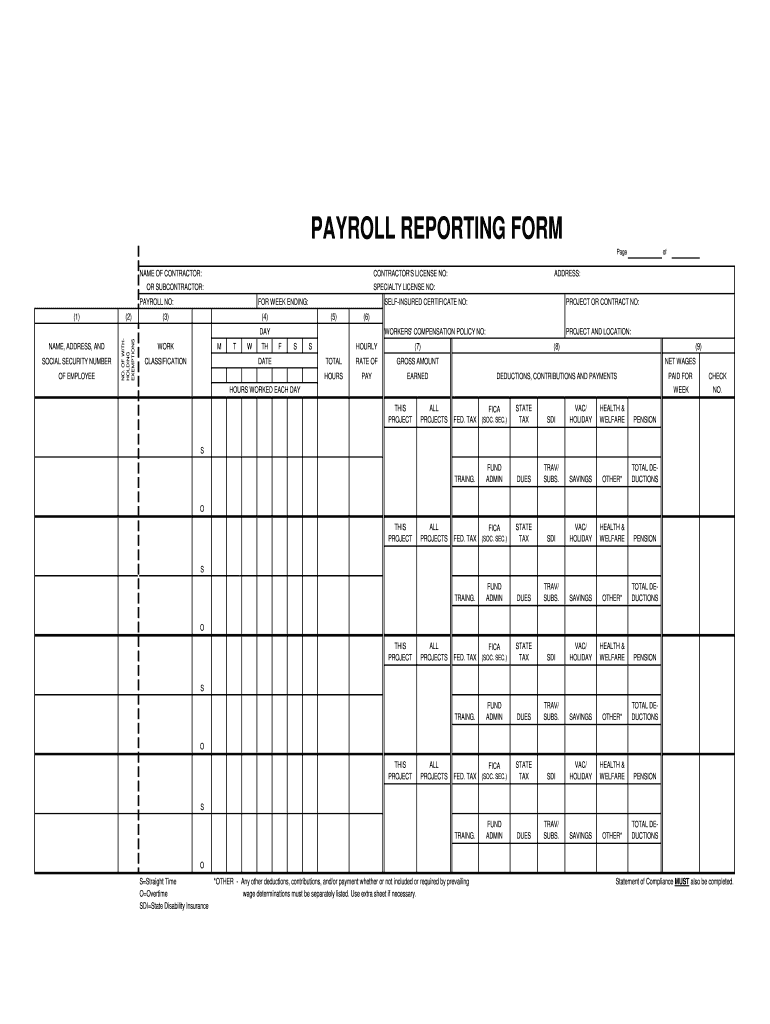
CA Metrolink Payroll Reporting Form 2001-2026 free printable template
pdfFiller is not affiliated with any government organization

Fill out
Complete the form online in a simple drag-and-drop editor.

eSign
Add your legally binding signature or send the form for signing.

Share
Share the form via a link, letting anyone fill it out from any device.

Export
Download, print, email, or move the form to your cloud storage.
Why pdfFiller is the best tool for your documents and forms


End-to-end document management
From editing and signing to collaboration and tracking, pdfFiller has everything you need to get your documents done quickly and efficiently.
Accessible from anywhere
pdfFiller is fully cloud-based. This means you can edit, sign, and share documents from anywhere using your computer, smartphone, or tablet.
Secure and compliant
pdfFiller lets you securely manage documents following global laws like ESIGN, CCPA, and GDPR. It's also HIPAA and SOC 2 compliant.
What is CA Metrolink Payroll Reporting Form
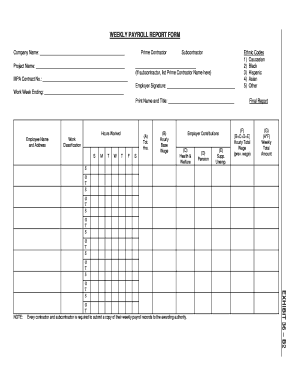
The Payroll Reporting Form is a business document used by contractors and subcontractors in California to report payroll information for workers' compensation and other benefits.
pdfFiller scores top ratings on review platforms




Who needs CA Metrolink Payroll Reporting Form?
Explore how professionals across industries use pdfFiller.

CA Metrolink Payroll Reporting Form is needed by:
-
Contractors operating in California
-
Subcontractors handling payroll reporting
-
Business owners dealing with workers' compensation
-
Human resources departments of construction firms
-
Payroll administrators ensuring compliance
-
Safety officers managing employee benefits
Comprehensive Guide to CA Metrolink Payroll Reporting Form
What is the Payroll Reporting Form?
The Payroll Reporting Form serves as a crucial document for contractors and subcontractors in California. It facilitates compliance with payroll reporting obligations, ensuring workers' compensation and benefits are accurately reported. This form provides a legal foundation, containing statements about adherence to California labor laws and the ramifications of non-compliance.
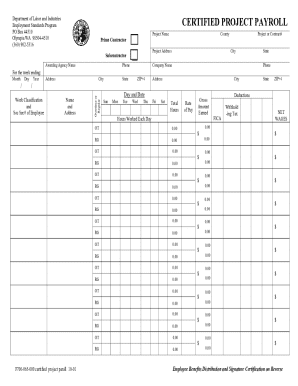
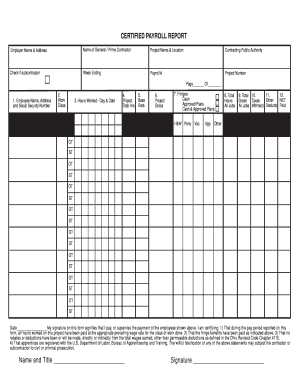
This form collects essential data, such as the contractor's license number and employee details, making it an integral part of maintaining workplace standards.
Purpose and Benefits of the Payroll Reporting Form
This form is vital for contractors and subcontractors, enabling them to report payroll information effectively. By accurately completing the payroll reporting form, businesses can avoid penalties associated with non-compliance with state regulations.
Utilizing tools like pdfFiller enhances the experience, providing a seamless process for form completion, storage, and submission.
Key Features of the Payroll Reporting Form
-
Requires detailed contractor information, including license number, employee data, hours worked, and deductions.
-
The design includes fillable fields and checkboxes for user convenience.
-
Emphasizes legal compliance and mandates signing by the designated signatory party.
Who Needs the Payroll Reporting Form?
The Payroll Reporting Form is specifically designed for contractors and subcontractors engaged in California labor projects. Understanding who must submit this form is essential for compliance with California labor regulations.
The form plays a critical role across various employment sectors, most notably in the construction industry, where adherence to labor laws is mandatory.
How to Fill Out the Payroll Reporting Form Online (Step-by-Step)
-
Begin by entering the contractor's license number in the designated field.
-
Provide employee names and corresponding social security numbers.
-
Detail the hours worked and any deductions applicable.
-
Review all filled fields for accuracy before submission.
-
Utilize pdfFiller for an optimized, user-friendly experience.
Submission Methods and Deadlines for the Payroll Reporting Form
Users can submit the Payroll Reporting Form through various methods, including online submission or via traditional mail. Each method has specific deadlines to adhere to, ensuring compliance and avoiding penalties.
Understanding the consequences of late filing or failing to file altogether is crucial for contractors and subcontractors.
Security and Compliance when Dealing with the Payroll Reporting Form
When filling out the Payroll Reporting Form, security measures are paramount. Tools like pdfFiller employ 256-bit encryption, ensuring compliance with essential security protocols.
Protecting sensitive data during payroll reporting not only safeguards personal information but also enhances trust in the process.
What Happens After You Submit the Payroll Reporting Form?
After submission, users can track their application status through various confirmation methods. It is important to understand the potential responses from the submitting authority, as well as the procedures for amending or correcting any errors that may arise.
Importance of Using pdfFiller for Your Payroll Reporting Form
Utilizing pdfFiller enhances the efficiency of processing the Payroll Reporting Form. With features like eSigning and a fillable format, users can streamline their workflow.
Testimonials from users showcase the platform's ease of use, emphasizing why having a centralized document management tool is crucial for managing payroll reporting effectively.
How to fill out the CA Metrolink Payroll Reporting Form
-
1.Access pdfFiller and search for the 'Payroll Reporting Form' using the search bar.
-
2.Once found, select the form to open it in the interactive editor.
-
3.Ensure you have gathered all necessary information, such as contractor's license number, project details, employee names, social security numbers, hours worked, and deductions beforehand.
-
4.Begin filling out the form by clicking on each field to input information directly.
-
5.Use the checkboxes where necessary for additional options, ensuring all required fields marked with an asterisk are completed.
-
6.Review all entries for accuracy; check for any typos or missing information to avoid common mistakes.
-
7.When you are satisfied with the completed form, preview it to ensure everything appears correctly.
-
8.To save, download, or submit the form, use the options at the top-right corner of pdfFiller, selecting the method that suits your needs.
-
9.You can email the completed form directly through pdfFiller or download it to your computer for local submission.

Who is eligible to use the Payroll Reporting Form?
The Payroll Reporting Form is intended for contractors and subcontractors operating in California who need to report payroll details for workers' compensation and related benefits.
What information is required to complete the form?
To complete the Payroll Reporting Form, you need the contractor's license number, project information, employee names, social security numbers, hours worked, and any deductions applicable.
Are there any deadlines for submitting this form?
While specific deadlines may vary, it is essential to submit the Payroll Reporting Form promptly as part of compliance with California labor laws and to prevent potential penalties.
Can I save my progress on the Payroll Reporting Form?
Yes, while using pdfFiller, you can save your progress on the Payroll Reporting Form and return later to complete it before final submission.
What are common mistakes people make while filling out this form?
Common mistakes include missing required fields, inaccuracies in employee information, or failing to check the necessary compliance boxes. Carefully reviewing each section can help avoid these issues.
How do I submit the Payroll Reporting Form?
You can submit the completed Payroll Reporting Form through pdfFiller by emailing it directly to the appropriate recipient or by downloading it for physical submission.
What happens if I falsify information on my Payroll Reporting Form?
Falsifying information on the Payroll Reporting Form can lead to serious legal consequences, including penalties and compliance issues with California labor laws.
Related Content
Related Forms

Get the latest insights from our blog


If you believe that this page should be taken down, please follow our DMCA take down process
here
.
This form may include fields for payment information. Data entered in these fields is not covered by PCI DSS compliance.