
Last updated on
Nov 9, 2026
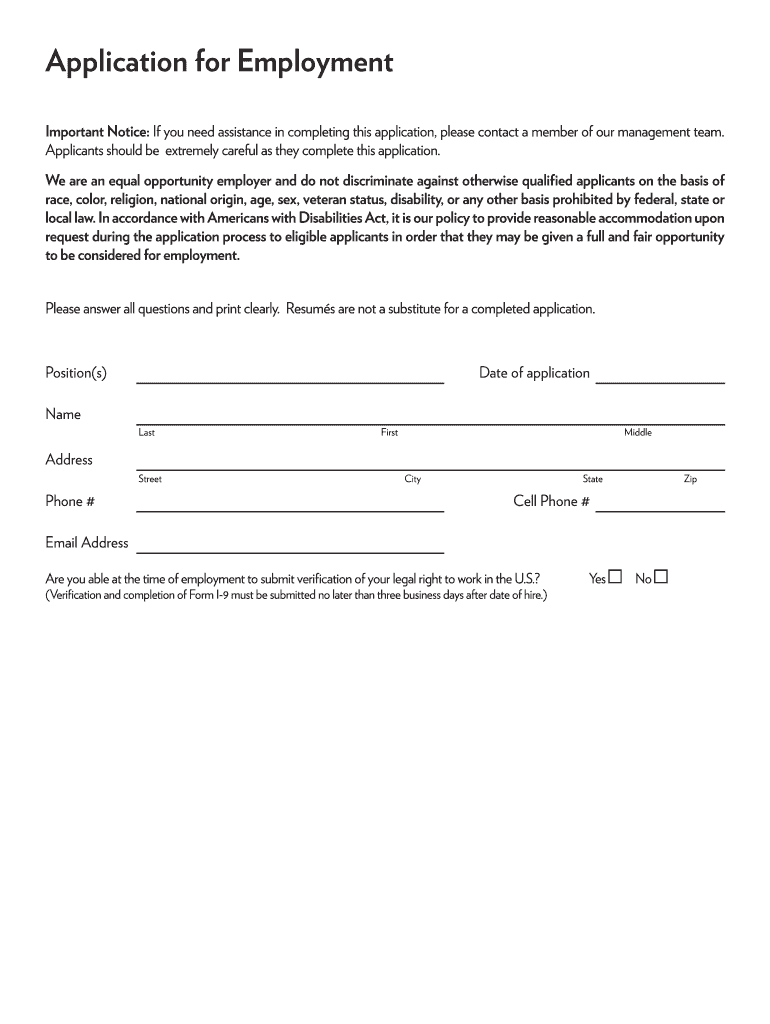
form Melting Pot Application for Employment free printable template
pdfFiller is not affiliated with any government organization

Fill out
Complete the form online in a simple drag-and-drop editor.

eSign
Add your legally binding signature or send the form for signing.

Share
Share the form via a link, letting anyone fill it out from any device.

Export
Download, print, email, or move the form to your cloud storage.
Why pdfFiller is the best tool for your documents and forms


End-to-end document management
From editing and signing to collaboration and tracking, pdfFiller has everything you need to get your documents done quickly and efficiently.
Accessible from anywhere
pdfFiller is fully cloud-based. This means you can edit, sign, and share documents from anywhere using your computer, smartphone, or tablet.
Secure and compliant
pdfFiller lets you securely manage documents following global laws like ESIGN, CCPA, and GDPR. It's also HIPAA and SOC 2 compliant.
What is form Melting Pot Application for Employment
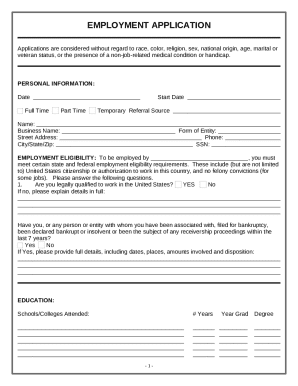
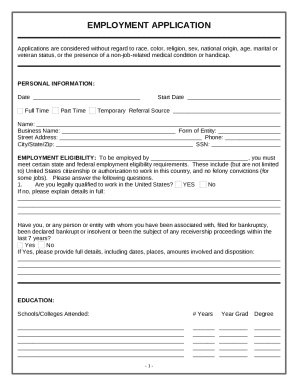
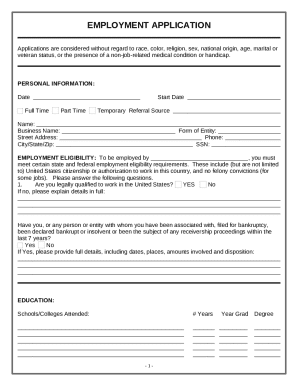
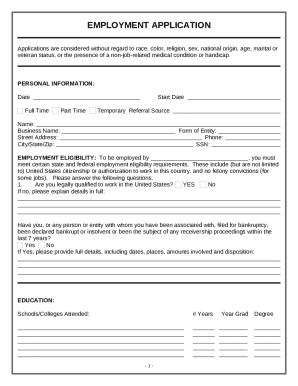
The Employment Application Form is a document used by job applicants to provide personal information and work history to potential employers.
pdfFiller scores top ratings on review platforms




Who needs form Melting Pot Application for Employment?
Explore how professionals across industries use pdfFiller.

Form Melting Pot Application for Employment is needed by:
-
Job seekers applying for positions in various industries
-
Recruiters and hiring managers collecting candidate details
-
Human Resource departments processing job applications
-
Educational institutions requiring information for student internships
-
Volunteer organizations screening applicants for roles
-
Freelancers applying for contract jobs requiring formal applications
Comprehensive Guide to form Melting Pot Application for Employment
What is the Employment Application Form?
The Employment Application Form is a crucial document utilized by job applicants to present their personal information, work history, education, and references to potential employers. This form plays a significant role in the job application process, ensuring that applicants provide relevant details in a structured manner. Key components of the employment application form include sections for personal information, work history, education, and references, which facilitate a comprehensive overview of the applicant's qualifications.
Purpose and Benefits of the Employment Application Form
The employment application form is essential for both job applicants and employers. It standardizes the information submitted by candidates, allowing employers to easily review and compare applications. For applicants, utilizing a job application template enables them to present their information clearly and professionally, increasing the likelihood of making a positive impression. Furthermore, the use of an employment application template helps ensure that all necessary details are included, reducing the chance of omitted information that could hinder their application.
Key Features of the Employment Application Form
One of the foremost features of the employment application form includes multiple fillable fields and checkboxes that guide the applicants through the completion process. These forms often come equipped with explicit instructions, such as reminders to 'please answer all questions and print clearly.' A notable inclusion is the certification statement, which emphasizes the importance of verifying the accuracy of the information provided. This feature reassures employers of the applicant's honesty and integrity.
Who Needs the Employment Application Form?
The employment application form is primarily intended for job seekers applying for positions within the U.S. Various industries such as healthcare, retail, and technology utilize this form as an essential part of their hiring processes. By adopting a standardized job application form, employers can streamline their recruitment efforts, ensure compliance with hiring regulations, and maintain thorough documentation for all applicants.
How to Fill Out the Employment Application Form Online (Step-by-Step)
-
Access the employment application form on the preferred platform.
-
Begin with entering your personal information in the designated fields.
-
List your employment history chronologically, including job titles and responsibilities.
-
Provide information regarding your educational background, including degrees earned.
-
Include references, ensuring that you have their permission to share their contact details.
-
Review your responses for accuracy before submitting the application.
By carefully following these steps, applicants can ensure the completion of a job application form template that accurately reflects their qualifications.
Common Errors and How to Avoid Them
When filling out an employment application, several common errors can occur. Frequent mistakes include leaving fields blank or providing illegible handwriting, which can lead to misunderstandings. To minimize these errors, applicants should implement a double-checking strategy before submission, verifying that all information is filled out correctly and clearly. Ensuring the document is neat and free from typos is vital for making a strong impression.
Submission Methods for the Employment Application Form
Once completed, the employment application form can be submitted via various methods. Applicants can choose to submit the form online through the employer's application portal, deliver it in person to the hiring manager, or send it through traditional mail. It's crucial to follow the specific submission guidelines provided by the employer, which often include direction to the HR department where the form should be sent.
Security and Compliance for the Employment Application Form
When handling the employment application form, particularly in digital format, security is paramount. pdfFiller adheres to strict security measures, including high-level encryption and compliance with standards like HIPAA and GDPR. This ensures that sensitive personal information remains protected throughout the application process, alleviating concerns that applicants may have about data handling and privacy.
Example of a Completed Employment Application Form
Providing an example of a filled-out application form can serve as a valuable visual reference for users. Typical responses might include an applicant's name, contact information, work experience, and educational background. It's important to emphasize key sections such as the employment history and references, which showcase the types of information typically expected from candidates.
Getting Started with pdfFiller for Your Employment Application Form
To simplify the process of completing an employment application form, consider using pdfFiller. This platform offers numerous advantages, including the ability to create, edit, and submit your application forms digitally. By signing up for pdfFiller, users can experience the convenience of securely completing and submitting application forms, ultimately enhancing their job application experience.
How to fill out the form Melting Pot Application for Employment
-
1.To begin, navigate to pdfFiller and search for the Employment Application Form template.
-
2.Click on the template to open it in the pdfFiller editor.
-
3.Before you start filling in the form, gather all necessary information such as your personal details, employment history, and references.
-
4.Use the toolbar to select fields to fill in; type your information into each relevant section.
-
5.Ensure you answer all required questions clearly and accurately, using concise language.
-
6.If any instructions prompt you to print clearly or provide additional details, follow those guidelines to ensure correctness.
-
7.Utilize checkboxes for selections as instructed in the form to streamline your responses.
-
8.After completing all fields, review the form thoroughly to check for any missing information or errors.
-
9.Once confirmed, proceed to save your completed form, ensuring it is securely stored on your device.
-
10.Download the form in your desired format, whether PDF or any other supported file type.
-
11.If needed, submit the form directly to your employer or designated recipient through pdfFiller’s submission options, ensuring you keep a copy for your records.

What are the eligibility requirements for using the Employment Application Form?
Anyone seeking employment, including students, professionals, and freelancers, can use the Employment Application Form, as it is tailored for job applications across various sectors.
Is there a deadline for submitting the Employment Application Form?
While the form itself does not have a fixed deadline, it is advisable to submit it as soon as possible after applying for a job to be considered in the hiring process.
How can I submit the Employment Application Form?
You can submit the Employment Application Form by downloading it once completed or by using pdfFiller's direct submission features, which may streamline the process to employers.
What supporting documents do I need to include with my application?
Typically, you should include a resume or CV, cover letter, and any applicable certifications along with the Employment Application Form, but check specific employer requirements.
What are some common mistakes to avoid when filling out the Employment Application Form?
Common mistakes include providing incomplete information, typos, and not adhering to instruction prompts. Always double-check responses before submission to avoid errors.
How long does it take to process my Employment Application Form?
Processing times can vary by employer, but you can generally expect a response within 1-3 weeks after submission, depending on the hiring practices of the organization.
Can I edit my Employment Application Form after submission?
Once submitted, making edits depends on the employer's policies. If possible, contact them directly to request changes or details regarding their process.
Related Content
Related Forms



Related Catalogs
Get the latest insights from our blog


If you believe that this page should be taken down, please follow our DMCA take down process
here
.
This form may include fields for payment information. Data entered in these fields is not covered by PCI DSS compliance.