
Last updated on
Oct 31, 2026

Form 15CB free printable template
pdfFiller is not affiliated with any government organization

Fill out
Complete the form online in a simple drag-and-drop editor.

eSign
Add your legally binding signature or send the form for signing.

Share
Share the form via a link, letting anyone fill it out from any device.

Export
Download, print, email, or move the form to your cloud storage.
Why pdfFiller is the best tool for your documents and forms


End-to-end document management
From editing and signing to collaboration and tracking, pdfFiller has everything you need to get your documents done quickly and efficiently.
Accessible from anywhere
pdfFiller is fully cloud-based. This means you can edit, sign, and share documents from anywhere using your computer, smartphone, or tablet.
Secure and compliant
pdfFiller lets you securely manage documents following global laws like ESIGN, CCPA, and GDPR. It's also HIPAA and SOC 2 compliant.
What is Form 15CB
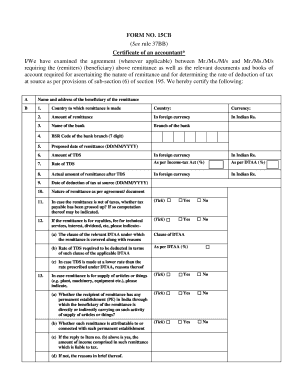
The Form 15CB Certificate of an Accountant is a tax-related document used by accountants in India to certify the nature of remittance and tax deducted at source (TDS) for non-resident payments.
pdfFiller scores top ratings on review platforms




It's easy to use, convenient, and has benefits (like the email and notifications) that are really nice.
This is a great tool and easy to use website.
Who needs Form 15CB?
Explore how professionals across industries use pdfFiller.

Form 15CB is needed by:
-
Accountants overseeing foreign remittances
-
Businesses making payments to non-residents
-
Individuals receiving foreign funds
-
Legal representatives handling non-resident issues
-
Tax consultants guiding clients on TDS compliance
Comprehensive Guide to Form 15CB
What is the Form 15CB Certificate of an Accountant?
The Form 15CB Certificate is a crucial document in Indian tax remittance, serving as a certification from an accountant regarding the nature of foreign remittance and applicable Tax Deducted at Source (TDS). It is particularly significant for transactions involving non-resident beneficiaries. An accountant's certification is paramount in ensuring compliance with Indian tax regulations, and it validates the remittance process by detailing the TDS implications.
Form 15CB acts as a protective measure for the remitter against potential legal repercussions related to tax evasion. It plays an essential role in the smooth execution of foreign remittance transactions, thus underscoring the importance of obtaining this certificate.
Purpose and Benefits of the Form 15CB Certificate
The Form 15CB Certificate is vital for tax compliance when remitting funds abroad. By issuing this form, individuals and businesses benefit from a detailed account of their tax obligations, ensuring that they meet all legal requirements.
This certificate safeguards users against legal challenges by providing verified proof of the tax deducted on remittances. Furthermore, it streamlines the foreign remittance process, making transactions more efficient and compliant with existing tax laws.
Who Needs the Form 15CB Certificate of an Accountant?
Individuals or entities engaging in foreign remittance are required to obtain the Form 15CB Certificate. This includes both residents and non-residents who benefit from payments coming into India.
Common scenarios mandating this form’s completion include payments for services rendered, royalties, and other types of remittances. Accountants have a crucial role in this process, ensuring all details are accurate and compliant with regulatory standards.
How to Fill Out the Form 15CB Certificate of an Accountant Online
Filling out the Form 15CB online requires careful attention to detail. Here are the steps to complete the form:
-
Log in to the online platform designated for form completion.
-
Enter the beneficiary's name and address accurately.
-
Input the amount payable in foreign currency and the corresponding Indian Rupees.
-
Provide details on the nature of remittance and the applicable TDS rate.
-
Review all segments for accuracy and completeness.
To ensure compliance, double-check your entries and consult guidance to sidestep common pitfalls in the process.
Essential Information and Documents Required Before Filing
Before filing the Form 15CB Certificate, you must gather the following information:
-
Beneficiary’s name and address.
-
Amount payable in foreign currency and its equivalent in Indian Rupees.
-
Nature of remittance and the applicable TDS rate.
Additionally, ensure you have the necessary supporting documents, which may include identity proof and remittance details. A pre-filing checklist can help confirm that your form is complete and accurate.
Submission Methods and Delivery of the Form 15CB Certificate
The completed Form 15CB can be submitted through various methods, including electronic submission and physical delivery. Electronic submissions are often preferred for their speed and convenience.
Be aware of submission timelines to avoid penalties for late filings. After submission, you can track the form's status through the designated online platform for updates and confirmation of receipt.
Common Errors When Filling Out the Form 15CB and How to Avoid Them
When filling out the Form 15CB, users frequently make errors such as incorrect amounts or missing information. To minimize mistakes, consider these tips:
-
Verify the accuracy of amounts entered in all relevant fields.
-
Ensure no fields are left blank, particularly mandatory sections.
-
Consult with experienced accountants for troubleshooting advice.
By reviewing your completed form thoroughly before submission, you can enhance the accuracy and compliance of your filing.
The Role of Digital Signatures in the Form 15CB Submission Process
Digital signatures are integral to the submission process of the Form 15CB, providing an electronic alternative to traditional wet signatures. Unlike wet signatures, digital signatures offer enhanced security and validity under current regulations.
To sign the form electronically, follow these steps:
-
Select the digital signature option on the submission platform.
-
Input your unique digital signature credentials.
-
Confirm the signature to validate the document.
Utilizing digital signatures ensures that sensitive information is securely handled throughout the submission process.
Why Choose pdfFiller for Completing Your Form 15CB Certificate
pdfFiller stands out as a premier platform for managing your Form 15CB Certificate. With capabilities to edit and sign PDFs conveniently online, it supports users in creating accurate forms effortlessly.
Security features such as 256-bit encryption and compliance with HIPAA and GDPR regulations provide peace of mind when handling sensitive documents. User testimonials highlight the platform's ease of use, helping you complete forms efficiently while maintaining compliance.
Next Steps After Submitting Your Form 15CB Certificate
Once you've submitted your Form 15CB Certificate, you can expect a confirmation of receipt from the relevant authorities. Tracking the status of your submission is advisable to stay informed.
If you discover errors post-submission that require corrections or amendments, follow the guidelines provided on the submission platform. Anticipating timelines for response and follow-up actions can also help streamline your remittance process.
How to fill out the Form 15CB
-
1.Access the Form 15CB on pdfFiller by searching in the template library or using the direct link provided.
-
2.Once open, review the available fillable fields to understand the required information needed to complete the form.
-
3.Gather necessary information such as the beneficiary's name, country, amount, nature of remittance, and TDS rate before starting your input.
-
4.Using pdfFiller's tools, click on each field and enter the corresponding details accurately, ensuring to follow any on-screen instructions.
-
5.If your form requires checkboxes, select the relevant options to confirm specific conditions or details as per the remittance.
-
6.After completing all sections, carefully review each entry for accuracy to avoid common mistakes that could delay processing.
-
7.Utilize pdfFiller’s review features to ensure all information is correctly filled in before finalizing your form.
-
8.Once satisfied with your form, proceed to save your work, download it as a PDF, or submit it directly through the available options on pdfFiller.

Who is eligible to use Form 15CB?
Form 15CB can be used by accountants and tax professionals who are certifying payments made to non-residents in compliance with Indian tax regulations.
When should I submit Form 15CB?
Form 15CB must be submitted before making any foreign remittance. It is advisable to complete this form well ahead of the payment date to ensure timely compliance.
How do I submit Form 15CB?
Form 15CB can be submitted either by emailing to the relevant tax authorities or through an online submission portal if your organization supports it. Ensure all details are filled out correctly.
What supporting documents are needed for Form 15CB?
You typically need documentation that includes details of the remittance being made, beneficiary information, and proof of tax deduction such as TDS certificates.
What common mistakes should I avoid when filling out Form 15CB?
Be careful to fill in all required fields completely and accurately. Double-check the TDS rates and beneficiary information to avoid processing delays.
How long does processing take for Form 15CB?
Processing times for Form 15CB can vary. Generally, if submitted directly to tax authorities, it may take a few days to confirm approvals depending on their workload.
Is notarization required for Form 15CB?
No, notarization is not required for Form 15CB, but it must be signed by a qualified accountant to validate the certification of the remittance.
Related Content
Related Forms


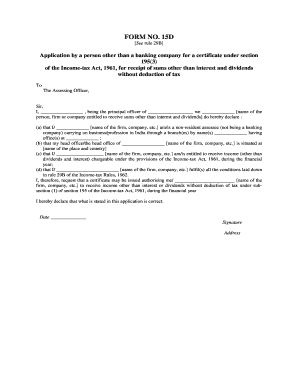

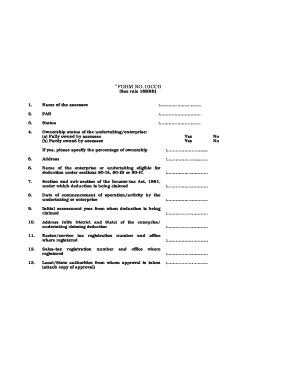
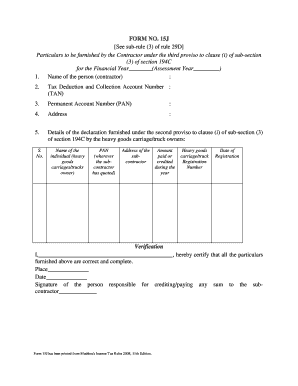
Related Catalogs
Get the latest insights from our blog


If you believe that this page should be taken down, please follow our DMCA take down process
here
.
This form may include fields for payment information. Data entered in these fields is not covered by PCI DSS compliance.