
Last updated on
Oct 19, 2026

Get the free Interior Advisor Service Appointment Form
We are not affiliated with any brand or entity on this form

Fill out
Complete the form online in a simple drag-and-drop editor.

eSign
Add your legally binding signature or send the form for signing.

Share
Share the form via a link, letting anyone fill it out from any device.

Export
Download, print, email, or move the form to your cloud storage.
Why pdfFiller is the best tool for your documents and forms


End-to-end document management
From editing and signing to collaboration and tracking, pdfFiller has everything you need to get your documents done quickly and efficiently.
Accessible from anywhere
pdfFiller is fully cloud-based. This means you can edit, sign, and share documents from anywhere using your computer, smartphone, or tablet.
Secure and compliant
pdfFiller lets you securely manage documents following global laws like ESIGN, CCPA, and GDPR. It's also HIPAA and SOC 2 compliant.
What is Interior Advisor Form
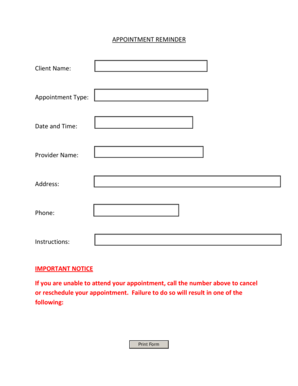
The Interior Advisor Service Appointment Form is a service agreement used by customers in Singapore to schedule appointments with MUJI's Interior Advisor Service.
pdfFiller scores top ratings on review platforms




Who needs Interior Advisor Form?
Explore how professionals across industries use pdfFiller.

Interior Advisor Form is needed by:
-
Homeowners seeking interior design advice
-
Real estate agents representing clients
-
Property managers requiring consultation services
-
Individuals interested in MUJI's home furnishing solutions
-
Anyone looking for expert interior planning assistance
Comprehensive Guide to Interior Advisor Form
What is the Interior Advisor Service Appointment Form?
The Interior Advisor Service Appointment Form serves as an essential tool for Singapore residents interested in securing professional interior design consultations. Offered exclusively by MUJI, this form enables clients to schedule appointments conveniently. By utilizing the form, users can efficiently arrange discussions about their interior design needs, making it a crucial component for those seeking guidance in transforming their living or workspaces.
Purpose and Benefits of the Interior Advisor Service Appointment Form
This appointment form provides a seamless online solution for scheduling consultations, enhancing the overall customer experience. One of the standout advantages includes personalized assistance tailored to the client's specific interior design concerns. The service responds effectively to common issues, such as space planning and furniture selection, ensuring that users receive comprehensive support in their design journeys.
-
Convenience of scheduling appointments at any time.
-
Access to expert advice and tailored consultations.
-
Ability to address specific interior design challenges.
Key Features of the Interior Advisor Service Appointment Form
The Interior Advisor Service Appointment Form comprises multiple sections designed to capture all necessary details. Users can expect to provide personal information, property specifics, and particular areas of concern. The form is equipped with various fillable fields and checkboxes, allowing for straightforward input. Understanding the terms and conditions associated with the service is crucial, as they dictate the parameters of the appointment.
-
Sections for personal information and property details.
-
Multiple fillable fields to ensure comprehensive information collection.
-
Terms and conditions outlining service availability and applicability.
Who Needs the Interior Advisor Service Appointment Form?
The form is designed for a diverse range of users, including homeowners, renters, and business owners. These groups would particularly benefit from the MUJI Interior Advisory service, especially in scenarios involving interior transformations or design optimizations. This service is especially valuable for individuals who may not be well-versed in interior design, providing them with the guidance necessary to make informed decisions.
How to Fill Out the Interior Advisor Service Appointment Form Online
Accessing the Interior Advisor Service Appointment Form online is a straightforward process. Users need to gather relevant personal and property information before beginning the form-filling process. Here’s a step-by-step guide to ensure successful completion:
-
Navigate to the pdfFiller platform to access the form.
-
Collect all required information to complete the form accurately.
-
Follow the field-by-field instructions provided within the form.
Common Errors and How to Avoid Them When Submitting the Form
When submitting the Interior Advisor Service Appointment Form, users may encounter frequent errors, such as providing incorrect information or leaving fields blank. To prevent these issues, careful review of the completed form is essential. Double-checking critical details, especially contact information, can significantly reduce the likelihood of complications during the appointment scheduling process.
-
Ensure all personal and property details are accurately entered.
-
Verify that no fields are left incomplete.
How to Download and Save the Interior Advisor Service Appointment Form PDF
After successfully filling out the Interior Advisor Service Appointment Form, users should know how to manage their document effectively. The process for downloading and saving the form is simple and involves a few easy steps:
-
Download the completed form from the pdfFiller platform for personal records.
-
Choose from various formats such as PDF or DOCX for saving.
-
Share the saved form with MUJI to finalize the appointment.
What Happens After You Submit the Interior Advisor Service Appointment Form?
Upon submission of the Interior Advisor Service Appointment Form, users can expect to receive confirmation through either email or a follow-up call. The typical timeline for scheduling the appointment is clearly outlined, ensuring users are informed about what to expect. Should a confirmation not be received, users are encouraged to take specific steps to seek assistance.
Experience the Convenience of Managing Your Form with pdfFiller
Utilizing pdfFiller for managing the Interior Advisor Service Appointment Form offers numerous advantages. The platform simplifies document creation and editing, empowering users to handle their forms efficiently. Key features include the ability to eSign documents and share them securely, which is particularly useful for ongoing document management needs.
How to fill out the Interior Advisor Form
-
1.Access the form on pdfFiller by searching for 'Interior Advisor Service Appointment Form' in the pdfFiller search bar.
-
2.Open the form by clicking on the search result, ensuring you are logged in to your pdfFiller account.
-
3.Review the introductory section that details the purpose of the form and its significance.
-
4.Gather your personal information including your full name, contact number, and email address handy before starting to fill out the form.
-
5.Begin filling in the personal information fields at the top of the form, ensuring all entries are accurate and complete.
-
6.Proceed to the property details section and include relevant information about the property in question including its address, type, and size.
-
7.Identify any specific areas of concern or focus you have regarding your interior consultation.
-
8.Use the checkboxes provided to select your preferred content for the consultation, ensuring you choose options that best represent your needs.
-
9.Carefully read through the terms and conditions included in the form to ensure you understand the service requirements.
-
10.Review all filled sections by scrolling through the form, confirming there are no missing fields or inaccuracies.
-
11.Once confirmed, click on the 'Save' option to store your progress or 'Download' to keep a local copy.
-
12.To submit the form, use the 'Submit' button if available or follow the instructions provided for sending the completed form to MUJI.

Who is eligible to use the Interior Advisor Service Appointment Form?
The form is available for residents and property owners in Singapore who wish to utilize MUJI’s Interior Advisor Service for their interior design needs.
What information do I need to fill out this form?
You will need personal information such as your name and contact details, property information, areas of concern, and preferences for the consultation service.
How do I submit the completed appointment form?
After filling out the form in pdfFiller, you can submit it by following the submission instructions on the platform or emailing it directly to MUJI’s designated contact.
Can I change my appointment after submitting the form?
Yes, you can usually contact MUJI directly via their customer service to modify or reschedule your appointment upon submission, but it is recommended to do this as soon as possible.
Are there any fees associated with using the Interior Advisor Service?
The information does not specify any fees in the form metadata, so checking directly with MUJI or the service terms is best for accurate pricing information.
What common mistakes should I avoid when filling out the form?
Be careful to fill in all required fields accurately, ensure no details about your property are omitted, and double-check your contact information to avoid delays in scheduling.
Related Forms





Get the latest insights from our blog


If you believe that this page should be taken down, please follow our DMCA take down process
here
.
This form may include fields for payment information. Data entered in these fields is not covered by PCI DSS compliance.