
Last updated on
Oct 2, 2026

Get the free Texas Sales and Use Tax Return
We are not affiliated with any brand or entity on this form

Fill out
Complete the form online in a simple drag-and-drop editor.

eSign
Add your legally binding signature or send the form for signing.

Share
Share the form via a link, letting anyone fill it out from any device.

Export
Download, print, email, or move the form to your cloud storage.
Why pdfFiller is the best tool for your documents and forms


End-to-end document management
From editing and signing to collaboration and tracking, pdfFiller has everything you need to get your documents done quickly and efficiently.
Accessible from anywhere
pdfFiller is fully cloud-based. This means you can edit, sign, and share documents from anywhere using your computer, smartphone, or tablet.
Secure and compliant
pdfFiller lets you securely manage documents following global laws like ESIGN, CCPA, and GDPR. It's also HIPAA and SOC 2 compliant.
What is Texas Tax Return
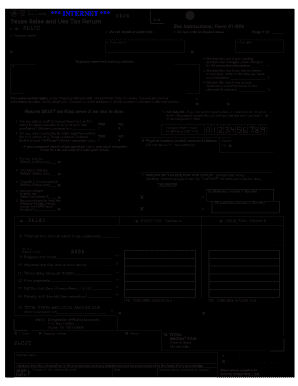
The Texas Sales and Use Tax Return is a state tax document used by businesses in Texas to report and pay sales and use taxes.
pdfFiller scores top ratings on review platforms




Who needs Texas Tax Return?
Explore how professionals across industries use pdfFiller.

Texas Tax Return is needed by:
-
Texas business owners required to report sales tax.
-
Companies with a single location in Texas.
-
Businesses selling taxable items to consumers in Texas.
-
Tax professionals preparing state tax filings for clients.
-
Entrepreneurs launching new ventures in Texas.
Comprehensive Guide to Texas Tax Return
What is the Texas Sales and Use Tax Return?
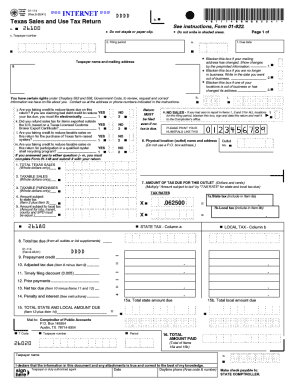
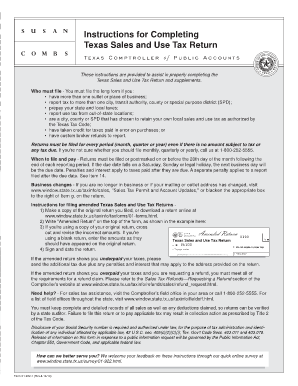
The Texas Sales and Use Tax Return, also known as Form 01-117, is a critical document for businesses operating in Texas. This form is specifically designed to help businesses report their sales and use tax obligations accurately. It distinguishes between sales tax, which is collected on sales to customers, and use tax, which applies to taxable purchases made outside Texas for use within the state.
Understanding its purpose ensures businesses comply with Texas tax regulations, avoiding potential penalties.
Purpose and Benefits of the Texas Sales and Use Tax Return
The Texas Sales and Use Tax Return serves multiple essential functions for businesses in the state. Primarily, it facilitates the reporting of total sales and taxable purchases, ensuring compliance with state tax laws. Timely submission coupled with accurate reporting can significantly benefit businesses by reducing the risk of penalties and improving overall tax compliance.
Filing this form helps maintain good standing with the Texas Comptroller of Public Accounts, which is vital for business operations.
Who Needs to File the Texas Sales and Use Tax Return?
Businesses that engage in sales and purchases of taxable goods or services in Texas are generally required to file the Texas Sales and Use Tax Return. Eligibility criteria typically include factors such as having a physical presence in Texas or specific revenue thresholds. Certain business types, such as those with a single location, commonly need to utilize this form.
-
Criteria for filing the return include having a sales tax permit.
-
Common business types needing the form include retailers and wholesalers.
-
Exemptions may apply for certain non-profit entities and out-of-state businesses.
How to Fill Out the Texas Sales and Use Tax Return Online
Filling out the Texas Sales and Use Tax Return online is a straightforward process when following these steps. Begin by accessing the fillable version of Form 01-117 on the appropriate platform.
-
First, enter your Taxpayer Number and the Filing Period.
-
Next, accurately detail the Total Sales and Taxable Sales figures.
-
Conclusion of the form requires signing, confirming that all information is true to the best of your knowledge.
Common Mistakes to Avoid When Filing the Texas Sales and Use Tax Return
During the filing process, businesses often encounter common pitfalls that can lead to issues with their submissions. Missing information is a frequent error that can delay processing and result in fines.
-
Ensure all fields are completed accurately to avoid mistakes.
-
Double-check figures to confirm they align with supporting documentation.
-
Review entries for possible transcription errors that affect total calculations.
When and How to Submit the Texas Sales and Use Tax Return
Understanding the deadlines and submission methods for the Texas Sales and Use Tax Return is crucial for compliance. Filers must be aware of key deadlines, which typically follow a monthly or quarterly schedule.
-
Choose between submitting online through an Electronic Funds Transfer (EFT) or by mailing the form.
-
Keep track of submission confirmations to ensure timely processing.
What to Do If You Miss the Filing Deadline
Missing the filing deadline for the Texas Sales and Use Tax Return can lead to serious penalties. Businesses should understand these consequences and act quickly if they find themselves in this situation.
-
Penalties may include fines and accrued interest on any unpaid tax amount.
-
To remedy the situation, consider filing an amended return promptly.
-
Always document communications and submissions related to corrections.
How pdfFiller Can Help with Your Texas Sales and Use Tax Return
pdfFiller offers valuable support to users when completing the Texas Sales and Use Tax Return. Its features streamline the process of filling out tax forms, ensuring a user-friendly experience.
-
Utilize eSign capabilities for secure signature collection.
-
Edit and save forms as needed to maintain accurate records.
-
pdfFiller employs robust security measures to protect sensitive tax information.
Review Process for Your Texas Sales and Use Tax Return
Prior to submission, it is vital to conduct a thorough review of your Texas Sales and Use Tax Return. Follow a systematic checklist to ensure all entries are correct and complete.
-
Verify calculations of all tax amounts to mitigate errors.
-
Review submitted documentation for accuracy against the filled form.
-
Maintain copies of all documents for your records.
How to fill out the Texas Tax Return
-
1.To access the Texas Sales and Use Tax Return form on pdfFiller, visit the website and enter the form's name in the search bar.
-
2.Once the form appears, click on it to open in the pdfFiller interface.
-
3.Before filling out the form, gather necessary information such as your taxpayer number, the filing period, total sales, taxable sales, and any taxable purchases.
-
4.Begin filling in the form by clicking on the blank fields using your mouse or touchpad.
-
5.Ensure to enter accurate information in the designated areas, paying attention to instructions like 'Write only in white areas.'
-
6.Complete the form by checking the appropriate checkboxes, and confirm all data entered is accurate.
-
7.After completing the form, review it carefully for any missing or incorrect information.
-
8.Once reviewed, save your changes by clicking the save button.
-
9.You can also download the completed form to your computer or submit it directly through pdfFiller's submission options.

Who must file the Texas Sales and Use Tax Return?
Any business in Texas that sells taxable goods or services is required to file the Texas Sales and Use Tax Return, especially those with a single location in the state.
What is the deadline for submitting this tax return?
The Texas Sales and Use Tax Return must be filed by the 20th of the month following the reporting period. Late submissions may incur penalties.
How can I submit the Texas Sales and Use Tax Return?
You can submit the completed return through pdfFiller by electronically filing it or by printing and mailing it to the Texas Comptroller's office.
What supporting documents do I need for this form?
Generally, businesses may need sales records, receipts, and documentation of taxable purchases to complete and accurately file the Texas Sales and Use Tax Return.
What are common mistakes made when filing the form?
Common mistakes include inaccuracies in reporting total sales, omitting taxable purchases, and failing to sign the document, which can lead to penalties.
How long does it take to process the Texas Sales and Use Tax Return?
Processing times can vary, but you typically receive confirmation from the Texas Comptroller's office within a few weeks of successful submission.
Is electronic filing available for this form?
Yes, electronic filing is available for the Texas Sales and Use Tax Return, streamlining the process and reducing delays associated with paper filing.
Related Forms




Get the latest insights from our blog


If you believe that this page should be taken down, please follow our DMCA take down process
here
.
This form may include fields for payment information. Data entered in these fields is not covered by PCI DSS compliance.